1. Ifihan
This manual provides essential information for the safe and efficient operation, maintenance, and troubleshooting of your Einhell TP-ET 18 Li BL-Solo 18V Cordless Compact Router. Please read these instructions carefully before using the tool and keep them for future reference.
The Einhell TP-ET 18 Li BL-Solo is a versatile cordless compact router designed for precision woodworking tasks such as edge milling, grooving, and decorative profiling. It features a powerful brushless motor for extended runtime and performance, electronic speed control, and a continuously adjustable milling depth.
2. Gbogbogbo Abo ilana
IKILO: Ka gbogbo awọn ikilọ aabo, awọn itọnisọna, awọn apejuwe, ati awọn pato ti a pese pẹlu irinṣẹ agbara yii. Ikuna lati tẹle gbogbo awọn ilana ti a ṣe akojọ si isalẹ le ja si mọnamọna, ina, ati/tabi ipalara nla.
2.1 Aabo Agbegbe Iṣẹ
- Jẹ ki agbegbe iṣẹ jẹ mimọ ati itanna daradara. Awọn agbegbe idamu tabi awọn agbegbe dudu n pe awọn ijamba.
- Ma ṣe ṣiṣẹ awọn irinṣẹ agbara ni awọn bugbamu bugbamu, gẹgẹbi niwaju awọn olomi ina, gaasi, tabi eruku. Awọn irinṣẹ agbara ṣẹda awọn ina ti o le tan eruku tabi eefin.
- Pa awọn ọmọde ati awọn alafojusi kuro lakoko ti o nṣiṣẹ ohun elo agbara kan. Awọn idamu le fa ki o padanu iṣakoso.
2.2 Itanna Abo
- Awọn pilogi irinṣẹ agbara gbọdọ baramu iṣan. Maṣe yi plug naa pada ni ọna eyikeyi.
- Yago fun olubasọrọ ara pẹlu ilẹ tabi ilẹ roboto, gẹgẹ bi awọn paipu, imooru, awọn sakani, ati firiji. Ewu ti o pọ si ti mọnamọna ina mọnamọna ti ara rẹ ba wa ni ilẹ tabi ti ilẹ.
- Ma ṣe fi awọn irinṣẹ agbara han si ojo tabi awọn ipo tutu. Omi ti nwọle ọpa agbara yoo mu eewu ti mọnamọna mọnamọna pọ si.
2.3 Ti ara ẹni Aabo
- Nigbagbogbo wọ aabo oju. Lo awọn gilaasi aabo, awọn gilaasi, tabi apata oju.
- Wọ ààbò ìgbọ́ran nígbà tí o bá ń lo àwọn irinṣẹ́ agbára fún ìgbà pípẹ́.
- Mura daradara. Maṣe wọ aṣọ ti ko ni tabi ohun ọṣọ. Pa irun ati aṣọ rẹ kuro lati awọn ẹya gbigbe.
- Duro ni iṣọra, wo ohun ti o n ṣe, ati lo ọgbọn ti o wọpọ nigbati o nṣiṣẹ ohun elo agbara kan.
- Maṣe fi agbara mu ohun elo agbara. Lo ohun elo agbara ti o pe fun ohun elo rẹ.
- Ge asopọ batiri kuro lati ohun elo agbara ṣaaju ṣiṣe eyikeyi awọn atunṣe, yiyipada awọn ẹya ẹrọ, tabi titoju awọn irinṣẹ agbara.
- Tọju awọn irinṣẹ agbara laišišẹ ni arọwọto awọn ọmọde ati ma ṣe gba awọn eniyan ti ko mọ pẹlu ohun elo agbara tabi awọn ilana wọnyi lati ṣiṣẹ ohun elo agbara naa.
- Ṣetọju awọn irinṣẹ agbara ati awọn ẹya ẹrọ. Ṣayẹwo fun aiṣedeede tabi abuda awọn ẹya gbigbe, fifọ awọn ẹya, ati eyikeyi ipo miiran ti o le ni ipa lori iṣẹ irinṣẹ agbara.
3. Irinše ati Package Awọn akoonu
Your Einhell TP-ET 18 Li BL-Solo Cordless Compact Router package includes the following items:
- Einhell TP-ET 18 Li BL-Solo Compact Router (Tool Only)
- 2 x Collets (6mm and 8mm)
- Edge Milling Attachment
- 2 x Spanner Wrenches
- Copy Sleeve
- Suction Adapter
- Iduro ti o jọra
- Compass Tip
Note: Battery and charger are NOT included with this 'Solo' version and must be purchased separately as part of the Einhell Power X-Change system.

Figure 1: Einhell TP-ET 18 Li BL-Solo Cordless Compact Router with included accessories. This image displays the main router unit, two collets, two spanner wrenches, an edge milling attachment, a copy sleeve, a suction adapter, a parallel stop, and a compass tip.
4. Eto
4.1 Fifi sori batiri
- Ensure the router is switched off.
- Align the battery pack with the battery port on the top of the router.
- Gbe idii batiri naa sinu ibudo titi yoo fi tẹ ni aabo sinu aaye.
- Lati yọ kuro, tẹ bọtini itusilẹ lori idii batiri naa ki o rọra yọ jade.
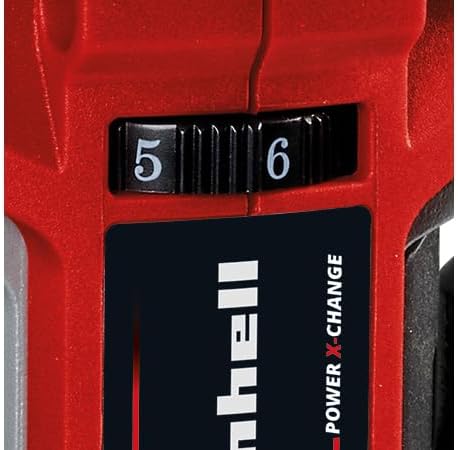
Figure 2: The Einhell TP-ET 18 Li BL-Solo router is supplied without a battery or charger, highlighting the need for separate purchase of Power X-Change batteries.
4.2 Fifi sori ẹrọ Bit Router
- Rii daju pe o ti yọ batiri kuro fun ailewu.
- Tẹ bọtini titiipa spindle ki o si di mu lati ṣe idiwọ fun spindle lati yi pada.
- Loosen the collet nut using one of the provided spanner wrenches.
- Insert the desired router bit into the collet, ensuring it is seated firmly but not bottomed out.
- Tighten the collet nut securely with the spanner wrench while holding the spindle lock.

olusin 3: Isunmọ view of the spindle lock button and collet area, essential for safe and easy router bit changes.
4.3 Attaching the Base Plate and Dust Extraction
- The transparent base plate is pre-installed. Ensure it is clean and free of debris.
- To attach the dust extraction adapter, align it with the designated port on the base plate and secure it. This allows connection to an external vacuum cleaner for a cleaner work environment.

Figure 4: The transparent base plate provides visibility of the workpiece during operation. The dust extraction port is visible for connecting a vacuum.
4.4 Adjusting Milling Depth
- Tutu lefa atunṣe ijinle.
- Rotate the fine adjustment knob to set the desired milling depth. The scale on the side indicates the depth in millimeters.
- Once the desired depth is set, tighten the depth adjustment lever to secure the router in position.
4.5 Attaching Guides (Parallel Stop, Compass Tip, Guide Roller)
Depending on your application, various guides can be attached to the router base for enhanced precision:
- Parallel Stop: Used for routing parallel to an edge. Slide the parallel stop into the slots on the router base and secure it at the desired distance from the bit.
- Compass Tip: For cutting perfect circles. Attach the compass tip to the base and pivot it around a central point.
- Guide Roller: For following curved edges or templates. Attach the guide roller to the base, ensuring it makes contact with the guide surface.
5. Awọn ilana Iṣiṣẹ
5.1 Titan / Pa a
- To turn the router ON, slide the power switch to the 'I' position.
- To turn the router OFF, slide the power switch to the 'O' position.
5.2 iyara Iṣakoso
The router features electronic infinitely variable speed control. Adjust the speed dial to match the material and router bit being used. Higher speeds are generally suitable for smaller bits and softer materials, while lower speeds are for larger bits and harder materials.

Figure 5: The speed control dial allows for precise adjustment of the router's RPM to suit different materials and applications.
5.3 afisona imuposi
- Nigbagbogbo rii daju awọn workpiece ni labeabo clamped ṣaaju ki o to afisona.
- Start the router before making contact with the workpiece.
- Move the router smoothly and consistently along the desired path. Avoid sudden movements or excessive pressure.
- For best results and to prevent kickback, always feed the router against the direction of bit rotation.
- When routing edges, use the edge milling attachment for precise chamfering.
5.4 Gbigba eruku
For a cleaner work environment and improved visibility, connect a suitable wet/dry vacuum cleaner to the suction adapter. This helps to remove wood chips and dust during operation.
6. Itọju
6.1 Ninu
- Ge asopọ batiri nigba gbogbo ṣaaju ṣiṣe mimọ.
- Regularly clean the router housing, base plate, and collet area to remove dust and debris. Use a soft brush or compressed air.
- Ma ṣe lo awọn aṣoju afọmọ ibinu tabi awọn nkanmimu.
6.2 Router Bit Care
- Keep router bits sharp and clean. Dull bits can cause overheating and poor cutting performance.
- Store bits in a protective case to prevent damage.
6.3 Gbogbogbo ayewo
- Check all screws and fasteners regularly to ensure they are tight.
- Inspect the power cord (if applicable, for charger) for damage.
- Ensure all ventilation openings are clear to prevent overheating.
7. Laasigbotitusita
| Isoro | Owun to le Fa | Ojutu |
|---|---|---|
| Olulana ko bẹrẹ | Batiri ko fi sii bi o ti tọ tabi tu silẹ. | Check battery connection; charge or replace battery. |
| Poor cutting quality / Rough edges | Ṣigọgọ tabi bajẹ olulana bit. Eto iyara ti ko tọ. | Replace bit; adjust speed according to material. |
| Gbigbọn ti o pọju | Router bit not properly secured. Damaged bit. | Re-tighten collet nut; replace damaged bit. |
| Motor overheats | Àwọn ihò afẹ́fẹ́ tí a dí. Àkójọpọ̀ ohun èlò náà pọ̀ jù. | Clean ventilation slots; reduce cutting depth/feed rate. |
8. Awọn pato
| Ẹya ara ẹrọ | Sipesifikesonu |
|---|---|
| Awoṣe | TP-ET 18 Li BL-Solo |
| Nọmba apakan | 4350415 |
| Voltage | 18 Volts (Power X-Change) |
| Motor Iru | Aini fẹlẹ |
| Igbega Giga | 40 mm |
| Awọn iwọn Collet | 6 mm, 8 mm |
| Max. Rotational Speed | 3000 RPM (Note: Product description states 3000 RPM, title states 30000 RPM. Please verify with manufacturer for accurate specification.) |
| Ọja Mefa | 9.3 x 9.3 x 18.2 cm |
| Iwọn Nkan | 1.34 kg |
| Ohun elo | Aluminiomu, Ṣiṣu |
| Orisun agbara | Agbara Batiri (Li-Ion) |
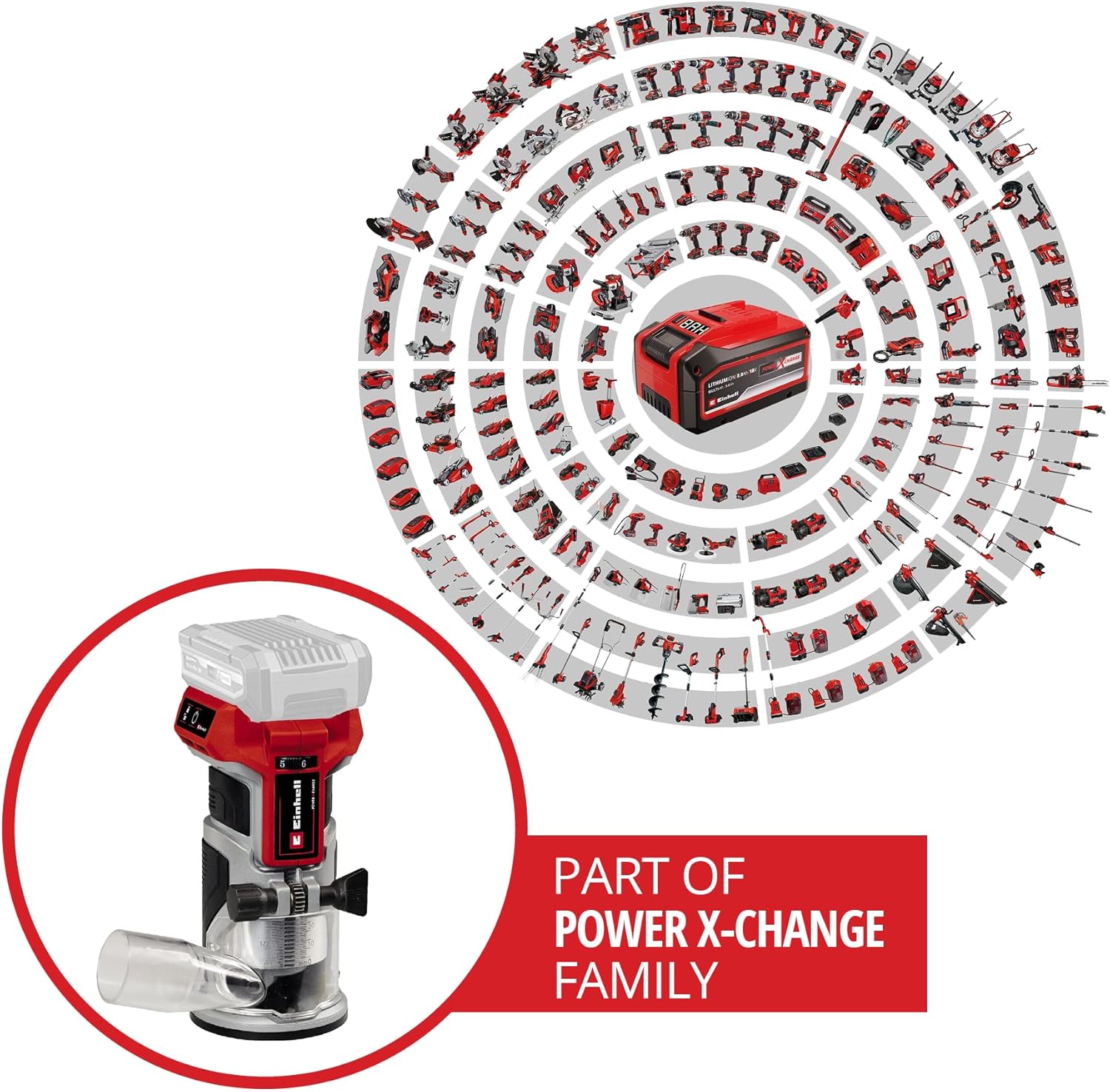
Figure 6: The Einhell TP-ET 18 Li BL-Solo is part of the Power X-Change family, allowing battery compatibility across a wide range of Einhell tools.

Figure 7: Illustration highlighting the benefits of the PurePOWER brushless motor, including increased lifespan, runtime, and power compared to conventional motors.
9. Atilẹyin ọja ati Support
Your Einhell TP-ET 18 Li BL-Solo Cordless Compact Router comes with a 2-year warranty, ensuring safety and durability for your DIY projects. For warranty claims, technical support, or to explore other Einhell products, please visit the official Einhell store or contact customer service.
Ile-itaja Aami Alaṣẹ: Einhell Canada Store
10. Awọn fidio ọja
No official product videos from the seller directly related to the Einhell TP-ET 18 Li BL-Solo Cordless Compact Router were found in the provided data. Videos available were either for related products from other brands, from influencers, or for different Einhell tools.


