1. Ifihan
This manual provides essential information for the safe and effective installation, operation, and maintenance of your TYT 3000 lb ATV Winch. Please read all instructions carefully before use to ensure proper function and to prevent injury or damage.
The TYT 3000 lb ATV Winch is designed for recovery and utility applications on ATVs, UTVs, and other small vehicles. It features a 12V DC electric motor, synthetic rope, and both wireless and wired remote control options.
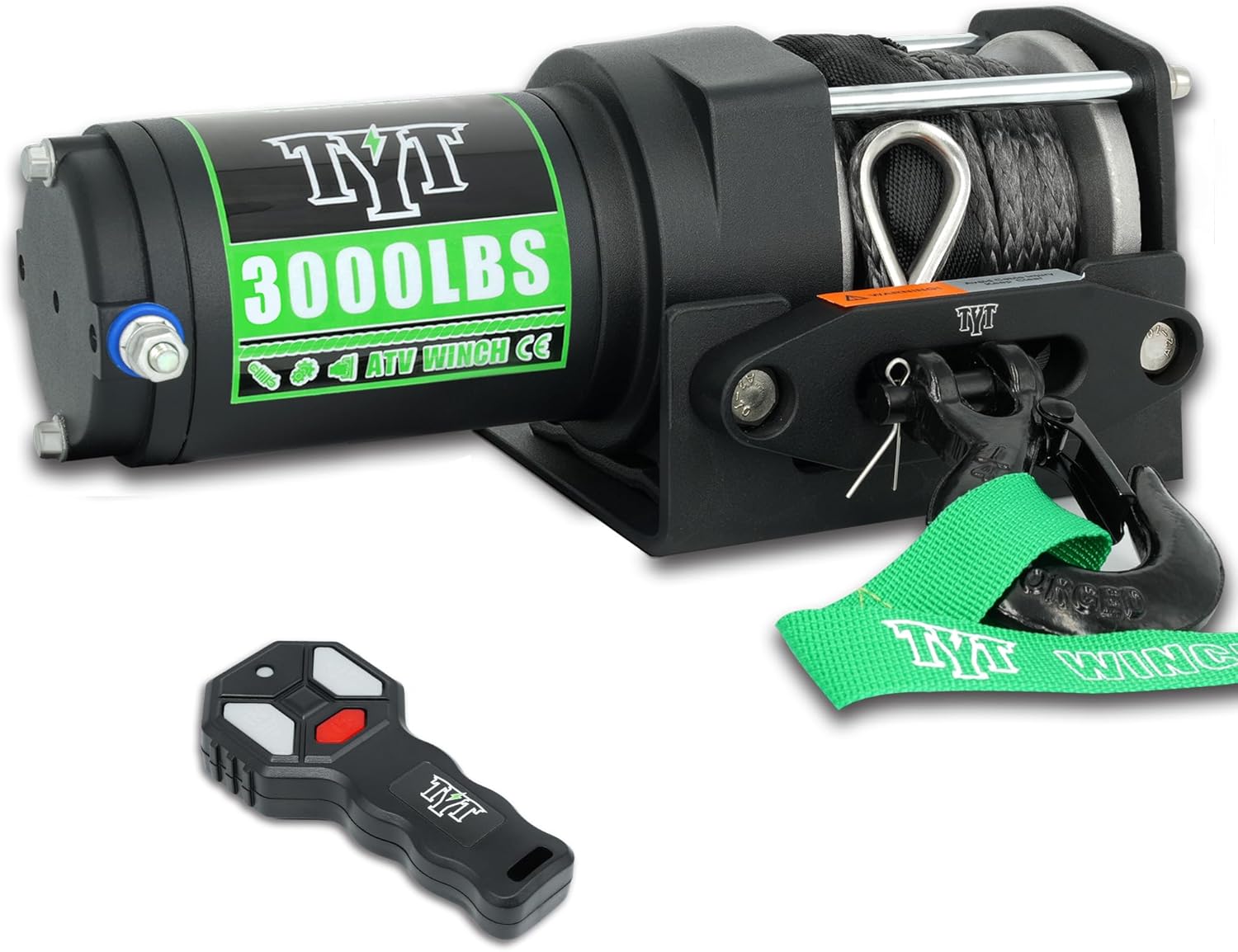
Image: TYT 3000 lb ATV Winch with its wireless remote control and hook.
2. Alaye Aabo
Always prioritize safety when operating the winch. Failure to follow these safety guidelines can result in serious injury or property damage.
- Ka iwe afọwọkọ naa: Understand all operating procedures and warnings before using the winch.
- Wọ Ohun elo Idaabobo: Máa wọ àwọn ibọ̀wọ́ tó lágbára àti ààbò ojú nígbà gbogbo.
- Ṣayẹwo Ṣaaju Lilo: Check the winch, rope, hook, and mounting hardware for damage before each operation. Do not use if any components are damaged.
- Ṣetọju Ijinna Ailewu: Keep hands, hair, clothing, and jewelry clear of the rope, hook, and fairlead during operation. Stand clear of the winch and rope during winching.
- Ma ṣe apọju: Never exceed the rated pulling capacity of the winch (3000 lb).
- Ọkọ to ni aabo: Ensure the vehicle is securely braked and chocked before winching.
- Yẹra fun Awọn Ẹru Ibọn: Do not use the winch to lift or move people. Avoid sudden jerking motions.
- Asopọ batiri: Ensure proper battery connections and avoid short circuits.
- Pipade Ooru: Allow the winch motor to cool down between heavy pulls to prevent overheating.
- Synthetic Rope Care: Protect synthetic rope from sharp edges, heat, and abrasion.
3. Kini To wa
Your TYT 3000 lb ATV Winch package includes the following components:
- TYT 3000 lb Winch Unit with Synthetic Rope
- Apoti Iṣakoso
- Alailowaya isakoṣo latọna jijin
- Ti firanṣẹ isakoṣo latọna jijin
- Aluminiomu Fairlead
- Iṣagbesori Awo
- Clevis kio
- Installation Bolts
- Brand Strap
- Ilana Afowoyi (iwe yii)

Image: A visual representation of all components included in the TYT 3000 lb ATV Winch kit.
4. Eto ati fifi sori
4.1 Iṣagbesori Winch
The TYT 3000 lb ATV Winch is designed for easy installation on most ATV/UTV mounting brackets due to its standard body size and installation dimensions. Ensure the mounting surface is strong enough to support the winch's maximum pulling force.
- Winch Body Size: 11.5'' x 4'' x 4.2''
- Fairlead Mounting Pattern: 4 1/2" (124mm)
- Mounting Plate 2-Hole: 3" (76mm) / 3.10" (78mm)
Use the provided mounting plate and bolts to securely attach the winch to your vehicle. Ensure all bolts are tightened to the manufacturer's specifications.

Image: Detailed dimensional drawing of the winch unit, mounting plate, and aluminum fairlead.
4.2 Itanna onirin
Connect the winch to a 12V DC power source. The wiring diagram below illustrates the correct connections for the winch, control box, and remote controls.
- Connect the red wire from the control box to the positive terminal of the battery.
- Connect the black wire from the control box to the negative terminal of the battery.
- The red wire for the ignition line (or positive battery terminal) prevents accidental starts.
- Rii daju pe gbogbo awọn asopọ wa ni aabo ati idabobo lati yago fun awọn iyika kukuru.
Image: Electrical wiring diagram for the TYT 3000 lb ATV Winch system.
5. Awọn ilana Iṣiṣẹ
5.1 Engaging and Freespooling the Clutch
The winch features a durable clutch knob for engaging and freespooling the synthetic rope.
- Olukoni: Push the clutch knob in and rotate it to the 'Engage' position to connect the motor to the drum.
- Freespool: Pull the clutch knob out and rotate it to the 'Freespool' position. This allows the rope to be manually pulled out from the drum without motor power, which is useful for quickly extending the rope to an anchor point.
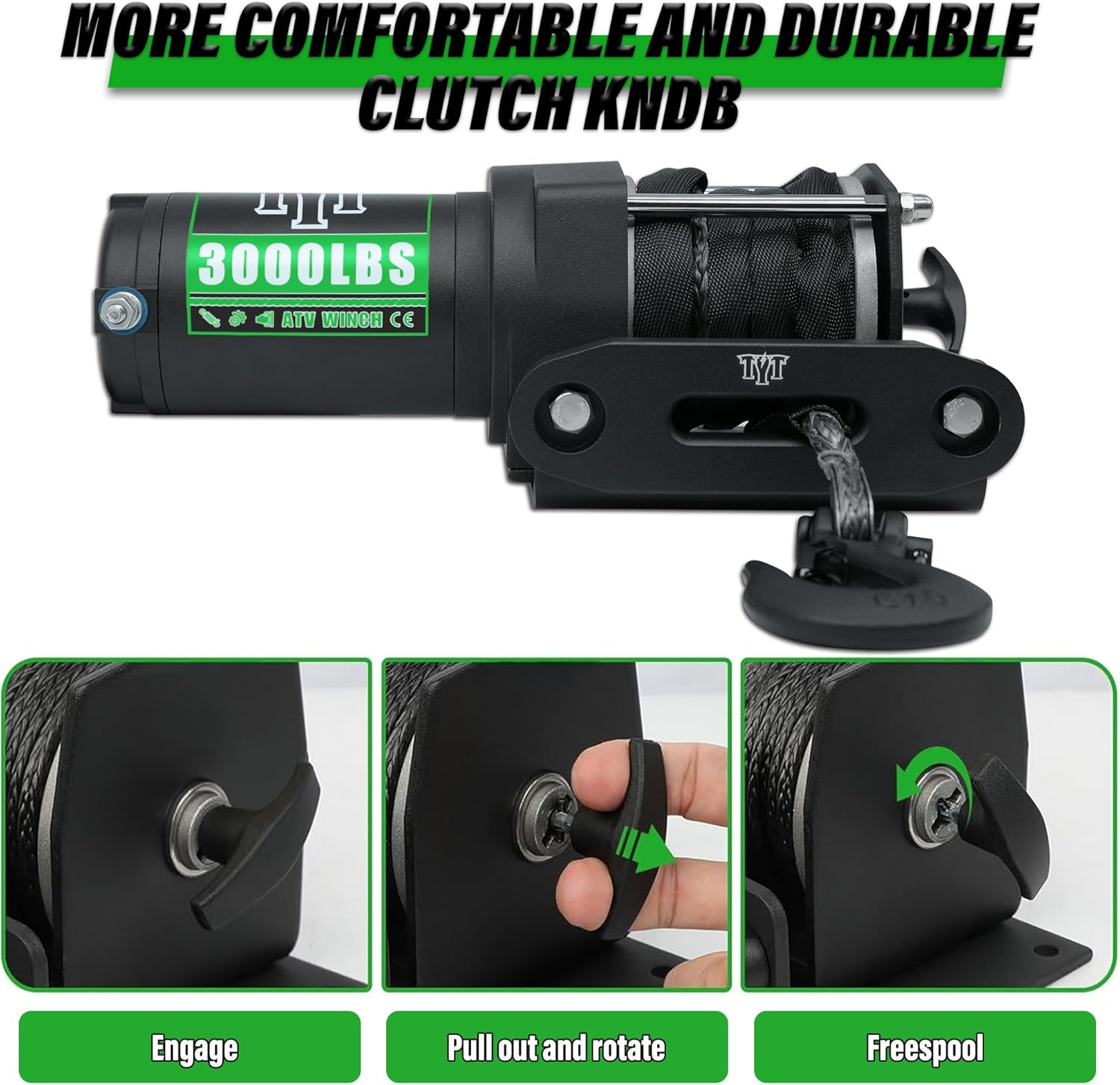
Image: Visual guide for operating the winch clutch knob (Engage, Pull out and rotate, Freespool).
5.2 Using the Remote Controls
The winch includes both a 50-foot wireless remote control and a 10-foot wired controller for efficient operation.
- Latọna jijin: So remote onirin mọ apoti iṣakoso. Lo bọtini 'IN' lati fa okùn naa pada ati bọtini 'OUT' lati fa okùn naa.
- Latọna Alailowaya: For initial setup, pair the wireless remote by holding down the 'IN' and 'OUT' buttons simultaneously near the winch for 10 seconds. The receiver responds quickly, allowing operation within a 50-foot radius. The wireless remote typically has an 'ON/OFF' switch or button to activate it, which also serves as a safety feature.
6. Itọju
Itọju deede ṣe idaniloju gigun ati iṣẹ igbẹkẹle ti winch rẹ.
- Àyẹ̀wò Okùn: Regularly inspect the synthetic rope for frays, cuts, or excessive wear. Replace the rope if any damage is found.
- Mimọ: Keep the winch and rope clean from dirt, mud, and debris. Rinse with fresh water after use in harsh conditions.
- Awọn Isopọ Itanna: Check all electrical connections periodically for corrosion or looseness. Clean and tighten as necessary.
- Lubrication: Consult a qualified technician for internal lubrication if needed. The gearbox is typically sealed and does not require user maintenance.
- Ibi ipamọ: Store the winch in a dry environment when not in use.
7. Laasigbotitusita
Ti o ba ni awọn iṣoro pẹlu winch rẹ, wo awọn iṣoro ati awọn solusan ti o wọpọ wọnyi:
| Isoro | Owun to le Fa | Ojutu |
|---|---|---|
| Winch ko ṣiṣẹ | No power, loose connections, faulty remote, motor issue | Check battery connections, ensure battery is charged, test wired remote, re-pair wireless remote, check circuit breaker/fuse. |
| Alailowaya latọna jijin ko ṣiṣẹ | Unpaired, dead batteries, interference | Re-pair the remote (hold IN/OUT for 10 seconds), replace remote batteries, ensure no obstructions. |
| Winch pulls slowly or weakly | Low batiri voltage, overloaded, motor overheating | Charge battery, reduce load, allow motor to cool. |
| Rope does not freespool | Clutch not disengaged | Ensure clutch knob is fully pulled out and rotated to the 'Freespool' position. |
Ti awọn iṣoro ba tẹsiwaju lẹhin igbiyanju awọn ojutu wọnyi, kan si atilẹyin alabara.
8. Awọn pato
Key technical specifications for the TYT 3000 lb ATV Winch:
- Olupese: TYT
- Nọmba awoṣe: 3000 lb
- Ti won won Laini Fa: 3000 lb (single line)
- Mọto: 1 HP Pure Copper Permanent Magnet Motor, 12V DC
- Eto jia: Mẹta-stage Planetary jia
- Eto Iyanjẹ: 138:1
- Iru okun: Sintetiki Winch Okun
- Awọn iwọn okun: 1/5" x 32 FT (5mm x 10m)
- Fairlead: Aluminiomu
- Iṣakoso: 50-foot Wireless Remote, 10-foot Wired Switch
- Winch Dimensions: Approximately 11.5" x 4" x 4.2" (L x W x H)
- Ìwọ̀n Nkan: 7 iwon

Image: Illustration of the winch's 1 HP permanent magnet motor.
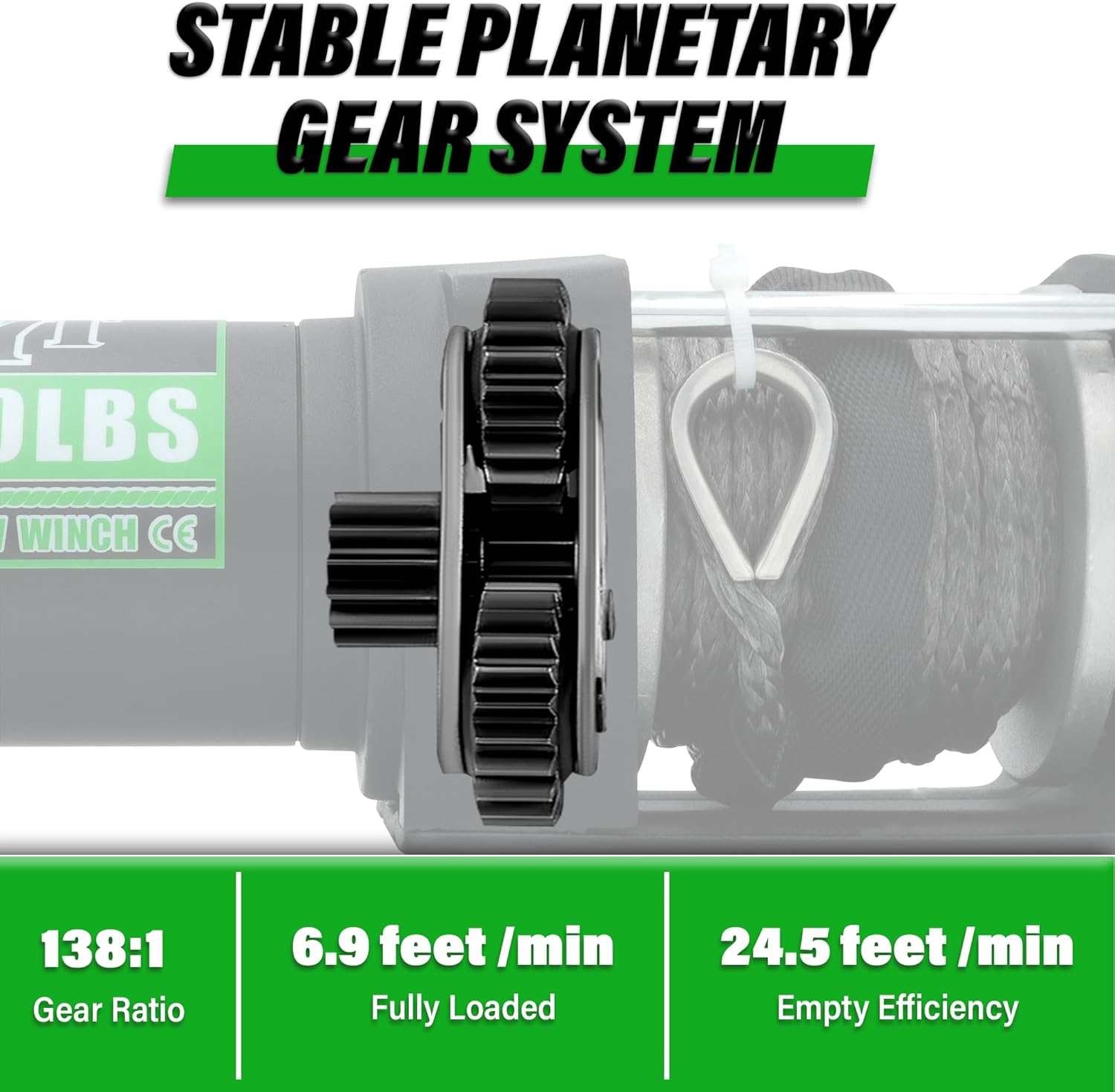
Image: Detail of the three-stage planetary gear system.

Image: The synthetic winch rope, highlighting its strength and dimensions.
9. Atilẹyin ọja ati Support
TYT provides comprehensive support for its products.
- Atilẹyin ọja: All TYT winches come with a one-year quality service warranty.
- Oluranlowo lati tun nkan se: Lifetime technical support is provided for your product.
- Olubasọrọ: If you encounter any problems during use, please contact the seller directly through your purchase platform. TYT aims to respond within 24 hours and resolve any issues.

Image: Information regarding TYT's after-sales service and support.


