1. Ifihan
The VIOFO HK5 ACC Hardwire Cable is designed to provide continuous power to your VIOFO VS1 dash cam, enabling advanced parking surveillance features and protecting your vehicle's battery from discharge. This manual provides essential information for proper installation and operation.

2. Ọja Ipariview
The HK5 ACC Hardwire Cable consists of a USB-C connector for the dash cam, a control box with voltage regulation, and three bare wire leads for connection to your vehicle's electrical system.

2.1 Ibamu
The VIOFO HK5 ACC Hardwire Cable is specifically designed for use with the VIOFO VS1 Dash Kame.awo-.

| Ẹya ara ẹrọ | HK5 |
|---|---|
| Awoṣe to wulo | VS1 |
| Asopọmọra Port | USB Iru-C |
| Iṣawọle | 12-24V |
| Atọka Input | ACC (ofeefee), Ilẹ (dudu), Batiri (pupa) |
| Gigun | 13.1 ẹsẹ (4M) |
3. Eto ati fifi sori
Proper installation is crucial for the functionality of the hardwire cable and the safety of your vehicle's electrical system. It is recommended to consult a professional if you are unsure about any steps.
3.1 Awọn isopọ onirin
The HK5 hardwire cable features three distinct wires for connection:
- Red Battery Cable: Connect this to a constant power source in your vehicle's fuse box. This circuit should provide power even when the ignition is off.
- Yellow ACC Cable: Connect this to an ignition-switched power source in your vehicle's fuse box. This circuit should only provide power when the vehicle's engine is on.
- Black Ground Cable: Connect this to a metal part of the vehicle's chassis, ensuring a secure ground connection.
Note: Fuse taps are NOT included with the HK5 hardwire cable. You will need to acquire two appropriate fuse taps (one for the red cable, one for the yellow cable) that match your vehicle's fuse type.

3.2 Afisona okun
The hardwire cable has a length of 13.1 feet (4 meters), allowing for flexible routing within most vehicles. Route the cable discreetly along the vehicle's headliner, A-pillar, and dashboard to the fuse box location. Ensure the cable does not interfere with airbags or other safety features.
4. Awọn ilana Iṣiṣẹ
4.1 Automatic Parking Mode
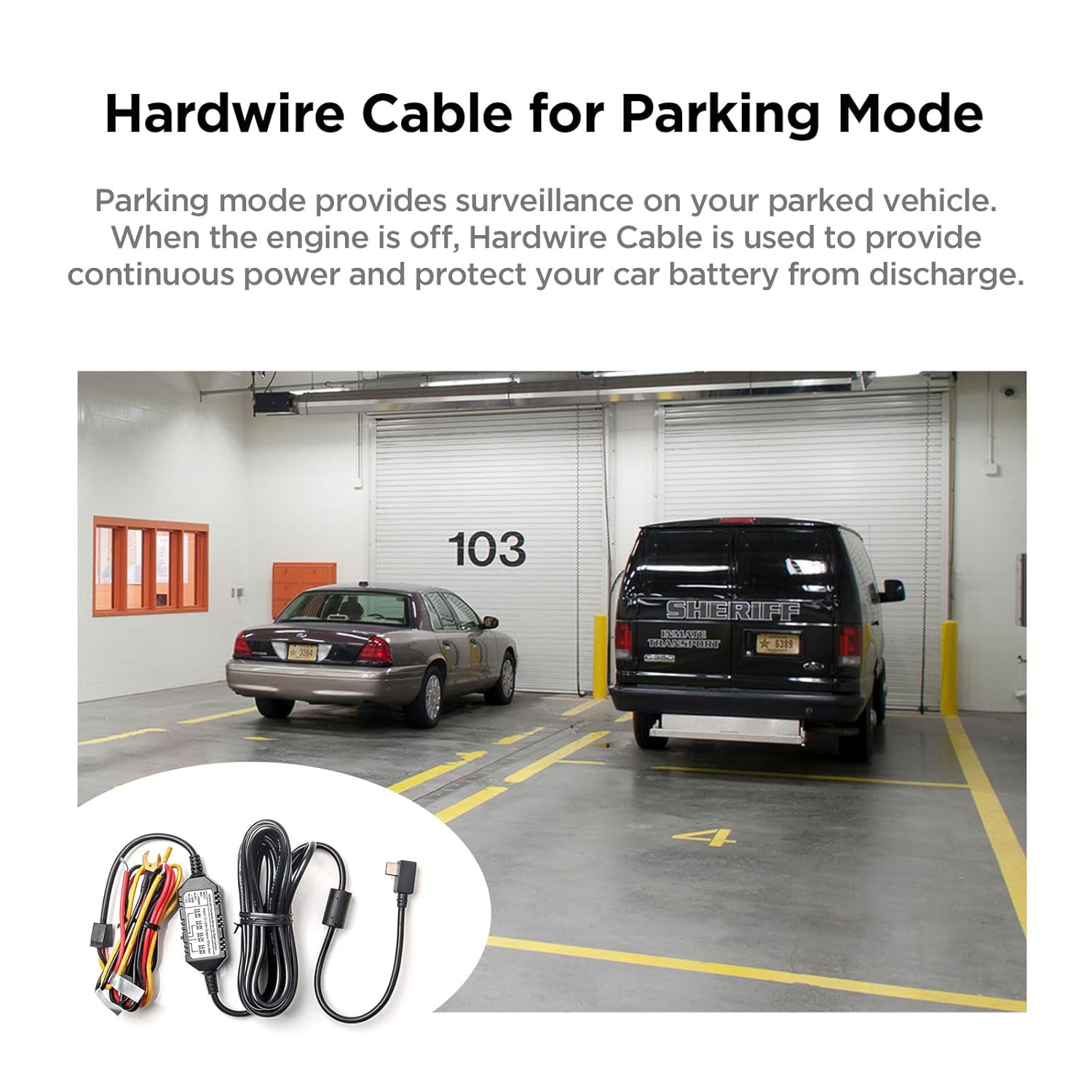
The HK5 ACC Hardwire Cable enables automatic switching to parking mode for your VS1 dash cam. When the vehicle's engine is turned off, the dash cam will automatically enter parking mode, providing continuous surveillance. When the engine is started, the dash cam will automatically switch back to normal recording mode.
4.2 Iwọn kekeretage Idaabobo
To prevent your vehicle's battery from being drained, the HK5 hardwire cable features low voltage protection. You can configure a voltage cut-off value using the switch on the control box. If the vehicle's battery voltage drops below the selected cut-off value, the hardwire cable will automatically stop supplying power to the dash cam, protecting your battery from excessive discharge.

The wa voltage cut-off options are:
- For 12V systems: 11.8V, 12.0V, 12.2V, 12.4V
- For 24V systems: 23.6V, 24.0V, 24.4V, 24.8V
Yan iwọn didun ti o yẹtage cut-off based on your vehicle's battery type and desired protection level.
5. Itọju
To ensure optimal performance and longevity of your VIOFO HK5 ACC Hardwire Cable:
- Periodically inspect all connections to ensure they remain secure and free from corrosion.
- Ensure the cable is not pinched or exposed to excessive heat or sharp edges.
- Keep the control box free from dirt and moisture.
6. Laasigbotitusita
- Dash cam does not power on in parking mode: Verify that the red battery cable is connected to a constant power source and that the fuse tap is correctly installed and functional. Check the voltage cut-off setting; if the battery voltage is below the set value, the cable will not supply power.
- Dash cam does not switch to normal recording: Ensure the yellow ACC cable is connected to an ignition-switched power source and that its fuse tap is correctly installed.
- Batiri n ṣan ni kiakia: Review rẹ voltage cut-off setting. A lower cut-off value allows the dash cam to draw power for longer, potentially draining the battery more. Consider increasing the cut-off voltage.
- No power to dash cam: Check all three connections (red, yellow, black) for secure contact. Inspect the fuse taps and fuses for any damage or blown fuses.
7. Awọn pato
| Ẹya ara ẹrọ | Sipesifikesonu |
|---|---|
| Nọmba awoṣe | HK5 |
| Awọn ẹrọ ibaramu | VIOFO VS1 Dash Kame.awo- |
| Asopọmọra Iru | USB Iru-C |
| USB Iru | USB Hardwire |
| Iṣagbewọle Voltage | DC 12-24V |
| O wujade Voltage/lọwọlọwọ | DC 5V / 2A Max |
| USB Ipari | 13.1 ẹsẹ (4 m) |
| Pataki Ẹya | Kekere Voltage Protection, ACC Detection |
| Package Mefa | 5 x 3.23 x 2.01 inches |
| Iwọn Nkan | 5.93 iwon |
| Olupese | VIOFO |

8. Atilẹyin ọja ati Support
VIOFO is committed to providing reliable products and excellent customer service.
- Ẹri Owo-pada Owo-ọjọ 30: Tí o kò bá ní ìtẹ́lọ́rùn pẹ̀lú ohun tí o rà, o lè yẹ fún àtúnpadà láàrín ọjọ́ 30.
- Ibori Atilẹyin Osu 24: The HK5 ACC Hardwire Cable comes with an extended 24-month warranty.
- Igbẹhin Onibara: VIOFO offers 24/7 customer support for any inquiries or assistance you may need.
8.1 Kan si Alaye
For support, please contact VIOFO:
- Imeeli: atilẹyin@viofo.com
- Foonu (AMẸRIKA): +1 323 505 9898


