1. Ifihan
Thank you for choosing the TELEFUNKEN TE32750B45V2D 32-inch HD Ready Smart LED TV. This manual provides essential information to help you set up, operate, and maintain your new television. Please read it thoroughly before use and keep it for future reference.
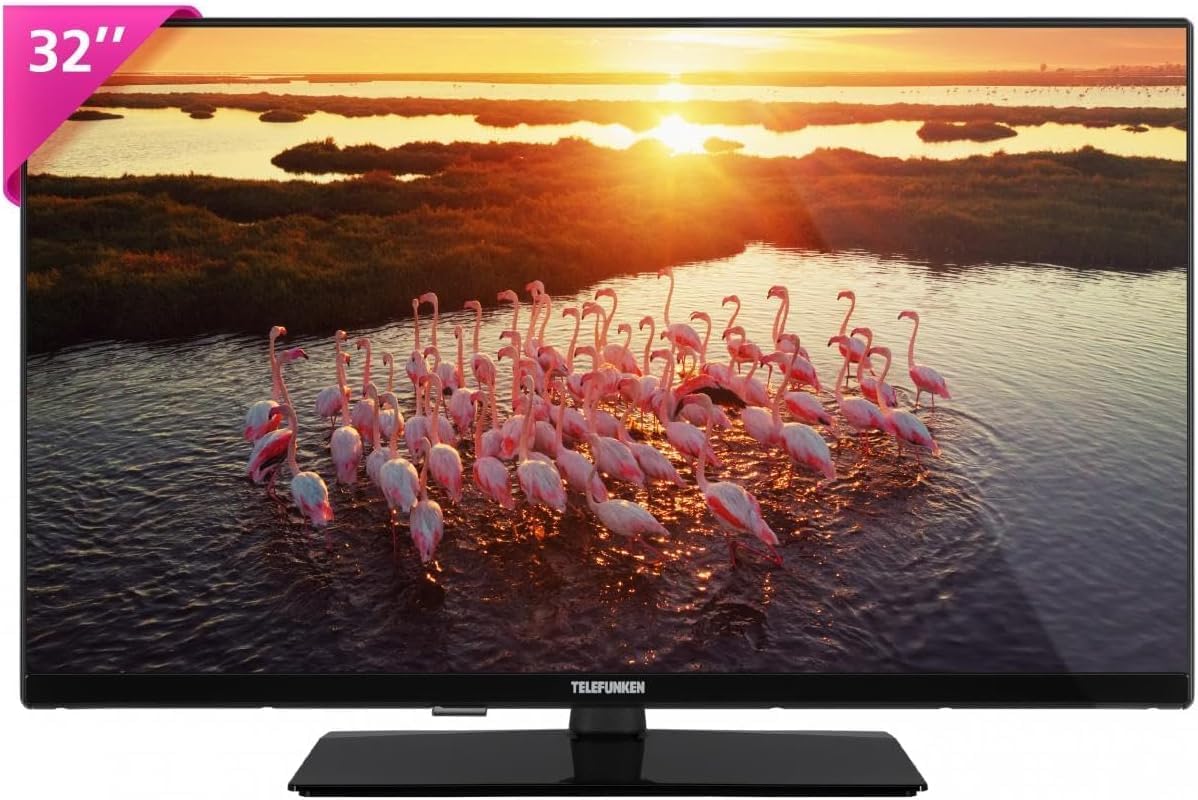
olusin 1: Iwaju view of the TELEFUNKEN TE32750B45V2D Smart LED TV, showing the 32-inch screen and stand.
2. Eto
2.1 Ṣiṣii silẹ
Carefully remove the TV and all accessories from the packaging. Ensure all components are present:
- TELEFUNKEN 32-inch Smart LED TV
- Isakoṣo latọna jijin
- Awọn batiri fun isakoṣo latọna jijin
- TV Imurasilẹ irinše
- Okun agbara
- Afowoyi Olumulo (iwe-ipamọ yii)
2.2 So Iduro TV
- Gbe iboju TV si isalẹ lori rirọ, dada alapin lati ṣe idiwọ awọn nkan.
- Ṣe deede ipilẹ iduro pẹlu awọn ihò fifi sori isalẹ ti TV.
- Ṣe aabo iduro ni lilo awọn skru ti a pese. Maṣe ṣe apọju.
2.3 Nsopọ Agbara
Plug the power cable into the TV's power input, then into a wall outlet. Ensure the power outlet is easily accessible.
2.4 Nsopọ Awọn ẹrọ ita
Your TV offers various connection options for external devices:
- HDMI: Fun awọn ẹrọ asọye giga bi awọn ẹrọ orin Blu-ray, awọn afaworanhan ere, tabi awọn apoti ṣeto-oke.
- USB: Fun sisopọ awọn ẹrọ ipamọ USB lati mu media ṣiṣẹ files. This model includes 1 USB port.
- Àjọlò (LAN): Fun asopọ intanẹẹti ti a firanṣẹ.
- Antenna/Cable: Fun sisopọ eriali tabi ifihan agbara TV USB.

olusin 2: Apa view of the TELEFUNKEN TE32750B45V2D, illustrating the slim design and potential port locations.
2.5 First-Time Oṣo oluṣeto
Lori agbara akọkọ, TV yoo ṣe itọsọna fun ọ nipasẹ ilana iṣeto akọkọ:
- Aṣayan ede: Yan ede ti o fẹ julọ.
- Eto Nẹtiwọọki: Sopọ si nẹtiwọki Wi-Fi rẹ tabi lo asopọ Ethernet ti a firanṣẹ.
- Iwoye ikanni: Scan for available digital (DVB-C, DVB-S2, DVB-T2) channels.
- Agbegbe Aago: Ṣeto agbegbe aago agbegbe rẹ.
3. Ṣiṣẹ TV
3.1 Iṣakoso latọna jijin Loriview
Mọ ara rẹ pẹlu awọn bọtini iṣakoso latọna jijin fun lilọ kiri irọrun:
- Bọtini agbara: Tan TV si tan tabi paa.
- Bọtini Orisun: Yan awọn orisun titẹ sii (HDMI, AV, TV).
- Awọn bọtini lilọ kiri (Soke/isalẹ/osi/Ọtun/DARA): Fun lilọ kiri akojọ aṣayan ati yiyan.
- Iwọn didun Soke/Isalẹ: Ṣatunṣe ipele ohun.
- Ikanni Soke/Isalẹ: Ayipada TV awọn ikanni.
- Smart TV/Home Button: Wọle si Smart TV ni wiwo.
- Bọtini Akojọ: Opens the main settings menu.
- Exit/Back Button: Pada si iboju iṣaaju tabi jade ni akojọ aṣayan kan.
3.2 Ipilẹ Awọn iṣẹ
- Titan/Pa: Press the Power button on the remote or the TV.
- Awọn ikanni Iyipada: Use the Channel Up/Down buttons or enter channel numbers directly.
- Iṣatunṣe Iwọn didun: Lo awọn bọtini iwọn didun Up / Isalẹ.
- Yiyan Orisun Iṣawọle: Press the Source button and select the desired input (e.g., HDMI 1, USB).
3.3 Smart TV Awọn ẹya ara ẹrọ
Your TELEFUNKEN Smart TV allows you to connect to the internet and access various applications. This model supports Wi-Fi and Ethernet connectivity.
- Accessing Smart TV: Press the Smart TV or Home button on your remote.
- Lilọ kiri: Use the navigation buttons to browse apps and content.
- Isopọ Ayelujara: Ensure your TV is connected to a stable internet connection via Wi-Fi or Ethernet for optimal Smart TV experience.

Figure 3: The "Works with Amazon Alexa" logo, indicating compatibility with Amazon Alexa voice control for enhanced Smart TV interaction.
4. Itọju
4.1 Ninu TV
- Iboju: Fi aṣọ rírọ̀ tí kò ní àwọ̀ rẹ́rẹ́ nu ibojú náà. Fún àwọn àmì líle, lo omi ìfọmọ́ ibojú tí a ṣe pàtó fún àwọn tẹlifíṣọ̀n, tí a fi sí orí aṣọ náà, kì í ṣe tààrà sí ibojú náà.
- Ara: Fi aṣọ rírọrùn àti gbígbẹ nu férémù tẹlifíṣọ̀n náà kí o sì dúró níbẹ̀. Yẹra fún lílo àwọn ohun ìfọṣọ tàbí àwọn ohun èlò ìfọṣọ.
- Yọọ TV nigba gbogbo ṣaaju ṣiṣe mimọ.
4.2 Software imudojuiwọn
Your Smart TV may receive software updates to improve performance and add new features. Ensure your TV is connected to the internet to receive these updates. You can usually check for updates in the TV's settings menu.
4.3 Awọn iṣọra aabo
- Maṣe ṣe idiwọ awọn ṣiṣi eefin.
- Ma ṣe fi TV han si ojo tabi ọrinrin.
- Yago fun gbigbe TV sinu orun taara tabi sunmọ awọn orisun ooru.
- Ma ṣii TV casing; tọka gbogbo iṣẹ si oṣiṣẹ ti o peye.
5. Laasigbotitusita
Ti o ba pade awọn ọran pẹlu TV rẹ, tọka si awọn iṣoro ti o wọpọ ati awọn ojutu wọnyi:
| Isoro | Owun to le Fa | Ojutu |
|---|---|---|
| Ko si agbara | Power cable disconnected, no power from outlet. | Check power cable connection. Test outlet with another device. |
| Ko si aworan, ṣugbọn ohun wa | Incorrect input source, faulty cable, display settings. | Verify input source. Check HDMI/AV cable connections. Adjust brightness/contrast. |
| Ko si ohun, ṣugbọn aworan wa | Volume muted or too low, incorrect audio output, faulty cable. | Unmute volume, increase volume. Check audio settings. Ensure cables are secure. |
| Isakoṣo latọna jijin ko ṣiṣẹ | Àwọn bátírì tí ó ti kú, ìdènà, àti ọ̀nà àbáwọlé kò so pọ̀. | Replace batteries. Remove obstructions. Re-pair remote if necessary (refer to TV settings). |
| Ko le sopọ si Wi-Fi | Incorrect password, router issues, TV too far from router. | Double-check Wi-Fi password. Restart router. Move TV closer or use Ethernet. |
Ti iṣoro naa ba wa lẹhin igbiyanju awọn solusan wọnyi, jọwọ kan si atilẹyin alabara.
6. Awọn pato
| Ẹya ara ẹrọ | Ẹ̀kúnrẹ́rẹ́ |
|---|---|
| Orukọ awoṣe | TE32750B45V2D |
| Brand | TELEFUNKEN |
| Iwon iboju | 32 inches (81.3 cm) |
| Ipinnu | HD Ṣetan (awọn piksẹli 1366 x 768) |
| Ifihan ọna ẹrọ | DLED |
| Apẹrẹ iboju | Alapin |
| Imọlẹ | 250 cd/m² |
| Akoko Idahun | 8.5 ms |
| Ipin Itansan | 200:1 |
| Ìrísí Ìfilọ́lẹ̀ Oní-nọ́ńbà | DVB-C, DVB-S2, DVB-T2 |
| Asopọmọra | Wi-Fi, àjọlò |
| Awọn ibudo USB | 1 |
| Ipo Ijade Ohun | Sitẹrio |
| Awọn iwọn Ọja (D x W x H) | 18.5 x 72.8 x 47.5 cm (pẹlu iduro) |
| Odun awoṣe | 2022 |
| Agbara Kilasi | E |

Figure 4: The energy efficiency label for the TELEFUNKEN TE32750B45V2D, indicating an 'E' rating.
7. Atilẹyin ọja ati Support
TELEFUNKEN products are designed for reliability and performance. This product comes with a standard manufacturer's warranty. Please refer to the warranty card included in your packaging for specific terms and conditions.
For technical support, troubleshooting assistance beyond this manual, or warranty claims, please contact TELEFUNKEN customer service. Contact information can typically be found on the manufacturer's webaaye tabi lori apoti ọja rẹ.


