1. Ifihan
This manual provides detailed instructions for the assembly, operation, and maintenance of your Flysky Ergonomic Office Desk Chair, Model FS-5001H-BK. Please read this manual thoroughly before assembly and use to ensure proper function and longevity of your chair.
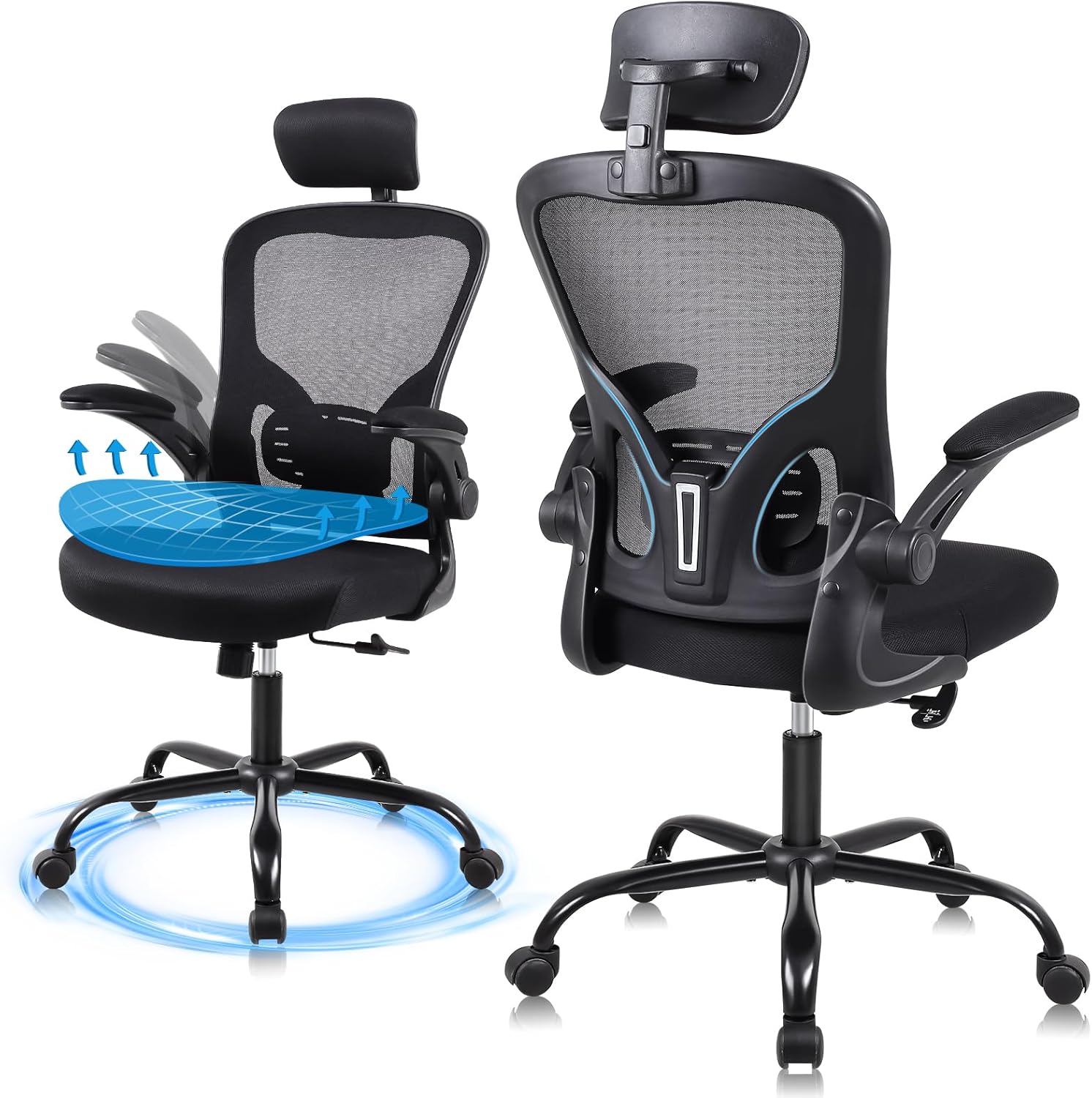
This image displays the Flysky Ergonomic Office Desk Chair from both front and rear angles, highlighting its mesh back, adjustable headrest, and armrests.
2. Package Awọn akoonu
Ṣaaju ki o to bẹrẹ apejọ, rii daju pe gbogbo awọn paati wa ati pe ko bajẹ. Ti eyikeyi awọn ẹya ba sonu tabi bajẹ, jọwọ kan si atilẹyin alabara.
- Alaga Backrest
- Timutimu ijoko
- Awọn ihamọra (2)
- Gaasi Gbe Silinda
- Mimọ Star
- Awọn oṣere (5)
- Mechanism Awo
- Ibugbe ori
- Ohun elo Hardware (skru, washers, Allen wrench)
3. Apejọ Awọn ilana
Assembly typically takes approximately 20 minutes. Refer to the included installation manual for detailed diagrams. Ensure all connections are secure before use.
- So Casters si Ipilẹ: Fi awọn simẹnti marun sinu awọn ihò ni opin ẹsẹ kọọkan ti ipilẹ irawọ. Titari ṣinṣin titi wọn o fi tẹ sinu aaye.
- Fi Gas Gbe soke: Gbe gaasi gbe silinda sinu iho aarin ti awọn star mimọ.
- So Awo Mechanism mọ Ijoko: Align the mechanism plate with the pre-drilled holes on the underside of the seat cushion. Secure with screws using the provided Allen wrench. Ensure the front of the mechanism plate faces the front of the seat.
- So Armrests to Ijoko: Ṣe aabo awọn ihamọra si awọn ẹgbẹ ti ijoko ijoko ni lilo awọn skru ti a yan.
- So Backrest to Ijoko: Connect the backrest to the seat assembly. Secure with screws.
- So Headrest: Rọra agbekọri sinu iho ti a yan ni oke ẹhin.
- So Apejọ Ijoko pọ si Igbesoke Gaasi: Carefully place the assembled seat onto the gas lift cylinder, ensuring it is centered.

Ipariview of the chair's superior components: SGS Class III pneumatic rod, 360-degree silent universal wheels, high-load-bearing metal five-claw base, and explosion-proof steel connectors.
4. Operational Adjustments
Your Flysky office chair offers several adjustment features to customize your seating experience for optimal comfort and support.
4.1 Ijoko Iga tolesese
To adjust the seat height, locate the lever on the right side beneath the seat. Pull the lever up while seated to lower the chair, or pull the lever up while standing to raise the chair. Release the lever at your desired height. The chair offers a 4-inch vertical adjustment range.

An image showing a user adjusting the seat height using the lever, demonstrating the 4-inch vertical adjustment range.
4.2 Backrest Recline Function
The backrest can be tilted between 90 and 120 degrees. To adjust the recline, locate the knob beneath the seat. Loosen the knob to allow the backrest to tilt, then tighten it at your preferred angle to lock it in place.

An image showing a user reclining in the chair, illustrating the 90-120 degree backrest tilt adjustment for various sitting postures.
4.3 Headrest Atunṣe
The 3D headrest can be adjusted vertically by 2 inches and rotated by 15 degrees to provide optimal support for your head and neck. Simply grasp the headrest and move it to your desired position.

An image showing a user adjusting the 3D headrest, which offers 2 inches of vertical adjustment and a 15-degree rotatable angle for personalized neck support.
4.4 Armrest Atunṣe
The armrests feature a 90-degree flip-up design, allowing them to be raised and stowed under a desk to save space. Simply lift the armrests upwards to engage the flip-up mechanism.

This image illustrates the 90-degree flip-up armrests, designed to allow the chair to be stowed under a desk, optimizing space.
5. Ergonomic Awọn ẹya ara ẹrọ
The Flysky Ergonomic Office Desk Chair is designed to provide comprehensive support for extended periods of sitting.
5.1 S-Shaped Bionic Backrest
The backrest is engineered to conform to the natural curve of the human spine, offering support to the head, shoulders, back, hips, and lumbar region. This design aims to alleviate discomfort associated with prolonged sitting.

Illustration demonstrating how the ergonomic mesh backrest provides support to the neck, chest, and waist, aligning with the natural curve of the human spine.
5.2 High Resilience Sponge Cushion
The seat cushion is constructed from high-density foam, designed for comfort and breathability. Its high elasticity ensures it retains its shape and provides consistent support, preventing fatigue during long periods of use.

Abala ni irekọja view of the 3.22-inch thick high-resilience sponge cushion, highlighting its ability to fit the body curve, high elasticity, and resistance to collapse.
6. Awọn pato
| Brand | Flysky |
| Orukọ awoṣe | FS-5001H-BK |
| Àwọ̀ | Dudu |
| Awọn iwọn Ọja (D x W x H) | 28"D x 32"W x 20"H |
| Iwọn Nkan | 26 iwon |
| Iṣeduro iwuwo ti o pọju | 320 Pounds (SGS Class III pneumatic rod certified for 300 lbs max load) |
| Niyanju User Giga | 5'2" - 6'2" |
| Tolesese Iga tolesese | 4 inches |
| Backrest Recline Angle | 90° -120° |
| Atunse Headrest | 2" up/down, 15° rotatable |
| Armrest Style | 90° Flip-up |

Detailed diagram showing the dimensions of the chair, including height, width, and depth, along with a maximum load capacity of 320 lbs and recommended user height range of 5'2" to 6'2".
7. Itọju
Regular maintenance will help preserve the appearance and functionality of your office chair.
- Ninu: Nu awọn ẹya ṣiṣu ati irin pẹlu asọ, damp cloth. For mesh and fabric areas, use a mild soap solution and a soft brush, then blot dry. Avoid harsh chemicals or abrasive cleaners.
- Ṣayẹwo Awọn isopọ: Lorekore ṣayẹwo gbogbo awọn skru ati awọn boluti lati rii daju pe wọn ṣinṣin. Tun-mu ti o ba jẹ dandan lati ṣetọju iduroṣinṣin ati ailewu.
- Itọju Caster: Jeki awọn casters laisi irun ati idoti lati rii daju yiyi dan.
8. Laasigbotitusita
Ti o ba pade awọn ọran eyikeyi pẹlu alaga rẹ, tọka si awọn iṣoro ati awọn solusan ti o wọpọ wọnyi:
- Chair Will Not Adjust Height:
- Rii daju pe lefa gbigbe gaasi ti ṣiṣẹ ni kikun.
- Check if the gas lift cylinder is properly seated in the base and mechanism plate.
- Verify that no obstructions are preventing the lever from moving freely.
- Alaga Squeaks tabi Wobbles:
- Check all assembly screws and bolts. Tighten any loose connections.
- Rii daju pe awọn simẹnti ti wa ni kikun fi sii sinu ipilẹ.
- Awọn Casters Ko Yiyi Lara:
- Yọ irun eyikeyi, eruku, tabi idoti kuro ninu awọn kẹkẹ simẹnti.
9. Atilẹyin ọja ati Support
Your Flysky Ergonomic Office Desk Chair comes with a 3-odun lẹhin-tita iṣẹ. If you experience any issues or require assistance, please contact our professional support team. Provide your model number (FS-5001H-BK) and purchase details for efficient service.
For support, please refer to the contact information provided at your point of purchase or on the official Flysky webojula.


