Ọrọ Iṣaaju
This manual provides detailed instructions for the setup, operation, maintenance, and troubleshooting of your Volkano Cyclone Series Portable Bluetooth Speaker. Please read this guide thoroughly before using the product to ensure proper function and longevity.
Alaye Aabo
- Ma ṣe fi agbọrọsọ si awọn iwọn otutu to gaju, imọlẹ orun taara, tabi ọriniinitutu giga.
- Keep the speaker away from water and liquids. This product is not water-resistant.
- Má ṣe gbìyànjú láti tú tàbí yí agbọ́hùnsọ náà padà. Èyí lè sọ àtìlẹ́yìn náà di òfo kí ó sì fa ìbàjẹ́.
- Lo gbigba agbara pàtó kan voltage (5V DC, 1A) to prevent damage to the battery and speaker.
- Jeki kuro ni arọwọto awọn ọmọde.
Package Awọn akoonu
Rii daju pe gbogbo awọn nkan wa ninu package:
- Volkano Cyclone Series Portable Bluetooth Speaker
- Okun Ngba agbara USB
- USB Iranlọwọ
- Itọsọna olumulo
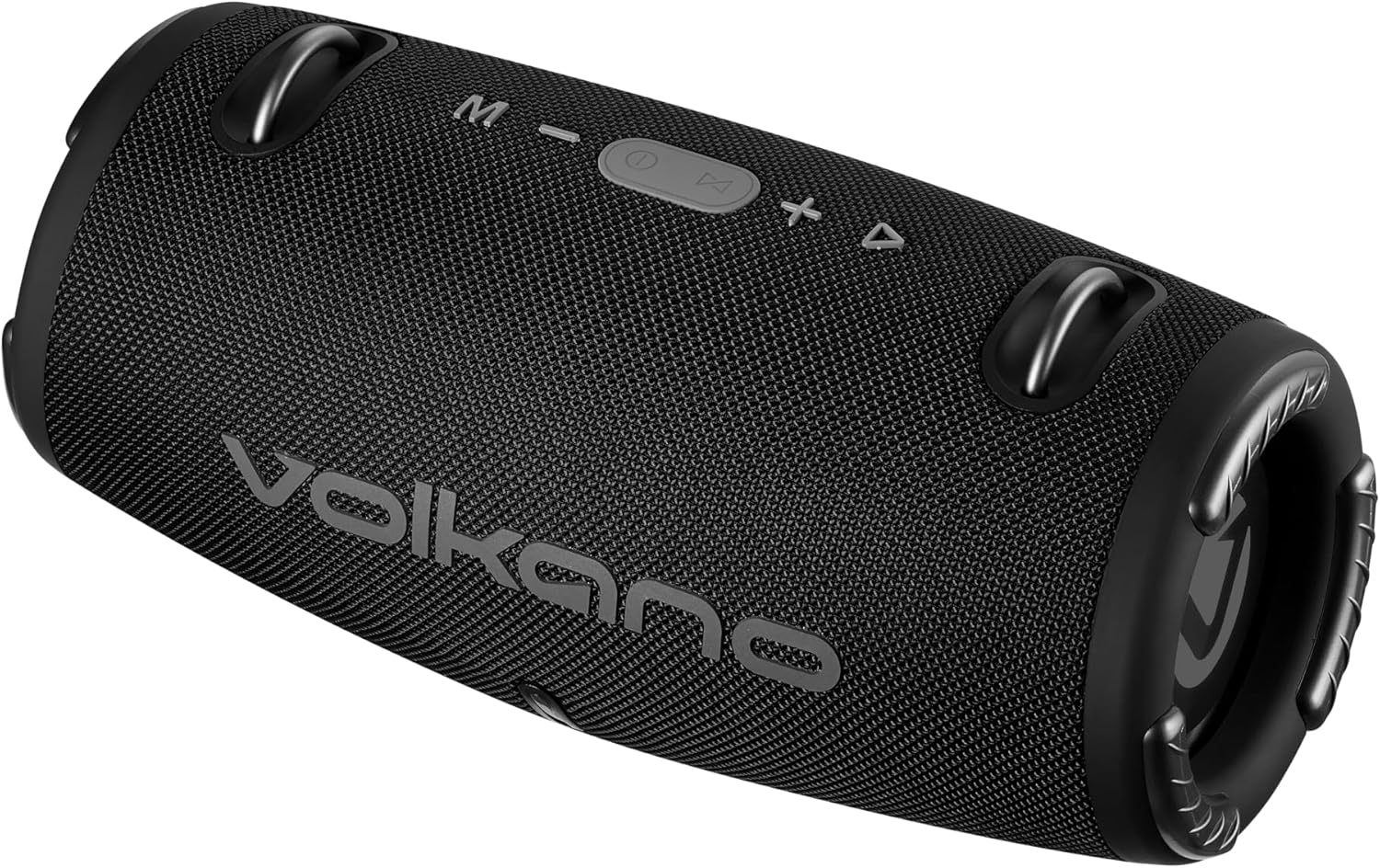
Aworan: Iwaju view of the Volkano Cyclone Series Portable Bluetooth Speaker, showing the Volkano logo and control buttons on top.
Ọja Pariview
Mọ ararẹ pẹlu awọn paati ati awọn idari ti agbọrọsọ.
Ibi iwaju alabujuto
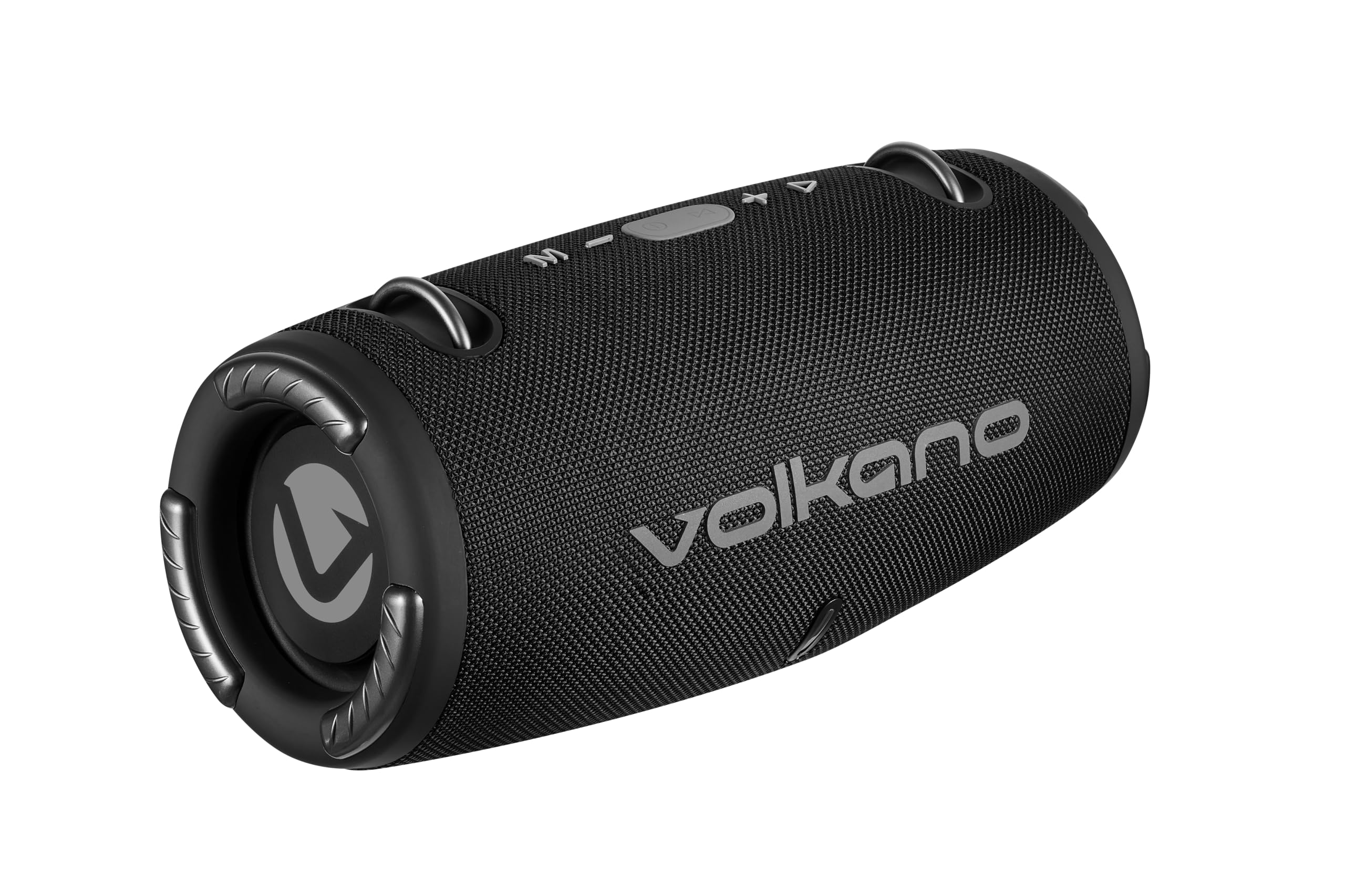
Aworan: Oke view of the speaker, highlighting the control buttons: Mode (M), Volume Down (-), Play/Pause/Call (Power button), Volume Up (+), and Track Skip (triangle).
- M (Ipo) Bọtini: Press to switch between Bluetooth, FM Radio, USB, and AUX modes.
- - (Volume Down) Button: Press to decrease volume. Hold to go to the previous track.
- Ṣiṣẹ/Duro/Bọtini ipe: Press to play or pause music. Press to answer or end calls. Hold to power on/off.
- + (Volume Up) Button: Press to increase volume. Hold to go to the next track.
- Atọka LED: Shows charging status and Bluetooth pairing status.
Awọn ibudo ati awọn isopọ
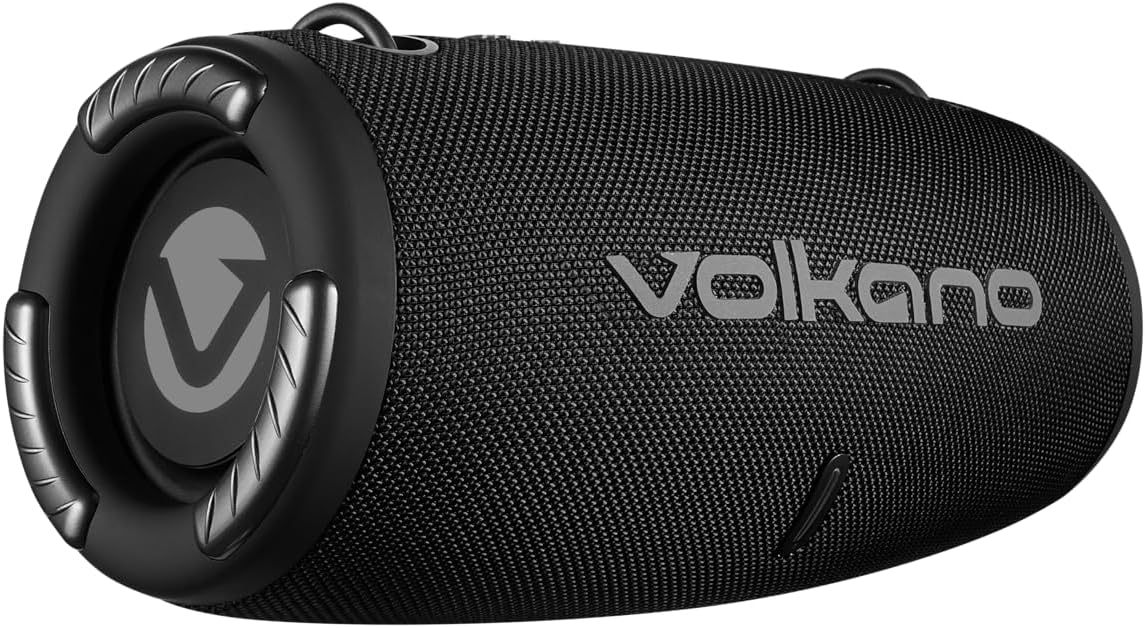
Aworan: Ẹyin view of the speaker, showing the covered input ports for charging, USB, and AUX connections.
- Ibudo Ngba agbara DC 5V: For charging the speaker using the provided USB cable.
- Ibudo USB: Fun orin lati inu awakọ filasi USB kan.
- Iṣawọle AUX: For connecting external audio devices via a 3.5mm auxiliary cable.
Ṣeto
Gbigba agbara si Agbọrọsọ
- Connect the USB charging cable to the DC 5V port on the speaker.
- Connect the other end of the USB cable to a compatible USB power adapter (5V DC, 1A output) or a computer's USB port.
- The LED indicator will illuminate to show charging status. Charging takes approximately 3.5 hours.
- Ni kete ti o ba ti gba agbara ni kikun, Atọka LED yoo yipada (fun apẹẹrẹ, paa tabi yi awọ pada). Ge asopọ okun gbigba agbara.
Titan / Pipa agbara
- To power on, press and hold the Play/Pause/Call button until you hear an audible prompt.
- To power off, press and hold the Play/Pause/Call button until you hear an audible prompt and the LED indicator turns off.
Awọn ilana Iṣiṣẹ
Asopọ Bluetooth
- Ensure the speaker is powered on and in Bluetooth mode (indicated by a flashing LED). If not, press the 'M' button to switch modes.
- Enable Bluetooth on your smartphone or tablet (e.g., Android, iPhone).
- Wa fun awọn ẹrọ Bluetooth ti o wa.
- Select "Volkano Cyclone" (or similar name) from the list.
- Nígbà tí a bá so wọ́n pọ̀, àmì LED náà yóò dáwọ́ dúró láti máa tànmọ́lẹ̀, yóò sì dúró ṣinṣin, ìwọ yóò sì gbọ́ ìró ìjẹ́rìísí kan.
- You can now play audio from your device through the speaker. The speaker has a wireless range of up to 10 meters.
Ti ndun Orin
- Ipo Bluetooth: After pairing, play music directly from your connected device.
- Ipo USB: Insert a USB flash drive into the USB port. The speaker will automatically switch to USB mode and begin playing music.
- Ipo AUX: Connect an external audio device (e.g., MP3 player) to the AUX input using a 3.5mm audio cable. Press the 'M' button to switch to AUX mode.
- Ipo Redio FM: Press the 'M' button to switch to FM Radio mode. Use the Play/Pause button to auto-scan for stations. Use the +/- buttons to change stations.
Iwọn didun ati Iṣakoso Track
- Atunse iwọn didun: Tẹ bọtini '+' lati mu iwọn didun pọ si, ati bọtini '-' lati dinku iwọn didun.
- Orin t’okan: Hold the '+' button.
- Tẹlẹ Orin: Hold the '-' button.
- Ṣiṣẹ/Daduro: Press the Play/Pause/Call button.
Ọwọ-Free Ipe
- Nigbati ipe ba wọle lakoko asopọ nipasẹ Bluetooth, orin yoo da duro.
- Press the Play/Pause/Call button to answer the call.
- Press the Play/Pause/Call button again to end the call.
- The speaker also supports voice control, allowing you to manage calls or music playback through voice commands if your connected device supports it.
Itoju
- Sọ agbọrọsọ mọ pẹlu asọ asọ ti o gbẹ. Ma ṣe lo abrasive ose tabi epo.
- Tọju agbohunsoke ni itura, ibi gbigbẹ nigbati o ko ba lo fun awọn akoko gigun.
- Yago fun sisọ tabi tẹriba agbọrọsọ si awọn ipa to lagbara.
- Gba agbara batiri nigbagbogbo, paapaa ti ko ba si ni lilo nigbagbogbo, lati ṣetọju ilera batiri.
Laasigbotitusita
| Isoro | Owun to le Fa | Ojutu |
|---|---|---|
| Agbọrọsọ ko ni agbara lori. | Batiri kekere. | Gba agbara fun agbọrọsọ naa fun o kere ju wakati mẹrin lọ. |
| Ko le so pọ nipasẹ Bluetooth. | Agbọrọsọ kii ṣe ni ipo sisopọ; Bluetooth ẹrọ pa; ju jina lati agbọrọsọ. | Ensure speaker is in Bluetooth mode (flashing LED). Turn device Bluetooth off/on. Move device closer (within 10m). |
| Ko si ohun. | Ohùn tó lọ sílẹ̀ jù; ipò tí kò tọ́ ni a ti yàn; ẹ̀rọ náà kò gbọ́ ohùn. | Increase speaker and device volume. Press 'M' to select correct input mode. Ensure audio is playing on the connected device. |
| Didara ohun ti ko dara. | Device too far; interference; low battery. | Gbé ẹ̀rọ náà sún mọ́ ọn. Yẹra fún àwọn ìdènà. Gba agbára sí agbọ́hùnsọ̀. |
Awọn pato
| Ẹya ara ẹrọ | Ẹ̀kúnrẹ́rẹ́ |
|---|---|
| Ẹya Bluetooth | V5.1 + EDR |
| Bluetooth Ibiti | Ti o to awọn mita 10 |
| Agbara Batiri | 3.7V, 1500mAh |
| Akoko ere | 2 - 9 hours (depending on volume) |
| Gbigba agbara Input | 5V DC, 1A |
| Akoko gbigba agbara | O fẹrẹ to awọn wakati 3.5 |
| Total RMS Power Output | 10 Wattis |
| Awakọ Iwon | Dual 2.7 inch, 5 Watt drivers |
| Ipalara | 4 ohm |
| Idahun Igbohunsafẹfẹ | 50 Hz - 20 kHz |
| Ifamọ | 86 dB |
| Awọn iwọn Ọja (L x W x H) | 295 x 140 x 140 mm |
| Iwọn Nkan | 1.38 kg |
| Omi Resistance | Rara |
| Ipo Ijade Ohun | Sitẹrio |
| Ọna Iṣakoso | Ohùn, Àwọn Bọ́tìnì |
| Awọn ẹrọ ibaramu | Android, iPhone |
| Olupese | SMD TECHNOLOGIES |
Atilẹyin ọja ati Support
This Volkano Cyclone Series Portable Bluetooth Speaker comes with a Atilẹyin ọja to lopin.
For warranty claims, technical support, or further inquiries, please contact the manufacturer, SMD TECHNOLOGIES, or your local retailer. Keep your proof of purchase for warranty validation.


