1. Ifihan
This manual provides detailed instructions for the installation, operation, and maintenance of your RAINPOINT Sprinkler Timer 2 Outlet. Please read this manual thoroughly before use to ensure proper functionality and longevity of your device.
2. Awọn ẹya Ọja
- Uneven/Regular/Daily Watering Cycle Modes: Specific Day, Regular Day Cycle (every 2/3/4/5/6 days), or Daily Watering.
- 2 Zone with 3 Separate Programs: Water 2 areas 1-3 times within a day (morning, noon, evening). Automatic watering duration from 1 minute to 3 hours 59 minutes.
- 3 Switchable Automatic & Manual Modes: ZONE L, ZONE R, and BOTH ZONES for individual or simultaneous use. Auto mode: 1-239 mins, manual mode: 1-479 mins.
- Upgraded Dual Zone Technology: Built-in premium 2-zone valve with self-cleaning function for faster and smoother water flow.
- 1-3 Days Rain Delay: Postpone schedule for 24/48/72 hours based on local weather.
3. Package Awọn akoonu
- RAINPOINT Sprinkler Timer 2 Outlet (Model: ITV201P)
- Itọsọna olumulo
- (Awọn batiri ko si)
4. Alaye Aabo
- Má ṣe fi aago náà sínú omi.
- Use only fresh alkaline batteries of the specified type.
- Protect the timer from freezing temperatures. Remove batteries and store indoors during winter.
- Rii daju pe gbogbo awọn asopọ ti wa ni ṣinṣin lati ṣe idiwọ awọn n jo.
5. Eto
5.1 Fifi sori batiri
The timer requires 2 AA alkaline batteries (not included). Open the battery compartment cover on the back of the unit. Insert the batteries, ensuring correct polarity (+/-). Close the cover securely.

Image: Step-by-step guide showing battery insertion into the timer.
5.2 Síso Aago pọ̀
- Screw the timer onto your outdoor faucet. Ensure the connection is hand-tight to prevent leaks.
- Connect your garden hoses to the two outlets (Zone L and Zone R) at the bottom of the timer.

Image: The RainPoint Sprinkler Timer connected to a water faucet with two hoses attached to its outlets.
6. Awọn ilana Iṣiṣẹ
The RAINPOINT Sprinkler Timer features a large LCD display and a rotary dial for easy programming. The dial has positions for SET CLOCK, START TIME, HOW LONG, HOW OFTEN, ON, and OFF.
6.1 Eto aago
- Tan ipe naa si ṢEto aago.
- Lo awọn + ati - buttons to adjust the current time. Press O DARA/Afọwọṣe lati jẹrisi.
6.2 Programming Watering Schedules (Automatic Mode)
The timer supports 3 separate programs (P1, P2, P3) for each zone (Zone L, Zone R, or Both Zones).
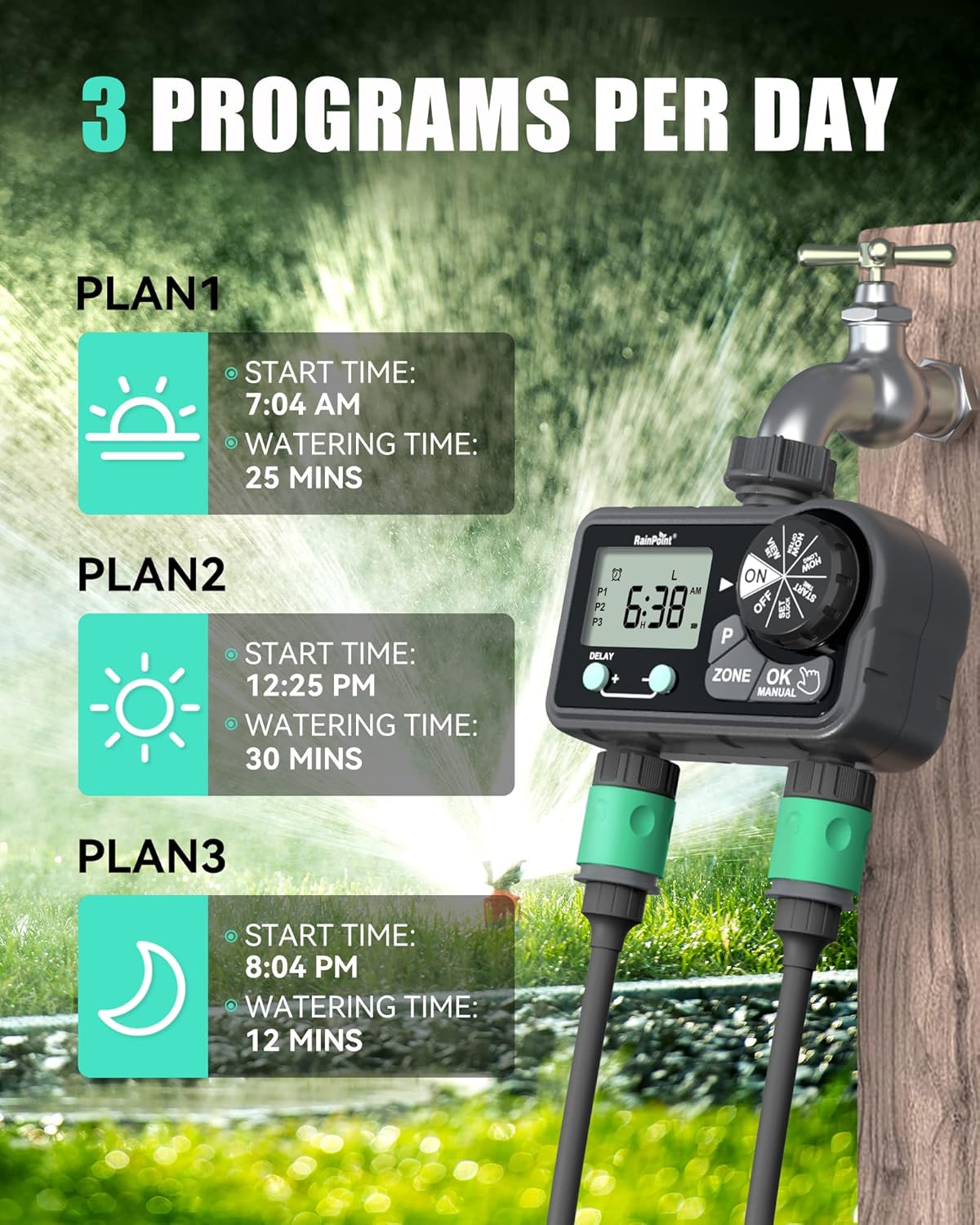
Image: Visual representation of setting up to 3 watering programs per day.
Eto Akoko Ibẹrẹ:
- Tan ipe naa si AKOKO BERE.
- Tẹ awọn P button to select Program 1 (P1), Program 2 (P2), or Program 3 (P3).
- Tẹ awọn AGBEGBE button to select Zone L, Zone R, or Both Zones.
- Lo + ati - buttons to set the desired start time for the selected program and zone. Press O DARA/Afọwọṣe lati jẹrisi.
Setting Watering Duration (How Long):
- Tan ipe naa si BAWO LO SE GUN TO.
- Tẹ awọn P button to select the program (P1, P2, or P3) you wish to set the duration for.
- Tẹ awọn AGBEGBE button to select Zone L, Zone R, or Both Zones.
- Lo + ati - buttons to set the watering duration (1 minute to 3 hours 59 minutes). Press O DARA/Afọwọṣe lati jẹrisi.
Setting Watering Frequency (How Often):
Choose between Specific Day, Regular Day Cycle, or Daily Watering.
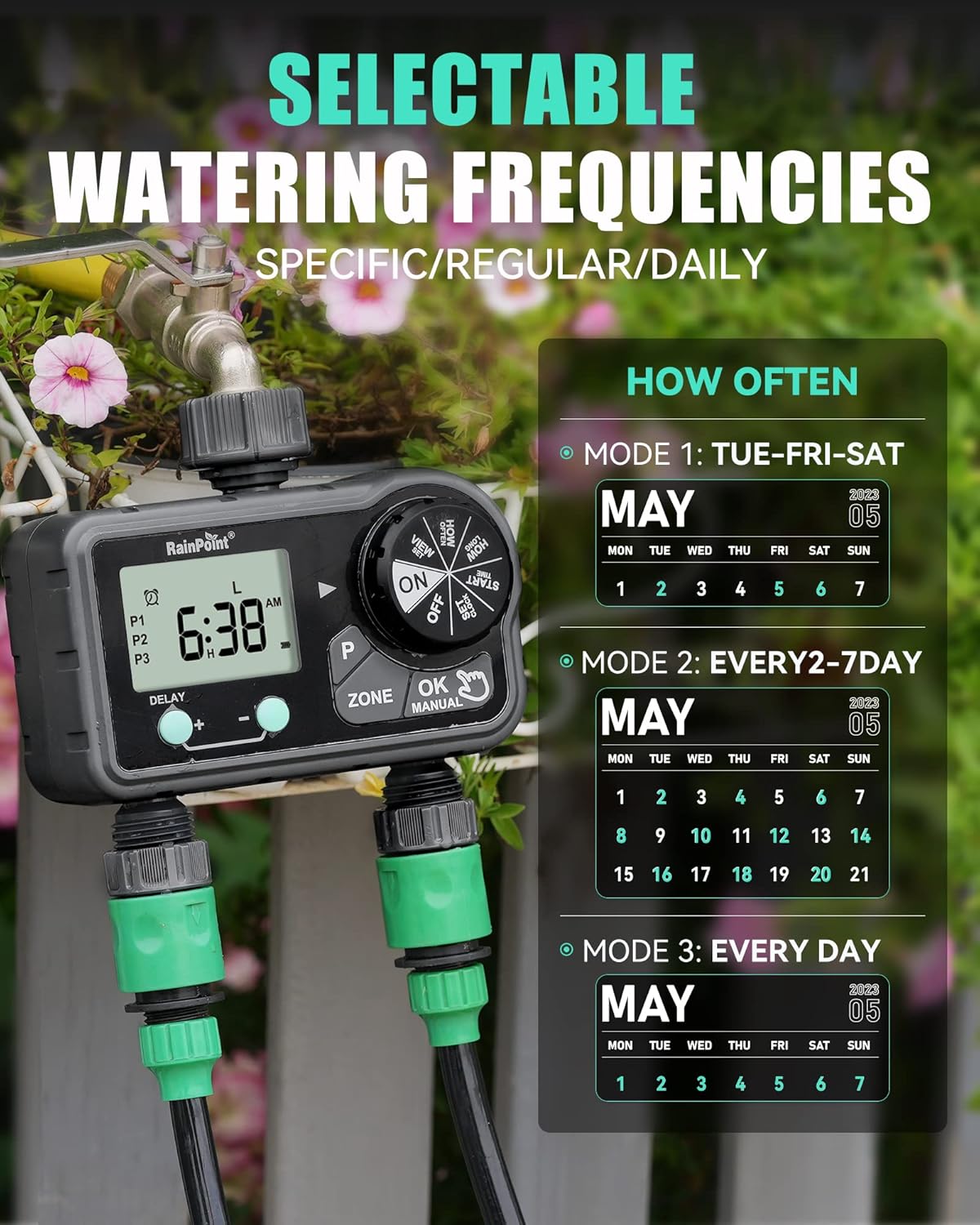
Image: Illustration of the three watering frequency modes available on the timer.
- Tan ipe naa si BAWO NI O ṢE N WAYE SI.
- Tẹ awọn P button to select the program (P1, P2, or P3).
- Tẹ awọn AGBEGBE button to select Zone L, Zone R, or Both Zones.
- Lo + ati - buttons to select the desired frequency:
- Specific Day: Select individual days of the week (e.g., TUE, FRI, SAT).
- Regular Day Cycle: Set to water every 2, 3, 4, 5, or 6 days.
- Ojoojumọ: Water every day.
- Tẹ O DARA/Afọwọṣe lati jẹrisi.
6.3 Afowoyi agbe
To initiate manual watering:
- Ensure the dial is on ON.
- Tẹ awọn O DARA/Afọwọṣe bọtini.
- Lo awọn AGBEGBE button to select Zone L, Zone R, or Both Zones.
- Lo + ati - buttons to set the manual watering duration (1 minute to 479 minutes).
- Tẹ O DARA/Afọwọṣe lẹẹkansi lati bẹrẹ agbe.
- Lati da agbe afọwọyi duro, tẹ O DARA/Afọwọṣe again or turn the dial to PAA.

Image: A user demonstrating the manual watering mode of the RainPoint Sprinkler Timer.
Video: A demonstration of the RainPoint Sprinkler Timer's features, including setting the clock and programming watering schedules.
6.4 Iṣẹ́ Ìdádúró Òjò
Láti dá ìtòlẹ́sẹẹsẹ omi rẹ dúró fún ìgbà díẹ̀ nítorí òjò:
- Ensure the dial is on ON.
- Tẹ awọn DELAY + bọtini.
- Lo awọn + ati - buttons to select the delay duration (24, 48, or 72 hours).
- The timer will automatically resume its programmed schedule after the delay period.
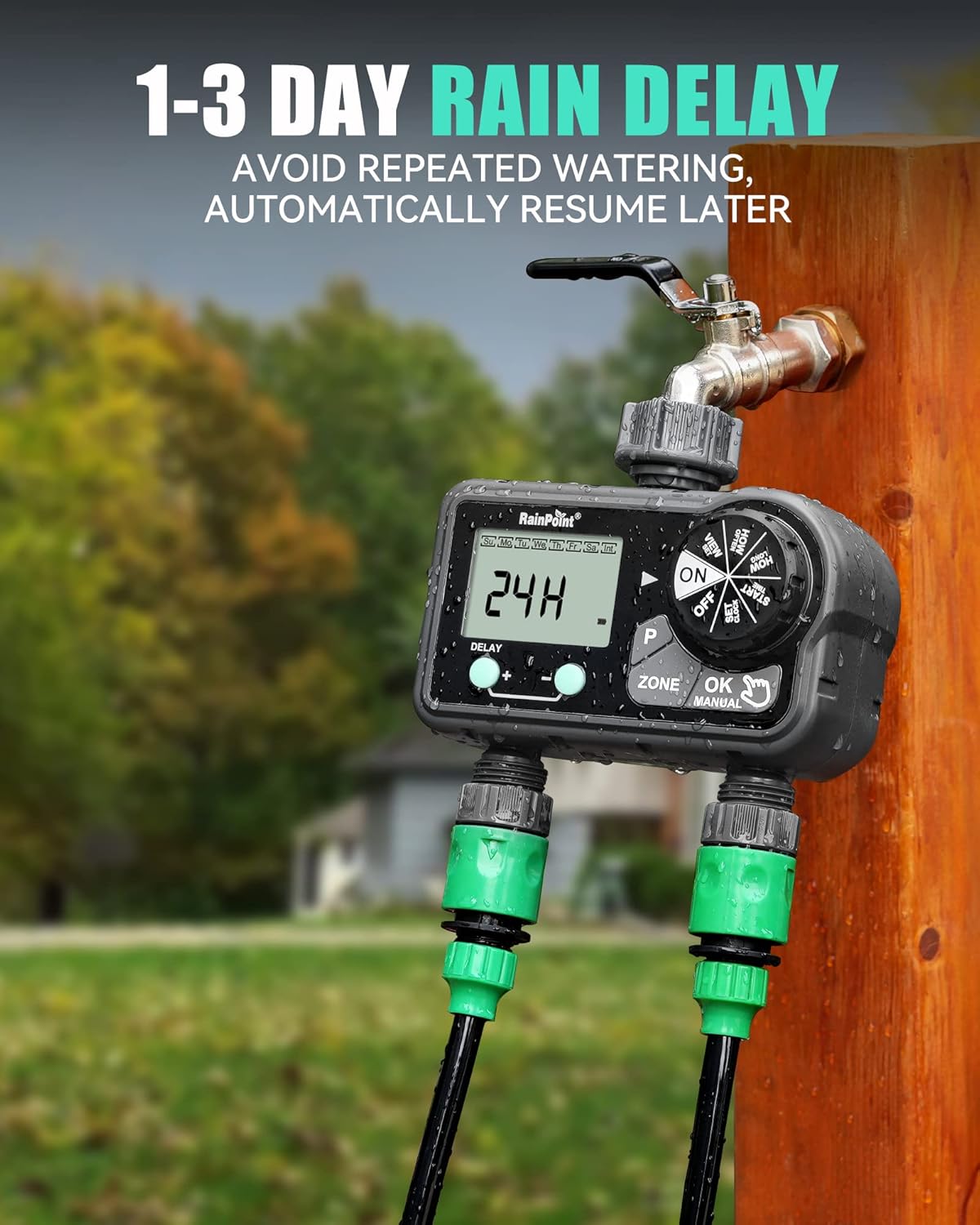
Image: The timer's display showing a 24-hour rain delay activated.
7. Itọju
- Rirọpo Batiri: Replace batteries when the low battery indicator appears on the screen. Always use fresh alkaline batteries.
- Ninu: Periodically clean the filter washer located at the inlet to prevent debris from clogging the timer.
- Ibi ipamọ igba otutu: Before the first frost, remove the timer from the faucet, drain any remaining water, remove batteries, and store the unit indoors in a dry, protected area.
8. Laasigbotitusita
| Isoro | Owun to le Fa | Ojutu |
|---|---|---|
| Aago ko agbe. | Batteries low or dead; incorrect program settings; faucet off. | Replace batteries; verify program settings (start time, duration, frequency); ensure faucet is fully open. |
| Omi jijo lati awọn isopọ. | Loose connection; missing or damaged washer. | Tighten connections; check and replace rubber washers if necessary. |
| Ifihan ti ṣofo tabi baibai. | Kekere tabi okú batiri. | Rọpo awọn batiri. |
| Ṣiṣan omi ko lagbara. | Clogged filter washer; low water pressure. | Clean the filter washer at the inlet; check household water pressure. |
9. Awọn pato
- Awọn iwọn ọja: 5.8 x 3 x 6.2 inches
- Ìwọ̀n Nkan: 1.34 iwon
- Olupese: RainPoint Irrigation
- ASIN: B0CWR9LM4H
- Àwọ̀: Dudu
- Nọmba Eto: 17
- Iye akoko agbe: 1 min to 3h 59 min (Auto), 1 min to 479 min (Manual)
- Idaduro Ojo: 24h, 48h, 72h
- Orisun Agbara: Awọn batiri Alkaline 2 x AA (kii ṣe pẹlu)
10. Atilẹyin ọja ati Support
RAINPOINT offers a 5-year warranty on this product, ensuring quality and reliability. For technical support, warranty claims, or any inquiries, please refer to the contact information provided on the product packaging or visit the official RAINPOINT webojula.
Official RAINPOINT Store: Ṣabẹwo Ile-itaja


