1. Ifihan
Welcome to the user manual for your TUINYO Open Ear Headphones. These Bluetooth 5.4 wireless earbuds are designed to provide a premium sound experience while allowing you to stay aware of your surroundings. With an LED display for battery status and IPX5 waterproofing, they are ideal for sports, driving, and office use.

Figure 1: TUINYO Open Ear Headphones in their charging case, showcasing the sleek black design and the digital display for battery percentage.
2. Key Awọn ẹya ara ẹrọ
- Ṣi i Apẹrẹ Eti: Allows you to hear ambient sounds for increased situational awareness and safety.
- Bluetooth 5.4 Asopọmọra: Ensures stable, fast, and seamless wireless connection.
- Ifihan LED: Provides real-time battery status of the charging case.
- Akoko Idaraya: Titi di awọn wakati 25 ti akoko ere lapapọ pẹlu ọran gbigba agbara.
- IPX5 Mabomire Rating: Sooro si lagun ati awọn didan ina, o dara fun awọn adaṣe ati awọn iṣẹ ita gbangba.
- Ohun Ere: Equipped with 12mm speakers for Hi-Fi stereo bass.
- Ìwọ̀n Ìwọ̀n Ńlá: Etí ìbora kọ̀ọ̀kan wúwo tó nǹkan bí 5.3g fún wíwọ aṣọ tó rọrùn láti lò ní gbogbo ọjọ́.
- Ipo Ere Lairi Kekere: Optimized for gaming and video conferencing with a latency of 50ms.

Figure 2: Demonstrates the comfortable and secure fit of the open-ear design, allowing for awareness of surroundings.
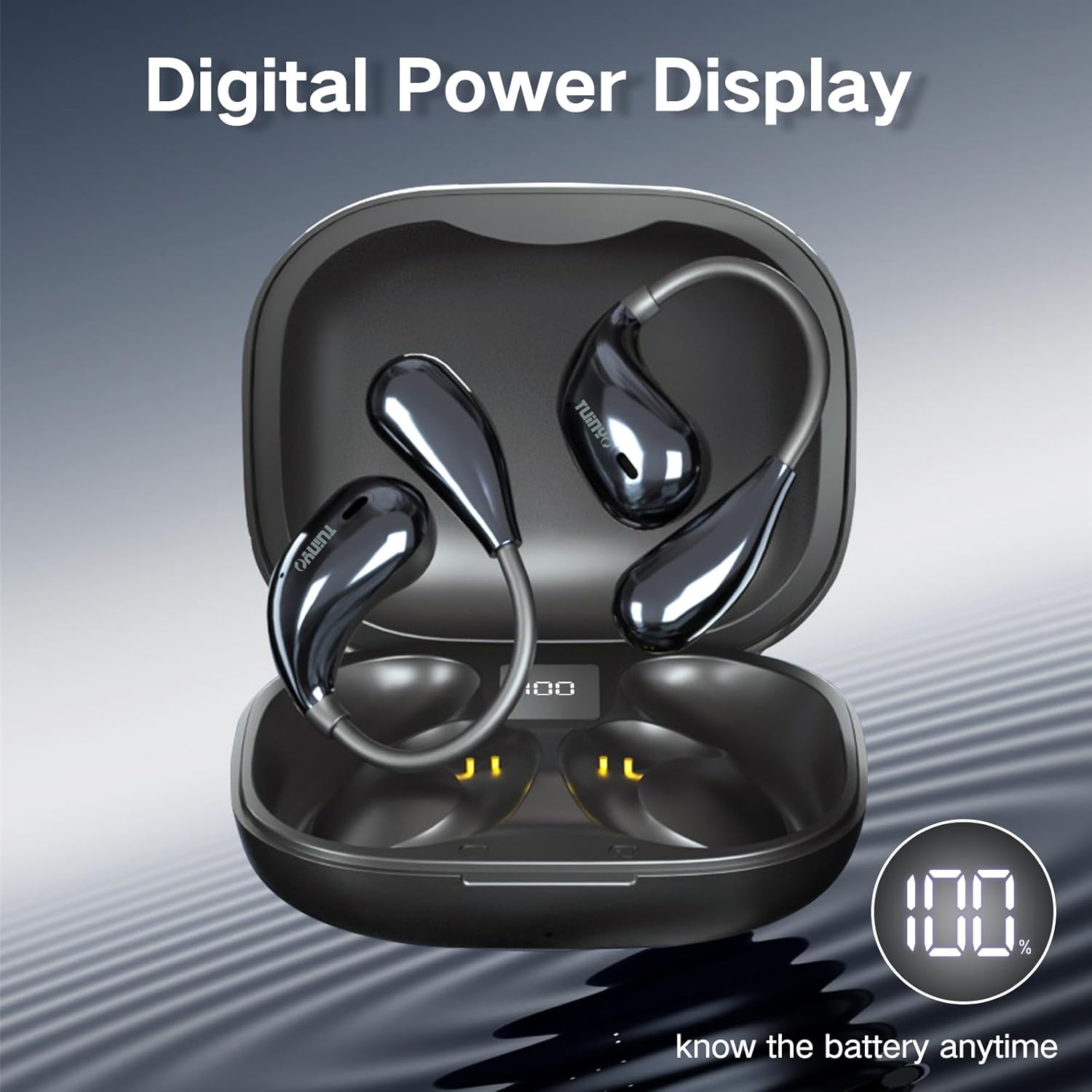
Figure 3: The charging case features a digital LED display, indicating the battery percentage fun o rọrun monitoring.

olusin 4: Ohun ti abẹnu view of the earbud highlighting the 12mm speaker, responsible for delivering Hi-Fi stereo bass.
3. Kini o wa ninu Apoti naa?
Nígbà tí o bá ṣí àpótí ọjà rẹ, o yẹ kí o rí àwọn nǹkan wọ̀nyí:
- 2 x TUINYO Open-ear True Wireless Earbuds
- 1 x Ọran gbigba agbara
- 1 x Itọsọna olumulo (iwe yii)
- 1 x Okun gbigba agbara Iru-C

Figure 5: Visual representation of the package contents, including the charging case, earbuds, and charging cable.
4. Eto Itọsọna
4.1 Gbigba agbara akọkọ
Before first use, fully charge the earbuds and the charging case. Connect the provided Type-C charging cable to the charging port on the case and a USB power source. The LED display on the case will show the charging progress.
4.2 Wọ awọn Earbuds
For optimal sound and comfort, ensure the earbuds are worn correctly. The open-ear design sits comfortably over your ear, directing sound without blocking your ear canal.

Figure 6: Step-by-step guide on how to properly wear the open-ear headphones for a secure and comfortable fit.
4.3 Sisopọ Bluetooth
- Ṣii apoti gbigba agbara. Awọn agbekọri yoo tẹ ipo isọpọ sii laifọwọyi.
- Lori ẹrọ rẹ (foonuiyara, tabulẹti, ati be be lo), jeki Bluetooth.
- Wa fun "TUINYO S08" in the list of available Bluetooth devices.
- Select "TUINYO S08" to connect. Once connected, you will hear an audible confirmation.
Akiyesi: Awọn agbekọri naa yoo tun sopọ laifọwọyi si ẹrọ ti o so pọ to kẹhin nigbati o ba jade ninu ọran naa, ti o ba mu Bluetooth ṣiṣẹ lori ẹrọ naa.
5. Awọn ilana Iṣiṣẹ
The TUINYO S08 headphones feature touch controls on each earbud for easy management of audio playback and calls.

Olusin 7: Pariview of the touch control functions on the earbuds.
| Išẹ | Iṣe (Afikun Osi/Ọtun) |
|---|---|
| Ṣiṣẹ / Sinmi | Double tap (x2 L/R) |
| Iwọn didun isalẹ | Single tap (x1 L) |
| Iwọn didun soke | Single tap (x1 R) |
| Orin ti tẹlẹ | Triple tap (x3 L) |
| Orin t'okan | Triple tap (x3 R) |
| Dahun/Fi ipe duro | Double tap (x2 L/R) |
| Ipo Ere Tan/Pa | Press and hold for 2 seconds (2s L) |
| Mu Oluranlọwọ Ohun ṣiṣẹ | Press and hold for 2 seconds (2s R) |
5.1 Osise Video ọja
Video 1: An official product video demonstrating the features and usage of the TUINYO S08 Open Ear Bluetooth Headphones. This video provides a visual guide to the product's design, key functionalities, and how it integrates into daily life.
6. Itọju
- Ninu: Lo aṣọ rírọrùn tí ó gbẹ láti nu àwọn ètí àti àpótí ìgbara. Má ṣe lo àwọn ohun ìfọmọ́ tàbí àwọn ohun èlò ìfọ́mọ́ra.
- Omi Resistance: The earbuds are IPX5 waterproof, meaning they can resist a sustained, low-pressure water jet spray. They are suitable for protection against sweat and light rain. Do not submerge them in water or expose them to high-pressure water.
- Ibi ipamọ: Tọju awọn agbekọri naa sinu apoti gbigba agbara wọn nigbati ko si ni lilo lati daabobo wọn ati jẹ ki wọn gba agbara. Yago fun awọn iwọn otutu to gaju.
- Itọju Batiri: To prolong battery life, avoid fully discharging the battery frequently. Charge regularly, even if not used for extended periods.
7. Laasigbotitusita
| Isoro | Owun to le Solusan |
|---|---|
| Earbuds ko so pọ |
|
| Ko si ohun lati agbekọri kan |
|
| Iwọn kekere |
|
| Ngba agbara ko gba agbara |
|
8. Awọn pato
| Ẹya ara ẹrọ | Ẹ̀kúnrẹ́rẹ́ |
|---|---|
| Orukọ awoṣe | S08 |
| Ẹya Bluetooth | 5.4 |
| Gbigbe Eti | Ṣii Eti |
| Igbesi aye batiri (Earbuds) | 5 Hours (single use) |
| Lapapọ akoko ere (pẹlu ọran) | Awọn wakati 25 |
| Mabomire Rating | IPX5 |
| Iṣakoso Iru | Fọwọkan, Media Iṣakoso |
| Iwọn Nkan | 4.2 iwon (apapọ lapapọ) |
| Package Mefa | 4.72 x 3.62 x 1.57 inches |
| Iwọn Igbohunsafẹfẹ | 20 Hz - 20,000 Hz |
| Ipalara | 31.98 ohm |
9. Atilẹyin ọja & Atilẹyin
TUINYO products are designed and manufactured to the highest quality standards. For information regarding warranty coverage, technical support, or customer service, please refer to the contact information provided on the product packaging or visit the official TUINYO webojula.
For further assistance, you may also refer to the product's detail page on Amazon.com: https://www.amazon.com/dp/B0CXSW131H


