1. Ifihan
Thank you for choosing the Oasser Airbrush Set. This comprehensive kit is designed for a wide range of artistic and hobby applications, offering precise control and ease of use. Featuring a double-action airbrush and a mini compressor with stepless pressure control from 2 to 36 PSI, it is suitable for both beginners and experienced users. This manual provides detailed instructions for setup, operation, maintenance, and troubleshooting to ensure optimal performance and longevity of your airbrush set.
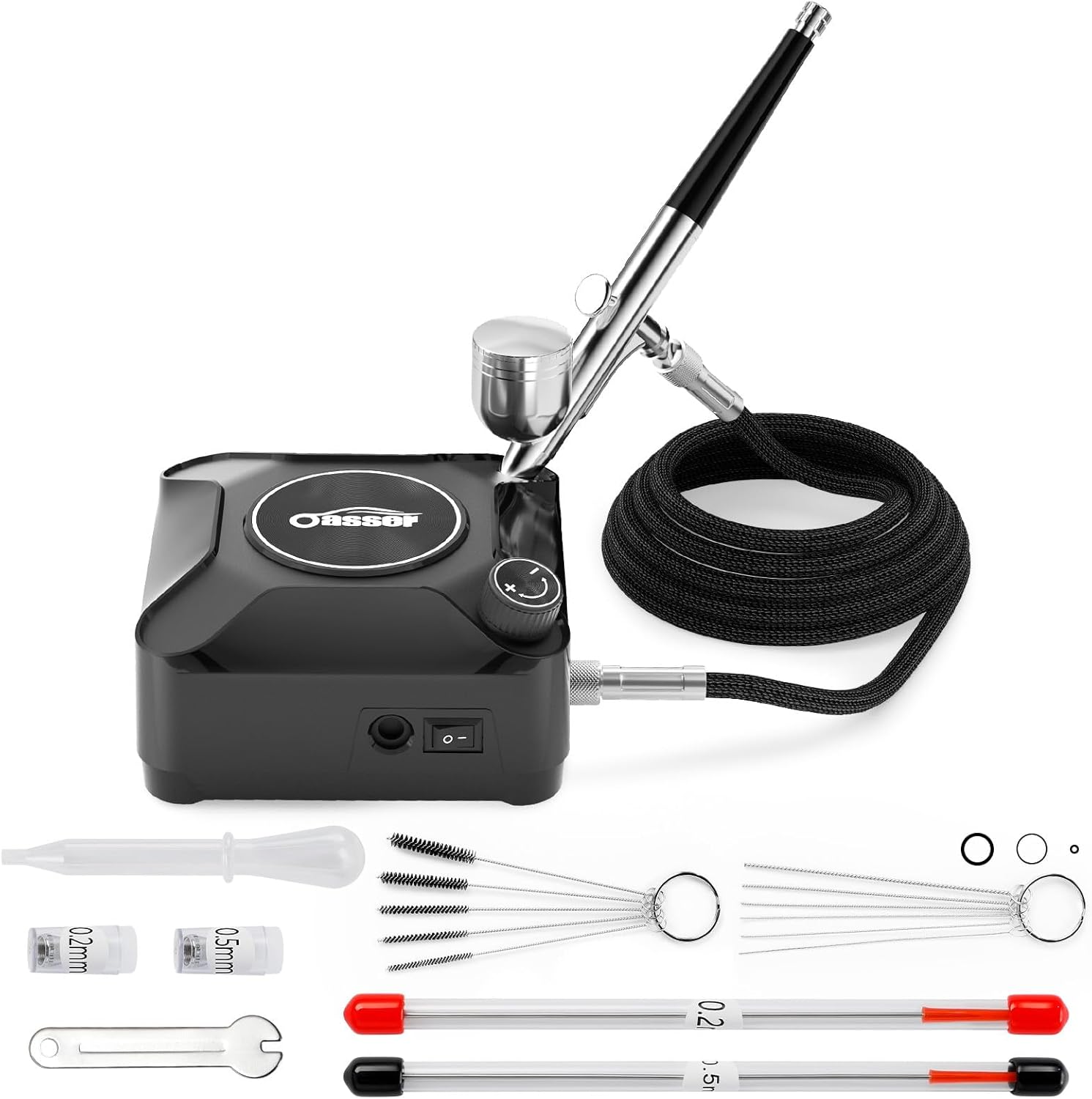
2. Package Awọn akoonu
Jọwọ rii daju pe gbogbo awọn nkan ti a ṣe akojọ rẹ si isalẹ wa ninu package rẹ:
- Air Hose
- Konpireso
- AC Adapter
- Apoti apoti
- Cleaning Brushes (various sizes)
- Cleaning Needles
- Sisọ silẹ
- Nozzles (0.2mm, 0.5mm)
- Nozzle Wrench
- Eyin-oruka
- Needles (0.2mm, 0.5mm)
- Afẹfẹ afẹfẹ
- Japanese User Manual (for detailed instructions in Japanese)

3. Eto Itọsọna
Follow these steps to set up your Oasser Airbrush Set for first use:
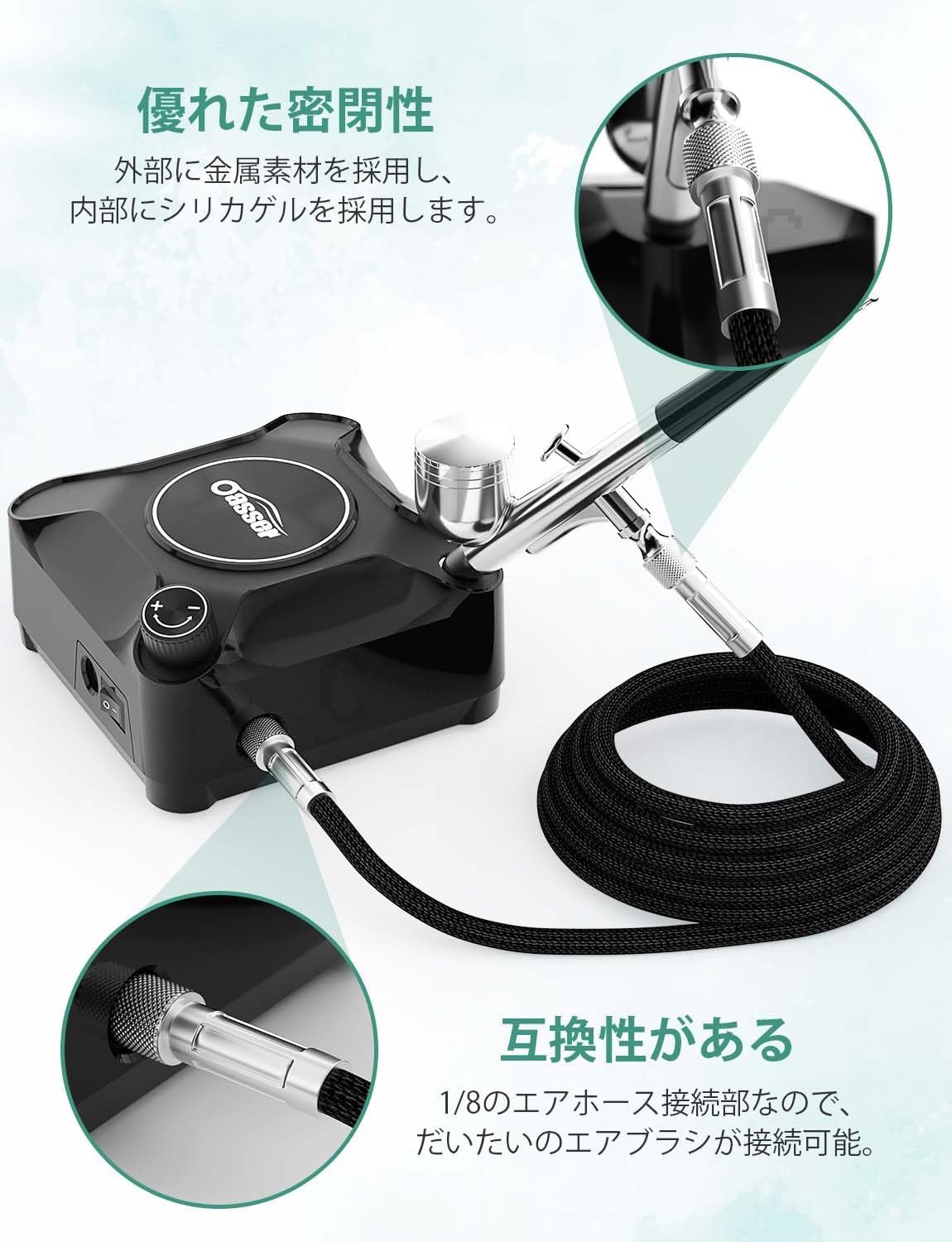
- So Air Hose: Securely attach the air hose to the compressor's air outlet. Ensure a tight connection to prevent air leaks.
- Fill the Paint Cup: Pour your desired paint (diluted as necessary) into the airbrush's paint cup. Do not fill more than 2/3 capacity.
- Connect Power and Turn On: Plug the AC adapter into a power outlet and connect it to the compressor. Turn the power switch to the "ON" position.
- Ṣatunṣe Agbara afẹfẹ: Use the dial on the compressor to adjust the air pressure to your desired level (2-36 PSI).
- Idanwo Afẹfẹ: Before applying paint, press the airbrush lever down to ensure air is flowing correctly.

This airbrush set features a "Plug and Play" design, meaning it's ready for immediate use once connected to power, without the need for battery charging.
4. Awọn ilana Iṣiṣẹ
4.1 Double-Action Control
The Oasser airbrush features a double-action mechanism, allowing for independent control of both air and paint flow:
- Air Only: Press the lever down to release air only. This is useful for drying or clearing the nozzle.
- Air and Paint: While holding the lever down, pull it back to release paint. The further back you pull, the more paint is released, allowing for fine lines or broader coverage.

4.2 Stepless Pressure Control (2-36 PSI)
The compressor offers stepless pressure adjustment, enabling you to fine-tune the output for various applications:
- Low Pressure (e.g., 2-10 PSI): Ideal for delicate work such as nail art, makeup, or fine details.
- Medium Pressure (e.g., 10-25 PSI): Suitable for plastic models, DIY hand-painting, and general artwork.
- High Pressure (e.g., 25-36 PSI): Best for broader coverage, base coats, or larger painting projects like graffiti.

4.3 Nozzle and Needle Sizes
The set includes interchangeable nozzles and needles (0.2mm, 0.3mm, 0.5mm) to accommodate different painting needs:
- 0.2mm Nozzle: For extremely fine lines and intricate details, such as camouflage patterns or delicate illustrations.
- 0.3mm Nozzle: A versatile size for general purpose painting, including plastic models and body art.
- 0.5mm Nozzle: For broader coverage, base coats, and thicker paints.
4.4 Paint Compatibility
This airbrush set is compatible with a variety of paint types. Always ensure paints are properly diluted to a milk-like consistency for optimal flow and to prevent clogging.
- Omi-orisun kun
- Akiriliki kikun
- Awọn awọ ti o da lori epo
- Metallic paints
Note: For first-time users, it is recommended to practice with water to understand the airbrush operation before using paint.

5. Itọju ati Cleaning
Proper cleaning and maintenance are crucial for the longevity and performance of your airbrush. Always clean the airbrush immediately after each use, especially parts that come into contact with paint.
5.1 Cleaning Ilana
- Ife Kun Ofo: Remove any remaining paint from the cup.
- Ṣafikun Solusan Itọpa: Pour a small amount of appropriate cleaning solution (e.g., water for water-based paints, thinner for oil-based paints) into the paint cup.
- Ìfàsẹ́yìn-Fífọ́: Block the nozzle with your finger or a cap, then press the lever down. This will cause air to bubble back into the paint cup, cleaning the inside.
- Spray Out: Remove your finger from the nozzle and spray the cleaning solution onto a paper towel or into a waste container until clear.
- Tu ati Mọ: For thorough cleaning, disassemble the airbrush (nozzle, needle, paint cup) and clean each component using the provided cleaning brushes and needles.


Important: Inadequate or improper cleaning can lead to paint blockages inside the airbrush, which may cause the compressor to malfunction or the airbrush to stop spraying. Refer to the included Japanese manual and product videos for detailed cleaning demonstrations.
6. Laasigbotitusita
If you encounter issues with your Oasser Airbrush Set, please refer to the following common problems and solutions:
| Isoro | Owun to le Fa | Ojutu |
|---|---|---|
| No air output from airbrush. | Air hose not securely connected; compressor not powered on; airbrush lever not pressed down. | Ensure air hose is firmly attached to compressor. Verify power switch is ON. Press airbrush lever down fully. |
| Paint not spraying or sputtering. | Paint too thick; nozzle/needle clogged; air pressure too low. | Dilute paint to proper consistency. Clean nozzle and needle thoroughly. Increase air pressure using the dial. |
| Air leaks from hose connection. | Loose connection; damaged O-ring. | Tighten the hose connection. Inspect O-rings for damage and replace if necessary. |
| Compressor not turning on. | Power cord not fully inserted; power outlet issue. | Ensure power cord is firmly inserted into the compressor. Test the power outlet with another device. |
If the problem persists after attempting these solutions, please contact Oasser customer support for further assistance.
7. Awọn alaye ọja
| Ẹya ara ẹrọ | Sipesifikesonu |
|---|---|
| Brand | Olutọju |
| Nọmba awoṣe | AK2 |
| Ọja Mefa | 13 x 13 x 6 cm |
| Iwọn Nkan | 1.08 kg |
| Orisun agbara | Okun Itanna |
| Voltage | 12 Volts (DC) |
| Ipele Ariwo Ṣiṣẹ | 40 dB |
| Awọn irinše to wa | Handpiece, Japanese User Manual |
| Iṣeduro Lilo | Afẹfẹ fẹfẹ |
| Iwọn Iṣiṣẹ ti o pọju | 36 PSI |
8. Official ọja Video
Watch the official product video for a visual guide on setting up and using your Oasser Airbrush Set.
9. Atilẹyin ọja ati Support
Oasser products are designed for quality and reliability. For any questions, concerns, or technical support regarding your airbrush set, please refer to the contact information provided in your product packaging or visit the official Oasser website. Our customer support team is ready to assist you.
Jọwọ ṣe idaduro iwe rira rẹ bi ẹri rira fun eyikeyi awọn ibeere atilẹyin ọja.