1. Ifihan
This manual provides detailed instructions for the proper use and maintenance of your Noble Falcon-ANC Wireless Earbuds. Please read this manual thoroughly before using the product to ensure optimal performance and longevity.
2. Package Awọn akoonu
Daju pe gbogbo awọn nkan ti a ṣe akojọ rẹ si isalẹ wa ninu package rẹ:
- Noble Falcon-ANC Earbuds (Left and Right)
- Charging Case (1 pc)
- Okùn gbigba agbara USB (1 pc)
- Ear Tips (3 pairs - S, M, L)
- Ilana itọnisọna (1 pc)
- Pouch (1 pc)
3. Ọja Ipariview

Figure 3.1: Noble Falcon-ANC Earbuds and Charging Case. The image displays the blue charging case with the Noble Falcon ANC logo, alongside the two black earbuds with blue accents, ready for use or charging.
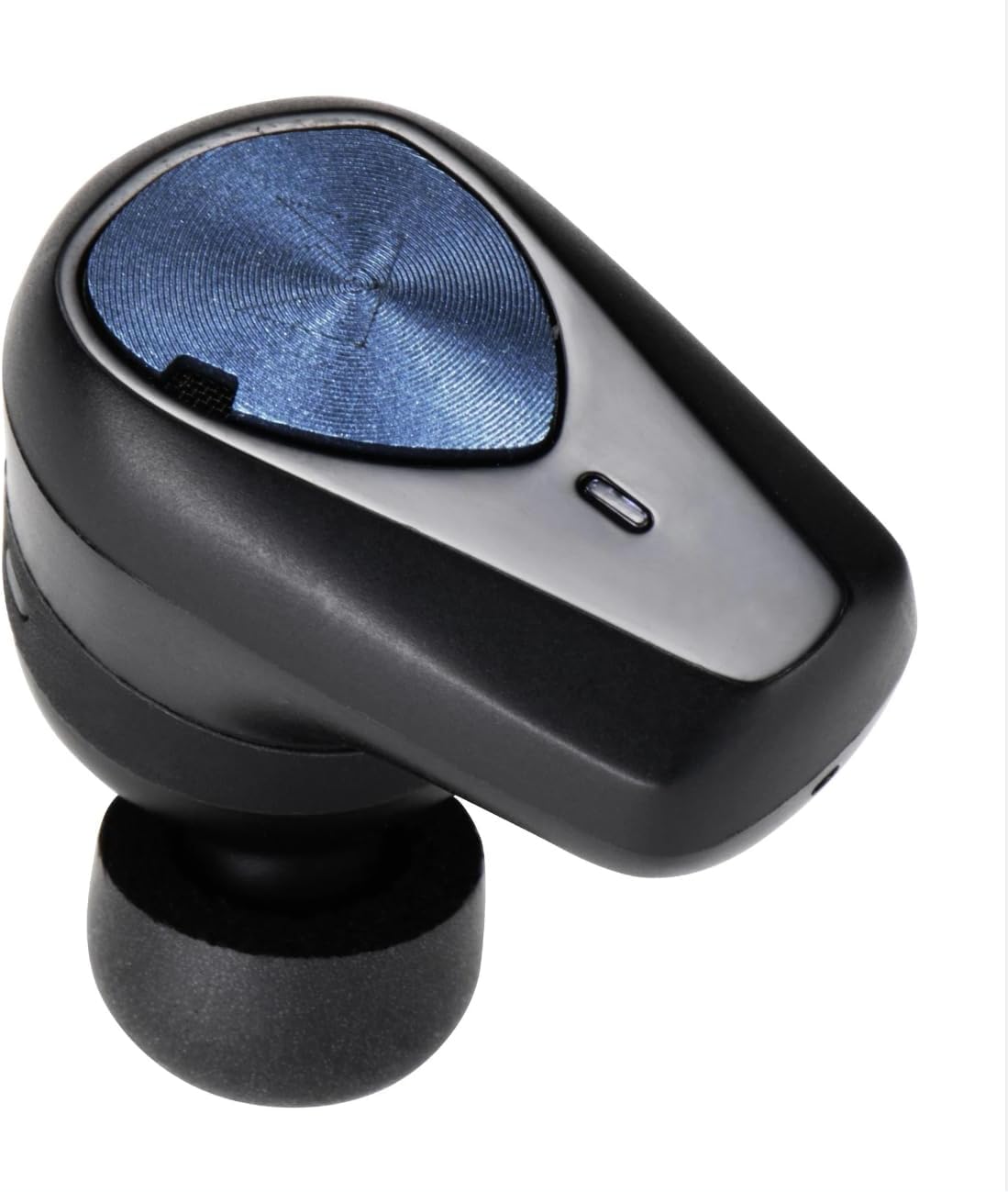
olusin 3.2: Isunmọ view of a single Noble Falcon-ANC earbud. This image highlights the ergonomic design, the blue metallic outer panel, and the ear tip, showing the in-ear component.
The Noble Falcon-ANC earbuds feature a hybrid driver configuration, combining a 10mm titanium membrane dynamic driver with a Knowles balanced armature driver for high-resolution audio. Each earbud is equipped with three MEMS Knowles microphones for enhanced call quality and Active Noise Cancellation (ANC) performance. The compact charging case provides additional battery life for extended listening.
4. Eto
4.1 Ngba agbara si Earbuds ati Ọran
- Place the earbuds into the charging case, ensuring they are correctly seated. The indicator lights on the earbuds will illuminate to show charging status.
- So okun gbigba agbara USB pọ mọ ibudo gbigba agbara lori apoti naa ati si orisun agbara USB ti o baamu.
- The charging case indicator lights will show the charging progress. A full charge for the case and earbuds typically takes approximately 1.5 to 2 hours.
- Once fully charged, disconnect the charging cable. The earbuds offer up to 12 hours of playback without ANC and 8.5 hours with ANC. The charging case provides an additional 2.5 full charges.
4.2 Ibẹrẹ Ibẹrẹ
- Rii daju pe awọn agbekọri ti gba agbara.
- Open the charging case. The earbuds will automatically enter pairing mode, indicated by flashing lights (refer to specific light patterns in the quick start guide if available).
- On your smartphone, PC, laptop, or tablet, navigate to the Bluetooth settings.
- Wa fun available devices and select "Noble Falcon-ANC" from the list.
- Once connected, a confirmation sound or indicator light change will occur. The earbuds are now ready for use.
- For subsequent use, the earbuds will automatically connect to the last paired device when removed from the case and within range.
5. Awọn ilana Iṣiṣẹ
5.1 Fọwọkan Iṣakoso
The Noble Falcon-ANC earbuds feature touch-sensitive controls on the outer panel of each earbud. Specific functions may vary, but common controls include:
- Tẹ ni kia kia Mu orin ṣiṣẹ/Daduro, Dahun/Pari ipe.
- Tẹ lẹẹmeji (Osi/Ọtun): Orin ti tẹlẹ/Okan ti nbọ.
- Meteta Tẹ ni kia kia: Mu oluranlọwọ ohun ṣiṣẹ.
- Long Tẹ: Toggle ANC/Ambient/Wind Reduction modes, Reject call.
Refer to the quick start guide for precise control mapping.
5.2 Ti nṣiṣe lọwọ Noise ifagile (ANC) Awọn ipo
The Falcon-ANC earbuds offer multiple listening modes:
- Ipo ANC: Reduces external noise, ideal for travel or noisy environments.
- Ipo Ibaramu: Allows you to hear your surroundings while listening to audio, useful for awareness in urban areas.
- Ipo Idinku Afẹfẹ: Specifically designed to minimize wind noise during outdoor activities or calls.
Toggle between these modes using the touch controls or through the Noble FoKus app.
5.3 Noble FoKus App
Enhance your listening experience by downloading the Noble FoKus app (available for smartphones). The app provides:
- 10-Band oluṣeto: Customize your audio profile.
- Hearing Test Function: Personalize sound settings based on your individual hearing profile.
- Awọn imudojuiwọn famuwia: Ensure your earbuds have the latest features and improvements.
6. Itọju
6.1 Ninu
- Mọ awọn afikọti nigbagbogbo ati apoti gbigba agbara pẹlu asọ ti o gbẹ, asọ ti ko ni lint.
- Yọ awọn imọran eti kuro ki o sọ wọn di mimọ pẹlu ọṣẹ kekere ati omi, lẹhinna gbẹ daradara ṣaaju ki o to tun ṣe.
- Rọra nu awọn olubasọrọ gbigba agbara lori mejeeji afikọti ati ọran naa nipa lilo swab owu gbigbẹ lati rii daju gbigba agbara to dara.
- Yago fun lilo awọn ohun elo abrasive, nkanmimu, tabi awọn kẹmika lile.
6.2 Ibi ipamọ
- Nigbati o ko ba si ni lilo, tọju awọn afikọti sinu apoti gbigba agbara wọn lati daabobo wọn ki o jẹ ki wọn gba agbara.
- Tọju ọja naa ni itura, aye gbigbẹ, kuro lati awọn iwọn otutu ti o ga julọ ati oorun taara.
6.3 Omi Resistance
The Noble Falcon-ANC earbuds have an IPX5 water resistance rating, meaning they are protected against low-pressure water jets from any direction. They are suitable for use during sweaty workouts or in light rain, but should not be submerged in water.
7. Laasigbotitusita
| Isoro | Owun to le Fa | Ojutu |
|---|---|---|
| Earbuds ko gba agbara | Dirty charging contacts, improper seating, faulty cable/power source | Ensure earbuds are correctly placed in the case. Clean charging contacts on earbuds and case. Try a different USB cable or power adapter. |
| Cannot pair earbuds | Earbuds not in pairing mode, Bluetooth off on device, previously paired device interfering | Ensure earbuds are in pairing mode (open case). Turn Bluetooth on your device. Forget "Noble Falcon-ANC" from your device's Bluetooth list and re-pair. Ensure no other devices are connected to the earbuds. |
| Ko si ohun tabi iwọn didun kekere | Volume too low, earbuds not connected, audio source issue | Adjust volume on both earbuds and connected device. Verify earbuds are connected via Bluetooth. Check audio output settings on your device. |
| ANC ko munadoko | Improper fit, wrong mode selected | Ensure a snug fit with the correct size ear tips. Verify ANC mode is active (not Ambient or Wind Reduction). |
8. Awọn pato
| Ẹya ara ẹrọ | Ẹ̀kúnrẹ́rẹ́ |
|---|---|
| Orukọ awoṣe | Noble Falcon ANC |
| Ariwo Iṣakoso | Fagilee Ariwo Ti nṣiṣe lọwọ (ANC) |
| Asopọmọra Technology | Ailokun (Bluetooth 5.2) |
| Audio Driver Type | Hybrid Driver (10mm Titanium Dynamic + Knowles BA) |
| Iwọn Igbohunsafẹfẹ | 20 Hz - 20,000 Hz |
| Ipalara | 16 ohm |
| Igbesi aye batiri (Earbuds) | Up to 12 hours (without ANC), 8.5 hours (with ANC) |
| Ngba agbara Case | Provides 2.5 additional full charges |
| Awọn gbohungbohun | 6 MEMS Knowles mics (3 per earbud) |
| Omi Resistance | IPX5 |
| Compatible Codecs | AAC, SBC |
| Ọna Iṣakoso | Touch Control, Noble FoKus App |
| Iwọn Nkan | Nǹkan bí 1.3 giramu (fún ètí kọ̀ọ̀kan) |
9. Atilẹyin ọja ati Support
Noble provides a limited warranty for its products. For detailed warranty information, please refer to the warranty card included in your package or visit the official Noble website. If you encounter any issues or require technical assistance, please contact Noble customer support through their official channels.


