Ọja Pariview
The Mesqool Digital Alarm Clock CR1028R is designed to provide reliable timekeeping and alarm functions with enhanced visual features. It includes a vibrant RGB display, dual alarm settings for flexible routines, an adjustable night light, and convenient USB charging ports for your devices. This clock is suitable for various environments, including bedrooms, nurseries, dorms, and offices.
Ohun ti o wa ninu Apoti
Nigbati o ba ṣii package, iwọ yoo wa awọn nkan wọnyi:
- Mesqool Digital Alarm Clock (Model CR1028R)
- Adapter agbara
- Okun Ngba agbara USB
- Itọsọna olumulo

Awọn iṣakoso ati Awọn ẹya ara ẹrọ
Familiarize yourself with the clock's controls and various features for optimal use.
Awọn Isakoso Igbimọ Top
- SNOOZE/MULTICOLOR Button: Press to activate snooze during an alarm. Long press to cycle through RGB display colors or activate dynamic color modes.
- VOL +/- Awọn bọtini: Adjust alarm volume.
- Bọ́tìnì DIMMER: Adjust display brightness (7 levels).
- Bọ́tìnì ṢE ÀKÓKÒ: Long press to enter time setting mode.
- ALARM 1 ON/OFF Button: Activate/deactivate Alarm 1.
- ALARM 2 ON/OFF Button: Activate/deactivate Alarm 2.

Rear Panel and Side Features
- Ìtẹ̀síwájú Agbára (DC 5V): So ohun ti nmu badọgba agbara ti a pese.
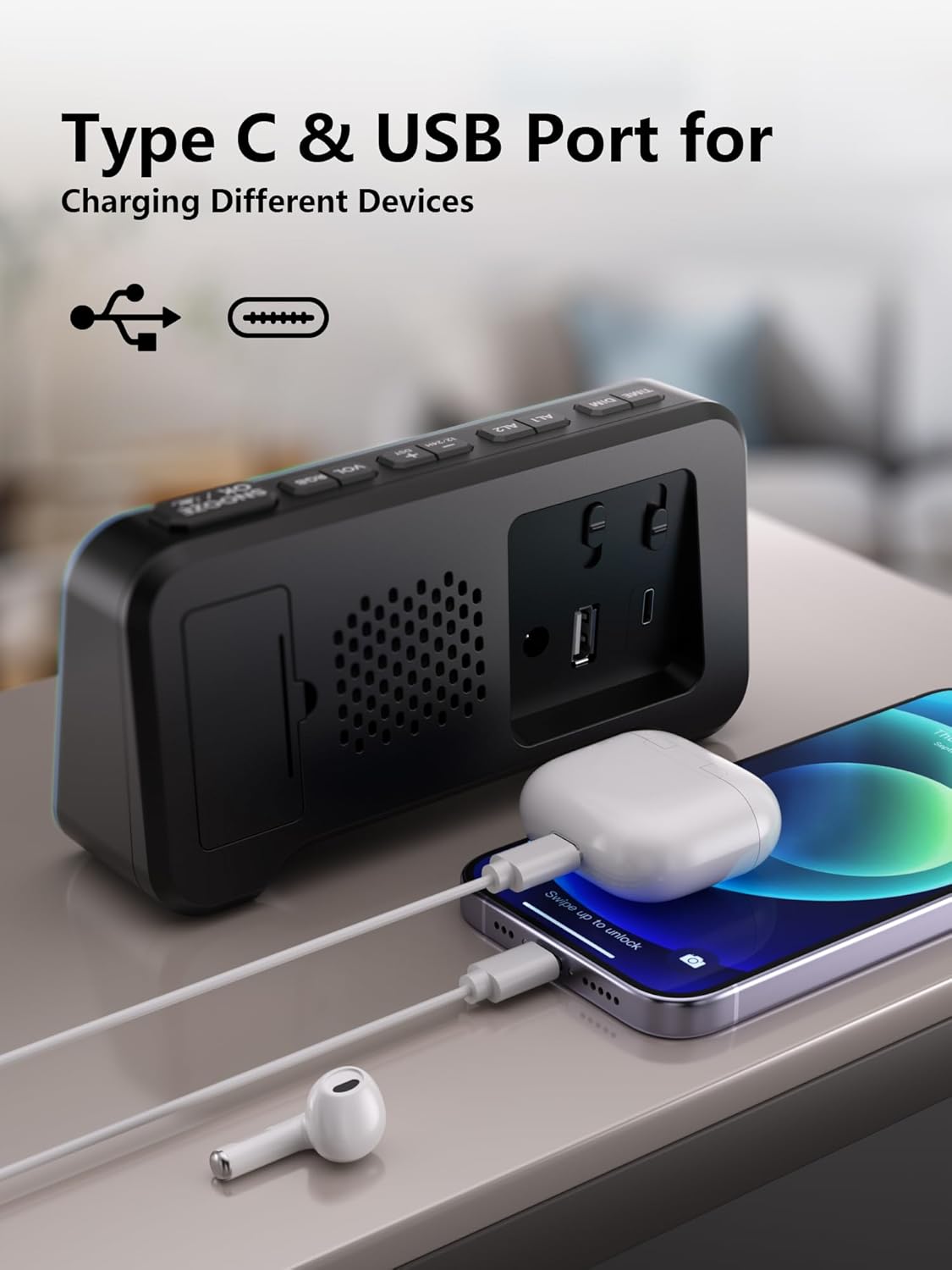
- Ibudo Ngba agbara USB-A: Fun gbigba agbara awọn ẹrọ ita.
- Ibudo Ngba agbara Iru-C: Fun gbigba agbara awọn ẹrọ ita.
- Abala Batiri: Houses 2 AAA batteries for backup (not included).
- Time/Alarm Set Switch: Slide to set time or alarm.
- Ifaworanhan didun: Adjusts the alarm sound level (Low, Mid, High).
Eto Itọsọna
1. Lilo Aago naa
- Connect the provided power adapter to the DC 5V input port on the back of the clock.
- So adapter naa sinu ibudo ogiri deede. Ifihan naa yoo tan imọlẹ.

2. Installing Battery Backup
- Ṣí ideri yàrá ìpamọ́ batiri náà ní ẹ̀yìn aago náà.
- Fi awọn batiri AAA meji sii (ko si ninu rẹ), ki o rii daju pe polarity ti o tọ (+/-).
- Pa ideri iyẹwu batiri naa.
Akiyesi: The battery backup retains time and alarm settings during power outages but does not power the display. The display will turn off during a power cut, but settings will be preserved.

3. Ṣiṣeto Akoko naa
- Slide the switch on the rear panel to the "TIME SET" position. The time display will start blinking.
- Use the "+" and "-" buttons on the top panel to adjust the hours and minutes.
- Once the correct time is set, slide the switch back to the "LOCK" position to save.
Awọn ilana Iṣiṣẹ
1. Time Format (12/24H) and DST
- To switch between 12-hour and 24-hour time formats, press the "12/24HR" button on the rear panel.
- To activate or deactivate Daylight Saving Time (DST), long press the "DST" button on the rear panel.

2. Setting Dual Alarms
- Slide the switch on the rear panel to "ALARM SET" (for Alarm 1 or Alarm 2). The alarm time will blink.
- Use the "+" and "-" buttons on the top panel to set the desired alarm time.
- Slide the switch back to "LOCK" to save the alarm time.
- To activate an alarm, press the corresponding "ALARM 1 ON/OFF" or "ALARM 2 ON/OFF" button on the top panel. An alarm icon will appear on the display.
- To deactivate an alarm, press the corresponding "ALARM 1 ON/OFF" or "ALARM 2 ON/OFF" button again. The alarm icon will disappear.
The clock supports flexible alarm routines: weekday-only, weekend-only, or daily settings. Adjust these using the dedicated switches on the rear panel for each alarm.

3. Iṣẹ lẹẹkọọkan
- When an alarm sounds, press the large "SNOOZE" button on the top panel to temporarily silence it for 9 minutes.
- You can repeat the snooze function up to 9 times.
4. Adjusting Display Brightness (Dimmer)
- Press the "DIMMER" button on the top panel to cycle through 7 levels of display brightness.
- Select the brightness level that is most comfortable for your environment.

5. RGB Display Colors
- Long press the "SNOOZE/MULTICOLOR" button to cycle through 10 RGB display colors and dynamic color modes.
- Release the button when your desired color or mode is displayed.

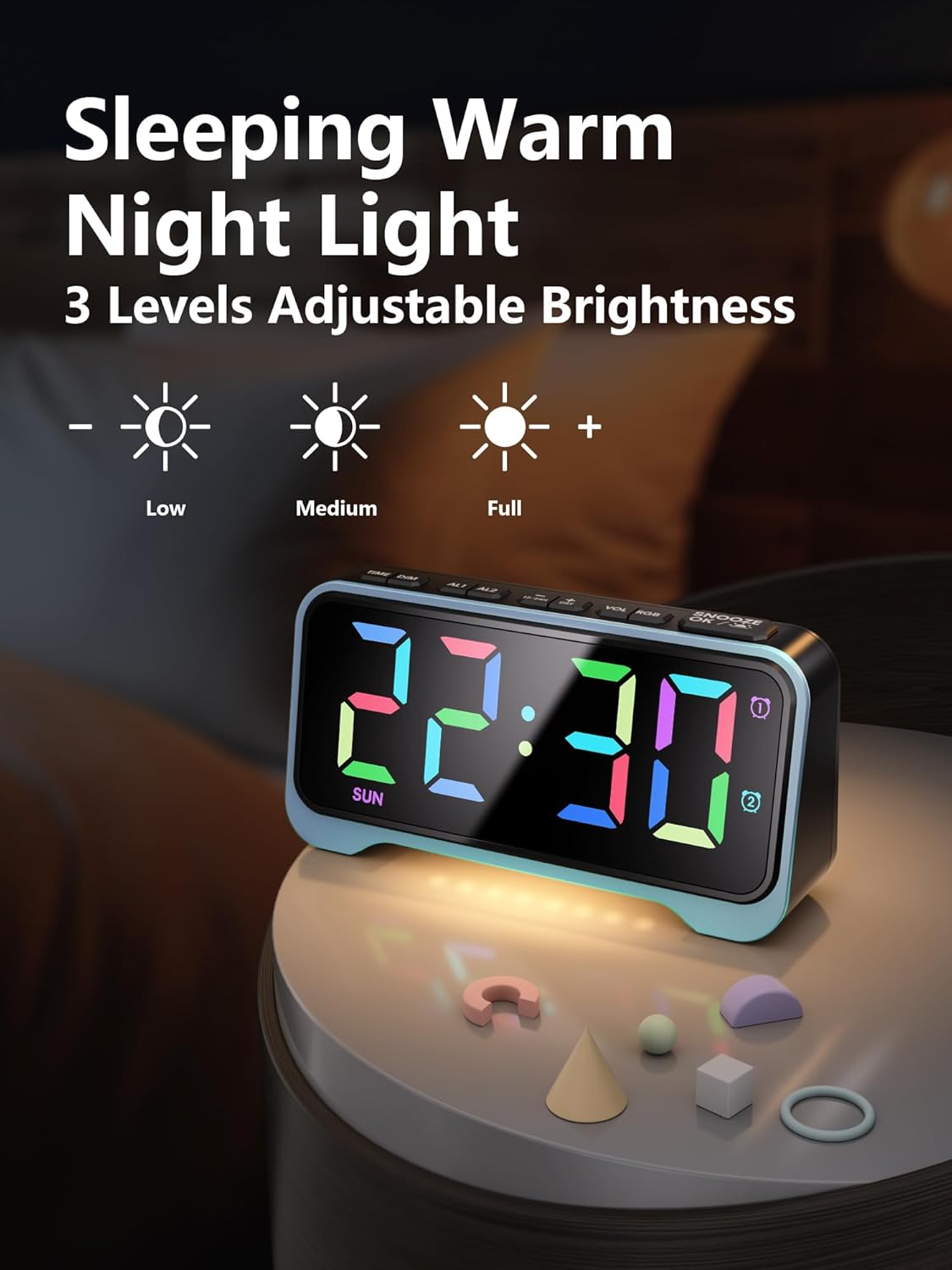
6. Night Light Išė
- The clock features a soft warm night light at its base.
- Press the dedicated night light button (often integrated with dimmer or snooze, refer to specific button labels) to cycle through 3 adjustable brightness levels for the night light.
7. Adjustable Alarm Volume
- Use the "VOL +/-" buttons on the top panel to adjust the alarm volume through 5 available levels.
- Alternatively, use the physical volume slider on the rear panel to select between Low, Mid, and High settings.
8. Awọn ibudo gbigba agbara USB
- The clock is equipped with both USB-A and Type-C charging ports on the rear panel.
- Connect your smartphone, tablet, or other USB-powered devices to these ports for convenient overnight charging.
Itoju
- Clean the clock's exterior with a soft, dry cloth. Avoid abrasive cleaners or solvents.
- Ensure the clock is unplugged before cleaning.
- Pa aago naa mọ kuro ninu omi ati ọriniinitutu giga.
- Replace AAA backup batteries annually or as needed to ensure settings are retained during power outages.
Laasigbotitusita
| Isoro | Owun to le Fa | Ojutu |
|---|---|---|
| Ifihan ti wa ni pipa. | Ko si agbara tabi agbara rẹtage. | Ensure the power adapter is securely plugged into the clock and a working outlet. If there's a power outage, the display will be off, but settings are retained by backup batteries. |
| Itaniji ko dun. | Itaniji ko mu ṣiṣẹ tabi iwọn didun ti lọ silẹ ju. | Press the "ALARM ON/OFF" button to activate the desired alarm (icon should appear). Check the alarm volume settings using the "VOL +/-" buttons or the rear slider. |
| Time/Alarm cannot be set. | The lock switch is engaged. | Slide the rear switch to "TIME SET" or "ALARM SET" before attempting to adjust. Return to "LOCK" after setting. |
| Gbigba agbara USB ko ṣiṣẹ. | Device incompatibility or cable issue. | Ensure your device is compatible with USB charging. Try a different USB cable. Verify the clock is powered on. |
Awọn pato
- Brand: Mesqool
- Nọmba awoṣe: CR1028R
- Iru ifihan: Digital, RGB
- Orisun Agbara: Ina mọnamọna ti o ni okun (DC 5V)
- Batiri Afẹyinti: Awọn batiri 2 x AAA (kii ṣe pẹlu)
- Awọn iwọn ọja: 6.65"W x 3.39"H
- Ìwọ̀n Nkan: 10.8 iwon
- Ohun elo: Acrylonitrile Butadiene Styrene (ABS)
- Awọn ẹya pataki: 10 RGB Display Colors, 7 Dimmer Levels, Dual Alarms (Weekday/Weekend modes), 3-Level Adjustable Night Light, 5-Level Adjustable Alarm Volume, Snooze Function (9 minutes, up to 9 times), Dual USB Charging Ports (USB-A & Type-C), 12/24H Time Format, DST Function.
- Irú Yàrá: Bedroom, Nursery, Dorm
Awọn fidio ọja osise
Mesqool Dual Alarm Clock with Weekday/Weekend Mode
Video: This video demonstrates the dual alarm clock's functionality, including setting alarms for weekdays and weekends, and its overall design. Creator: Mestcool (Seller).
Mesqool Super Loud Alarm Clock
Video: This video highlights the super loud alarm feature of the Mesqool clock, demonstrating its effectiveness for heavy sleepers. Creator: Mestcool (Seller).
Atilẹyin ọja ati Support
For warranty information or technical support, please contact Mesqool E-commerce Co.,Ltd. Refer to the product packaging or official webojula fun awọn julọ soke-si-ọjọ olubasọrọ awọn alaye.
Olupese: Mesqool E-commerce Co.,Ltd


