Ọrọ Iṣaaju
Thank you for choosing the IRIS USA WOOZOO Air Circulator Fan. This manual provides important information for the safe and efficient operation of your new fan. Designed to maximize airflow and cooling, this compact yet powerful fan features 360° oscillation, multiple speeds, and a convenient timer function to enhance comfort in any room.

Figure 1: IRIS USA WOOZOO Air Circulator Fan and Remote
Alaye Aabo pataki
Jọwọ ka gbogbo awọn ilana ni pẹkipẹki ṣaaju lilo ohun elo yii. Ikuna lati tẹle awọn ilana wọnyi le ja si mọnamọna, ina, tabi ipalara nla.
- Yọọ igbafẹfẹ nigbagbogbo ṣaaju ṣiṣe mimọ tabi ṣiṣe itọju eyikeyi.
- Do not operate the fan with a damaged cord or plug. If the cord or plug is damaged, contact qualified service personnel for repair.
- Má ṣe gbé afẹ́fẹ́ sínú tàbí súnmọ́ omi tàbí àwọn ohun míràn.
- Keep fingers and other objects away from the fan blades and openings during operation.
- Rii daju pe a gbe afẹfẹ sori iduro, dada alapin lati ṣe idiwọ tipping.
- Ohun elo yii wa fun lilo inu ile nikan.
Package Awọn akoonu
Daju pe gbogbo awọn nkan wa ninu package:
- IRIS USA WOOZOO Air Circulator Fan Unit
- Isakoṣo latọna jijin
- Afowoyi Olumulo (iwe-ipamọ yii)
Ṣeto
The IRIS USA WOOZOO Air Circulator Fan is designed for easy setup. It can be used as a tabletop fan or with an extended stand for higher placement.
Nto awọn Fan
- Yọọ gbogbo awọn paati lati inu apoti.
- Place the fan base on a stable, flat surface.
- If using the extended stand, securely attach it between the fan head and the base. Ensure it clicks into place or is firmly screwed in, depending on the model's design.
- Pulọọgi okun agbara sinu boṣewa 120V AC iṣan.
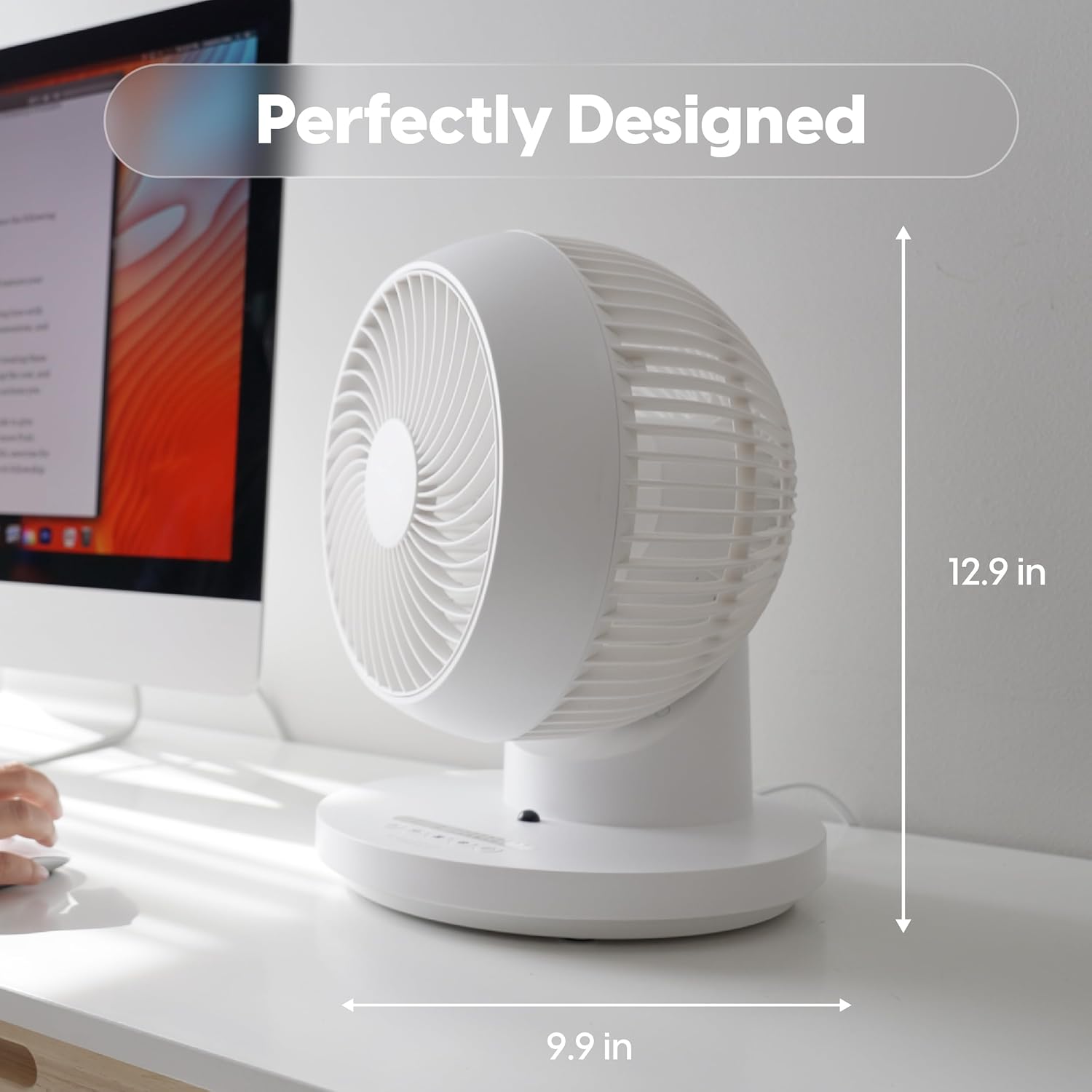
Figure 2: Fan dimensions for optimal placement (approx. 12.9 inches high, 9.9 inches wide).
Awọn ilana Iṣiṣẹ
Your WOOZOO fan can be controlled using the buttons on the unit's base or the included remote control.
Awọn Iṣakoso Loriview

Figure 3: Remote Control Functions: Power, 360° Oscillation, Speed Settings, Timer Settings, 3 Mode Settings.
- Bọtini agbara: Ó ń tan/pa afẹ́fẹ́.
- Oscillation Button (360°): Activates or deactivates the 360-degree oscillation feature, allowing air to circulate throughout the entire room.
- Speed Settings (+/-): Adjusts the fan speed. The fan offers 5 power levels for precise airflow control.
- Bọtini Aago: Sets the automatic shut-off timer for 1 to 7 hours.
- Bọtini Ipo: Cycles through the three available airflow modes:
- Afowoyi: Provides a continuous, steady airflow at the selected speed.
- Oriki: Alternates between low and high power to simulate a natural breeze.
- Orun: Gradually decreases the airflow over a two-hour period before turning off, designed for quiet night-time operation.

Figure 4: Detailed explanation of the three airflow modes.
Air Circulation Benefits
The 360° oscillation and powerful airflow (up to 52 feet) ensure efficient air circulation, helping to equalize room temperature by distributing both cool and warm air. This can lead to improved comfort and potential energy savings.
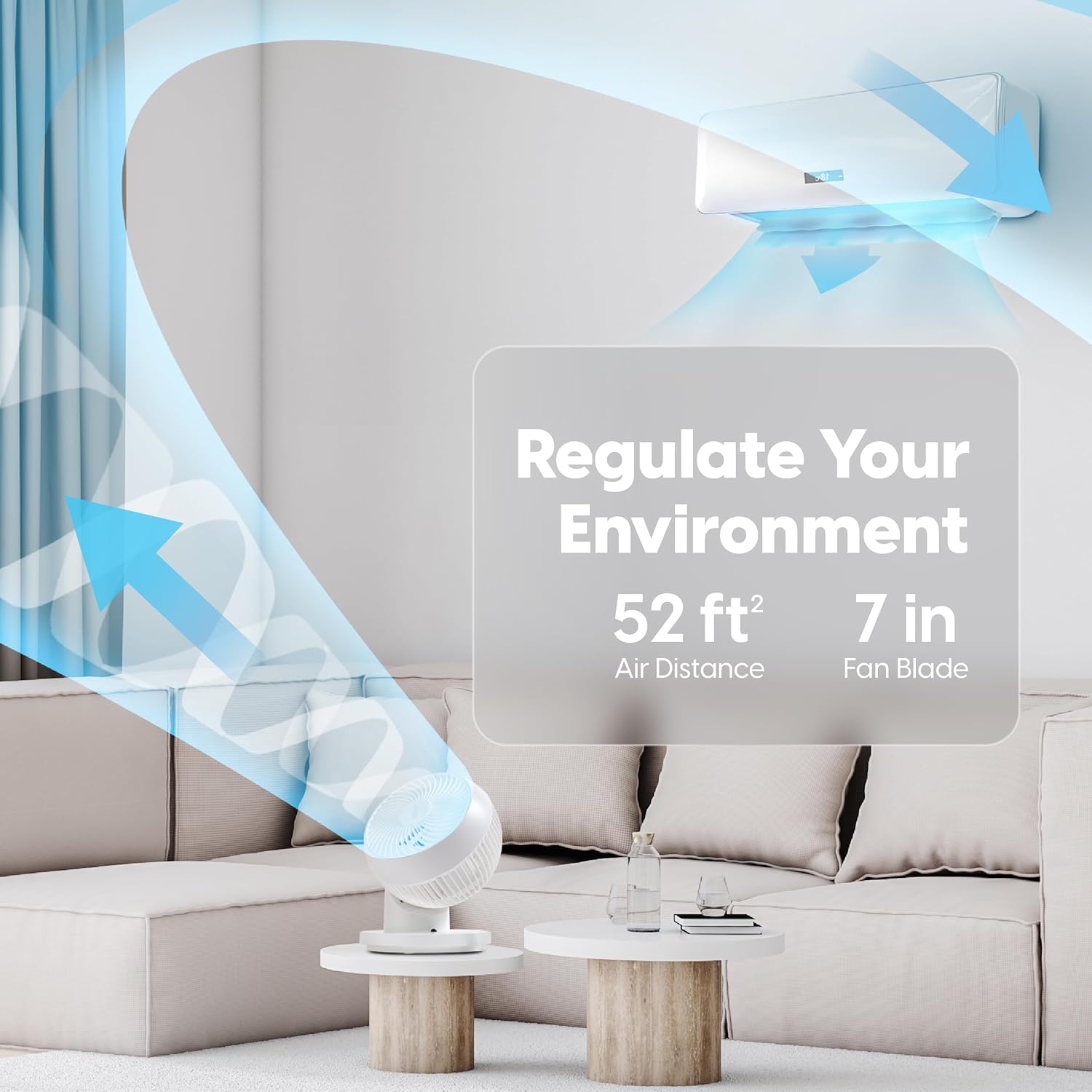
Figure 5: The fan's ability to regulate environment with 52ft air distance.
Official ọja Video
Video 1: Osise loriview of the IRIS USA WOOZOO 360 Oscillating Fan with Remote, demonstrating its features and benefits.
Itoju
Wíwẹ̀ déédéé yóò ran lọ́wọ́ láti máa ṣe iṣẹ́ afẹ́fẹ́ náà dáadáa, yóò sì mú kí ó pẹ́ sí i.
- Ninu Ode: Mu ese ita gbangba pẹlu asọ, damp asọ. Ma ṣe lo abrasive ose tabi epo.
- Ninu awọn Blades: For thorough cleaning, the front grille may be removable (refer to specific model instructions if applicable). Use a soft brush or vacuum cleaner to remove dust from the fan blades.
- Rii daju pe afẹfẹ naa ti gbẹ patapata ṣaaju pilọọgi pada sinu ati ṣiṣẹ.
Laasigbotitusita
If you experience issues with your WOOZOO fan, try the following solutions:
| Isoro | Owun to le Fa | Ojutu |
|---|---|---|
| Fan ko ni tan-an. | Not plugged in; power outlet not working; fuse blown in plug. | Ensure the power cord is securely plugged into a working outlet. Check the fuse in the plug and replace if necessary. |
| Alailagbara tabi ko si ṣiṣan afẹfẹ. | Fan speed set too low; fan blades are dirty. | Increase the fan speed. Clean the fan blades and grille as described in the Maintenance section. |
| Afẹ́fẹ́ ń pariwo àrà ọ̀tọ̀. | Obstruction in fan blades; fan not on a stable surface. | Turn off and unplug the fan, then check for any obstructions. Ensure the fan is placed on a stable, level surface. |
| Isakoṣo latọna jijin ko ṣiṣẹ. | Awọn batiri ti ku tabi fi sii lọna ti ko tọ. | Replace the batteries in the remote control. Ensure batteries are inserted with correct polarity. |
Awọn pato
| Ẹya ara ẹrọ | Ẹ̀kúnrẹ́rẹ́ |
|---|---|
| Brand | IRIS |
| Orukọ awoṣe | PCF-360AC |
| Àwọ̀ | Funfun |
| Electric Fan Design | Tabili Fan |
| Orisun agbara | Okun Itanna |
| Ọja Mefa | 10"D x 9.92"W x 12.99"H |
| Pataki Ẹya | Remote Controlled, Oscillating |
| Ariwo Ipele | 26.5 dB |
| Nọmba ti Blades | 3 |
| Air Sisan Agbara | 1409 Onigun Ẹsẹ Fun iseju |
| Awọn Eto Iyara | 5 Awọn ipele agbara |
| Voltage | 120 Volts |
| Iwọn Nkan | 4.17 iwon |
| Awọn irinše to wa | Latọna jijin |
| inu ile / ita gbangba Lilo | Ninu ile |
| Ọna Iṣakoso | Latọna jijin |
| Blade elo | Ṣiṣu |
| Ilu isenbale | China |
Atilẹyin ọja & Atilẹyin
IRIS USA stands behind the quality of its products. For warranty information, technical support, or to inquire about replacement parts, please visit the official IRIS USA webojula tabi kan si wọn onibara iṣẹ Eka. Tọju iwe-ẹri rira rẹ bi ẹri rira fun eyikeyi awọn ibeere atilẹyin ọja.
Fun alaye diẹ sii, ṣabẹwo: IRIS USA Official Store


