1. Ifihan
The SECUKEY Vcontrol 4K MF is an advanced access control system designed for various applications, including Bed and Breakfasts (B&B), hostels, agritourism, and holiday homes. This device integrates Mifare card reading, PIN code entry, and smartphone control via Wi-Fi and Bluetooth connectivity.
It features a built-in camera for video calls and video surveillance, enhancing security and convenience. The system is managed through the Tuya Smart or Smart Life application, available for both iOS and Android devices, offering comprehensive user management and access logging capabilities.
With its robust IP65 rating and anti-vandal metal casing, the Vcontrol 4K MF is suitable for outdoor installation, providing reliable access management in various environmental conditions.
2. Alaye Aabo
- Ensure the power supply (DC 12-18V) meets the specified requirements to prevent damage to the device. Power supply is not included.
- Installation should be performed by qualified personnel to ensure proper wiring and functionality.
- Do not expose the device to extreme temperatures outside the specified range (-40 °C to 60 °C) or humidity levels (0% to 92% RH).
- Avoid using corrosive cleaners or solvents on the device surface. Use a soft, damp asọ fun ninu.
- Pa ẹrọ naa mọ kuro ninu idamu itanna ti o lagbara.
3. Ọja Ipariview
The Vcontrol 4K MF features a sleek design with a backlit keypad and integrated camera. Its zinc alloy casing provides durability and an IP65 protection rating, making it resistant to dust and water jets.

olusin 3.1: Iwaju view of the Vcontrol 4K MF access control device alongside a smartphone showing its video calling feature.
3.1. Awọn iwọn
The compact design of the Vcontrol 4K MF allows for discreet installation. Refer to the diagram below for precise measurements.

Figure 3.2: Physical dimensions of the Vcontrol 4K MF device (Height: 142mm, Width: 48mm, Depth: 22mm).
3.2. Key Awọn ẹya ara ẹrọ
- Awọn ọna Iwọle: Mifare Card (13.56 MHz), PIN Code (4-6 digits), Smartphone App.
- Agbara olumulo: Up to 1,000 users (990 PIN/card users + 10 visitor users); up to 500 users via app.
- Asopọmọra: Integrated Wi-Fi (2.4G) and Bluetooth.
- Kamẹra: For video calls and video surveillance.
- Idaabobo: IP65 rated, anti-vandal metal casing.
- Ijade Ifiranṣẹ: One internal relay for door/gate opening, adjustable time (0-99 seconds, default 5 seconds).
- Wiegand: Wiegand 26-44 bit In&Out (default 34 bit).
- Ibamu App: Tuya Smart or Smart Life (iOS/Android).
4. Eto
4.1. Fifi sori ero
For optimal performance, ensure stable Wi-Fi coverage at each installation point. The device requires a DC 12-18V power supply (not included).

Olusin 4.1: Example of Vcontrol 4K MF installation on a door, highlighting Wi-Fi connectivity and mobile app integration.
4.2. Wiring Diagram (Conceptual)
The Vcontrol 4K MF provides connections for relay output, an exit button, and Wiegand In&Out. Consult a professional electrician for detailed wiring based on your specific access control setup.
- Ijade Ifiranṣẹ: Connects to the electronic lock or gate mechanism.
- Bọtini Jade: For internal door release.
- Wiegand In&Out: For integration with external Wiegand readers or controllers.
4.3. Fifi sori ẹrọ ati Eto Ibẹrẹ
Download the "Tuya Smart" or "Smart Life" application from the Google Play Store (for Android) or Apple App Store (for iOS). The app is free and available in English and Italian.
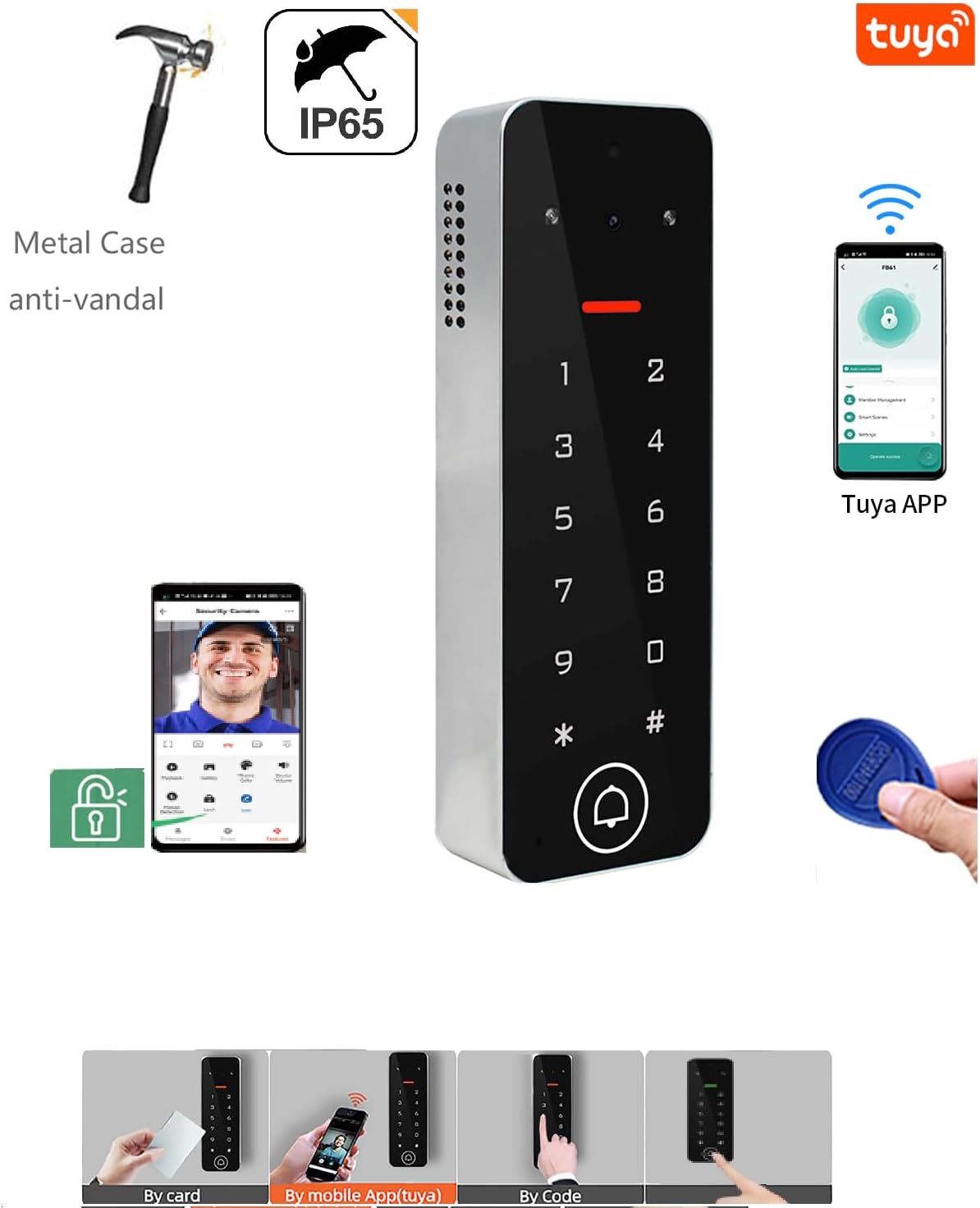
Olusin 4.2: Pariview of device features including Tuya App integration and multiple access methods.
Follow the in-app instructions to register an account and add your Vcontrol 4K MF device. Ensure your smartphone is connected to a 2.4GHz Wi-Fi network during the pairing process.

Figure 4.3: TuyaSmart app interface for managing access, including temporary passwords and user cards.
5. Awọn ilana Iṣiṣẹ
5.1. Access Methods
- Mifare Card: Present a registered Mifare 13.56 MHz card to the reader area (2-4 cm reading distance).
- Koodu PIN: Enter your 4-6 digit PIN code on the backlit keypad.
- Ohun elo Foonuiyara: Use the Tuya Smart/Smart Life app to remotely unlock the door/gate.
5.2. User Management via App
The app allows for comprehensive management of users and access permissions.
- Adding/Deleting Users: Super Admin or Admin users can add or delete up to 500 users (guests) directly through the app.
- Àwọn Kóòdù Ìgbà Àkókò: Generate PIN codes with a specific validity period or one-time use.
- Wiwọle ti a ṣeto: Set weekly access schedules for specific users.
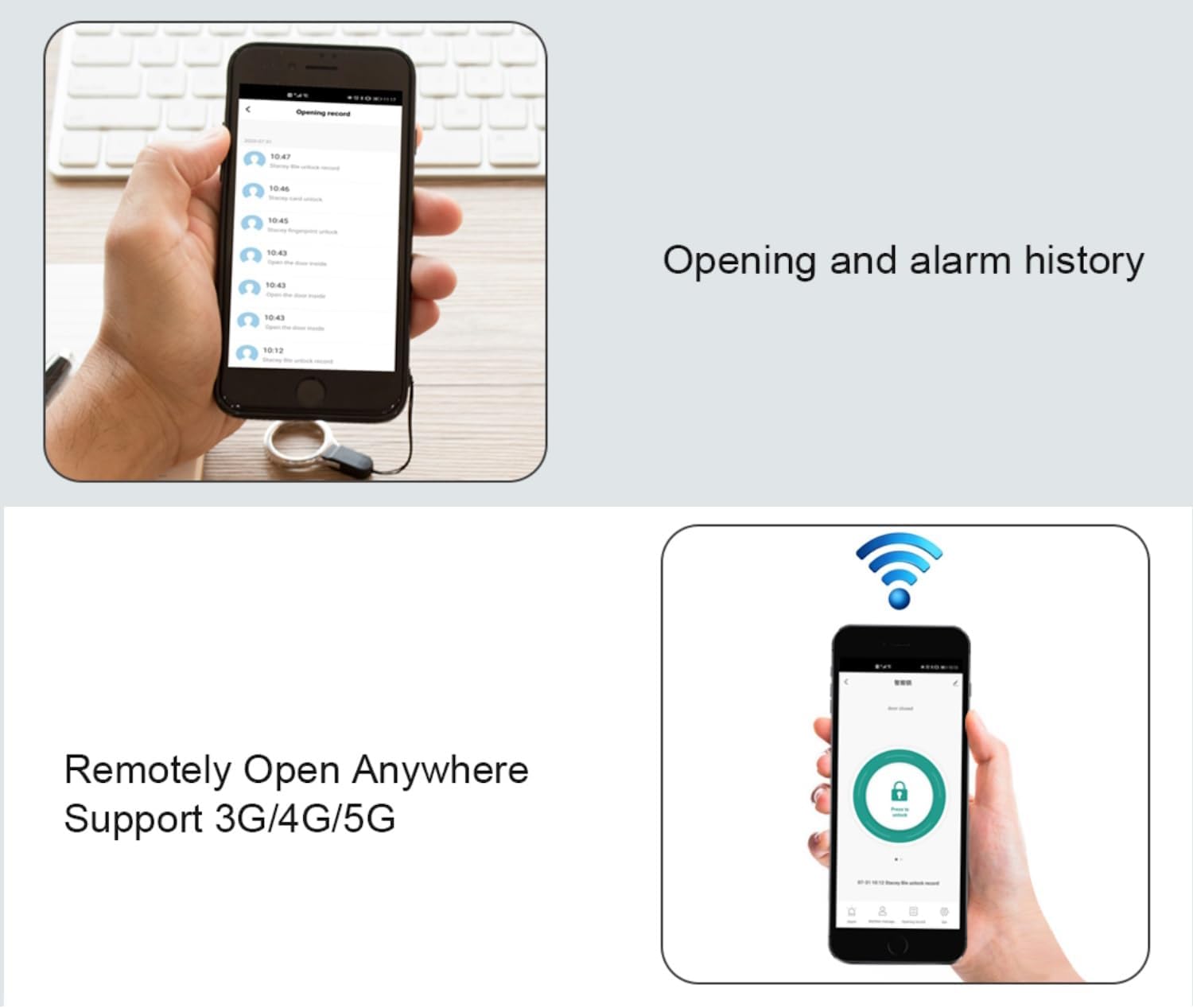
Figure 5.1: User management interface for adding and deleting users.
5.3. Video Calling and Surveillance
The integrated camera enables real-time video communication and surveillance of the surrounding area.
- Videophone Function: Receive audio/video calls from visitors at the access point directly on your smartphone. You can then remotely unlock the door.
- Video Surveillance: Monitor the area around the access control device at any time through the app.
- Iran Alẹ: The device supports IR-CUT for clear night vision, displaying images in black and white during low-light conditions.

Figure 5.2: Smartphone interface for receiving video calls from the Vcontrol 4K MF.

Figure 5.3: Day and Night Vision capabilities of the Vcontrol 4K MF.
5.4. Access Reports and History
The app provides detailed reports of authorized access and logs of attempted access, including photos for verification.
- Check In/Out: Track access events by badge or PIN code.
- Remote Open: Unlock the door remotely from anywhere using 3G/4G/5G network connectivity on your smartphone.

Figure 5.4: Access history and remote unlock features in the app.
6. Itọju
- Ninu: Regularly wipe the device surface with a soft, slightly damp asọ. Ma ṣe lo abrasive ose tabi epo.
- Awọn ipo Ayika: Ensure the device operates within its specified temperature (-40 °C to 60 °C) and humidity (0% to 92% RH) ranges to prolong its lifespan.
- Awọn imudojuiwọn famuwia: Check the Tuya Smart/Smart Life app periodically for any available firmware updates for your device to ensure optimal performance and security.
7. Laasigbotitusita
| Isoro | Owun to le Fa | Ojutu |
|---|---|---|
| Ẹrọ ti ko ni agbara lori. | Ko si ipese agbara tabi vol ti ko tọtage. | Ensure DC 12-18V power supply is connected correctly. Check power source. |
| Ko le sopọ si Wi-Fi. | Ọ̀rọ̀ ìpamọ́ Wi-Fi tí kò tọ́, nẹ́tíwọ́ọ̀kì 5GHz, tàbí àmì àìlera. | Verify Wi-Fi password. Ensure you are connecting to a 2.4GHz network. Move device closer to router or use a Wi-Fi extender. |
| Card/PIN access denied. | Card not registered, incorrect PIN, or user permissions expired. | Register the card/PIN via the app. Verify the PIN code. Check user validity period in the app. |
| Video call not working. | Poor network connection, app not running in background, or camera obstruction. | Check Wi-Fi/mobile data signal strength. Ensure app permissions allow background activity and notifications. Clean camera lens. |
| Remote unlock unresponsive. | No internet connection on device or smartphone, or relay issue. | Verify device's Wi-Fi connection. Check smartphone's internet connectivity. Consult an installer if relay is suspected. |
8. Awọn pato
| Ẹya ara ẹrọ | Ẹ̀kúnrẹ́rẹ́ |
|---|---|
| Brand | SECUKEY |
| Nọmba awoṣe | Vcontrol 4K MF |
| Àwọ̀ | Fadaka ati Black |
| Ibi ti ina elekitiriki ti nwa | DC 12-18V (Power supply not included) |
| Fifuye O wu Fifuye | 2 Amps max |
| Relay Opening Time | Adjustable 0-99 seconds (Default: 5 seconds) |
| Kaadi Iru | Mifare 13.56 MHz |
| Badge Reading Distance | 2-4 cm |
| Ipari koodu PIN | 4-6 awọn nọmba |
| Agbara olumulo | Up to 1,000 (990 PIN/Card + 10 Visitor); Up to 500 via App |
| Asopọmọra | Integrated Wi-Fi (2.4G), Bluetooth |
| Idaabobo Rating | IP65 |
| Casing Ohun elo | Sinkii Alloy |
| Awọn iwọn (HxWxD) | 142 x 48 x 22 mm |
| Iwọn | 315 g |
| Iwọn otutu | -40 °C ~ 60 °C |
| Ọriniinitutu | 0% ~ 92% RH |
| Ibamu App | Tuya Smart, Smart Life (iOS, Android) |
9. Atilẹyin ọja ati Support
This product is covered by a standard manufacturer's warranty. Please refer to the purchase documentation for specific warranty terms and conditions.
For technical support, troubleshooting assistance, or warranty claims, please contact your retailer or the manufacturer's customer service. Keep your purchase receipt and product model number (Vcontrol 4K MF) readily available when seeking support.


