1. Ifihan
The YALP Y11 Wireless Acoustic Guitar Pickup is designed to enhance your acoustic guitar's sound with built-in vibration effects and wireless connectivity. This system allows for direct sound enhancement without an external amplifier, offering flexibility for various musical settings. It features comprehensive control over volume, microphone levels, and multiple effects, alongside an integrated tuner for precise instrument adjustment.
2. Awọn ẹya Ọja
- Built-in Vibration Effect: Enhances guitar sound directly, eliminating the need for an external amplifier. Ideal for practice or small performances.
- Bluetooth Wireless Audio Input: Connects your guitar to devices wirelessly, providing freedom for performances, recordings, or practice sessions.
- Volume and Effect Control: Offers full volume control, independent microphone volume control, and adjustable Reverb, Chorus, and Delay effects for tone customization.
- Tuning and Vibration Intensity Adjustment: Features a 12-tone digital tube display for accurate tuning and adjustable vibration intensity to suit playing style.
- Innovative Side Panel Installation: Easy-to-install side panel design allows for quick setup without permanent modifications, ensuring a clean look for your instrument.
3. Package Awọn akoonu
The YALP Y11 Wireless Acoustic Guitar Pickup package includes the following components:
- YALP Y11 Main Pickup Unit
- Wireless Receiver (RX-6)
- Okun gbigba agbara USB (USB-A si USB-C)
- Ti abẹnu Gbohungbo
- Endpin Jack
- Mounting Accessories (e.g., adhesive pads, clips)
- Ilana itọnisọna

Olusin 3.1: Pariview of the YALP Y11 Wireless Acoustic Guitar Pickup and its included accessories.
4. Eto ati fifi sori
The YALP Y11 pickup features a non-invasive side panel installation method, allowing for quick setup without permanent modifications to your guitar.
4.1 Installing the Main Pickup Unit
- Carefully loosen your guitar strings to create enough space to access the soundhole.
- Insert the main pickup unit into the soundhole. The unit is designed to fit securely with cork-lined tongues that prevent damage to your guitar's finish.
- Tighten the two screws on the pickup unit to secure it firmly in place within the soundhole. Ensure it is stable and does not obstruct string movement.
- For optimal sound, the vibration unit (often referred to as the speaker or transducer) should be positioned under the guitar's soundboard near the bridge. Refer to the included manual for specific placement recommendations.
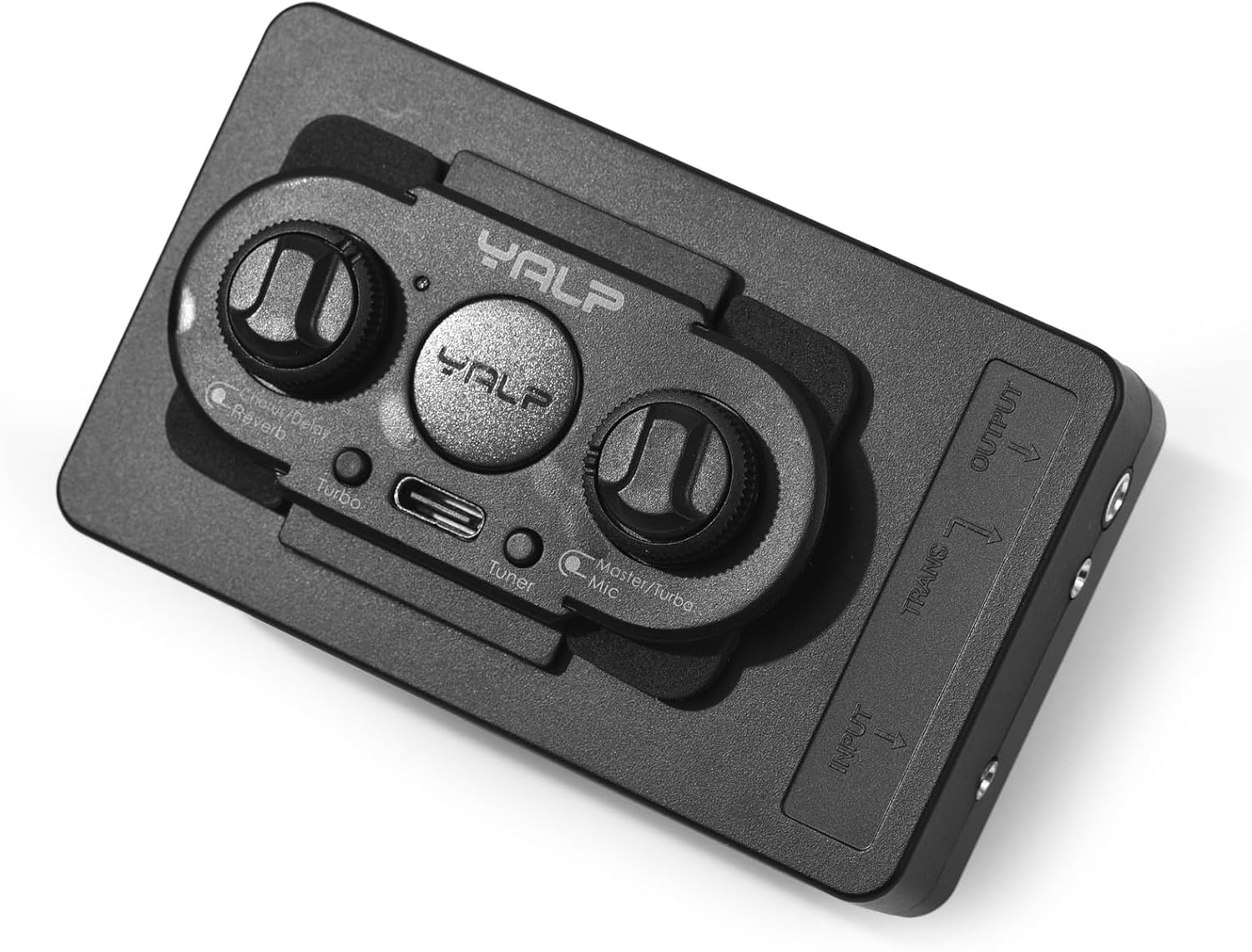
Figure 4.1: The YALP Y11 pickup unit securely installed within the guitar's soundhole.
4.2 Fifi sori batiri
The main pickup unit is powered by a rechargeable battery.
- Locate the battery compartment on the underside of the main pickup unit.
- Insert the provided rechargeable battery, ensuring correct polarity.
- Pa yara batiri naa ni aabo.

Figure 4.2: The battery compartment of the YALP Y11 pickup, designed for easy battery access.
4.3 Connecting the Wireless Receiver
The wireless receiver (RX-6) plugs into your amplifier tabi ohun ni wiwo.
- Plug the wireless receiver into the input jack of your amplifier tabi iwe eto.
- Power on both the main pickup unit and the wireless receiver. They should automatically pair. If manual pairing is required, refer to the specific instructions in the included manual.
Video 4.1: Demonstration of the X2 Double Wireless Acoustic Guitar Pickup, which shares similar installation and functionality concepts with the YALP Y11. This video provides insights into the non-invasive setup and wireless pairing process.
5. Awọn ilana Iṣiṣẹ
The YALP Y11 offers intuitive controls for sound shaping and performance.
5.1 Iṣakoso igbimo Loriview

Figure 5.1: Detailed diagram of the YALP Y11's control panel, highlighting various knobs and buttons for operation.
- Volume/Vibration Intensity Control: Adjusts the overall output volume and the strength of the vibration effect.
- Microphone Level Control: Independently controls the volume of the built-in microphone.
- Chorus/Delay Effect Adjustment: Controls the parameters of the Chorus and Delay effects.
- Reverb Adjustment: Controls the amount of Reverb effect applied to the sound.
- Tuning Switch: Activates the built-in 12-tone digital tuner.
- Yipada gbigbọn: Toggles the vibration system on/off.
- TYPE-C Ibudo Ngba agbara: Fun gbigba agbara ti abẹnu batiri.
- Working/Charging Indicator Light: Provides status updates on power and charging.
- Itọkasi Batiri Kekere: Alerts when the battery level is low.
5.2 Using the Built-in Tuner
The YALP Y11 includes a 12-tone digital tube display for accurate tuning.
- Press the Tuning Switch to activate the tuner.
- Pluck each string individually. The digital display will show the note and indicate if it is in tune, below pitch, or above pitch.
- Adjust your guitar's tuning pegs until the display indicates the string is in tune.
- Press the Tuning Switch again to deactivate the tuner.

Figure 5.2: The LED intelligent display tuner on the YALP Y11, showing examples of in-tune, below pitch, and above pitch indications.
5.3 Activating Effects and Bluetooth
Utilize the dedicated controls to activate and adjust the various effects and Bluetooth connectivity.
- Vibration Effect: Use the Vibration Switch to turn the built-in vibration system on or off. Adjust its intensity with the corresponding knob.
- Reverb, Chorus, Delay: Rotate the respective adjustment knobs to dial in your desired amount and character of each effect.
- Bluetooth: Activate Bluetooth on the pickup unit and search for it on your external device (e.g., smartphone, tablet) to connect wirelessly for audio input.
Video 5.1: A short demonstration of a Wireless Acoustic Guitar Pro Pickup System with Active Vibration, showcasing the potential for enhanced sound and wireless functionality similar to the YALP Y11.
Video 5.2: A finifini loriview of a Doul Pickup System for Acoustic Guitar, illustrating how such pickups integrate and function to amplify acoustic instruments, relevant to the YALP Y11's operation.
6. Itọju
Proper maintenance ensures the longevity and optimal performance of your YALP Y11 pickup.
- Ninu: Use a soft, dry cloth to clean the pickup unit. Avoid abrasive cleaners or solvents.
- Itọju Batiri: Recharge the battery regularly, especially if the low battery indicator is active. Avoid fully discharging the battery for extended periods to prolong its lifespan.
- Ibi ipamọ: When not in use for extended periods, store the pickup in a cool, dry place. Consider removing the battery if storing for several months.
7. Laasigbotitusita
If you encounter any issues with your YALP Y11 pickup, refer to the following common troubleshooting steps:
- Ko si Ijade ohun:
- Ensure both the pickup unit and wireless receiver are powered on and paired.
- Check battery levels on both devices. Recharge if necessary.
- Verify that all volume controls (on the pickup, receiver, and amplifier) are turned up.
- Confirm that the wireless receiver is correctly plugged into your amplifier tabi ohun ni wiwo.
- Poor Sound Quality/Distortion:
- Adjust the microphone level and tone controls on the pickup.
- Ensure the pickup unit is securely installed and not vibrating excessively against the guitar body.
- Reduce the volume to prevent clipping or distortion.
- Awọn Ọrọ Idahun:
- Lower the microphone volume.
- Adjust the phase reversal knob (if available) to find a setting that reduces feedback.
- Move further away from the amplifier tabi bojuto awọn agbohunsoke.
- Difficulty Turning Off:
- Ensure the power button is pressed and held for the specified duration to power down the unit. If issues persist, contact customer support.
- Awọn oran Asopọmọra Bluetooth:
- Ensure the pickup's Bluetooth is active and discoverable.
- Remove previous pairings from your external device and attempt to reconnect.
- Some user experiences indicate that Bluetooth functionality may not always be present despite product descriptions. Verify your specific unit's capabilities.
8. Awọn pato
| Sipesifikesonu | Ẹ̀kúnrẹ́rẹ́ |
|---|---|
| Iwọn Nkan | 13.7 iwon |
| Ọja Mefa | 2.2 x 2.2 x 3.5 inches |
| Nọmba Awoṣe Nkan | BKU2073661271605VD |
| Ohun elo ara | Ṣiṣu |
| Àwọ̀ | Dudu |
| Gita agbẹru iṣeto ni | Piezo |
| Ilana ifihan agbara | Analog |
| Nọmba ti Awọn okun | 6 |
| Orisun agbara | Agbara Batiri |
| UPC | 764517637912 |
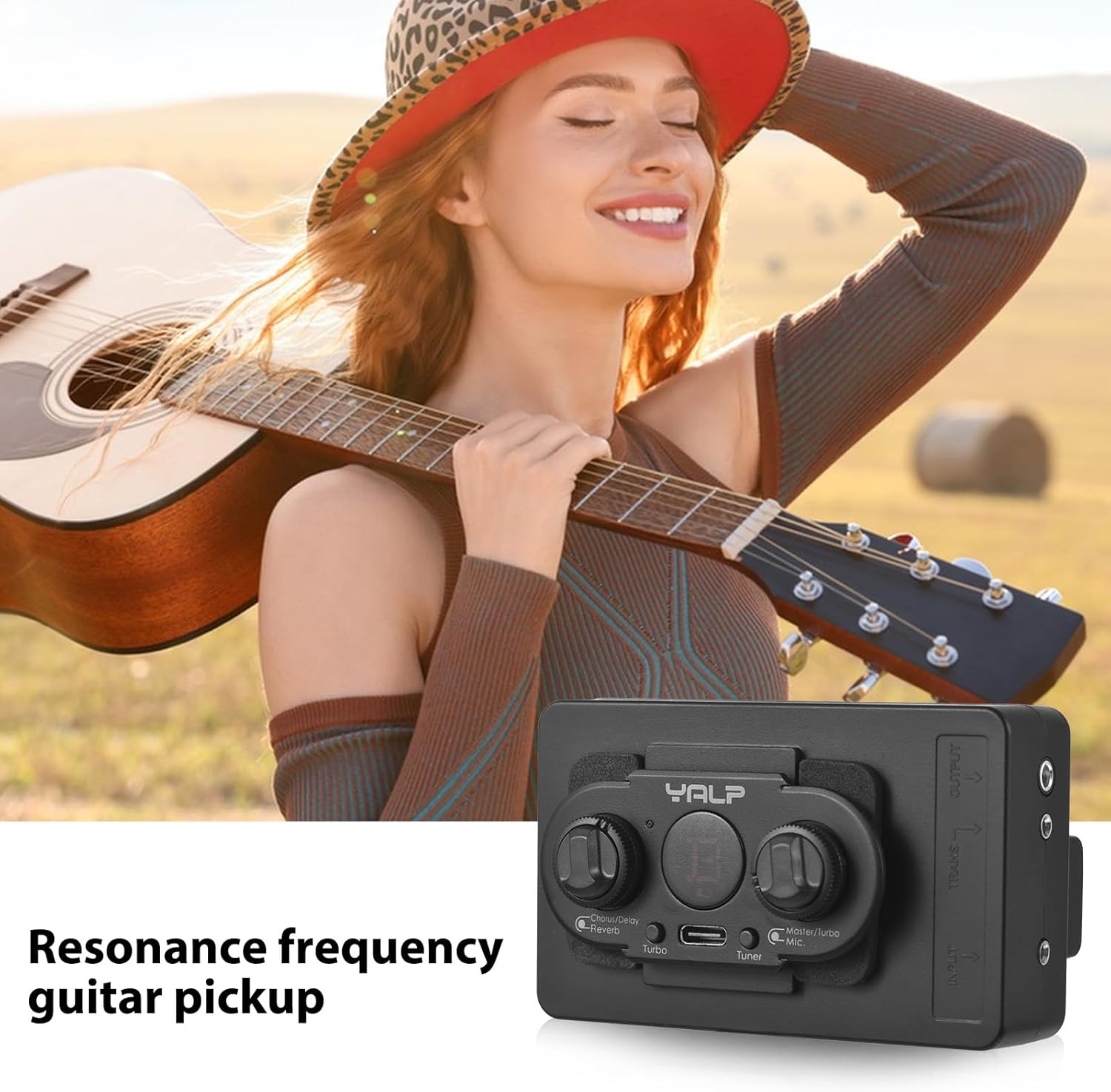
Figure 8.1: Dimensions of the YALP Y11 Wireless Acoustic Guitar Pickup.
9. Atilẹyin ọja ati Support
Specific warranty information for the summina YALP Y11 Wireless Acoustic Guitar Pickup is not provided in this manual. Please refer to the product packaging or contact the manufacturer directly for details regarding warranty coverage and customer support.


