1. Ọja Ipariview
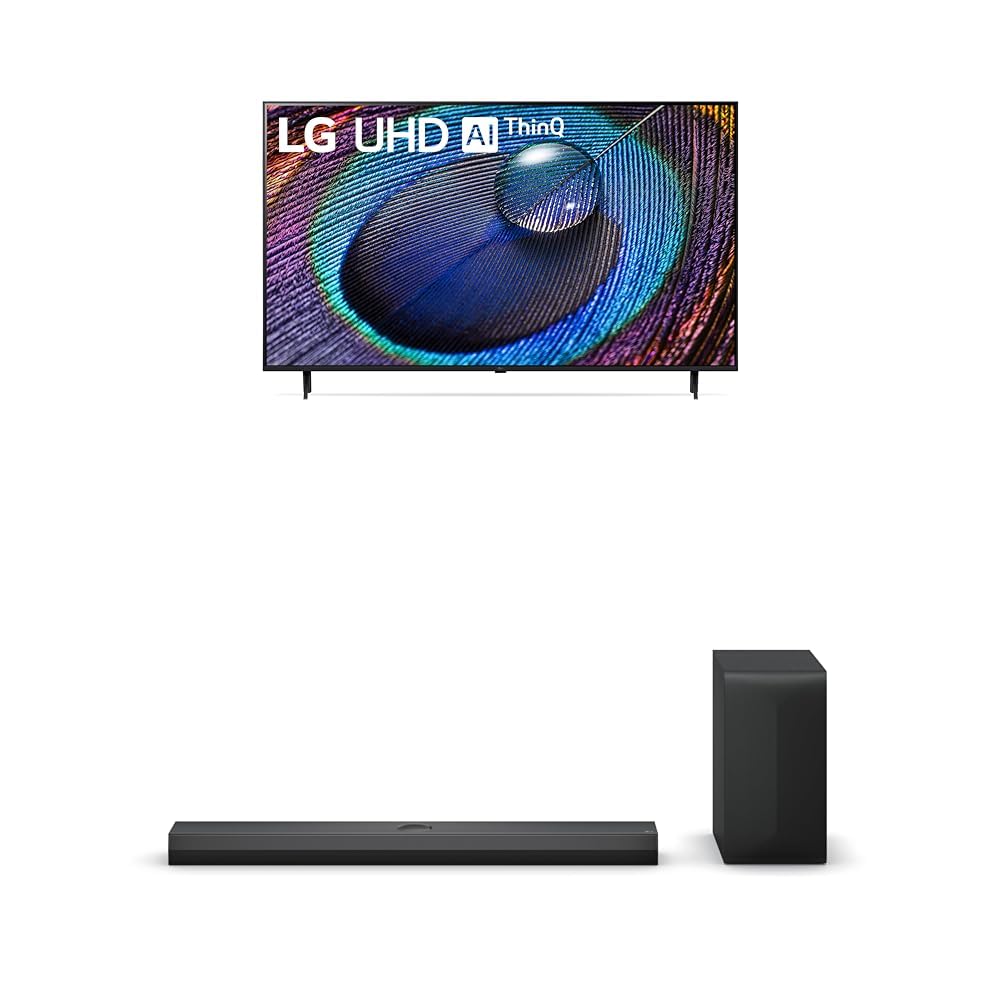
The LG 50-Inch Class UR9000 Series 4K Smart TV offers an immersive home cinema experience with its 3840 x 2160 resolution and AI-Powered 4K upscaling. Enjoy enhanced picture detail and improved sound, along with a suite of smart features including Alexa Built-in, Bluetooth, Wi-Fi, USB, and Ethernet connectivity. This model is designed for optimal viewing and integration into your home entertainment system.
Awọn ẹya pataki:
- Home Cinema Experience: Enjoy movies and TV shows upscaled to 4K for a sharper image and more lifelike details. FILMMAKER MODE ensures content is viewed as the director intended. HDR10 Pro provides extended contrast for vibrant visuals.
- a5 AI Processor Gen6: This AI-powered processor enhances picture detail and improves sound, upscaling content to 4K and adjusting color and picture contrast based on room lighting for optimal settings.
- LG QNED Matching: While a great sound enhancer for any LG TV, its smaller width and depth allows it to nest perfectly beneath a stand-mounted QNED TV. It is also fully compatible with the LG QNED Synergy Bracket for wall mounting.
- Apẹrẹ Crest: Features LG’s new crest design for a sleek and stylish look. The metal grill helps keep dust and debris out for worry-free audio enjoyment.
2. Ohun ti o wa ninu Apoti
Upon unpacking your LG UR9000 Series 4K Smart TV, ensure all components are present:
- LG 50-Inch Class UR9000 Series 4K Smart TV
- Iduro TV
- Isakoṣo latọna jijin
- Okun agbara
- Documentation (User Manual, Quick Start Guide, Warranty Information)
3. Eto
3.1 So Iduro
- Fi iṣọra gbe iboju TV si isalẹ lori rirọ, dada alapin lati yago fun ibajẹ.
- Mú TV duro pẹlu awọn iṣagbesori ihò lori isalẹ ti awọn TV.
- Ṣe aabo iduro ni lilo awọn skru ti a pese. Rii daju pe o wa ni ṣinṣin.
3.2 Iṣagbesori odi (aṣayan)
If you choose to wall mount your TV, ensure you use a VESA-compatible wall mount (sold separately) and follow the instructions provided with the wall mount. Professional installation is recommended for safety.
3.3 Nsopọ Agbara
- So okùn agbara pọ mọ ibudo titẹ agbara TV naa.
- Pulọọgi opin miiran ti okun agbara sinu iṣan itanna ti ilẹ.
3.4 Nsopọ Awọn ẹrọ ita
The LG UR9000 Series TV offers multiple connectivity options:
- HDMI: Connect Blu-ray players, gaming consoles, or soundbars using HDMI cables. The TV supports multiple HDMI inputs.
- USB: So awọn awakọ USB pọ mọ fun ṣiṣiṣẹsẹhin media.
- Àjọlò: Fún ìsopọ̀ ìkànnì ayélujára tó dúró ṣinṣin, so okùn Ethernet láti inú réùtà rẹ mọ́ ibudo LAN ti TV.
- Bluetooth: Connect compatible wireless devices such as headphones or soundbars.
3.5 Ni ibẹrẹ Oṣo
- Tan TV nipa lilo isakoṣo latọna jijin.
- Tẹle awọn itọsọna loju iboju lati yan ede rẹ, orilẹ-ede, ati agbegbe aago.
- Connect to your Wi-Fi network or confirm your Ethernet connection.
- Accept the terms and conditions and perform any available software updates.
- Set up your Alexa Built-in features as prompted.
4. Operating Your LG Smart TV
4.1 Latọna Iṣakoso Lilo
The LG remote control features dedicated buttons for popular streaming services like Netflix, Disney+, and Prime Video for quick access. It also includes a scroll wheel and a mouse-like pointer function for intuitive navigation of the WebOS ni wiwo.
4.2 Navigating the Smart TV Interface (WebOS)
Awọn WebOS interface provides a user-friendly experience. Use the remote's directional buttons or pointer to select apps, settings, and content. The home screen displays trending content and your installed applications.
4.3 Accessing Apps
Pre-installed apps include Netflix, Prime Video, Hulu, and YouTube. Additional apps can be downloaded from the LG Content Store. Simply select the app icon from the home screen to launch.
4.4 Screen Mirroring and AirPlay
You can display content from your mobile device directly on your TV screen. Use the built-in screen mirroring feature for Android devices or AirPlay for Apple devices. This allows you to share photos, videos, or even workout routines on a larger display.
4.5 Voice Control with Alexa Built-in
Utilize the integrated Alexa voice assistant for hands-free control. Press the microphone button on your remote and speak commands to change channels, adjust volume, search for content, or control smart home devices.
4.6 ayo Awọn ẹya ara ẹrọ
The TV's AI-Powered 4K and 60Hz refresh rate provide a responsive gaming experience. Connect your gaming consoles via HDMI for high-quality visuals and smooth gameplay.
5. Itọju
5.1 Ninu TV
- Yọọ TV nigba gbogbo ṣaaju ṣiṣe mimọ.
- Lo asọ microfiber ti o gbẹ lati rọra nu iboju ati fireemu.
- Fun awọn ami alagidi, fẹẹrẹ dampen asọ pẹlu omi tabi a specialized iboju regede (yago fun simi kemikali).
5.2 Software imudojuiwọn
Regularly check for and install software updates to ensure optimal performance, security, and access to the latest features. Updates can usually be found in the TV's settings menu under 'Support' or 'About This TV'.
6. Laasigbotitusita
6.1 Ko si Agbara
- Ensure the power cable is securely plugged into both the TV and the electrical outlet.
- Ṣayẹwo boya iṣan naa n ṣiṣẹ nipa sisọ sinu ẹrọ miiran.
- Gbiyanju iṣan agbara ti o yatọ.
6.2 Kò sí Àwòrán / Dídára Àwòrán Tí Kò Dára
- Jẹrisi pe a yan orisun titẹ sii to pe (fun apẹẹrẹ, HDMI 1, HDMI 2).
- Ṣàyẹ̀wò gbogbo àwọn ìsopọ̀ okùn (HDMI, eriali, àti bẹ́ẹ̀ bẹ́ẹ̀ lọ) fún ìfọ́ tàbí ìbàjẹ́.
- Ṣatunṣe awọn eto aworan (imọlẹ, itansan, awọ) ninu akojọ aṣayan TV.
- Tí o bá ń lo ẹ̀rọ ìta, rí i dájú pé ó ti ń ṣiṣẹ́ dáadáa, ó sì ń ṣiṣẹ́ dáadáa.
6.3 Kò sí ohùn / Dídára ohùn tí kò dára
- Mu iwọn didun pọ si lori TV ati eyikeyi awọn ẹrọ ohun ti o sopọ mọ ita.
- Check audio output settings in the TV's menu to ensure the correct output (e.g., TV Speakers, Optical, Bluetooth) is selected.
- Rii daju pe gbogbo awọn kebulu ohun ti sopọ ni aabo.
6.4 Isakoṣo latọna jijin Ko Ṣiṣẹ
- Rọpo awọn batiri ni isakoṣo latọna jijin.
- Rii daju pe ko si awọn idena laarin isakoṣo latọna jijin ati sensọ TV.
- Try re-pairing the remote control if it's a smart remote (refer to the TV's on-screen guide for instructions).
7. Awọn pato
| Ẹya ara ẹrọ | Ẹ̀kúnrẹ́rẹ́ |
|---|---|
| Brand | LG |
| Awoṣe | UR9000 jara |
| Iwon iboju | 50 inches |
| Ifihan ọna ẹrọ | LED |
| Ipinnu | 4K (3840 x 2160) |
| Oṣuwọn sọtun | 60 Hz |
| Pataki Awọn ẹya ara ẹrọ | Alexa Built-in, AI-Powered 4K, FILMMAKER MODE, HDR10 Pro, Flat Screen |
| Asopọmọra Technology | Bluetooth, Ethernet, USB, Wi-Fi |
| Awọn iṣẹ Intanẹẹti atilẹyin | Browser, YouTube (and various streaming apps) |
| Awọn irinše to wa | Stand, TV, Remote Control, Power Cable |
| Àwọ̀ | Dudu |
| Akọkọ Wa Ọjọ | Oṣu Kẹrin Ọjọ 8, Ọdun 2024 |
8. Atilẹyin ọja ati Support
For detailed warranty information and customer support, please refer to the warranty card included in your product packaging or visit the official LG website. You can also contact LG customer service for assistance with any product-related inquiries or technical support.