Ọrọ Iṣaaju
The Silverlit Robo Rapidfire is an innovative 2-in-1 remote-controlled robot designed for interactive play. It features a unique convertible remote control that allows for two distinct play modes: controlling the robot directly or using the controller as a blaster to engage the robot. Equipped with shooting capabilities for up to 10 darts, sound, and light effects, the Robo Rapidfire provides an engaging experience for users aged 5 and up. This manual provides essential information for setup, operation, and maintenance of your Robo Rapidfire.
Alaye Aabo
- Not suitable for children under 3 years due to small parts. Recommended age is 5 years and up.
- Ṣe abojuto awọn ọmọde nigbagbogbo lakoko ere.
- Do not aim darts at eyes or face. Use only darts supplied with this product.
- Jeki kuro lati omi ati ọrinrin pupọ.
- Ma ṣe yipada ọja tabi awọn paati rẹ.
- Ensure proper battery installation and disposal.
Package Awọn akoonu
Jọwọ ṣayẹwo pe gbogbo awọn nkan ti a ṣe akojọ rẹ si isalẹ wa ninu package rẹ:
- 1 x Robo Rapidfire Robot
- 1 x Convertible Remote Control / Blaster
- 1 x Target
- 1 x Gatling Cannon attachment
- 10 x Dart

Image: The Robo Rapidfire product box, displaying the robot, remote control, target, and darts, illustrating the contents of the package.
Ṣeto
1. Fifi sori batiri
The Robo Rapidfire requires 2 Lithium Ion batteries (not included) for operation. Ensure batteries are inserted with correct polarity.
- Locate the battery compartment on the robot and the remote control.
- Use a screwdriver to open the battery compartment covers.
- Insert the required batteries, matching the (+) and (-) terminals.
- Replace the covers and secure with screws.
2. Attaching the Gatling Cannon
The Gatling cannon can be attached to the robot for RC Blasting mode or to the remote control for Target Blasting mode.
- Identify the attachment points on the robot's front and on the remote control.
- Align the Gatling cannon with the desired attachment point and firmly push until it clicks into place.

Image: The Robo Rapidfire robot with the Gatling cannon securely attached to its front, ready for remote-controlled blasting.
3. Nfi awọn Darts sori ẹrọ
Load the provided darts into the Gatling cannon's rotating drum.
- Gently push each dart into the openings of the rotating drum until it is fully seated.
- Ensure darts are not bent or damaged before loading.
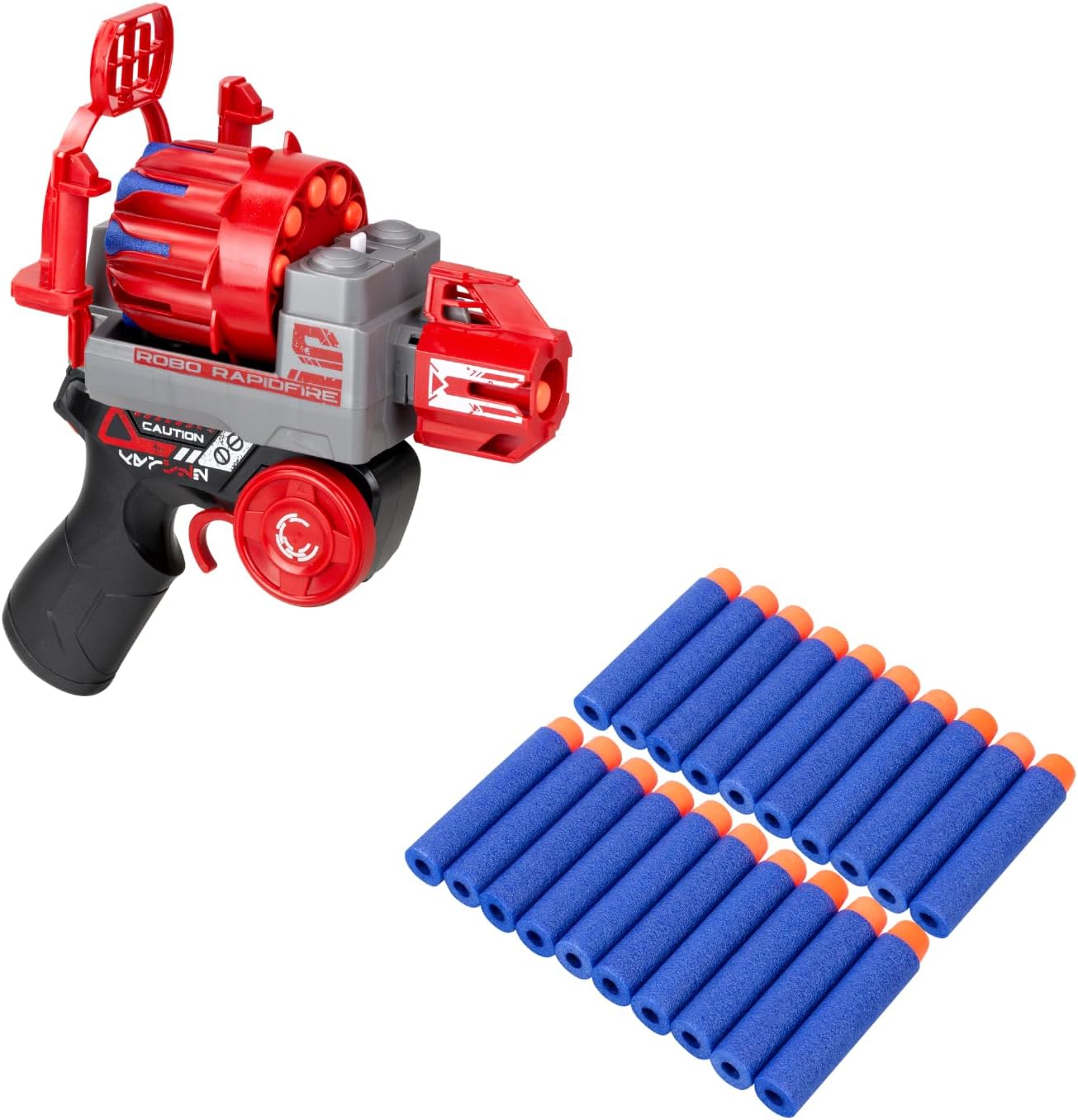
Image: The convertible remote control in blaster mode, shown alongside the 10 blue darts, illustrating the ammunition for the device.
Awọn ilana Iṣiṣẹ
1. Agbara Tan / Paa
- Locate the power switch on both the robot and the remote control.
- Slide the switch to the "ON" position to power on. The robot will emit sound and light effects.
- Gbe iyipada naa si ipo "PA" nigbati o ko ba lo lati fipamọ igbesi aye batiri.
2. Selecting Play Mode
The Robo Rapidfire offers two distinct play modes:
- RC Blasting Mode: Use the remote control to maneuver the robot and activate its shooting function. In this mode, the Gatling cannon is attached to the robot.
- Target Blasting Mode: Transform the remote control into a blaster and shoot darts at the robot. The robot will react when hit. In this mode, the Gatling cannon is attached to the remote control.

Image: The Robo Rapidfire in RC Blasting mode, showing the remote control being used to operate the robot and its attached Gatling cannon.
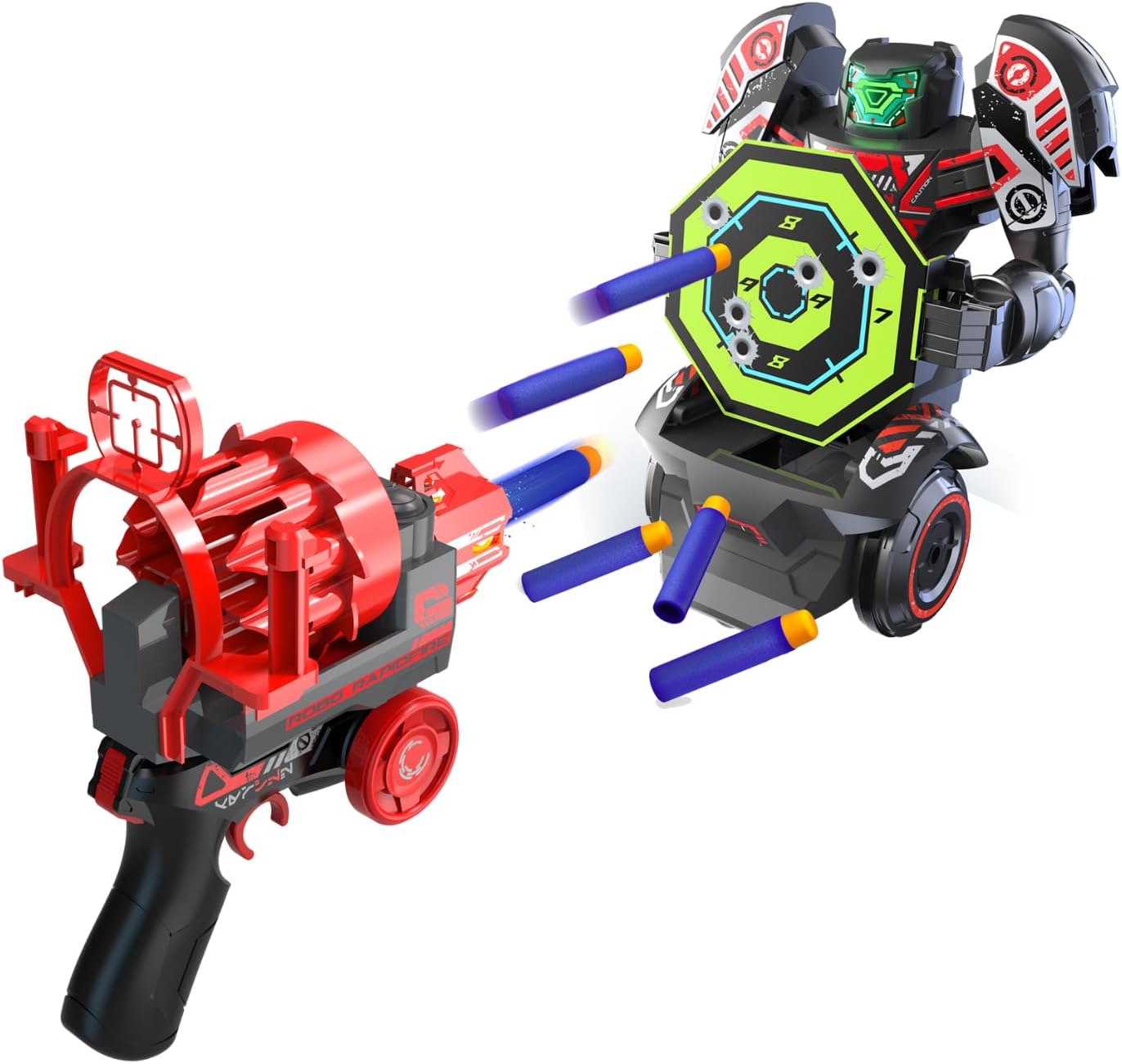
Image: The Robo Rapidfire in Target Blasting mode, with the robot holding its target and the remote control used as a blaster to shoot darts at it.
3. Movement Controls (RC Blasting Mode)
Use the joystick or directional buttons on the remote control to guide the robot:
- Siwaju/Sẹhin: Push the joystick up/down.
- Yipada Osi/Ọtun: Push the joystick left/right.
4. Shooting Function
- RC Blasting Mode: Press the designated shooting button on the remote control to fire darts from the robot's Gatling cannon.
- Target Blasting Mode: Squeeze the trigger on the transformed remote control (blaster) to fire darts at the robot.
5. Using the Target
The included target can be held by the robot for interactive play in Target Blasting Mode. When the robot is hit by darts, it will react with movement, sound, and light effects.
Itoju
- Ninu: Wipe the robot and remote control with a soft, dry cloth. Do not use harsh chemicals or abrasive cleaners.
- Ibi ipamọ: Store the Robo Rapidfire in a cool, dry place away from direct sunlight when not in use. Remove batteries if storing for extended periods to prevent leakage.
- Darts: Inspect darts regularly for damage. Replace worn or damaged darts to ensure optimal performance and safety.
Laasigbotitusita
| Isoro | Owun to le Fa | Ojutu |
|---|---|---|
| Robot / Remote not turning on | Awọn batiri ti ku tabi ti fi sori ẹrọ ti ko tọ. | Ṣayẹwo polarity batiri. Rọpo pẹlu awọn batiri titun. |
| Robot ko dahun si latọna jijin | Out of range; interference; low batteries in either unit. | Move closer to the robot. Ensure no strong interference sources. Replace batteries. |
| Darts not firing or firing weakly | Darts are damaged or improperly loaded; low battery. | Ensure darts are fully seated and undamaged. Replace batteries. |
| Robot not reacting to being shot (Target Blasting Mode) | Darts not hitting the target area; robot's power is off. | Aim for the target area. Ensure robot is powered on. |
Awọn pato
- Nọmba awoṣe: 88528
- Awọn iwọn ọja: 7.48 x 10.63 x 10.24 inches
- Ìwọ̀n Nkan: 1.54 iwon
- Awọn batiri: 2 Lithium Ion batteries (required, not included)
- Ọjọ ori ti a ṣeduro: 5 ọdun ati si oke
- Olupese: Silverlit SAS
Atilẹyin ọja ati Support
Silverlit products are manufactured to high-quality standards. For warranty information or technical support, please refer to the contact details provided on the product packaging or visit the official Silverlit webojula. Jọwọ ṣe idaduro ẹri rira rẹ fun eyikeyi awọn ibeere atilẹyin ọja.


