Ọrọ Iṣaaju
The MLOVE A200 Portable Retro Bluetooth Speaker combines vintage aesthetics with modern audio technology. Designed for versatile use, it features multiple connectivity options and adjustable sound controls to enhance your listening experience at home or during gatherings. This manual provides essential information for setup, operation, maintenance, and troubleshooting to ensure optimal performance of your speaker.
Ohun ti o wa ninu Apoti
- Retiro Bluetooth Agbọrọsọ
- Okun Aux
- USB to USB C / USB Cable
- Itọsọna olumulo
Ṣeto
Gbigba agbara si Agbọrọsọ
Before first use, fully charge the MLOVE A200 speaker. Connect the provided USB to USB C / USB cable to the USB-C port on the back of the speaker and a compatible USB power adapter (not included). A full charge takes approximately 4 hours and provides up to 10 hours of continuous playtime.
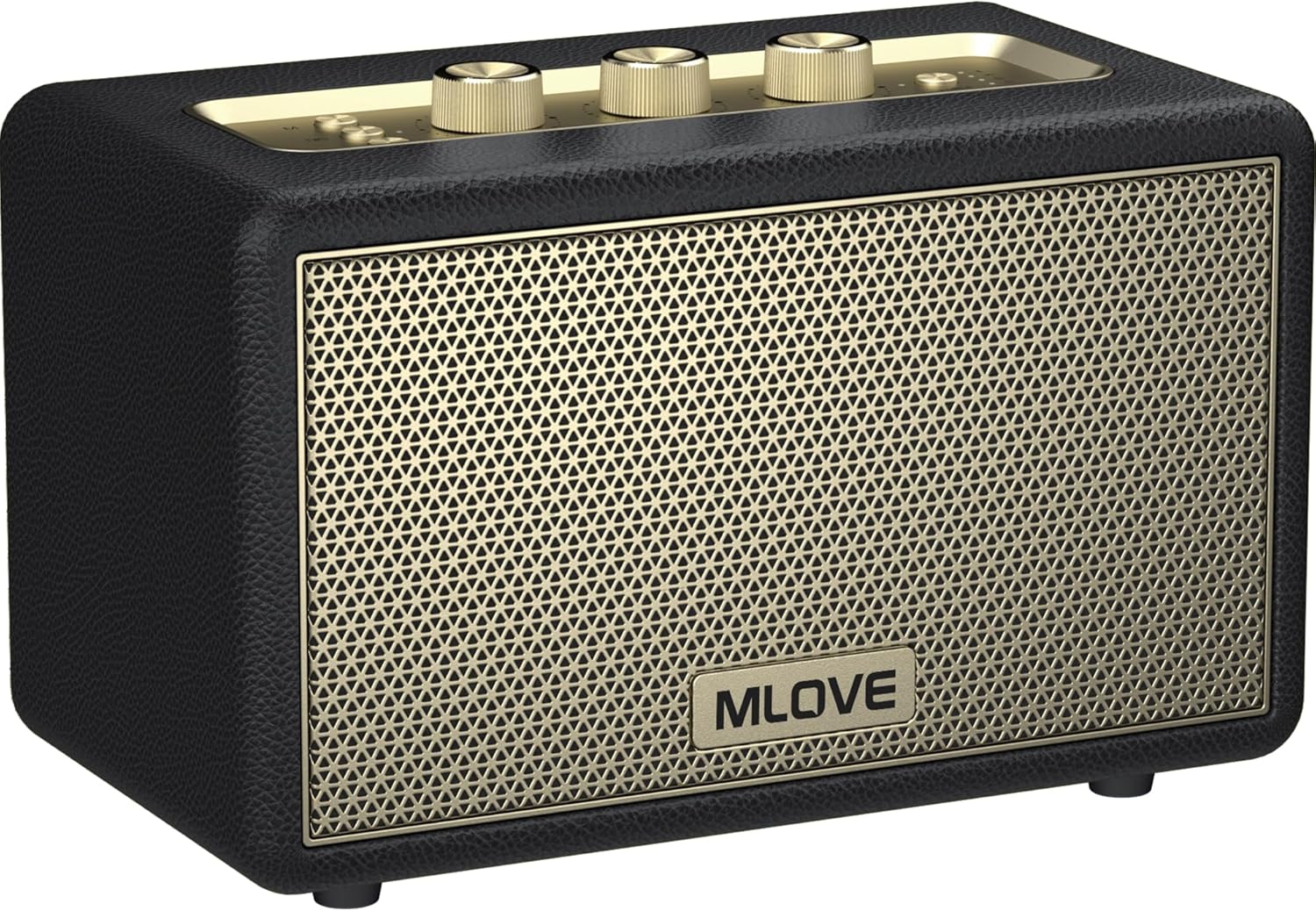
Image: MLOVE A200 speaker with its charging port visible.
Agbara Lori
To power on the speaker, press and hold the "Power" button located on the top panel for 2 seconds until you hear a prompt sound and the Bluetooth indicator flashes rapidly.

Image: Close-up of the speaker's top control panel showing the power button and volume/tone knobs.
Asopọ Bluetooth
Once powered on, the speaker will automatically enter Bluetooth pairing mode, indicated by a rapidly flashing Bluetooth indicator light. On your device (smartphone, tablet, etc.), search for "Mlove A200" in the Bluetooth settings and select it to connect. A confirmation sound will indicate successful pairing.
Video: Official MLOVE A200 Retro Bluetooth Speaker demonstration, showing the speaker's features and connectivity.
TWS (Sitẹrio Alailowaya Otitọ) Pipọ
For an immersive surround sound experience, you can pair two MLOVE A200 speakers together. Ensure both speakers are powered on and not connected to any other Bluetooth device. Press the "TWS" button on both speakers. They will automatically connect to each other. Once paired, connect your device to one of the speakers via Bluetooth, and audio will play through both speakers in stereo.

Image: Two MLOVE A200 speakers positioned to demonstrate True Wireless Stereo (TWS) functionality.
Awọn ọna ṣiṣe
The MLOVE A200 speaker supports multiple audio input methods:
- Ipo Bluetooth: Sopọ̀ mọ́ fóònù alágbèéká rẹ, tábìlẹ́ẹ̀tì, tàbí àwọn ẹ̀rọ míràn tí Bluetooth ń ṣiṣẹ́ láìsí aláilowaya.
- Iṣagbewọle Aux: Use the included 3.5mm aux cord to connect to devices without Bluetooth capabilities.
- Micro SD Kaadi Iho: Insert a Micro SD card (up to 32GB) loaded with your favorite music files.
- Ibudo USB: Connect a USB flash drive (up to 32GB) containing audio files.
Use the "M" (Mode) button on the top panel to switch between these input modes.

Aworan: Ẹyin view of the MLOVE A200 speaker highlighting the Micro SD, USB, USB-C, and 3.5mm Aux input ports.
Atunse ohun
Utilize the dedicated knobs on the top panel to fine-tune your audio:
- Knob Bass: Adjust the low-frequency output for deeper or lighter bass.
- Knob Treble: Control the high-frequency output for sharper or softer treble.
- Bọtini Iwọn didun: Ṣatunṣe ipele iwọn didun gbogbogbo.
Itoju
To ensure the longevity and optimal performance of your MLOVE A200 speaker, follow these maintenance guidelines:
- Ninu: Use a soft, dry cloth to wipe the exterior of the speaker. Avoid using abrasive cleaners or solvents.
- Ibi ipamọ: Tọju agbohunsoke ni itura, aye gbigbẹ kuro lati orun taara ati awọn iwọn otutu to gaju.
- Idaabobo: While the speaker has high-standing legs to protect against spills, avoid direct contact with water or other liquids.
- Itọju Batiri: For extended storage, charge the battery to about 50% every few months to maintain battery health.
Laasigbotitusita
| Isoro | Owun to le Fa | Ojutu |
|---|---|---|
| Agbọrọsọ ko ni agbara lori. | Batiri kekere tabi ko si idiyele. | Gba agbara si agbọrọsọ ni kikun nipa lilo okun USB-C ti a pese. |
| Ko le so pọ nipasẹ Bluetooth. | Agbọrọsọ ko si ni ipo sisopọ tabi ti sopọ tẹlẹ si ẹrọ miiran. | Ensure the speaker's Bluetooth indicator is flashing rapidly. Disconnect from other devices if necessary. Restart both speaker and device. |
| Ko si ohun lati agbọrọsọ. | Volume too low, incorrect input mode, or device not playing. | Increase speaker and device volume. Press the "M" button to cycle through input modes. Ensure your device is playing audio. |
| Didara ohun ti ko dara. | Low battery, device too far from speaker, or interference. | Charge the speaker. Move the device closer to the speaker. Avoid obstacles or other electronic devices causing interference. |
| TWS sisopọ kuna. | Àwọn agbọ́hùnsọ̀kan ti jìnnà jù tàbí wọ́n ti so pọ̀ mọ́ àwọn ẹ̀rọ mìíràn tẹ́lẹ̀. | Ensure both speakers are close to each other and not connected to any other device. Restart both speakers and try TWS pairing again. |
Awọn pato
| Ẹya ara ẹrọ | Ẹ̀kúnrẹ́rẹ́ |
|---|---|
| Orukọ awoṣe | A200 |
| Agbọrọsọ Iru | Subwoofer |
| Asopọmọra Technology | Bluetooth, USB C, Aux Input, Micro SD Card Slot, USB Port |
| Imọ-ẹrọ Ibaraẹnisọrọ Alailowaya | Bluetooth, AUX, USB, Micro SD Card Slot |
| Bluetooth Ibiti | Mita 15 (isunmọ 49 ẹsẹ) |
| Agbọrọsọ Agbara Ijade ti o pọju | 80 Wattis |
| Igbesi aye batiri | 8 Hours (up to 10 hours as per feature bullets) |
| Akoko gbigba agbara | Awọn wakati 4 |
| Agbara Batiri | 5000 Milionuamp Awọn wakati |
| Ọja Mefa | 5.91"D x 10.43"W x 6.77"H |
| Iwọn Nkan | 6.77 iwon |
| Ohun elo | Igi, Ṣiṣu, Irin |
| Omi Resistance Ipele | Omi sooro |
| Awọn irinše to wa | Retro Bluetooth Speaker, User Manual, Aux Cord, USB to USB C / USB Cable |
Atilẹyin ọja & Atilẹyin
MLOVE is committed to providing quality products and customer satisfaction. Your MLOVE A200 speaker comes with the following:
- Awọn ọjọ 30 pada: Hassle-free returns within 30 days of purchase.
- 90 Ọjọ Rirọpo: Free replacement for any manufacturing defects within 90 days.
- Atilẹyin ọjọ 360: Comprehensive warranty coverage for 360 days from the date of purchase.
For any inquiries or support, MLOVE offers 24x7 customer support, including weekends. Please refer to the contact information provided in your user manual or visit the official MLOVE store on Amazon.

Image: MLOVE support and warranty details, including 24x7 support, 30-day return, 90-day replacement, and 360-day warranty.


