1. Ifihan ati Alaye Aabo

Apejuwe aworan: A ko o iwaju view of the HUTT W9 robot window cleaner, featuring its sleek white design and the visible transparent water reservoir.
This manual provides essential instructions for the safe and efficient operation, maintenance, and troubleshooting of your HUTT W9 Robot Window Cleaner. Please read this manual thoroughly before using the device and retain it for future reference.
Awọn iṣọra Aabo pataki
- Always connect the robot to a power outlet during operation. The internal battery is for safety backup only, in case of power interruption.
- Ensure the safety rope is securely attached to the robot and a stable indoor fixture before each use.
- Ma ṣe lo roboti lori fifọ, bajẹ, tabi awọn oju gilasi ti ko ni deede.
- Pa awọn ọmọde ati awọn ẹranko mọ kuro ninu robot ti n ṣiṣẹ.
- Maṣe lo roboti ni ojo tabi awọn ipo ọriniinitutu pupọ.
- Use only recommended cleaning solutions or pure water in the reservoir.
- Regularly inspect the cleaning pads and replace them if worn or excessively dirty.
- Má ṣe gbìyànjú láti tún ẹ̀rọ náà ṣe tàbí láti ṣe àtúnṣe fúnra rẹ. Pe àwọn òṣìṣẹ́ iṣẹ́ tó péye fún ìrànlọ́wọ́.
2. Package Awọn akoonu
Jẹrisi pe gbogbo awọn ohun kan wa ninu package:
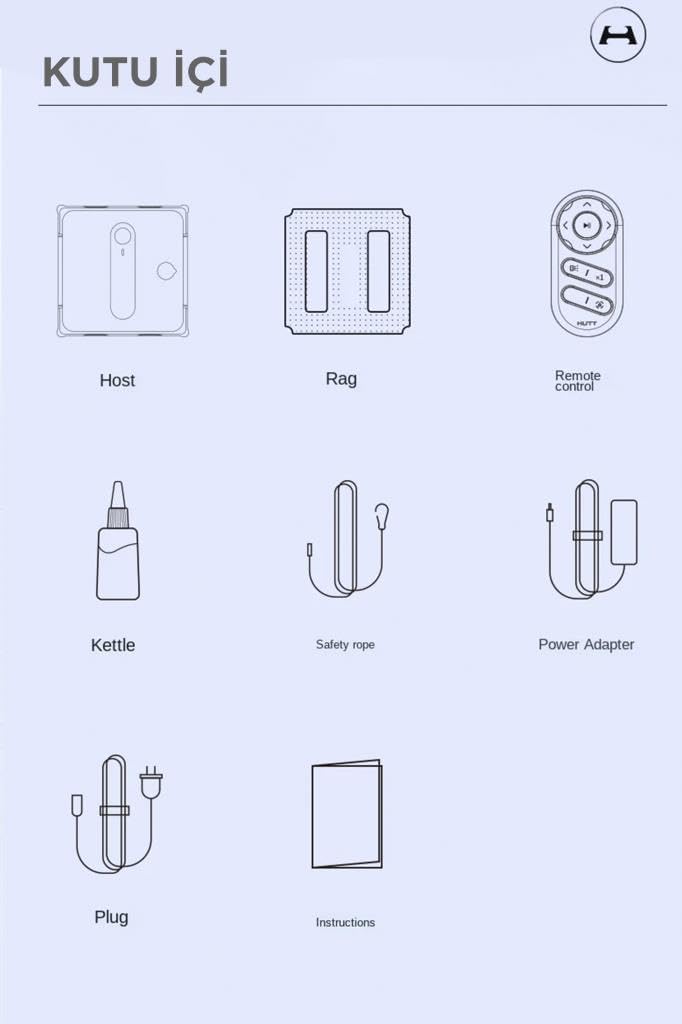
Apejuwe aworan: A diagram illustrating the contents of the HUTT W9 package. It shows the main robot unit, multiple cleaning cloths, a remote control, a small bottle for filling the water tank, a safety rope, a power adapter, and a power plug, along with a user manual icon.
- HUTT W9 Robot Window Cleaner (Host)
- Cleaning Rags (Multiple)
- Iṣakoso latọna jijin (Awọn batiri ko wa)
- Omi Nkún Igo
- Okun Aabo
- Adapter agbara
- Pulọọgi Agbara
- Itọsọna olumulo
3. Eto
- So awọn paadi mimọ: Securely attach the clean microfiber cleaning pads to the bottom of the robot. Ensure they cover the entire cleaning surface.
- Kun Ibi ipamọ omi: Open the reservoir cap and use the provided bottle to fill the 150 ml transparent reservoir with water or a suitable window cleaning solution. Close the cap tightly.
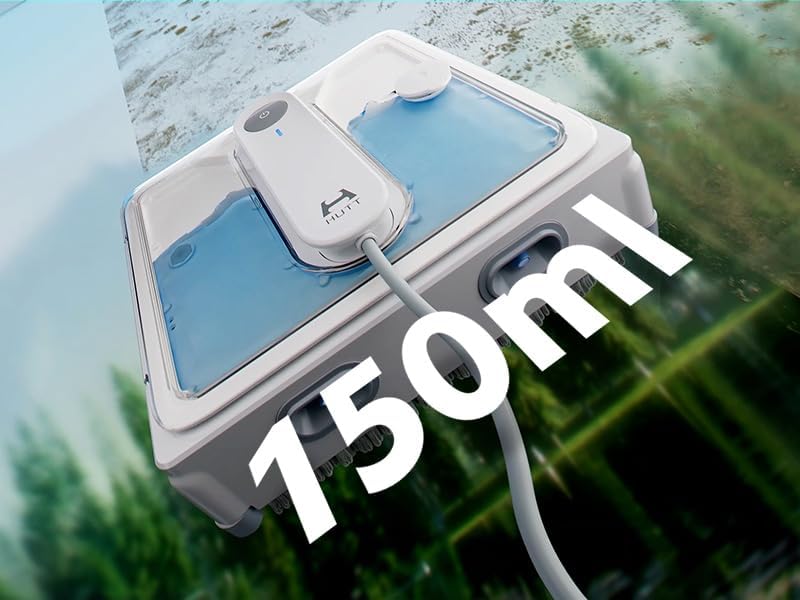
Apejuwe aworan: A top-down perspective of the HUTT W9 robot, highlighting its transparent water reservoir with a "150ml" overlay, indicating its capacity.
- So agbara: Connect the power adapter to the robot and then plug it into a power outlet. Ensure the cable is long enough to reach the entire cleaning area without tension. The robot requires continuous power for operation.
- So okun Aabo: Securely attach one end of the safety rope to the robot and the other end to a sturdy, immovable object indoors, such as a heavy piece of furniture or a window frame anchor. This is crucial to prevent the robot from falling in case of power loss or suction failure.
4. Awọn ilana Iṣiṣẹ
- Agbara Tan: Turn on the main power switch located on the underside of the robot.
- Robot aaye: Place the robot onto the surface to be cleaned. Press and hold the large button on the robot until it illuminates blue and a voice prompt confirms activation. The robot will adhere to the surface using its suction power.
- Bẹrẹ Isọmọ: Press the "Play" button on the remote control to start the cleaning cycle. The robot will automatically plan its cleaning path (horizontal and vertical) to cover the entire surface.

Apejuwe aworan: A multi-panel diagram showcasing the HUTT W9's intelligent features. The top panel shows automatic path planning, the middle panel illustrates smart cleaning mode for stubborn stains, and the bottom panel depicts smart sensor detection for frameless windows.
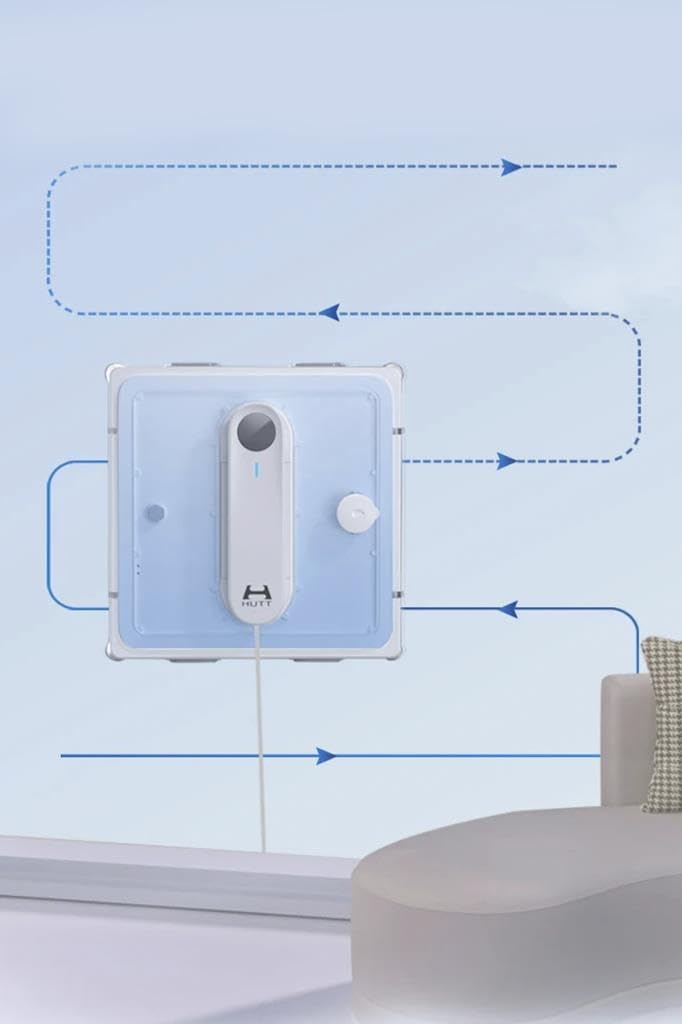
Apejuwe aworan: An illustration of the HUTT W9 robot on a window, with blue arrows indicating its systematic cleaning path, demonstrating its intelligent navigation.
- Iṣakoso Afowoyi: Use the directional buttons on the remote control for manual steering if needed.
- Spraying Function: The robot will automatically spray cleaning solution during its cycle. You can also manually activate the spray function via the remote control.

Apejuwe aworan: The HUTT W9 robot window cleaner shown from the front, with visible jets of cleaning solution being sprayed from its upper nozzles, indicating its active cleaning process.
- Ipari: Once cleaning is complete, the robot will return to its starting position and announce its completion via voice prompt. Press and hold the blue button on the robot to turn off the suction motor. Hold the handle firmly when doing this.
- Yọ Rọ́bọ́ọ̀tì kúrò: Carefully remove the robot from the surface.
5. Itọju
Regular maintenance ensures optimal performance and extends the lifespan of your HUTT W9 robot.

Apejuwe aworan: A ru view of the HUTT W9 robot, clearly displaying the two large, textured cleaning pads on its underside, which are responsible for scrubbing the window surface.
- Clean Cleaning Pads: After each use, remove the microfiber cleaning pads and wash them. They can be hand-washed or machine-washed. Ensure they are completely dry before reattaching.
- Clean Spray Nozzles: If the spray nozzles become clogged, gently clean them with a soft brush or cloth. Do not use sharp objects.
- Pa Robot kuro: Wipe the exterior of the robot with a soft, dry cloth to remove any dust or residue. Do not use abrasive cleaners or immerse the robot in water.
- Ibi ipamọ omi ti o ṣofo: If any cleaning solution remains after use, empty the reservoir and rinse it with clean water.
- Tọju daradara: Store the robot and its accessories in a clean, dry place away from direct sunlight and extreme temperatures.
6. Laasigbotitusita
Tọkasi tabili atẹle fun awọn ọran ti o wọpọ ati awọn ojutu wọn:
| Isoro | Owun to le Fa | Ojutu |
|---|---|---|
| Robot does not adhere to the surface. |
|
|
| Poor cleaning performance / streaks. |
|
|
| Robot duro lairotẹlẹ. |
|
|
| Spray nozzles are not working. |
|
|
7. Awọn pato
| Ẹya ara ẹrọ | Ẹ̀kúnrẹ́rẹ́ |
|---|---|
| Brand | HUTT |
| Nọmba awoṣe | H000001 (W9) |
| Àwọ̀ | Funfun |
| Awọn iwọn Ọja (L x W x H) | 24.2 x 8.2 x 24.2 cm |
| Iwọn Nkan | 2.1 kilo |
| Omi ifiomipamo Agbara | 150 milimita |
| Agbara afamora | Up to 3800 Pa (Self-regulated) |
| Safety Battery Capacity | 650 mAh (for power failure protection) |
| Ariwo Ipele | 70 dB |
| Agbara USB Ipari | Awọn mita 6.1 (isunmọ.) |
| Niyanju Lilo | Cleaning windows and smooth surfaces (tiles, mirrors) |
| Ọna Iṣakoso | Remote control, On-device button |
| Pataki Awọn ẹya ara ẹrọ | Intelligent path planning, Smart sensor detection, Voice prompts |
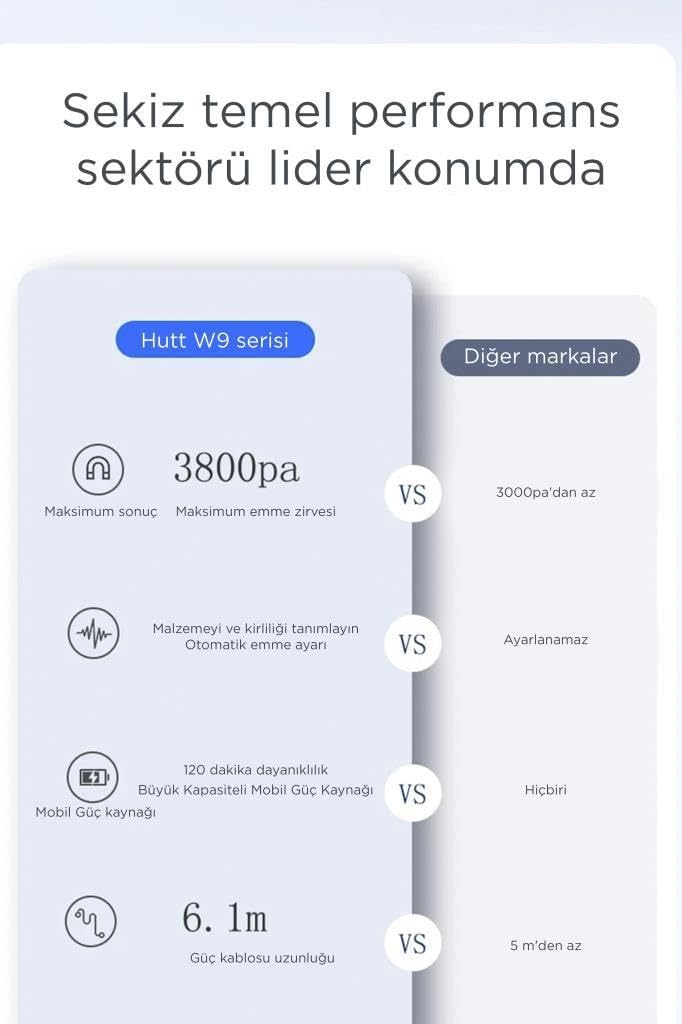
Apejuwe aworan: A comparison chart titled "Eight core performance sectors in a leading position" (translated from Turkish). It compares the Hutt W9 series with "Other brands," highlighting the W9's 3800 Pa maximum suction, automatic material and dirt recognition, 120 minutes of mobile power (likely referring to backup battery duration or power bank compatibility), and a 6.1-meter power cable length.
8. Atilẹyin ọja ati Support
For warranty information, please refer to the specific terms and conditions provided at the time of purchase or contact your retailer. For technical support, troubleshooting assistance beyond this manual, or to inquire about replacement parts, please contact HUTT customer service through their official webaaye tabi alaye olubasọrọ ti a pese pẹlu apoti ọja rẹ.
You can visit the HUTT brand store for more information: HUTT Brand Store


