1. Ifihan
The Anern 6200W Hybrid Solar Inverter is an advanced all-in-one solution designed for efficient solar energy storage, charging, and AC sine wave output. It integrates a 120A MPPT solar charge controller, utilizing optimized MPPT technology for up to 98% efficiency. This inverter is compatible with both 48V lead-acid and lithium batteries, making it suitable for various household and office loads.
2. Key Awọn ẹya ara ẹrọ
- All-in-One Hybrid Design: Integrates solar energy storage, charging, and AC sine wave output.
- High-Efficiency MPPT Controller: Features a 120A MPPT solar charge controller with up to 98% efficiency.
- Robust Specifications: 6200W hybrid solar inverter, 48V DC to 220V/230V AC. Max PV array open circuit voltage: 450Vdc; Max PV array power: 6500W; Max PV no-load voltage: 500Vdc; Maximum PV charging current: 120Amp; Rated output current: 44.3Amp.
- Remote Monitoring & LCD Display: Equipped with an LCD screen and 4 LED indicators for dynamic system data display. Supports WIFI/GPRS remote monitoring (WiFi module included).
- Multiple Charging & Output Modes: Offers 4 charging modes (solar, solar and utility only, solar priority) and 3 output modes (solar priority, utility priority, SBU mode) to meet diverse application needs.
- Ibamu gbooro: Pure sine wave technology compatible with various household and office loads, including refrigerators, lamps, televisions, fans, and air conditioning.
- Dual AC Output Interface: Enhances the efficiency of the entire solar power system.
- Ìwọ̀n Ìṣíwọlé PV Gígatage Ibiti: 60VDC-450VDC for flexible solar energy configuration.
3. Ohun ti o wa ninu Apoti
Lẹhin ṣiṣi silẹ, jọwọ rii daju pe gbogbo awọn paati wa ati pe ko bajẹ:
- 1 x Anern 6200W Hybrid Solar Inverter
- 1 x WIFI Module
- 1 x WIFI Module Cable (1 meter)
- 1 x Itọsọna olumulo

Image: Contents of the product package, including the inverter, WiFi module, cable, and user manual.
4. Product Components and Interface Diagram
Familiarize yourself with the various components and connection points of your Anern Hybrid Solar Inverter:

Image: Detailed diagram of the inverter's front panel and bottom connections, indicating:
- LCD àpapọ
- Ifihan ipo
- Atọka gbigba agbara
- Aṣiṣe ifihan
- Awọn bọtini iṣẹ
- Titan/pa a yipada
- AC igbewọle
- Ijade akọkọ
- Ijade keji
- Iṣagbewọle batiri
- PV igbewọle
- Ohun elo egboogi-ekuru
- RS-232 communication connection / WiFi connection
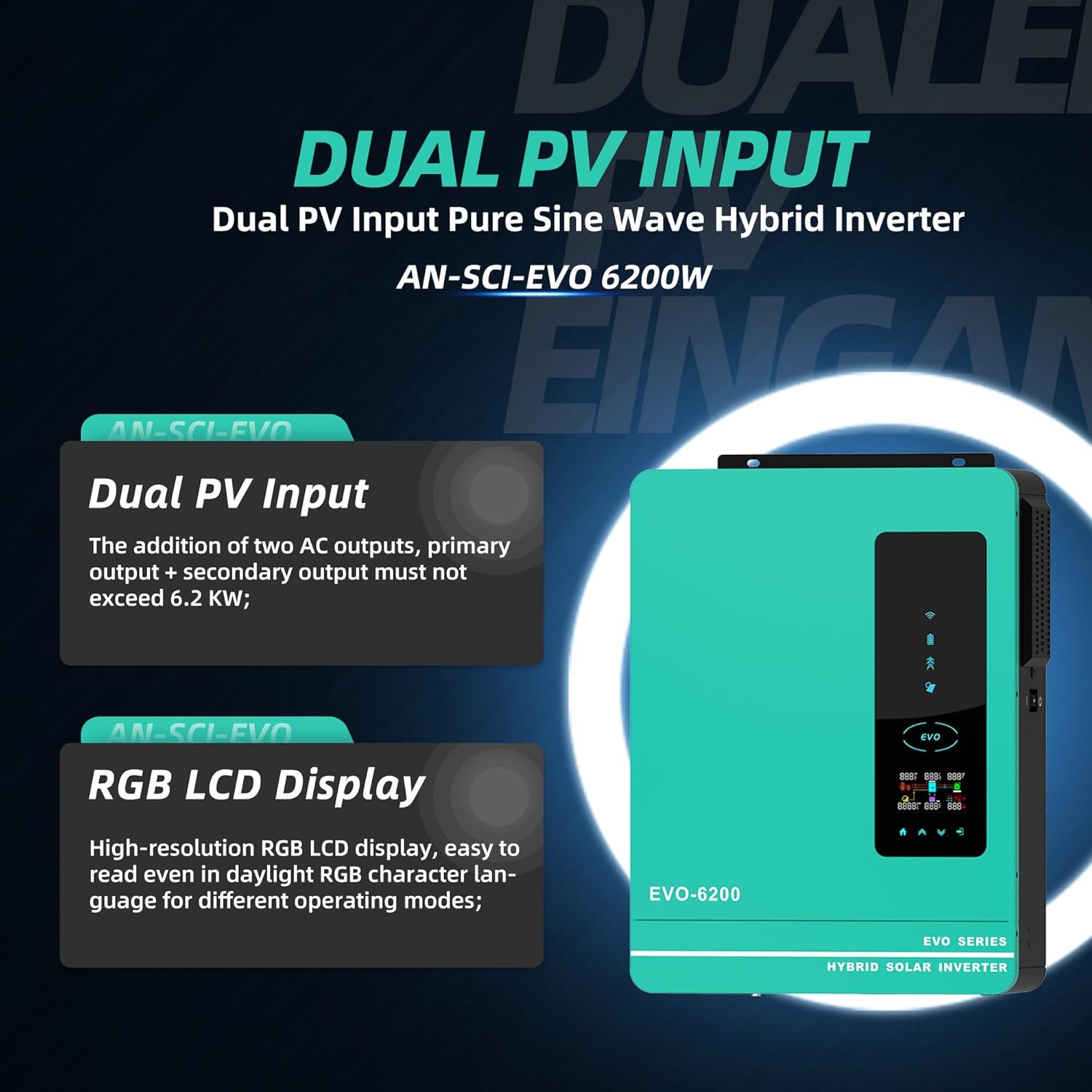
Image: Illustration highlighting the Dual PV Input and High-resolution RGB LCD Display features.
5. Eto ati fifi sori
Proper installation is crucial for the safe and efficient operation of your hybrid solar inverter. It is recommended that installation be performed by a qualified professional.
5.1 Aye Yiyan
- Install the inverter in a well-ventilated area, away from direct sunlight, heat sources, and flammable materials.
- Ensure the mounting surface is sturdy enough to support the inverter's weight (approximately 24.6 pounds).
- Maintain adequate clearance around the inverter for proper airflow and cooling.
5.2 Electrical Awọn isopọ
Refer to the detailed wiring diagrams in the included user manual for specific connection instructions. Key connections include:
- Iṣawọle PV: Connect your solar panel array to the PV input terminals. Ensure the PV array open circuit voltage ko koja 450Vdc.
- Asopọ batiri: Connect the 48V battery bank (lead-acid or lithium) to the battery terminals. Observe correct polarity.
- Iṣawọle AC: Connect the utility grid or generator power to the AC input.
- Ijade AC: Connect your household or office loads to the main and second AC output terminals.

Image: A typical home setup showing the inverter connected to solar panels, a battery, and powering household loads.
5.3 WiFi Module Installation
The included WiFi module allows for remote monitoring of your inverter. Follow the instructions in the separate WiFi module guide for installation and setup of the monitoring application.
6. Awọn ilana Iṣiṣẹ
6.1 Ibẹrẹ Agbara-soke
- Rí i dájú pé gbogbo àwọn ìsopọ̀ iná mànàmáná wà ní ààbò àti pé ó tọ́.
- Tan ẹ̀rọ fifọ batiri (tí ó bá yẹ).
- Tan ẹ̀rọ fifọ PV (tí ó bá wúlò).
- Switch the inverter's ON/OFF switch to the 'ON' position.
- Ifihan LCD yoo tan imọlẹ, ati pe inverter yoo bẹrẹ ilana ibẹrẹ rẹ.
Ifihan LCD 6.2 ati Awọn Atọka
The LCD display provides real-time system data. The 4 LED indicator lights show the operating status:
- Atọka Agbara: Tọkasi awọn ẹrọ oluyipada ti wa ni agbara lori.
- Atọka gbigba agbara: Ṣe afihan ipo gbigba agbara batiri.
- Atọka aṣiṣe: Illuminates if an error or fault occurs.
- Atọka Ijadejade AC: Confirms AC power output.

Aworan: Pariview of the inverter's key power specifications.
6.3 Setting Operating Modes
Use the function buttons on the front panel to navigate the menu and configure settings such as:
- Awọn ọna gbigba agbara: Select from Solar, Solar and Utility Only, or Solar Priority.
- Awọn ọna Ijade: Choose between Solar Priority, Utility Priority, or SBU (Solar-Battery-Utility) mode.
- Iru Batiri: Configure for Lead Acid or Lithium batteries to optimize performance.
6.4 Àbójútó Látọ̀ọ́nà (WiFi)
Once the WiFi module is set up, you can monitor the inverter's performance, view real-time data, and adjust certain settings remotely via your smartphone or computer.
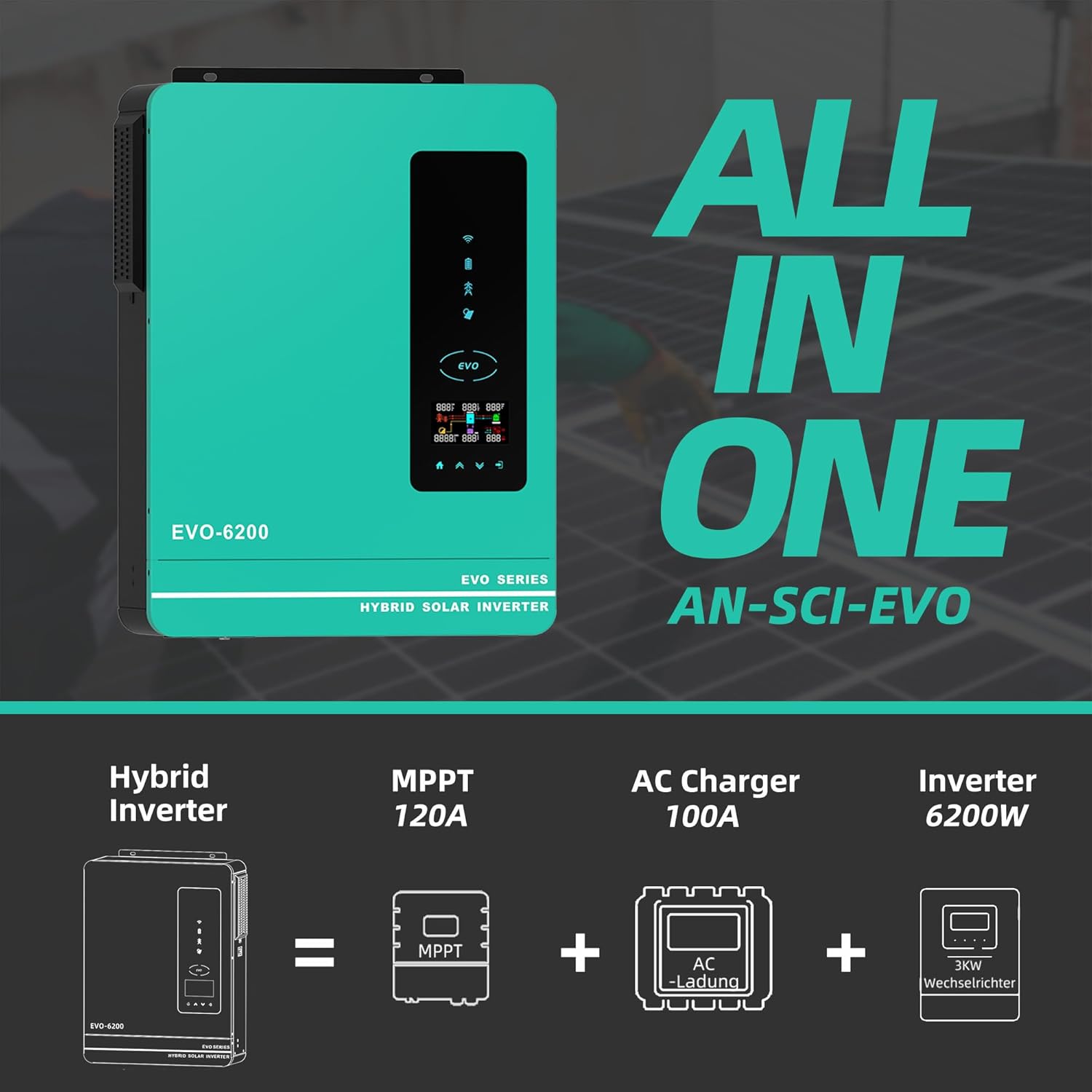
Image: The inverter's WiFi monitoring feature, allowing control via a mobile phone.
6.5 Osise Video ọja
Video: An official product video from Anern demonstrating the features and functionality of the Hybrid Solar Inverter. This video highlights the compact design, dual AC output interface, and various electrical parameters, including maximum PV power and MPPT solar controller capabilities.
7. Itọju
Itọju deede ṣe idaniloju igbesi aye gigun ati iṣẹ ti o dara julọ ti oluyipada rẹ.
- Ninu: Máa nu ìta inverter lẹ́ẹ̀kọ̀ọ̀kan kí o sì rí i dájú pé àwọn ihò afẹ́fẹ́ kò ní eruku àti ìdọ̀tí. Lo aṣọ gbígbẹ tí ó rọ̀. Má ṣe lo àwọn ohun èlò ìfọmọ́ omi.
- Ṣayẹwo awọn isopọ: Annually inspect all electrical connections for tightness and signs of corrosion.
- Ṣayẹwo Ayika: Rii daju pe ayika fifi sori ẹrọ wa laarin iwọn otutu pato ati awọn sakani ọriniinitutu.
- Awọn imudojuiwọn famuwia: Ṣayẹwo awọn olupese ká webojú òpó tàbí àpù fún àwọn àtúnṣe firmware tó wà láti rí i dájú pé inverter rẹ ní àwọn ẹ̀yà tuntun àti àtúnṣe àṣìṣe.
8. Laasigbotitusita
This section provides guidance for common issues. For complex problems, contact customer support.
| Isoro | Owun to le Fa | Ojutu |
|---|---|---|
| Inverter kò ṣiṣẹ́ | Kò sí agbára bátìrì; DC breaker ti pa; Inverter spark ti pa | Check battery connections and charge; Ensure DC breaker is on; Turn inverter switch to ON. |
| Ko si AC jade | Overload; Short circuit; Output breaker tripped | Reduce load; Check for short circuits; Reset output breaker. |
| Low PV input power | Shaded panels; Dirty panels; Incorrect PV wiring | Clear shading; Clean panels; Verify PV connections and voltage. |
| Àmì àṣìṣe tí ó tan ìmọ́lẹ̀ | Internal error; Over-temperature; Battery voltage jade ti ibiti o | Refer to the user manual's fault code section; Ensure proper ventilation; Check battery voltage. |

Aworan: Pariview of the inverter's comprehensive protection mechanisms.
9. Imọ ni pato
| Sipesifikesonu | Iye |
|---|---|
| Nọmba awoṣe | AN-SCI-EVO-6200 |
| Wattage | 6200 watt |
| Batiri Voltage | 48V DC |
| AC wu Voltage | 220-230VAC |
| O pọju. PV orun Open Circuit Voltage | 450Vdc |
| Max. PV Agbara Agbara | 6500W |
| Max PV No-Load Voltage | 500Vdc |
| Gbigba agbara PV ti o pọju lọwọlọwọ | 120Amp |
| Ti won won Jade Lọwọlọwọ | 44.3Amp |
| Ọja Mefa | 16.9 x 8.26 x 21.65 inches |
| Iwọn Nkan | 24.6 iwon |
| Niyanju Lilo | Ile |
| Orisun agbara | Agbara Oorun |
| Battery Capacity (Controller) | 120 Amp Awọn wakati |
10. Atilẹyin ọja ati Support
Anern is committed to providing high-quality and reliable solar inverter solutions. We offer comprehensive after-sales support to ensure your satisfaction.
10.1 atilẹyin ọja Alaye
Our inverters come with a one-year maintenance service. If there is a problem with the components of the inverter, we will replace them for you.
10.2 Onibara Support
If you encounter any issues with your inverter, please provide pictures or videos of the malfunction to our professional after-sales team. Our technicians will then diagnose the cause of the malfunction and guide you through the resolution process.
For further assistance, please visit the official Anern Store on Amazon or contact their customer service directly.


