1. Ifihan
Welcome to the user manual for your new TTfone TT880 Mobile Phone. This phone is designed with simplicity and ease of use in mind, making it ideal for seniors and the elderly. It features a large, separated keypad, an emergency assistance button, and an extra loud speaker for clear communication. Please read this manual carefully to understand all features and ensure proper operation.
2. Ohun ti o wa ninu Apoti
Upon opening your TTfone TT880 package, you should find the following items:
- TTfone TT880 Mobile foonu
- Batiri gbigba agbara
- Okun Ngba agbara USB
- Afowoyi Olumulo (iwe-ipamọ yii)

Image: The TTfone TT880 mobile phone, battery, and USB charging cable as typically found in the box.
3. Eto
3.1. Fi kaadi SIM ati batiri sii
- Yọ Ideri Pada kuro: Gently slide the back cover downwards from the top edge of the phone to remove it.
- Fi kaadi SIM sii: Locate the SIM card slot. Insert your 2G compatible SIM card into the slot with the gold contacts facing down and the cut corner aligned as shown in the diagram. Ensure it clicks into place.
- Fi Batiri sii: Align the battery contacts with the terminals inside the phone. Gently press the battery down until it is securely seated.
- Rọpo Ideri Pada: Place the back cover over the phone and slide it upwards until it clicks securely into place.
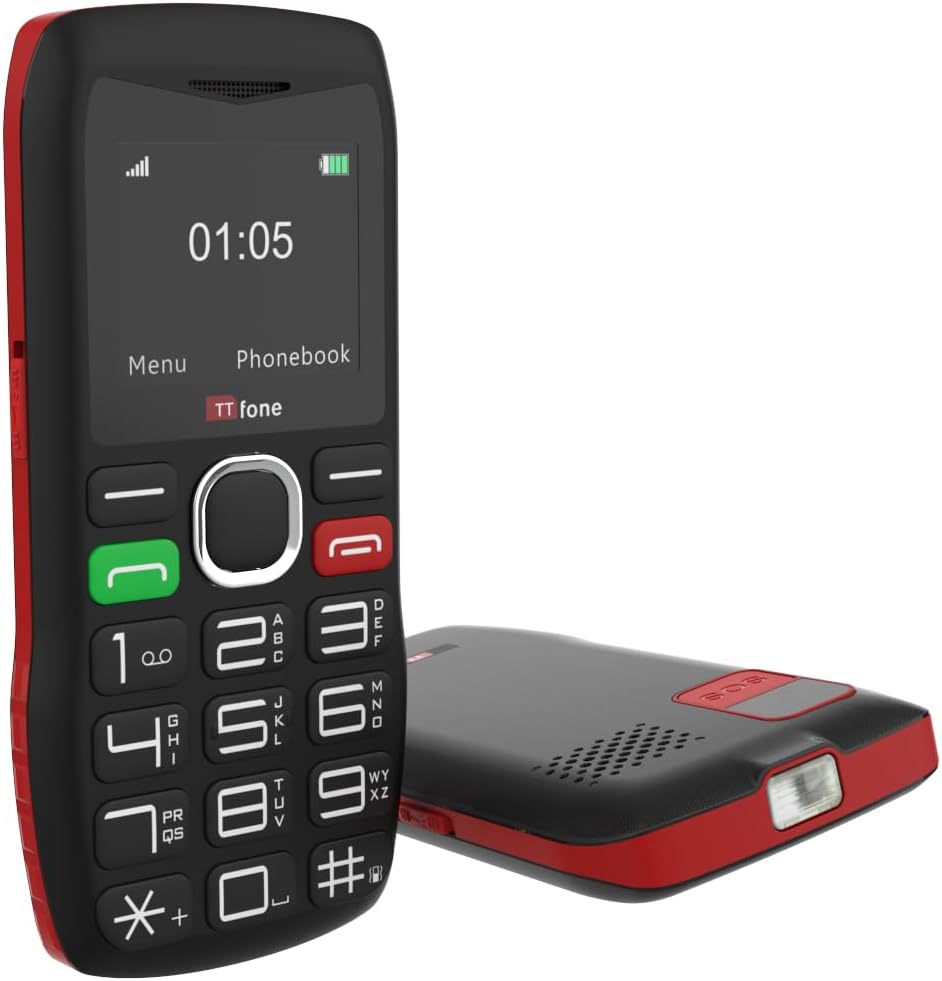
Aworan: Ẹyin view of the TTfone TT880, illustrating the location for SIM card and battery insertion.
3.2. Ngba agbara si foonu
Before first use, fully charge your TTfone TT880. Use the provided USB charging cable.
- Connect the small end of the USB cable to the charging port on the side or bottom of the phone.
- Connect the larger end of the USB cable to a compatible USB power adapter (not included with USB cable version) or a computer's USB port.
- The battery indicator on the screen will show charging progress. A full charge typically takes a few hours.

Image: The TTfone TT880 phone being charged via its USB cable, showing the charging indicator on the screen.
4. Awọn ilana Iṣiṣẹ
4.1. Agbara Tan / Paa
- Lati Fi agbara: Press and hold the red End Call/Power button (✖) until the screen lights up.
- Lati Paarẹ: Press and hold the red End Call/Power button (✖) until the power off options appear, then confirm.
4.2. Ṣiṣe ati Gbigba awọn ipe
- Lati Ṣe Ipe:
- Tẹ nọmba foonu sii nipa lilo oriṣi bọtini.
- Press the green Call button (✆) to dial.
- Lati Gba Ipe kan: When the phone rings, press the green Call button (✆) lati dahun.
- Lati Pari Ipe kan: Press the red End Call button (✖).

Image: A person holding the TTfone TT880, highlighting its large, easy-to-use physical keys for comfortable dialing.
4.3. Emergency Assistance Button (SOS)
The TT880 features a dedicated SOS button for emergencies. When activated, it will call and send an SMS to pre-set emergency contacts.
- Ṣíṣeto Àwọn Olùbáṣepọ̀ SOS:
- Navigate to the 'SOS Settings' in the phone's menu.
- Add up to 5 emergency contact numbers. These numbers will be called in sequence until one answers.
- You can also customize the emergency SMS message.
- Ṣiṣẹ SOS: Press and hold the SOS button on the back of the phone for a few seconds. The phone will emit an alarm and begin dialing your emergency contacts.

Image: The TTfone TT880 with its SOS button prominently displayed, illustrating its use in an emergency scenario.
4.4. Iṣẹ́ Ìtọ́pọ́
The TT880 includes a convenient torch function.
- Lati Tan/Pa: Use the dedicated torch switch located on the side of the phone.
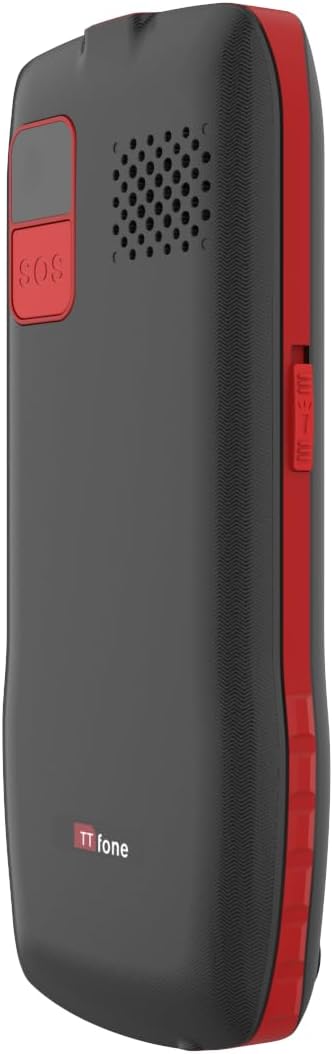
Image: The TTfone TT880 with its torch light illuminated, demonstrating its utility in low-light conditions.
4.5. Bluetooth Asopọmọra
Pair your TT880 with other Bluetooth devices like headsets for hands-free communication.
- Navigate to 'Settings' > 'Bluetooth'.
- Tan-an Bluetooth.
- Yan 'Wa fun devices' and choose your desired device from the list to pair.
5. Itọju
- Ninu: Use a soft, dry cloth to clean the phone's surface. Avoid liquid cleaners or aerosols.
- Itọju Batiri: To prolong battery life, avoid extreme temperatures. Do not leave the phone fully discharged for long periods.
- Ibi ipamọ: If storing the phone for an extended period, charge the battery to about 50% and store in a cool, dry place.
6. Laasigbotitusita
| Isoro | Owun to le Fa | Ojutu |
|---|---|---|
| Foonu ko ṣiṣẹ. | Battery is discharged or not inserted correctly. | Gba agbara si batiri. Rii daju pe o ti fi batiri sii daradara. |
| Ko le ṣe tabi gba awọn ipe wọle. | No network signal, SIM card not inserted, or SIM card not activated. | Check network signal strength. Reinsert SIM card. Contact your network provider to activate SIM. Ensure it's a 2G network. |
| Poor call quality / Low volume. | Weak signal, speaker blocked, or volume too low. | Move to an area with better signal. Ensure speaker is not blocked. Adjust call volume during a call. |
| Bọ́tìnì SOS kò ṣiṣẹ́. | SOS contacts not set up or invalid numbers. | Verify SOS settings and ensure valid numbers are programmed. |
7. Awọn pato
- Awoṣe: TT880
- Brand: TTfone
- Iwọn iboju: 1.8 inches
- Imọ-ẹrọ Alagbeka: 2G
- Alailowaya Alailowaya: Unlocked for All Carriers (2G networks only)
- Asopọmọra: Bluetooth, USB
- Batiri: 1 batiri litiumu ion (pẹlu)
- Awọn iwọn: 15.1 x 11.3 x 2.4 cm
- Ìwúwo: 190 g
- Eto isesise: TTfone (Proprietary)
- Iho kaadi SIM: SIM nikan
- Àwọ̀: Pupa
- Ilu isenbale: China
8. Atilẹyin ọja ati Support
For warranty information and customer support, please refer to the documentation provided with your purchase or visit the official TTfone webojula. Jeki ẹri rira rẹ fun eyikeyi awọn ibeere atilẹyin ọja.
Olupese: TTfone
Olubasọrọ: Please refer to the TTfone store on Amazon or their official webaaye fun awọn alaye olubasọrọ.
Alaye Ifijiṣẹ: Please note that certain products may have delivery restrictions outside mainland UK. Confirm delivery eligibility at checkout.


