1. Ifihan
Thank you for choosing the Mesqool Vibrating Alarm Clock. This device is designed to provide a reliable and customizable wake-up experience, particularly beneficial for heavy sleepers, individuals with hearing impairments, or those who prefer a silent alarm. Featuring a powerful vibration, dual alarm settings, and a long-lasting rechargeable battery, this cordless alarm clock is suitable for both home and travel use.
2. Package Awọn akoonu
- Mesqool Vibrating Alarm Clock (Purple)
- USB-C Ngba agbara Cable
- Okun Ọwọ
- Itọsọna olumulo

Image: Contents of the Mesqool Vibrating Alarm Clock package, showing the purple alarm clock, a USB-C charging cable, a purple wrist strap, and the user manual.
3. Ọja Ipariview

Aworan: Iwaju view of the Mesqool Vibrating Alarm Clock, showcasing its digital display with time, AM indicator, battery level, and alarm icons.
Awọn ẹya pataki:
- Iṣẹ Ailokun: Enjoy freedom of placement without being tethered by cables.
- Batiri gbigba agbara: Equipped with a 3000mAh high-capacity battery, providing up to six months of use on a single charge.
- Gbigbọn Adijositabulu: Three vibration levels (Low, Medium, High) to suit individual preferences.
- Awọn itaniji Meji: Set two independent alarms for different schedules, with options for weekday, weekend, or all 7 days.
- Multiple Alarm Modes: Choose between Vibration Only, Alarm Only (audible), or both Vibration and Alarm.
- Iwọn didun Itaniji ti o le ṣatunṣe: Audible alarm volume ranges from 56db to 105db.
- Iwapọ & Gbigbe: Mini size (3.35"W x 3.35"H x 1.06"D) makes it ideal for travel.
- Didun iṣẹju marun: Allows for a brief delay before the alarm reactivates.
- Awọn aṣayan kika akoko: Switch between 12-hour and 24-hour time display.
- Iṣẹ DST: Daylight Saving Time adjustment.
- Iṣẹ titiipa: Prevents accidental button presses during sleep or travel.
4. Eto
4.1 Gbigba agbara akọkọ
Before first use, fully charge the alarm clock. Connect the provided USB-C cable to the charging port on the side of the device and plug the other end into a standard USB power adapter (not included) or a computer USB port. The battery indicator on the display will show charging status and full charge.

Image: The Mesqool alarm clock being charged via its USB-C port, with the charging cable connected to a power source.

Image: A close-up diagram highlighting the battery indicator on the display and the Type-C charging port on the side of the alarm clock.
4.2 So Okun Ọwọ
Thread the provided wrist strap through the small loop hole on the side of the alarm clock. This can help prevent losing the clock, especially when used under a pillow.
5. Awọn ilana Iṣiṣẹ
5.1 bọtini Awọn iṣẹ
Familiarize yourself with the buttons located on the top and side of the alarm clock:
- TIME/SNOOZE Button: Press to enter time setting mode; press during alarm to activate snooze.
- ALARM 1 Button: Press to set Alarm 1.
- ALARM 2 Button: Press to set Alarm 2.
- '+' Bọtini: Increase value during setting; adjust volume/vibration level.
- '-' Bọtini: Decrease value during setting; adjust volume/vibration level.
- Titiipa Yipada: Slide to lock/unlock buttons.
- VIBRATION/ALARM Mode Switch: Select alarm mode (Vibration Only, Alarm Only, Both).
- 12/24H & DST Switch: Toggle between 12-hour and 24-hour time format, and activate/deactivate DST.

Aworan: A alaye view of the top control panel of the alarm clock, indicating the functions of the TIME/SNOOZE, ALARM 1, ALARM 2, '+' and '-' buttons.

Aworan: A ẹgbẹ view of the alarm clock, illustrating the position and function of the lock switch, vibration/alarm mode switch, and 12/24H & DST switch.
5.2 Ṣiṣeto Aago naa
- Ensure the LOCK switch is in the unlocked position.
- Tẹ mọlẹ TIME/SNOOZE bọ́tìnì náà fún ìṣẹ́jú-àáyá mẹ́ta. Àwọn nọ́mbà wákàtí náà yóò máa tàn yanranyanran.
- Lo awọn '+' or '-' awọn bọtini lati ṣatunṣe awọn wakati.
- Tẹ awọn TIME/SNOOZE bọ́tìnì náà lẹ́ẹ̀kan síi láti jẹ́rìí wákàtí náà kí o sì gbé e sí ìṣètò ìṣẹ́jú náà. Àwọn nọ́mbà ìṣẹ́jú náà yóò máa tàn yanranyanran.
- Lo awọn '+' or '-' awọn bọtini lati ṣatunṣe iseju.
- Tẹ awọn TIME/SNOOZE button again to confirm the minute and move to day setting. The day indicator will flash.
- Lo awọn '+' or '-' buttons to select the current day (MON, TUE, WED, THU, FRI, SAT, SUN).
- Tẹ awọn TIME/SNOOZE button one last time to save all settings and exit time setting mode.
5.3 Ṣíṣeto Awọn Itaniji (Alarm 1 & Itaniji 2)
The clock supports two independent alarms. The setting process is identical for both.
- Ensure the LOCK switch is in the unlocked position.
- Tẹ mọlẹ OOGUN 1 or OOGUN 2 bọtini fun 3 aaya. Awọn nọmba wakati itaniji yoo filasi.
- Lo awọn '+' or '-' awọn bọtini lati ṣatunṣe aago itaniji.
- Tẹ ibaramu Itaniji button again to confirm the hour and move to minute setting. The alarm minute digits will flash.
- Lo awọn '+' or '-' awọn bọtini lati satunṣe iṣẹju itaniji.
- Tẹ ibaramu Itaniji button again to confirm the minute and move to alarm frequency setting. The day indicators will flash.
- Lo awọn '+' or '-' buttons to select the alarm frequency:
- Ọjọ́ Ajé sí Ọjọ́ Ẹtì: Weekday alarm.
- SAT-SUN: Itaniji ìparí.
- MON-SUN: Everyday alarm.
- Tẹ ibaramu Itaniji button one last time to save all settings and exit alarm setting mode.
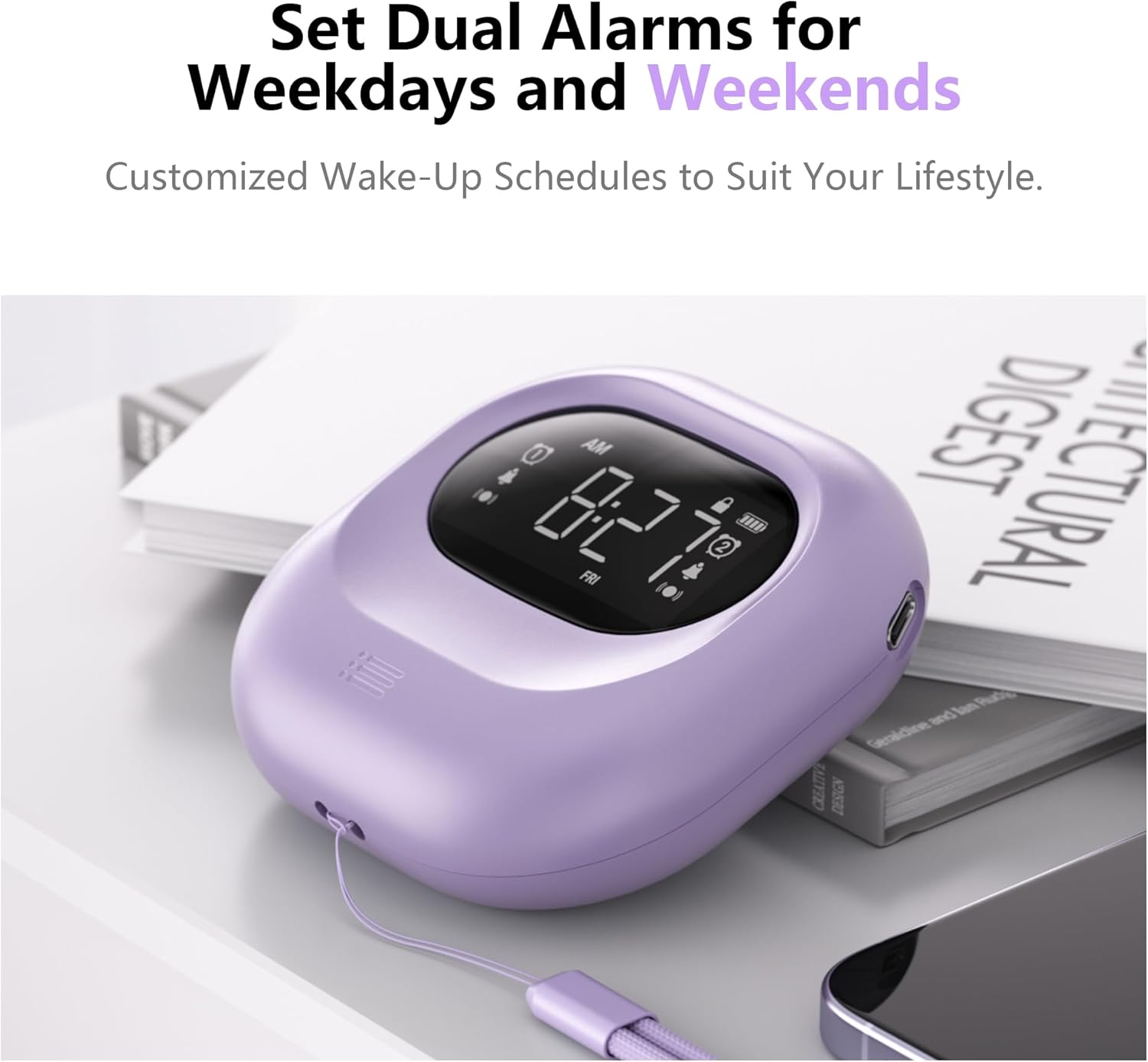
Image: The alarm clock positioned on a bedside table, showing the digital display with two alarm icons activated, indicating the dual alarm functionality.

Image: A visual representation of the dual alarm feature, demonstrating how to set alarms for weekdays, weekends, or all seven days.
5.4 Adjusting Vibration Levels
The alarm clock offers three vibration intensity levels: Low, Medium, and High. To adjust:
- Wa awọn VIBRATION/ALARM Mode Switch ni ẹgbẹ ti ẹrọ naa.
- Slide the switch to the desired vibration level (L, M, H).

Image: A person sleeping with the alarm clock placed under their pillow, demonstrating its use for silent, vibrating wake-up. The image also shows icons for Low, Middle, and High vibration settings.

Image: A graphic representation of the three adjustable vibration levels: Low, Middle, and High, indicating increasing agbára.
5.5 Adjusting Alarm Volume and Mode
The audible alarm volume can be adjusted, and you can select the alarm mode.
- To adjust volume: While the alarm is sounding, press the '+' or '-' buttons to increase or decrease the volume (56db to 105db).
- To select alarm mode: Use the VIBRATION/ALARM Mode Switch on the side of the device to choose between:
- VIB: Gbigbọn nikan
- BUZZ: Audible Alarm Only
- VIB+BUZZ: Both Vibration and Audible Alarm
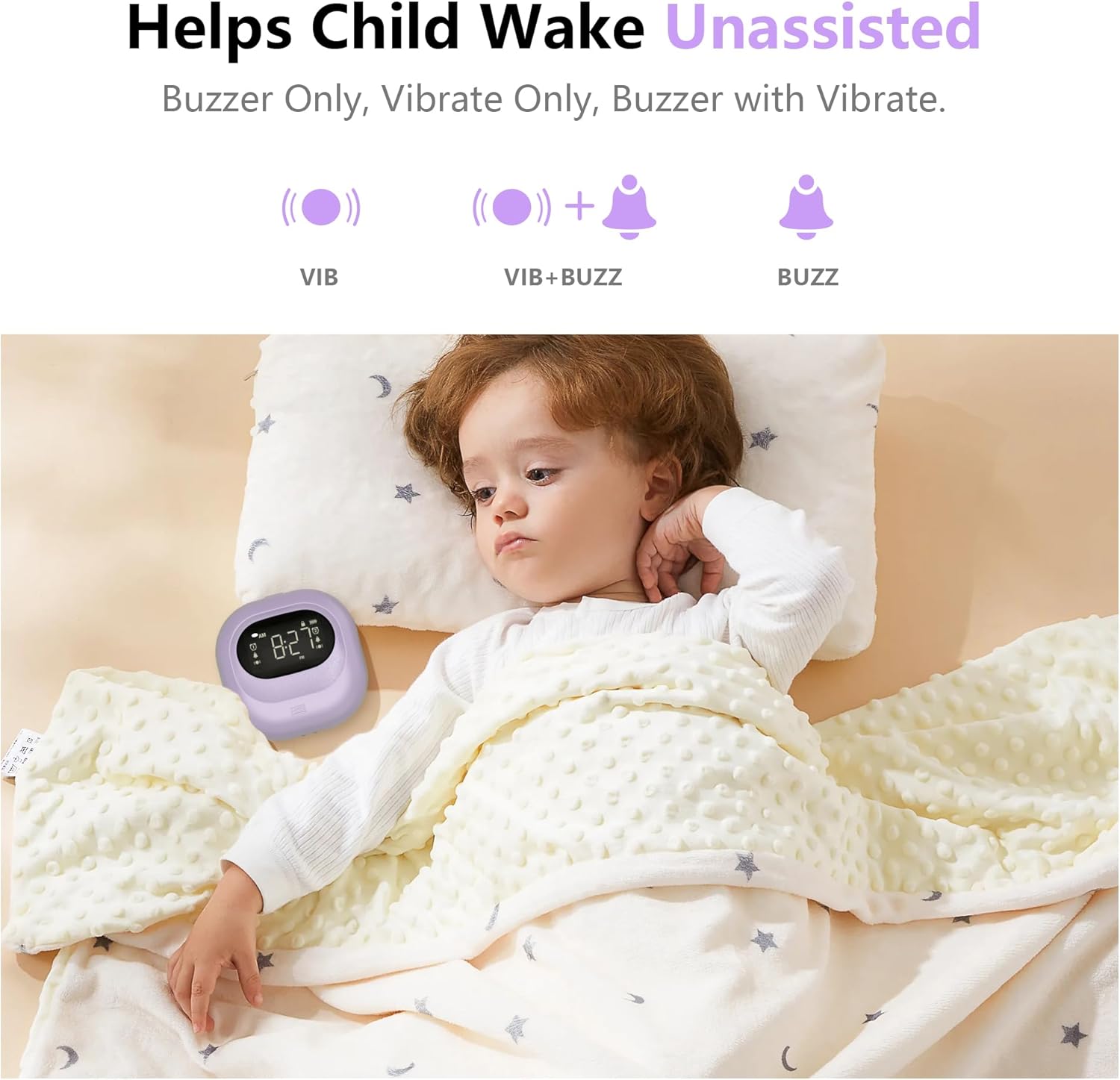
Image: A child sleeping peacefully with the alarm clock placed near their head, illustrating the various alarm modes available: Vibration Only, Vibration with Buzzer, and Buzzer Only.

Image: A graphic illustrating the three alarm modes (Vibration, Vibration + Buzzer, Buzzer) and the adjustable volume range for the audible alarm, from 56db to 105db.
5.6 Iṣiṣẹ Snooze
Nigbati itaniji ba ndun, tẹ awọn TIME/SNOOZE button to activate the 9-minute snooze function. The alarm will temporarily stop and sound again after 9 minutes. To cancel snooze and turn off the alarm, press any other button.
5.7 12/24H Time Format and DST
Lo awọn 12/24H & DST Switch on the side of the device to toggle between 12-hour (with AM/PM indicator) and 24-hour time formats. This switch also allows you to activate or deactivate Daylight Saving Time (DST) if needed.
5.8 Titiipa Išė
To prevent accidental changes to settings or unintended alarm deactivation, slide the Titiipa switch on the side of the device to the locked position. This will disable all buttons except for the snooze function (if an alarm is active). Slide it back to the unlocked position to adjust settings.
Image: A close-up of the side of the alarm clock, highlighting the lock switch and its function to prevent accidental operations.
6. Gbigba agbara ati batiri
The Mesqool Vibrating Alarm Clock is equipped with a 3000mAh rechargeable battery. A full charge can provide up to six months of operation, depending on usage frequency and vibration intensity. When the battery is low, a battery indicator will appear on the display. Connect the USB-C cable to recharge the device.
7. Itọju
- Nu ẹrọ naa pẹlu asọ ti o tutu, ti o gbẹ. Ma ṣe lo abrasive ose tabi epo.
- Avoid exposing the alarm clock to extreme temperatures, direct sunlight, or moisture.
- Ma ṣe gbiyanju lati ṣajọpọ ẹrọ naa, nitori eyi yoo sọ atilẹyin ọja di ofo.
8. Laasigbotitusita
| Isoro | Owun to le Fa | Ojutu |
|---|---|---|
| Aago itaniji ko dun/gbigbọn. | Alarm is not set, alarm mode is incorrect, or battery is low. | Ensure alarm is set correctly (Section 5.3). Check the VIBRATION/ALARM Mode Switch (Section 5.5). Charge the device (Section 6). |
| Awọn bọtini ko dahun. | LOCK switch is engaged. | Slide the LOCK switch to the unlocked position (Section 5.8). |
| Ifihan ti wa ni baibai tabi òfo. | Batiri naa kere tabi ti dinku. | Charge the device (Section 6). |
| Aago ti ko tọ han. | Time was not set correctly or DST is active/inactive incorrectly. | Reset the time (Section 5.2). Check the DST setting (Section 5.7). |
9. Awọn pato
| Ẹya ara ẹrọ | Ẹ̀kúnrẹ́rẹ́ |
|---|---|
| Brand | Mesqool |
| Nọmba awoṣe | CR1027 |
| Àwọ̀ | eleyi ti |
| Ifihan Iru | Oni-nọmba |
| Ọja Mefa | 3.35"W x 3.35"H x 1.06"D |
| Iwọn Nkan | 6.7 iwon |
| Orisun agbara | Batiri Agbara (Agba agbara) |
| Agbara Batiri | 3000mAh |
| Ohun elo | Acrylonitrile Butadiene Styrene (ABS ṣiṣu) |
| Iwọn didun itaniji | 56db - 105db |
| Pataki Awọn ẹya ara ẹrọ | Adjustable Vibration, Battery Indicator, Cordless, Dual Alarms, Snooze, 12/24H, DST, Lock Function |
10. Atilẹyin ọja ati Support
10.1 atilẹyin ọja Alaye
This Mesqool Vibrating Alarm Clock comes with an extended warranty. Please refer to the warranty card included in your package or contact Mesqool customer support for specific details regarding warranty coverage and duration.
10.2 Onibara Support
For any questions, technical assistance, or support needs, please contact Mesqool customer service. Contact information can typically be found on the product packaging, the official Mesqool webojula, tabi kaadi atilẹyin ọja.


