1. Ifihan
This manual provides detailed instructions for the safe and efficient operation of your HANLIM Portable CD Player, Model HL-108. Please read this manual thoroughly before using the product and retain it for future reference.

Nọmba 1: Iwaju view of the HANLIM Portable CD Player HL-108. This image displays the main unit with its control panel, LCD screen, and integrated handle.
2. Awọn ilana aabo
- Ma ṣe fi ẹrọ naa han si ojo, ọrinrin, tabi awọn iwọn otutu to gaju.
- Yago fun gbigbe ẹrọ naa si nitosi awọn orisun ooru tabi ni imọlẹ orun taara.
- Maṣe ṣii casing; tọka gbogbo iṣẹ si oṣiṣẹ ti o peye.
- Jeki ẹyọ kuro lati awọn aaye oofa to lagbara.
- Lo okun agbara ti a pese nikan.
- Rii daju pe fentilesonu to dara lati ṣe idiwọ igbona.
3. Package Awọn akoonu
Jọwọ ṣayẹwo pe gbogbo awọn nkan wa:
- HANLIM Portable CD Player HL-108
- Okun agbara (1.2m)
- Iṣakoso latọna jijin (awọn batiri ti ko si)
- Itọsọna olumulo

Nọmba 2: The HANLIM Portable CD Player HL-108 shown with its included accessories: the power cable, remote control, and user manual.
4. Ọja Ipariview
The HANLIM Portable CD Player HL-108 features a compact design with multiple playback options and connectivity ports.
4.1 Iwaju Panel idari
- Ifihan LCD: Ṣe afihan ipo lọwọlọwọ, alaye orin, ati igbohunsafẹfẹ FM.
- Bọtini MODE: Switches between CD, FM, Bluetooth, USB, and AUX modes.
- Bọ́tìnì Dúró: Ṣe agbara ẹrọ naa tan tabi pa.
- Play/Pause/Scan Button: Plays/pauses media or scans FM radio stations.
- Previous/CH- Button: Àwọn tó ń fò lọ sí ibùdó/ìdúró orin tó ti kọjá.
- Next/CH+ Button: Ó fò lọ sí ipa ọ̀nà/ibùdókọ̀ tó tẹ̀lé.
- Bọtini Iwọn didun: Ṣe atunṣe iwọn didun ohun.
- Ibudo USB: Fun ṣiṣiṣẹsẹhin drive USB.
- Jack agbekọri (3.5mm): Fun ikọkọ gbigbọ.
4.2 Ru Panel Awọn isopọ
- AUX IN (3.5mm): So awọn ẹrọ ohun ita.
- Ibudo MIC: Connect a microphone for singing.
- Input Agbara AC: Connect the power cable for charging or continuous power.
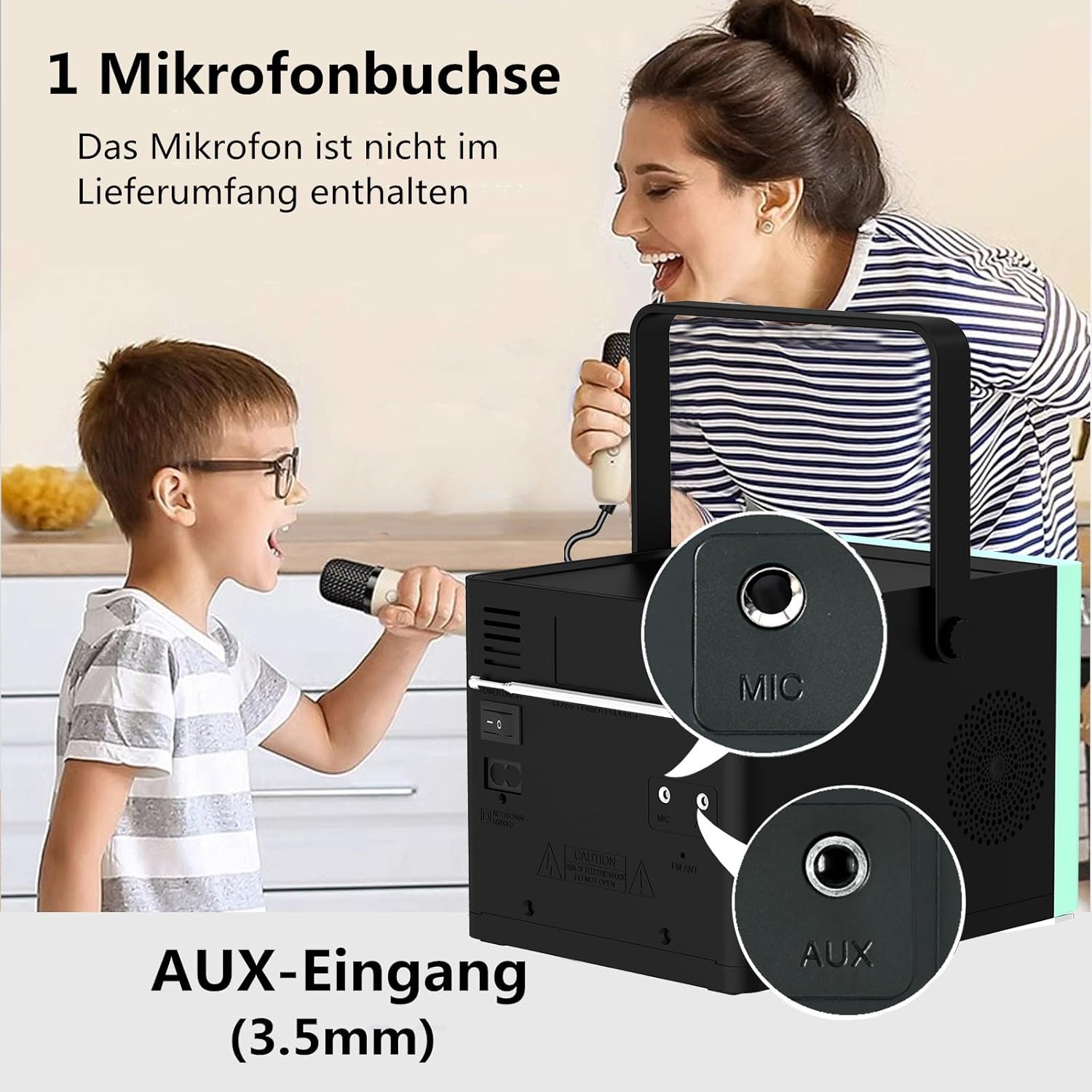
Nọmba 3: Ẹyìn view of the HANLIM Portable CD Player HL-108, highlighting the microphone input and AUX input ports.
5. Eto
5.1 Agbara Lori ati gbigba agbara
- Connect the provided power cable to the AC power input on the rear of the unit and plug it into a wall outlet.
- The built-in 2000mAh battery will begin charging automatically. A full charge provides approximately 4.5 to 5 hours of playback at maximum volume.
- Tẹ awọn DURO DIE bọtini lati agbara lori kuro.
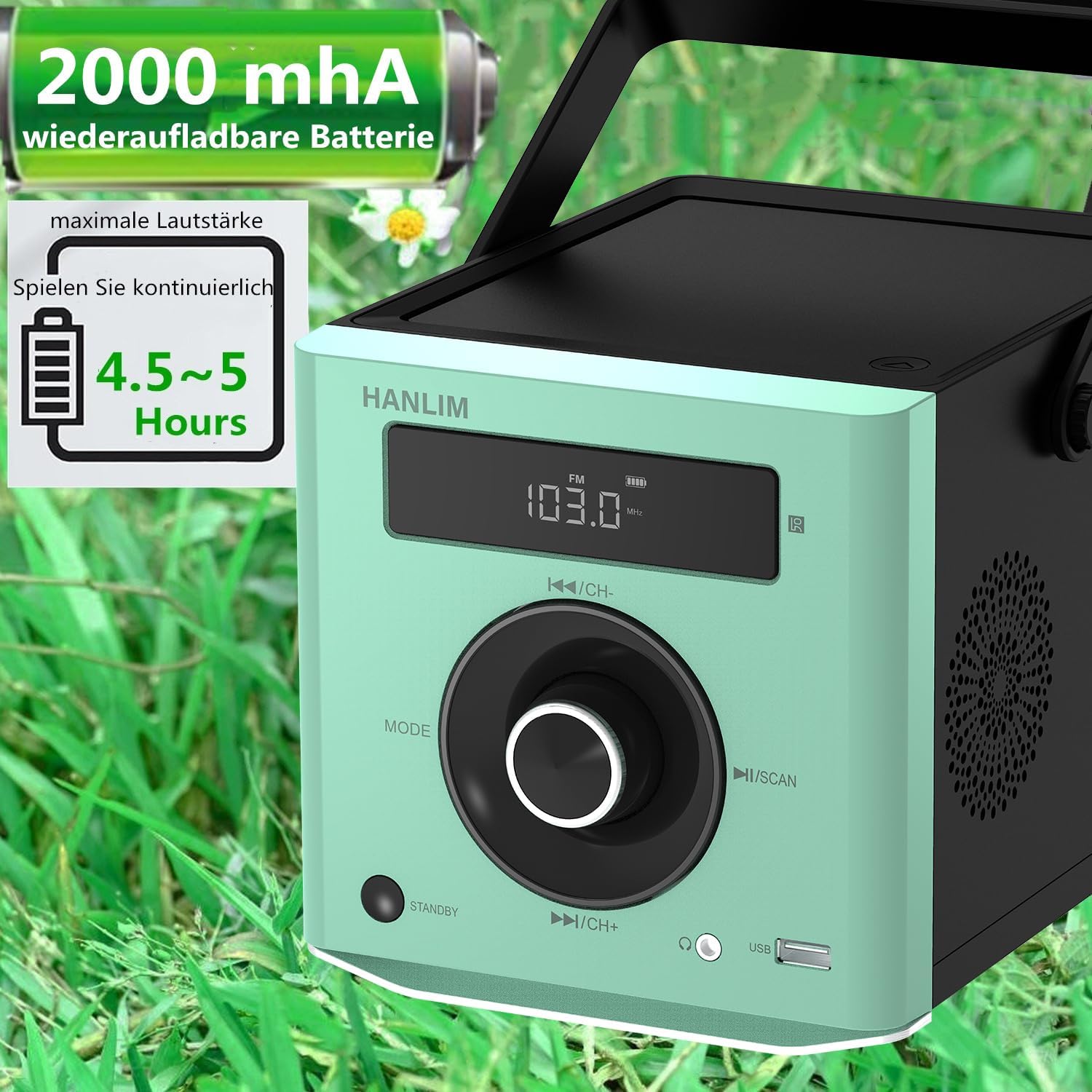
Nọmba 4: The HANLIM Portable CD Player HL-108 displaying battery charge status and indicating 4.5-5 hours of continuous playback.
6. Awọn ilana Iṣiṣẹ
6.1 CD Sisisẹsẹhin
- Ṣii ideri iyẹwu CD.
- Place a CD (CD/CD-R/CD-RW/MP3 format) onto the spindle, label side up.
- Pa ideri CD kompaktimenti.
- Tẹ awọn MODE button until "CD" is displayed.
- Tẹ awọn Ṣiṣẹ / Sinmi bọtini lati bẹrẹ ṣiṣiṣẹsẹhin.
- Lo awọn Ti tẹlẹ/Itele awọn bọtini lati foju awọn orin.
- Tun Iṣe: Press the repeat button on the remote control to cycle through repeat one, repeat all, or random play.
- Continue Playback: The unit will resume playback from where it was last stopped, useful for language learning.
6.2 Redio FM
- Tẹ awọn MODE bọtini titi "FM" yoo han.
- Tẹ mọlẹ Ṣayẹwo button to automatically scan and store available FM stations (87.5-108MHz). Up to 20 stations can be stored.
- Lo awọn CH- ati CH+ awọn bọtini lati lọ kiri nipasẹ awọn ibudo ti o fipamọ.

Nọmba 5: The HANLIM Portable CD Player HL-108 showing the FM radio frequency on its display.
6.3 Bluetooth Asopọ
- Tẹ awọn MODE button until "Bluetooth" is displayed. The unit will enter pairing mode.
- On your device (phone, tablet, computer), enable Bluetooth and search for "HANLIM HL-108".
- Select the device to pair. Once connected, you will hear a confirmation sound.
- Note: Bluetooth headphones are not supported for connection to this CD player.

Nọmba 6: The HANLIM Portable CD Player HL-108 illustrating its Bluetooth connectivity, USB port, and headphone jack.
6.4 USB Sisisẹsẹhin
- Insert a USB flash drive (up to 32GB, supporting MP3/WMA formats) into the USB port.
- Tẹ awọn MODE bọtini titi "USB" yoo han.
- Sisisẹsẹhin yoo bẹrẹ laifọwọyi. Lo awọn Ti tẹlẹ/Itele awọn bọtini lati lilö kiri awọn orin.
6.5 Iṣawọle AUX
- Connect an external audio device (e.g., phone, computer) to the AUX IN port using a 3.5mm audio cable (not included).
- Tẹ awọn MODE bọtini titi "AUX" yoo han.
- Ṣàkóso ìṣiṣẹ́ orin láti inú ẹ̀rọ tí o sopọ̀ mọ́.
6.6 Jack agbekọri
For private listening, connect 3.5mm headphones to the headphone jack on the front panel.
6.7 Microphone Port
Connect a microphone (not included) to the MIC port on the rear panel for singing along to music.
6.8 Ètò Ohùn (Equalizer)
The unit offers 5 sound qualities: Pop, Jazz, Rock, Classical, and Flat. Use the EQ button on the remote control to cycle through these modes and adjust the audio output to your preference.
7. Itọju
- Ninu: Mu ese kuro pẹlu asọ ti o gbẹ. Ma ṣe lo abrasive ose tabi epo.
- Itọju CD: Mu awọn CD naa ni eti wọn. Fi aṣọ rirọ, ti ko ni awọ nu awọn CD ti o dọti, ki o si fi nu lati aarin jade.
- Itọju Batiri: Fún ìgbà tí batiri bá pẹ́ tó, má ṣe jẹ́ kí batiri náà máa jáde dáadáa nígbà gbogbo. Tí o bá ń tọ́jú rẹ̀ fún ìgbà pípẹ́, gba agbára bátiri náà sí nǹkan bí 50% ní gbogbo oṣù díẹ̀.
8. Laasigbotitusita
| Isoro | Owun to le Fa | Ojutu |
|---|---|---|
| Ẹka ko ni agbara lori. | Batiri ti pari tabi okun agbara ko so pọ. | Connect the power cable and allow the battery to charge, or operate directly from AC power. |
| Ko si ohun. | Volume is too low, headphones connected, or incorrect mode selected. | Increase volume, disconnect headphones, or ensure the correct input mode (CD, FM, BT, USB, AUX) is selected. |
| CD ko ṣiṣẹ tabi fo. | CD ti dọti, họ, tabi fi sii lọna ti ko tọ. | Clean the CD, try a different CD, or reinsert the CD correctly. Ensure the CD compartment is fully closed. |
| Asopọ Bluetooth kuna. | Device is too far, Bluetooth is off on the device, or unit is not in pairing mode. | Ensure the unit is in Bluetooth mode, your device's Bluetooth is on, and they are within range. Try restarting both devices. |
| Gbigba redio FM ko dara. | Weak signal or antenna position. | Adjust the unit's position or extend the antenna for better reception. |
9. Awọn pato
| Ẹya ara ẹrọ | Sipesifikesonu |
|---|---|
| Brand | HANLIM |
| Awoṣe | HL-108 |
| Ọja Mefa | 15.5 x 20.5 x 16 cm (6.1 x 8.1 x 6.3 inches) |
| Iwọn Nkan | 1.7 kg (3.75 lbs) |
| Ijade agbara | 20W |
| Batiri | Built-in 2000mAh rechargeable Lithium Ion |
| Igbesi aye batiri | Up to 5 hours (at maximum volume) |
| Supported CD Formats | CD, CD-R, CD-RW, MP3 |
| FM Igbohunsafẹfẹ | 87.5-108 MHz |
| USB Support | Up to 32GB, MP3/WMA formats |
| Asopọmọra | Bluetooth, USB, AUX (3.5mm), Headphone Jack (3.5mm), Microphone Port |
| Ifihan Iru | LCD |
| Pataki Awọn ẹya ara ẹrọ | Bluetooth, CD-R/RW Compatible, Equalizer, Portable, Rechargeable |
10. Atilẹyin ọja ati Support
This HANLIM product comes with a ọkan-odun atilẹyin ọja lati ọjọ ti o ra. Atilẹyin ọja yi ni wiwa awọn abawọn iṣelọpọ ati iṣẹ ṣiṣe labẹ lilo deede.
For technical support, warranty claims, or service inquiries, please contact your retailer or the HANLIM customer service department through the contact information provided at the point of purchase.


