Ọrọ Iṣaaju
Thank you for choosing the Arzum Airtasty Smart Air Fryer. This appliance is designed to provide a healthy and convenient way to cook your favorite dishes with little to no oil. Featuring a generous 7.5-liter capacity, a glass-paneled bin for easy monitoring, and smart control via the Arzum Smart Life application, this air fryer offers versatility and precision for your culinary needs. Please read this manual thoroughly before first use to ensure safe and optimal operation.
Awọn Itọsọna Aabo pataki
Nigbati o ba nlo awọn ohun elo itanna, awọn iṣọra aabo ipilẹ yẹ ki o tẹle nigbagbogbo lati dinku eewu ina, mọnamọna, ati ipalara si awọn eniyan.
- Ka gbogbo awọn ilana ṣaaju lilo ohun elo naa.
- Maṣe fi ọwọ kan awọn aaye ti o gbona. Lo awọn ọwọ tabi awọn koko.
- Lati daabobo lodi si mọnamọna ina, maṣe fi okun, pilogi, tabi ohun elo bọ inu omi tabi omi miiran.
- Abojuto sunmọ jẹ pataki nigbati eyikeyi ohun elo ba lo nipasẹ tabi sunmọ awọn ọmọde.
- Yọọ kuro lati inu iṣan nigbati ko si ni lilo ati ṣaaju ṣiṣe mimọ. Gba laaye lati tutu ṣaaju fifi si tabi mu awọn ẹya kuro.
- Ma ṣe ṣiṣẹ ohun elo eyikeyi pẹlu okun ti o bajẹ tabi pulọọgi tabi lẹhin aṣiṣe ohun elo tabi ti bajẹ ni eyikeyi ọna.
- Lilo awọn asomọ ẹya ẹrọ ti a ko ṣeduro nipasẹ olupese ohun elo le fa awọn ipalara.
- Maṣe lo ni ita.
- Ma ṣe jẹ ki okun duro lori eti tabili tabi counter, tabi fi ọwọ kan awọn aaye ti o gbona.
- Ma ṣe gbe sori tabi sunmọ gaasi ti o gbona tabi ina ina, tabi ni adiro ti o gbona.
- Išọra to gaju gbọdọ ṣee lo nigba gbigbe ohun elo ti o ni epo gbona tabi awọn olomi gbona miiran.
- Nigbagbogbo so plug to ohun elo akọkọ, ki o si pulọọgi okun sinu ogiri iṣan. Lati ge asopọ, tan eyikeyi iṣakoso si “pa”, lẹhinna yọ plug kuro ni iṣan ogiri.
- Ma ṣe lo ohun elo fun miiran ju lilo ti a pinnu lọ.
- Rii daju pe a gbe ohun elo sori iduro, dada sooro ooru.
- Ma ṣe dina eyikeyi awọn ṣiṣi atẹgun.
Ọja Pariview
Familiarize yourself with the components of your Arzum Airtasty Smart Air Fryer.

Figure 1: Arzum Airtasty Smart Air Fryer. This image shows the overall design of the air fryer, highlighting its red exterior, digital display, and the transparent viewing window of the cooking basket.
- Igbimọ Iṣakoso oni nọmba: Touch-sensitive display for temperature, time, and program selection.
- Cooking Basket with Handle: Removable basket for holding food, featuring a comfortable handle for safe removal.
- Glass-Paneled Bin: Transparent window on the cooking basket allows for easy monitoring of food during cooking without opening the drawer.
- Imọlẹ inu: Illuminates the cooking chamber for clear visibility through the glass panel.
- Wiwọle/Olugbafẹfẹ: Located at the top and rear of the appliance for proper air circulation.
- Okun Agbara: Fun asopọ ẹrọ naa si iho ina.
Ṣeto
Ṣiṣi silẹ
- Farabalẹ yọ afẹfẹ fryer ati gbogbo awọn ẹya ẹrọ kuro ninu apoti.
- Yọ gbogbo ohun èlò ìdìpọ̀, àwọn sítíkà, tàbí àwọn àmì ìkọlé kúrò.
- Ṣe idaduro apoti fun ibi ipamọ iwaju tabi gbigbe.
Ni ibẹrẹ Cleaning
- Before first use, wash the cooking basket, grill rack, and cake mold with hot water, dish soap, and a non-abrasive sponge.
- Rinse thoroughly and dry all parts completely.
- Pa inu ati ode ohun elo naa nu pẹlu ipolowoamp asọ.
- Ma ṣe fi ẹya akọkọ sinu omi tabi omi miiran.
Ipo
- Gbé ẹ̀rọ ìfọ́nná afẹ́fẹ́ sí orí ilẹ̀ tí ó dúró ṣinṣin, tí ó tẹ́jú, tí ó sì lè kojú ooru.
- Ensure there is at least 10 cm (4 inches) of free space around the back and sides of the appliance, and 10 cm (4 inches) above it, to allow for proper air circulation.
- Ma ṣe gbe ohun elo naa si odi tabi awọn ohun elo miiran.
- Pulọọgi okun agbara sinu iṣan itanna ti ilẹ.
Awọn ilana Iṣiṣẹ
Ibi iwaju alabujutoview

olusin 2: Iwaju view of the Arzum Airtasty Smart Air Fryer, showing the digital display and touch controls.
The digital display provides information on cooking time, temperature, and selected programs. Touch controls allow for easy adjustment.
- Bọtini agbara: Yipada ohun elo titan/pa.
- Iṣakoso iwọn otutu: Ṣe atunṣe iwọn otutu sise.
- Iṣakoso akoko: Ṣe atunṣe akoko sise.
- Aṣayan Eto: Cycles through 7 automatic cooking programs.
- Bọtini Ibẹrẹ/Daduro: Starts or pauses the cooking process.
- Atọka Wi-Fi: Shows connection status to the Arzum Smart Life application.
- Interior Light Button: Toggles the interior light on/off.
Basic Operation (Manual Mode)
- Place the food in the cooking basket. Ensure not to overfill the basket.
- Gbe agbọn sise pada sinu afẹ́fẹ́ didin titi ti yoo fi tẹ sinu ipo rẹ.
- Tẹ Bọtini Agbara lati tan ẹrọ naa.
- Use the Temperature Control buttons to set the desired cooking temperature (e.g., 180°C).
- Use the Time Control buttons to set the desired cooking time (e.g., 20 minutes).
- Press the Start/Pause Button to begin cooking.
- During cooking, you can use the glass-paneled bin and interior light to monitor your food.
- Some recipes may require shaking or flipping food halfway through. Carefully pull out the basket, shake/flip, and reinsert. The air fryer will resume cooking automatically.
- Once cooking is complete, the air fryer will beep. Carefully pull out the basket and remove the food.
Lilo Awọn Eto Tito tẹlẹ
The air fryer comes with 7 automatic cooking programs for common dishes.
- Prepare food and place it in the cooking basket.
- Fi agbọn naa sinu fryer afẹfẹ.
- Tẹ Bọtini Agbara.
- Press the Program Selection button repeatedly to cycle through the available programs (e.g., fries, chicken, fish, pastries). The display will show the corresponding icon and default time/temperature.
- You can adjust the default time and temperature of a preset program if needed using the respective control buttons.
- Press the Start/Pause Button to begin cooking.
Using the Arzum Smart Life Application (Wi-Fi)
The Arzum Airtasty Smart Air Fryer can be controlled remotely via the Arzum Smart Life application.
- Download the "Arzum Smart Life" application from your smartphone's app store.
- Forukọsilẹ tabi wọle si àkọọlẹ rẹ.
- Follow the in-app instructions to connect your air fryer to your home Wi-Fi network. Ensure your air fryer is powered on and in pairing mode (refer to app for specific instructions).
- Once connected, you can control the air fryer's settings, start/stop cooking, and monitor progress from your smartphone.
Lilo Awọn ẹya ẹrọ
The air fryer includes a grill rack and a cake mold to expand your cooking possibilities.
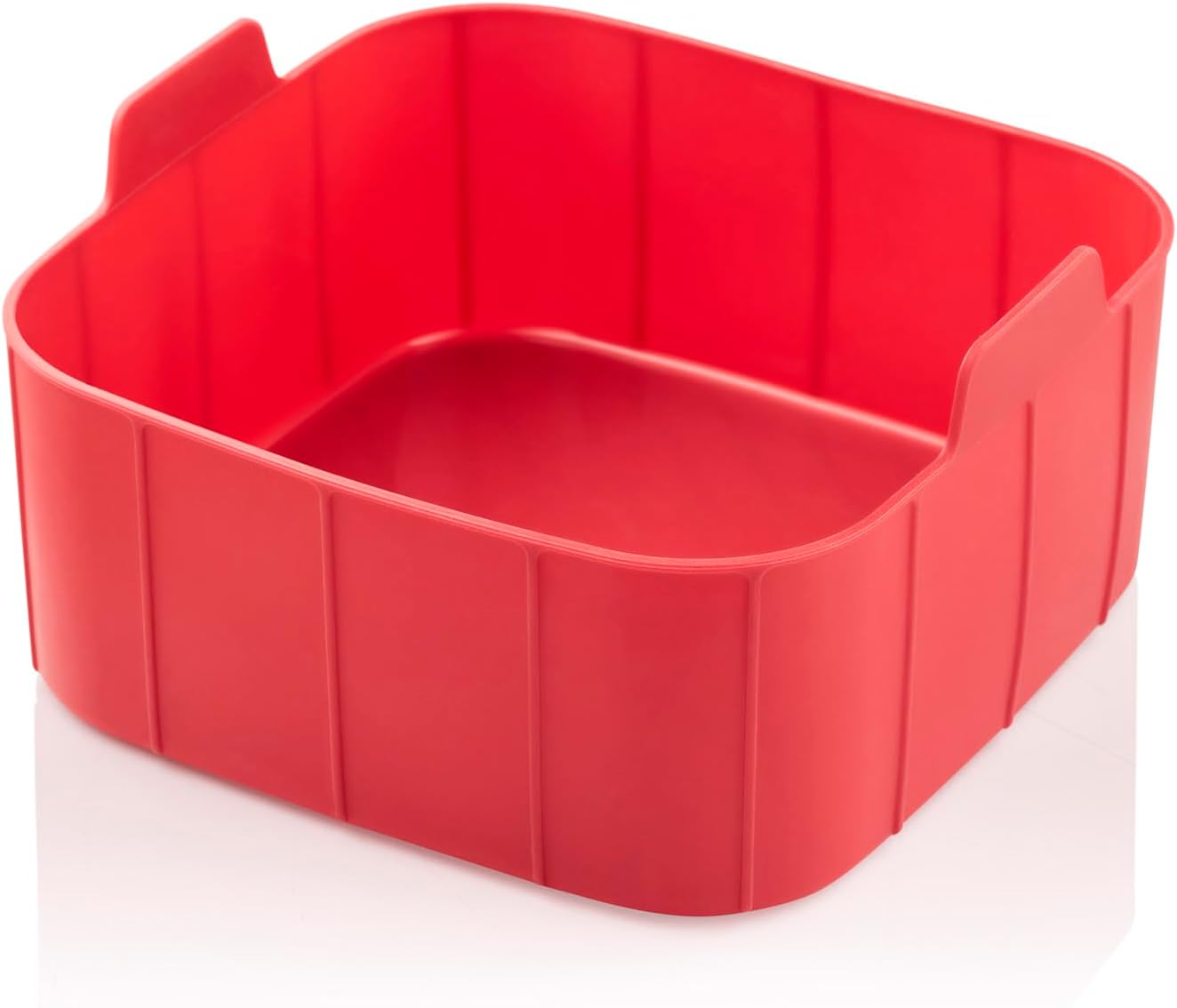

Figure 3: Included accessories: Cake mold (left) and Grill rack (right, shown in use). These accessories enhance the versatility of the air fryer, allowing for baking and grilling.
- Yiyan agbeko: Place the grill rack inside the cooking basket to elevate food, allowing for better air circulation and grilling results. Ideal for meats and vegetables.
- Cake Mold: Use the cake mold for baking cakes, bread, or other baked goods directly in the air fryer basket.
Itọsọna Sise ati Awọn imọran
- Gbigbona ṣaaju: Fún àbájáde tó dára jùlọ, mú kí ẹ̀rọ ìfọṣọ afẹ́fẹ́ gbóná fún ìṣẹ́jú 3-5 ní iwọ̀n otútù tí ó yẹ kí o tó fi oúnjẹ kún un.
- Lilo Epo: While an air fryer requires little to no oil, a light spray of oil can help achieve a crispier texture, especially for fresh vegetables or homemade fries.
- Maṣe Kun: Overfilling the basket can prevent food from cooking evenly and becoming crispy. Cook in batches if necessary.
- Mi tabi Yipada: For even cooking and browning, shake the basket or flip food halfway through the cooking time.
- Iwon Ounje: Cut food into uniform pieces for consistent cooking.
- Ìwé Ìfọ́/Fáìlì: You can use parchment paper or aluminum foil in the basket, but ensure it does not block air circulation.
Itọju ati Cleaning
Ṣiṣe mimọ nigbagbogbo ṣe idaniloju iṣẹ ṣiṣe to dara julọ ati fa igbesi aye fryer afẹfẹ rẹ pọ si.
Daily Cleaning
- Yọọ fryer afẹfẹ ki o jẹ ki o tutu patapata ṣaaju ki o to di mimọ.
- Remove the cooking basket and accessories.
- Wash the basket, grill rack, and cake mold with hot water, dish soap, and a non-abrasive sponge. These parts are generally dishwasher safe, but hand washing is recommended for longevity.
- Mu ese ita ti afẹfẹ fryer pẹlu ipolowoamp asọ. Maṣe lo awọn afọmọ abrasive.
- Nu inu ti ohun elo pẹlu ipolowoamp Aṣọ. Fún àwọn ohun tí ó ṣẹ́kù tí ó le koko, lo búrọ́ọ̀ṣì rírọ̀.
Jin Cleaning
For baked-on food or grease, soak the basket and accessories in hot, soapy water for 10-15 minutes before scrubbing.
Ibi ipamọ
Ensure the air fryer is clean and completely dry before storing. Store it in a cool, dry place, preferably in its original packaging.
Laasigbotitusita
Tí o bá ní ìṣòro kankan pẹ̀lú ẹ̀rọ afẹ́fẹ́ rẹ, wo àtẹ ìsàlẹ̀ yìí fún àwọn ìṣòro àti ìdáhùn tó wọ́pọ̀.
| Isoro | Owun to le Fa | Ojutu |
|---|---|---|
| Afẹfẹ fryer ko ni tan. | Kò sí ìsopọ̀ mọ́; Ìṣòro ìjáde agbára; Àìṣiṣẹ́ ẹ̀rọ. | Rii daju pe okun agbara ti wa ni edidi ni aabo sinu iṣan-iṣẹ iṣẹ. Ṣayẹwo awọn Circuit fifọ. Ti iṣoro ba wa, kan si atilẹyin alabara. |
| Ounjẹ kii ṣe boṣeyẹ. | Basket is overfilled; Food pieces are too large or uneven; Not shaken/flipped. | Cook in smaller batches. Cut food into uniform sizes. Shake or flip food halfway through cooking. |
| Ounje ko crispy. | Not enough oil (for certain foods); Basket overfilled; Temperature too low. | Lightly spray food with oil. Do not overfill the basket. Increase temperature slightly. |
| Ẹfin funfun nbọ lati ohun elo. | Grease from previous use; High-fat food cooking. | Fọ agbọ̀n àti inú rẹ̀ dáadáa. Fún oúnjẹ tó ní ọ̀rá púpọ̀, da ọ̀rá tó pọ̀ jù nù nígbà tí o bá ń sè é. |
| Ko le sopọ si Wi-Fi. | Incorrect Wi-Fi password; Router too far; App issues. | Double-check Wi-Fi password. Move air fryer closer to router. Restart app and air fryer. Consult app's troubleshooting guide. |
Awọn pato
| Ẹya ara ẹrọ | Sipesifikesonu |
|---|---|
| Brand | Arzum |
| Nọmba awoṣe | AR2076-K |
| Àwọ̀ | Pupa |
| Awọn iwọn Ọja (D x W x H) | 39 x 40 x 44 cm |
| Iwọn Nkan | 5 kilo |
| Agbara | 7.5 liters |
| Agbara / Wattage | 1750 watt |
| Ohun elo | Ṣiṣu |
| Ṣatunṣe Aifọwọyi | Bẹẹni |
| Pataki Awọn ẹya ara ẹrọ | Programmable, Temperature Control, Wi-Fi Connectivity, Interior Light, Digital Display with Touch Control |
| To wa Awọn ẹya ẹrọ | Grill rack, Cake mold |
Atilẹyin ọja ati Support
The Arzum Airtasty Smart Hot Air Fryer comes with a 2-odun atilẹyin ọja for home use, provided by “New Star,” the official agent in Egypt.
For warranty claims, technical support, or service inquiries, please contact the official agent directly. Keep your purchase receipt as proof of purchase for warranty validation.
Please note: Contact information for the official agent is typically provided at the point of purchase or on the product packaging.