1. Ifihan
Welcome and thank you for choosing the TELLUR Portable Jump Starter. This device is designed to provide emergency jump-starting for vehicles, act as a portable power bank for electronic devices, and offer illumination with its integrated LED light. Please read this manual carefully before use to ensure safe and optimal operation of your device.
2. Alaye Aabo pataki
To prevent personal injury or damage to your vehicle and the jump starter, always observe the following safety precautions:
- Ka gbogbo awọn ilana ṣaaju lilo ọja yii.
- Do not short-circuit the jumper clamps. Ensure positive (+) and negative (-) clamps do not touch each other.
- Pa ẹrọ kuro lati awọn ọmọde.
- Do not disassemble the jump starter. Unauthorized repairs can be dangerous and will void the warranty.
- Lo ẹrọ naa ni agbegbe ti o ni afẹfẹ daradara.
- Avoid exposing the device to extreme temperatures (above 60°C/140°F or below -20°C/-4°F), direct sunlight, or moisture.
- Ensure the jumper clamps are securely connected to the correct battery terminals before attempting to jump start.
- Ti batiri clamps are connected incorrectly, the device's safety features will prevent operation. Correct the connection immediately.
- Do not use the jump starter if it is damaged or leaking.
- Only use the provided smart jumper cables with this device.
3. Package Awọn akoonu
Daju pe gbogbo awọn nkan wa ninu apo rẹ:
- TELLUR Portable Jump Starter Unit
- Smart Jumper Cables
- USB-A si okun gbigba agbara USB-C
- Apo ti n gbe

Image 3.1: Contents of the TELLUR Portable Jump Starter package, showing the main unit, smart jumper cables, a USB charging cable, and a black carrying pouch with the TELLUR logo.
4. Ọja Ipariview
4.1 irinše
- Ibudo Ibẹrẹ Fo: For connecting the smart jumper cables.
- USB Output Ports (QC 3.0, 5.0V 2.4A): For charging electronic devices.
- Ibudo Iwọle USB-C: Fun gbigba agbara fun ẹrọ ibẹrẹ fo.
- Imọlẹ LED: Pese imọlẹ pẹlu awọn ipo pupọ.
- Bọtini agbara: To turn the device on/off and cycle LED light modes.
- Ifihan LCD: Fihan percen batiritage ati ipo iṣiṣẹ.

Aworan 4.1: alaye view of the various ports on the side of the TELLUR Jump Starter, including the covered jump start port, USB-A output ports, and a USB-C input port.

Image 4.2: The front of the TELLUR Jump Starter, displaying a digital screen indicating 100% charge, 'IN' and 'OUT' indicators, and 'QC 3.0 5.0V 2.4A' specifications. The smart jumper cables are attached.
5. Eto
5.1 Gbigba agbara fun olubere fifa
Before first use, fully charge the TELLUR Portable Jump Starter. It is recommended to fully charge the device every 3-6 months to maintain battery health, even when not in use.
- Connect the provided USB-A to USB-C charging cable to the USB-C input port on the jump starter.
- Connect the other end of the USB cable to a suitable USB power adapter (not included) or a powered USB port.
- The LCD display will show the charging progress. Charge until the display indicates 100%.
6. Awọn ilana Iṣiṣẹ
6.1 Fo Bibẹrẹ Ọkọ
Rí i dájú pé ó ní agbára tó kéré jù 50% fún olùbẹ̀rẹ̀ ìfò náà kí o tó gbìyànjú láti gbé ọkọ̀ sókè.
- Pa ina ọkọ rẹ ati gbogbo awọn ẹya ẹrọ.
- Insert the smart jumper cable connector into the jump start port on the jump starter unit. Ensure it is fully seated.
- Sopọ awọn PUPA rere (+) clamp sí ibi tí ọkọ̀ náà ti ń lo batiri tó dára (+).
- Sopọ awọn DUDU odi (-) clamp sí ibi tí ọkọ̀ náà ti ń lo batiri òdì (-).
- Once connected, the smart cable indicator light will show green if the connection is correct and safe to proceed. If it shows red or flashes, check the connections.
- Start your vehicle's engine. If it doesn't start immediately, wait 30 seconds and try again. Do not crank for more than 3 seconds per attempt.
- Ni kete ti ọkọ ba bẹrẹ, ge asopọ naa lẹsẹkẹsẹ DUDU odi (-) clamp akọkọ, lẹhinna awọn PUPA rere (+) clamp.
- Remove the smart jumper cable connector from the jump starter unit.

Image 6.1: A user connecting the red positive clamp of the smart jumper cables to the positive terminal of a car battery, with the TELLUR Jump Starter unit visible.

Image 6.2: The TELLUR Jump Starter unit with its display illuminated, placed on the ground next to a car, illustrating its use in an emergency jump-start scenario.
6.2 Lilo bi Bank Power
The jump starter can charge various electronic devices via its USB output ports.
- So okùn gbigba agbara USB ti ẹrọ rẹ pọ mọ ọkan ninu awọn ibudojade USB lori ibẹrẹ fifa soke.
- The jump starter will automatically begin charging your device. The LCD display may show 'OUT' indicating power output.
- Ge asopọ ẹrọ rẹ ni kete ti gbigba agbara ti pari.

Image 6.3: The TELLUR Jump Starter unit positioned between a smartphone and a tablet, demonstrating its capability to charge multiple devices as a power bank.
6.3 Lilo awọn LED Light
Ina LED ti a ṣepọ pese imọlẹ fun awọn ipo oriṣiriṣi.
- Press and hold the Power Button for 3 seconds to turn on the LED light (steady mode).
- Press the Power Button again to cycle through the light modes: Steady > Strobe > SOS > Off.
- To turn off the light directly from any mode, press and hold the Power Button for 3 seconds.
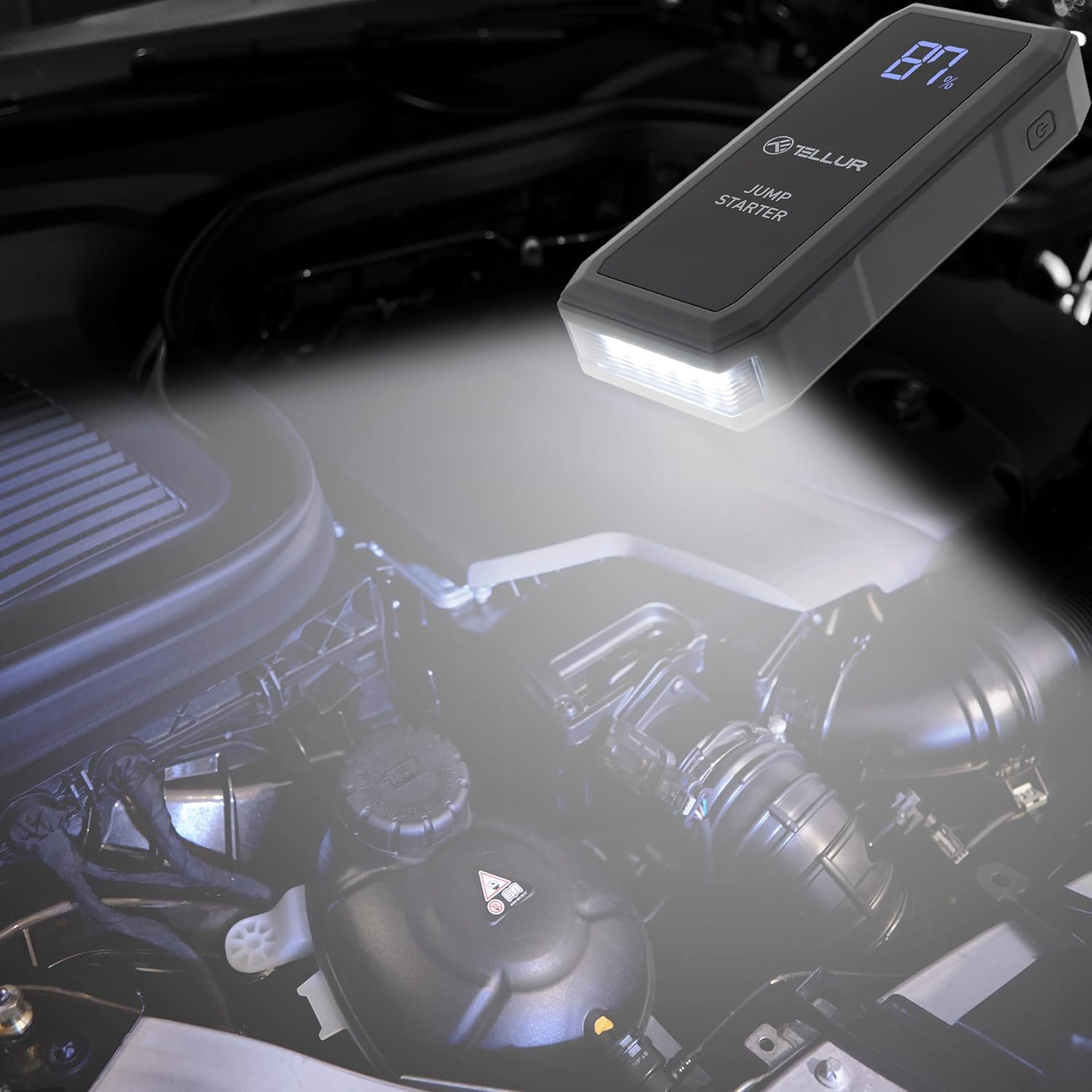
Image 6.4: The TELLUR Jump Starter unit with its powerful LED light activated, providing illumination within a car's engine compartment, useful for nighttime repairs or jump-starting.
7. Itọju
Proper maintenance ensures the longevity and performance of your jump starter.
- Ninu: Mu ẹrọ naa nu pẹlu gbẹ, asọ asọ. Maṣe lo awọn kẹmika lile tabi awọn ohun elo abrasive.
- Ibi ipamọ: Store the jump starter in its carrying pouch in a cool, dry place, away from direct sunlight and moisture. The ideal storage temperature is between 0°C (32°F) and 45°C (113°F).
- Ngba agbara: Recharge the unit every 3-6 months, even if not used, to maintain the internal battery's health and readiness.
8. Laasigbotitusita
If you encounter issues with your TELLUR Portable Jump Starter, refer to the table below for common problems and solutions.
| Isoro | Owun to le Fa | Ojutu |
|---|---|---|
| Jump Starter ko ni tan. | Batiri naa ti jade patapata. | Gba agbara fun olubere fo naa patapata. |
| Ọkọ̀ kì í bẹ̀rẹ̀ lẹ́yìn tí ó bá ti bẹ̀rẹ̀ sí í fò. | Ti ko tọ clamp connection; vehicle battery is severely damaged; vehicle has other mechanical issues. | Ṣayẹwo clamp connections (ensure correct polarity). Ensure jump starter is sufficiently charged. If issues persist, consult a mechanic. |
| Smart cable indicator light is red or flashing. | Reverse polarity connection; short circuit; low voltage. | Ge asopọ clamps and reconnect with correct polarity. Ensure clamps are not touching. Charge the jump starter. |
| Electronic device not charging from USB ports. | Jump starter battery is low; faulty USB cable; device not compatible. | Charge the jump starter. Try a different USB cable. Ensure your device is compatible with USB charging. |
9. Awọn pato
| Paramita | Iye |
|---|---|
| Brand | TELLUR |
| Awoṣe | TLL158431 |
| Agbara Batiri | 16800 mAh |
| Oke Lọwọlọwọ | 1500 A |
| Voltage | 3.7 Volts |
| Ọkọ Iṣẹ Iru | Ọkọ ayọkẹlẹ |
| Iwọn Nkan | 500 giramu |
| Awọn iwọn (L x W x H) | 18 x 7 x 3 cm |
| Batiri Tiwqn | Litiumu-polima |
| Ijade USB | QC 3.0, 5.0V 2.4A |
10. Atilẹyin ọja ati Support
The TELLUR Portable Jump Starter TLL158431 comes with a standard manufacturer's warranty against defects in materials and workmanship. Please refer to the warranty card included in your package for specific terms and conditions.
For technical support, warranty claims, or further assistance, please contact TELLUR customer service through the retailer where the product was purchased or visit the official TELLUR webojula fun alaye olubasọrọ.


