1. Ifihan
This manual provides detailed instructions for the safe and efficient operation of your CREWORKS 11-in-1 Heat Press Machine, Model HPM-1211. This versatile heat press is designed for transferring images onto a wide variety of items, including T-shirts, mugs, hats, plates, shoes, pens, and baseballs. Please read this manual thoroughly before initial use to ensure proper setup, operation, and maintenance.
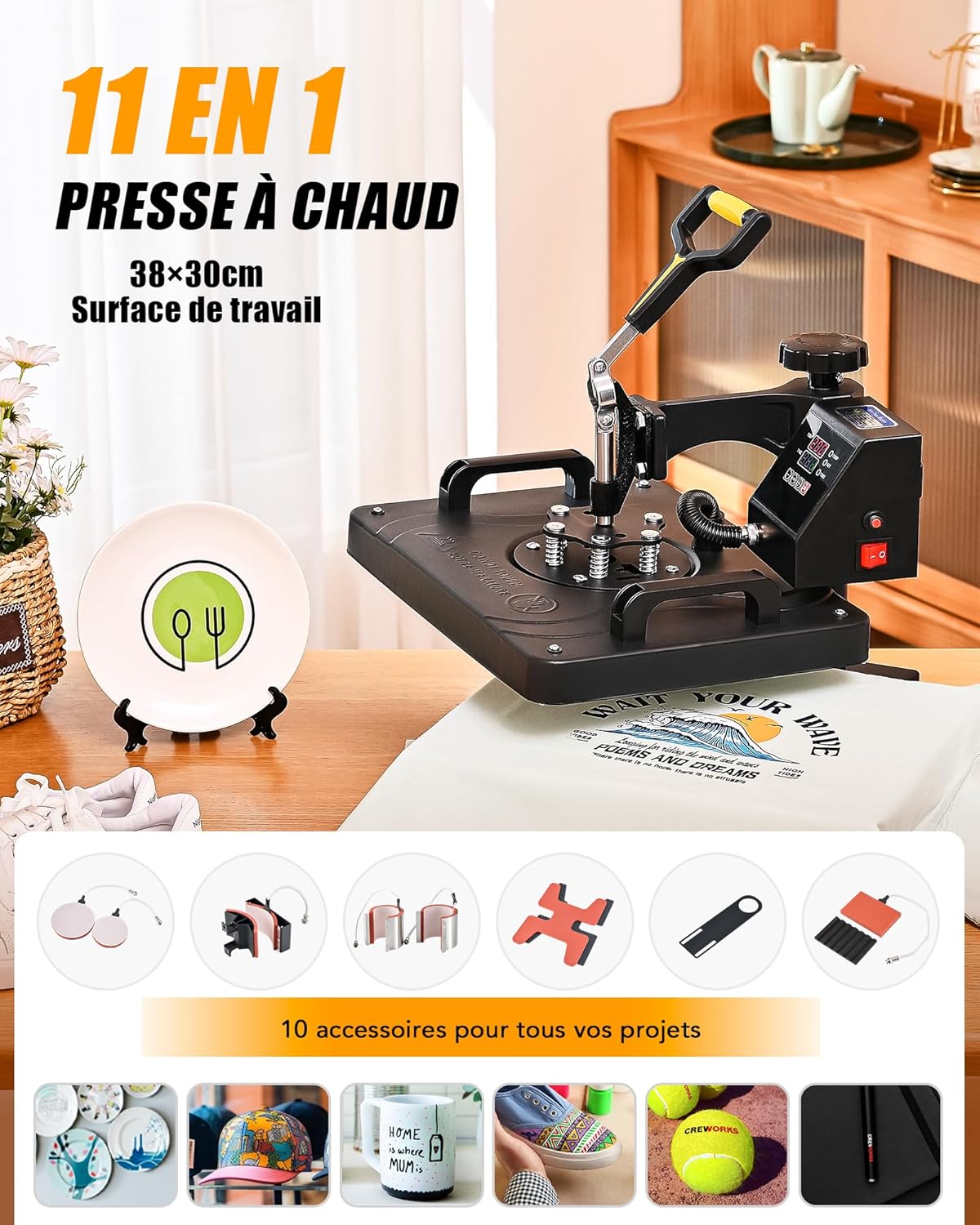
Figure 1: CREWORKS 11-in-1 Heat Press Machine with various accessories.
2. Awọn ẹya Ọja
- 11-ni-1 Iwapọ: Includes a 30 x 38 cm flat platen, 265, 325, 355, and 500 ml mug press attachments, 12.7 and 15.2 cm plate press attachments, a pen press, a baseball press, a shoe press, and a hat press.
- 360° Yiyi: The heating platen features a 360-degree swivel design for easy placement and removal of materials, enhancing operational efficiency and safety.
- Intuitive Digital Control: An easy-to-use LED control box allows precise adjustment of temperature (up to 259°C) and timer (up to 999 seconds) for various customization projects.
- Efficient and Uniform Heating: Equipped with a thick aluminum platen and dual heating tubes to ensure consistent heat distribution across the entire surface, suitable for chemical fibers, ceramics, cotton, and more.
- Eto Rọrun: Designed with convenient sliders and an adjustment knob for effortless project positioning and quick installation.
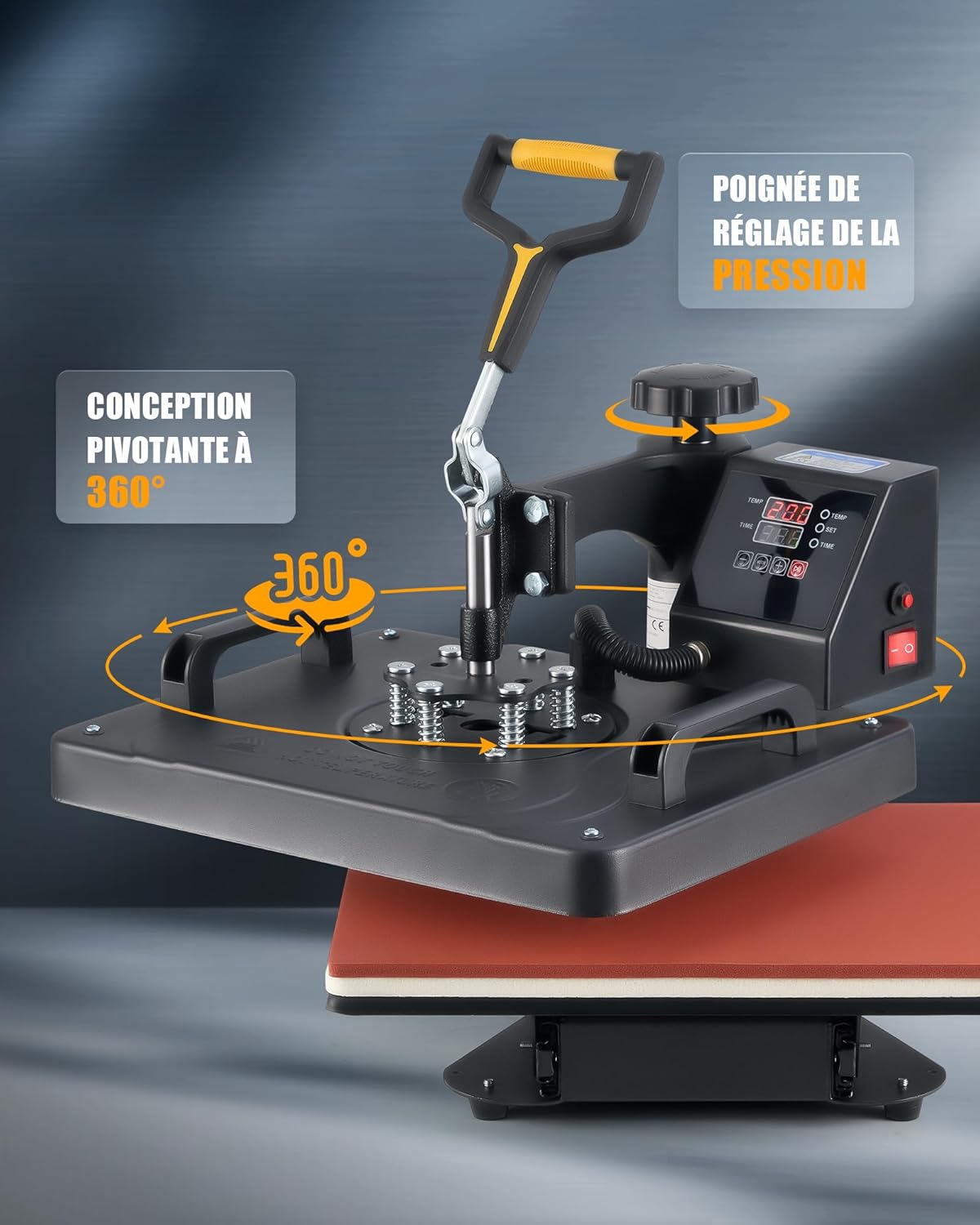
Figure 2: 360° swivel design for enhanced usability.
3. irinše Loriview
Familiarize yourself with the main components of your heat press machine:
- Lifting Handle: Used to raise and lower the heating platen.
- Bọtini Iṣatunṣe titẹ: Adjusts the pressure applied during heat transfer.
- Ibi iwaju alabujuto: Digital display for temperature and time settings.
- Agbara Yi pada: Ó máa ń tan/pa ẹ̀rọ náà.
- Swivel Handles: For rotating the heating platen.
- Platen Plate: Main heating surface for flat items.
- Foam Mat: Provides even pressure and heat distribution.
- Awo ipilẹ: Supports the item being pressed.
- Ẹsẹ atilẹyin: Ensures stability of the machine.

Figure 3: Key components of the heat press machine.
4. Alaye Aabo
WARNING: This heat press operates at high temperatures. Always exercise extreme caution to prevent burns or other injuries. Read all instructions before use.
- Keep hands clear of the heating platen during operation.
- Use heat-resistant gloves when handling hot items or attachments.
- Rii daju pe a gbe ẹrọ naa sori iduro, dada ti ko gbona.
- Maṣe fi ẹrọ naa silẹ laini abojuto lakoko ti o n ṣiṣẹ.
- Yọọ ẹrọ nigbati o ko ba wa ni lilo tabi nigba itọju.
- Pa awọn ọmọde ati awọn ohun ọsin kuro ninu ẹrọ naa.

Figure 4: Reinforced safety features including anti-scald handles and insulated heating plate.
5. Eto ati Apejọ
The CREWORKS 11-in-1 Heat Press Machine requires minimal assembly. Follow these general steps:
- Unpack all components and ensure all parts are present according to the packing list.
- Place the main heat press unit on a stable, flat, and heat-resistant surface.
- Attach the desired accessory (e.g., mug press, hat press) to the main unit by aligning the connectors and securing them firmly.
- So okun agbara pọ mọ itanna ti ilẹ.
6. Awọn ilana Iṣiṣẹ
The digital control panel allows for precise temperature and time settings. Refer to the image below for control panel details.

Figure 5: Intuitive digital control panel.
6.1. Setting Temperature and Time
- Tan agbara yipada.
- Press the 'SET' button to toggle between temperature and time settings.
- Use the '+' and '-' buttons to adjust the desired temperature (0-259°C) and time (0-999 seconds).
- Press 'SET' again to confirm the settings. The machine will begin heating to the set temperature.
6.2. General Heat Transfer Process (Flat Items)
- Ṣetan nkan naa: Place your T-shirt or other flat item on the base plate. Ensure it is smooth and wrinkle-free.
- Gbe apẹrẹ naa: Place your transfer design (e.g., vinyl, sublimation paper) onto the item in the desired location.
- Waye Ipa: Lower the heating platen and press it firmly onto the item. Adjust the pressure knob if necessary.
- Bẹrẹ Gbigbe: The timer will automatically start once the platen is closed.
- Yọ Nkan kuro: Once the timer alarms, lift the heating platen and carefully remove the transferred item.
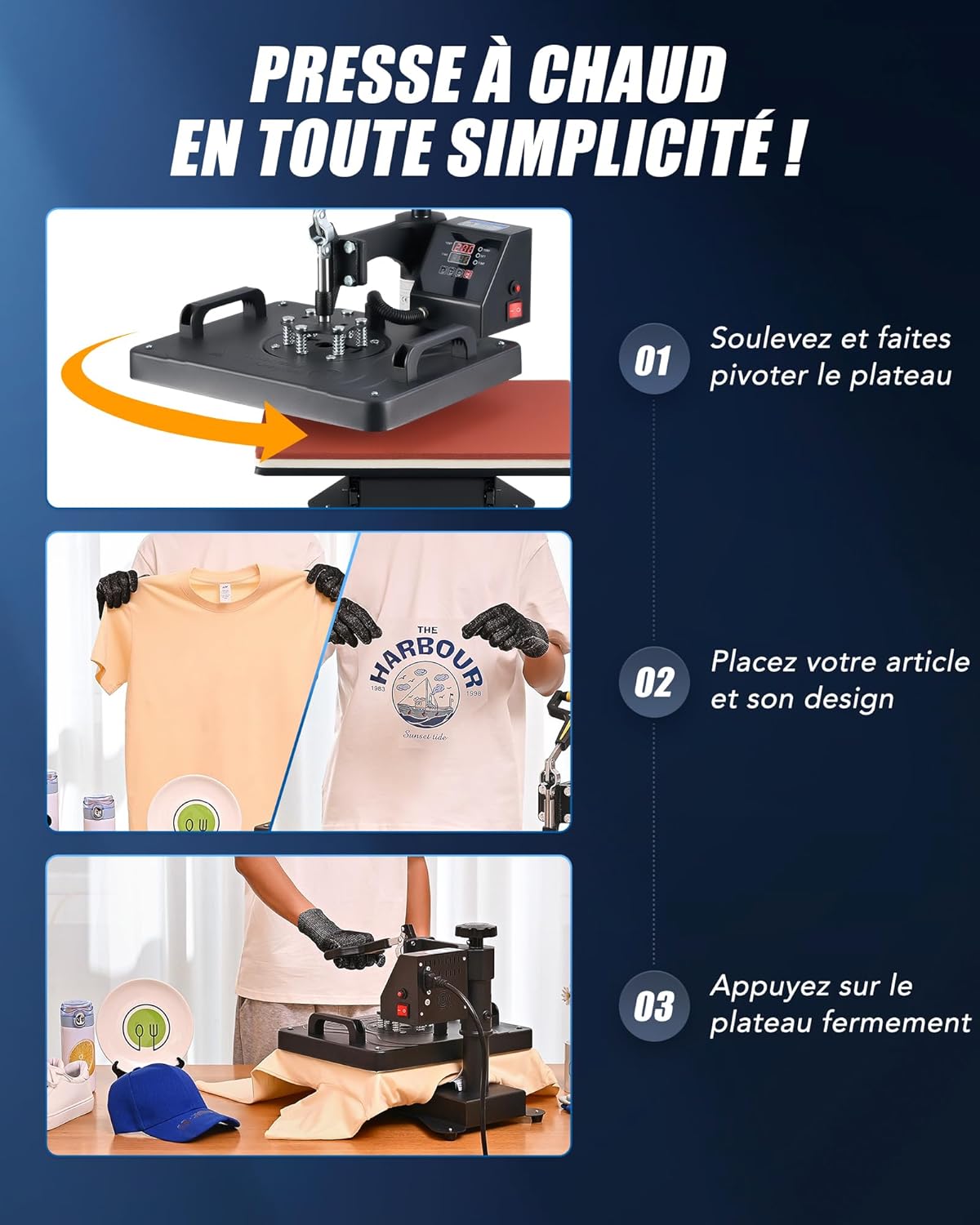
Figure 6: Simplified steps for heat pressing.

Figure 7: Applying a design to a T-shirt.
6.3. Using Specific Attachments
Each attachment (mug, hat, plate, shoe, pen, baseball) has a specific mounting procedure and may require different temperature and time settings. Always refer to your transfer material's instructions for recommended settings.
- Mug Tẹ: Attach the appropriate mug heating element. Place the mug with the design wrapped around it into the element and secure it.
- Hat Press: Attach the hat platen. Place the hat over the platen and position the design.
- Awo Tẹ: Attach the plate heating element. Place the plate with the design onto the element.
- Shoe, Pen, Baseball Press: Follow similar steps, ensuring the item and design are securely positioned within their respective attachments.

Olusin 8: Examples of items customizable with the 11-in-1 heat press.
6.4. Official Product Video (CREWORKS 8-in-1 Heat Press)
This video demonstrates the operation of a CREWORKS 8-in-1 Heat Press Machine. While your model is 11-in-1, the general principles of operation for the flat press, mug press, and hat press are similar.
Video 1: General operation of a CREWORKS heat press (8-in-1 model shown).
7. Itọju
- Ninu: Regularly wipe down the exterior of the machine with a soft, damp cloth. Ensure the machine is unplugged and cool before cleaning.
- Platen Care: Clean the heating platen with a non-abrasive cleaner if residue builds up. Avoid scratching the surface.
- Ibi ipamọ: Tọju ẹrọ naa ni agbegbe gbigbẹ, ti ko ni eruku nigbati ko si ni lilo.
- Ayewo: Periodically check all connections and moving parts for wear or damage.
8. Laasigbotitusita
| Isoro | Owun to le Fa | Ojutu |
|---|---|---|
| Ẹrọ ko ni agbara lori | Power cord not connected; Power switch off; Outlet malfunction | Check power cord connection; Turn on power switch; Test outlet with another device |
| Gbigbe ooru ti ko ni ibamu | Insufficient pressure; Uneven surface; Faulty heating element | Adjust pressure knob; Ensure item is flat; Contact customer support if heating element is suspected |
| Design not adhering | Incorrect temperature/time; Insufficient pressure; Incorrect transfer material | Verify settings with material manufacturer; Increase pressure; Ensure compatible transfer material is used |
| Apapo ẹrọ | Incorrect temperature setting; Sensor malfunction | Check temperature setting; Unplug and allow to cool; Contact customer support |
9. Awọn pato
| Sipesifikesonu | Iye |
|---|---|
| Nọmba awoṣe | HPM-1211 |
| Awọn iwọn (L x W x H) | 46.99 x 43.79 x 48.49 cm |
| Iwọn Nkan | 11.5 kilo |
| Brand | Awọn iṣẹ ṣiṣe |
| Ohun elo | Aluminum, Steel, Rubber, Plastic |
| Àwọ̀ | Yellow |
| Niyanju Lilo | T-shirt printing, mug customization, hat decoration, shoe printing, pen customization, baseball printing, plate printing |
| Iwọn otutu ti o pọju | Awọn iwọn Celsius 259 |
| Voltage | 220 Volts |
| Agbara | 1250 Wattis |
10. Atilẹyin ọja ati Support
For warranty information, technical support, or service inquiries, please refer to the contact details provided with your product packaging or visit the official CREWORKS webojula. Tọju iwe-ẹri rira rẹ bi ẹri rira fun awọn iṣeduro atilẹyin ọja.


