1. Ifihan
This manual provides essential information for using your new Tecno Spark 20C smartphone. It covers device setup, basic operations, maintenance tips, and troubleshooting common issues. Please read this manual carefully to ensure proper and safe use of your device.
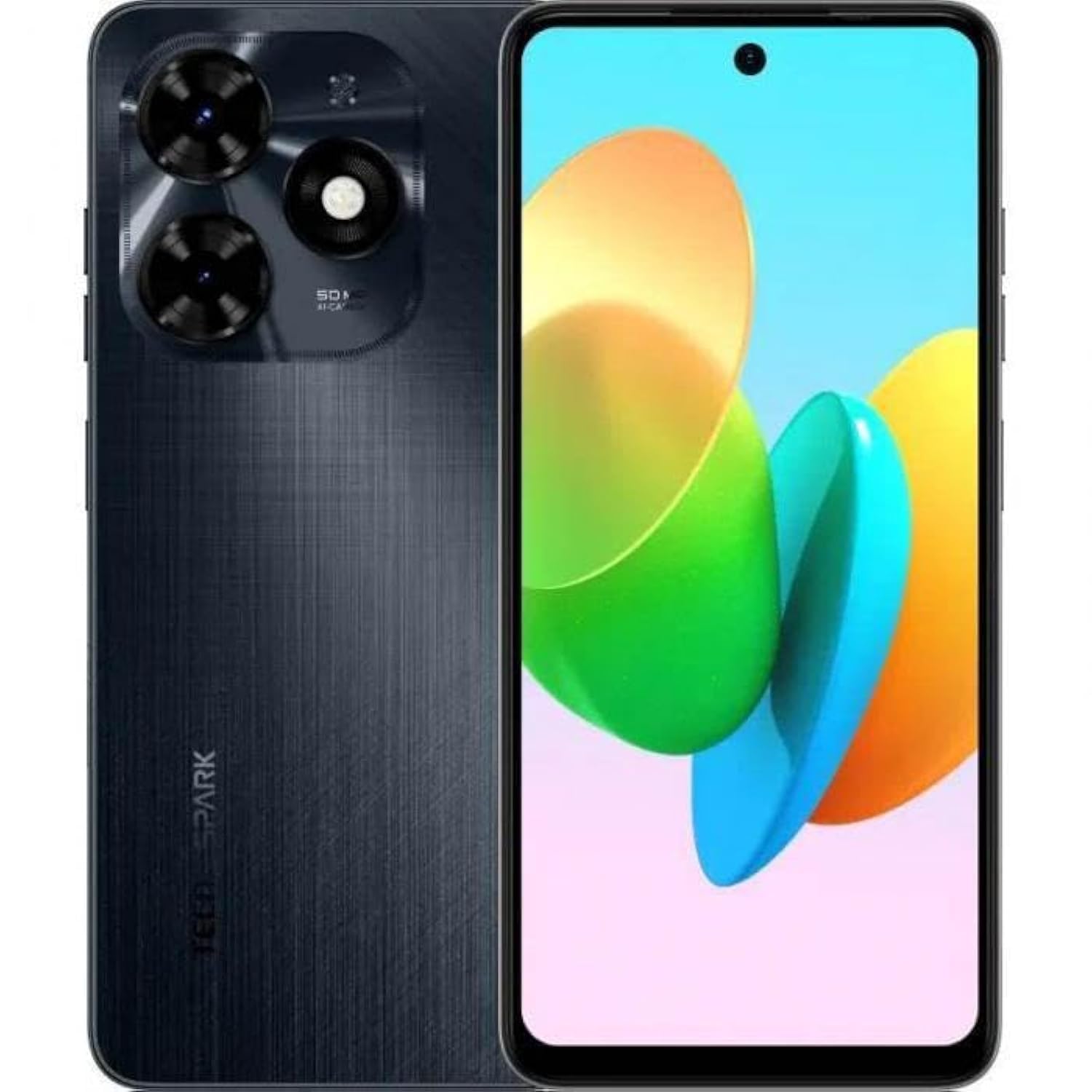
Aworan 1.1: Iwaju view of the Tecno Spark 20C smartphone.
2. Package Awọn akoonu
Upon unboxing your Tecno Spark 20C, please verify that the following items are included:
- Foonuiyara Tecno Spark 20C
- Adapter agbara
- Okun Ngba agbara USB
- SIM Ejector Ọpa
- Quick Bẹrẹ Itọsọna
- Kaadi atilẹyin ọja
3. Ẹrọ Loriview
The Tecno Spark 20C features a 6.6-inch HD+ display. The device is equipped with a 50-megapixel main camera on the rear and an 8-megapixel front camera. Physical buttons typically include power/lock and volume controls. Ports usually include a USB charging port and a 3.5mm audio jack.
4. Eto
4.1. Fifi SIM ati MicroSD kaadi
- Wa atẹ kaadi SIM ni ẹgbẹ ẹrọ rẹ.
- Fi ohun èlò SIM ejector sínú ihò kékeré tó wà lẹ́gbẹ̀ẹ́ atẹ náà kí o sì tẹ̀ ẹ́ díẹ̀díẹ̀ títí atẹ náà yóò fi jáde.
- Gbe awọn kaadi Nano-SIM rẹ ati/tabi kaadi MicroSD sinu awọn iho ti a yan lori atẹ. Rii daju pe awọn olubasọrọ goolu dojukọ si isalẹ.
- Fi iṣọra tun fi atẹ naa sinu ẹrọ naa.
4.2. Agbara akọkọ Lori ati iṣeto ni
- Tẹ bọtini agbara naa ki o si mu titi ti aami Tecno yoo fi han.
- Tẹ̀lé àwọn ìtọ́ni tó wà lójú ìbòjú láti yan èdè rẹ, agbègbè rẹ, sopọ̀ mọ́ nẹ́tíwọ́ọ̀kì Wi-Fi, kí o sì ṣètò àkọọ́lẹ̀ Google rẹ.
- You may also be prompted to set up a screen lock (PIN, pattern, or fingerprint).
4.3. Ngba agbara ẹrọ
Connect the USB cable to the charging port on your phone and the other end to the power adapter. Plug the adapter into a wall outlet. The battery icon on the screen will indicate charging status. For optimal battery life, use the provided charger and cable.
5. Ṣiṣẹ
5.1. Ipilẹ Lilọ kiri
Your Tecno Spark 20C uses a touchscreen interface. Common gestures include:
- Fọwọ ba: To open apps, select items, or confirm actions.
- Ra: To scroll through screens, lists, or pages.
- Fun pọ: To zoom in or out on images and web awọn oju-iwe.
- Long Tẹ: To access contextual menus or move app icons.
5.2. Ṣiṣe Awọn ipe ati Fifiranṣẹ Awọn ifiranṣẹ
Lati ṣe ipe, ṣii Foonu app náà, tẹ nọ́mbà náà, kí o sì tẹ àmì ìpè náà. Láti fi ìránṣẹ́ ránṣẹ́, ṣí i Awọn ifiranṣẹ app, tap the new message icon, enter the recipient's number or select from contacts, and type your message.
5.3. Lilo Kamẹra
Ṣii awọn Kamẹra app. The Tecno Spark 20C features a 50-megapixel main camera with AI image processing algorithms and an 8-megapixel front camera. Tap the shutter button to take a photo. Swipe to switch between photo, video, and other modes like panorama. AI features can automatically optimize settings for different scenes.
5.4. Internet Asopọmọra
Access the internet via Wi-Fi or mobile data (4G). To connect to Wi-Fi, go to Eto> Nẹtiwọọki & intanẹẹti> Wi-Fi, turn Wi-Fi on, and select your desired network. To enable mobile data, go to Eto > Nẹtiwọọki & intanẹẹti > Nẹtiwọọki alagbeka and toggle Mobile data on.
5.5. NFC fun Awọn sisanwo Alailẹgbẹ
The Tecno Spark 20C includes an NFC module. To use contactless payments, ensure NFC is enabled in Ètò > Àwọn ẹ̀rọ tí a sopọ̀ mọ́ > NFC. Set up your preferred payment app and hold your phone near a compatible payment terminal.
6. Itọju
6.1. Ninu Rẹ Device
Use a soft, lint-free cloth to gently wipe the screen and body of your phone. Avoid using harsh chemicals or abrasive materials, which can damage the device's finish or screen coating.
6.2. Itọju batiri
To prolong battery life, avoid exposing your phone to extreme temperatures. It is recommended to keep the battery charge between 20% and 80% for daily use. Avoid completely draining the battery frequently.
6.3. Software imudojuiwọn
Máa ṣàyẹ̀wò fún àwọn àtúnṣe sọ́fítíwètì déédéé láti rí i dájú pé ẹ̀rọ rẹ ní àwọn ẹ̀yà tuntun, àwọn àtúnṣe ààbò, àti àwọn àtúnṣe iṣẹ́. Eto> Eto> Imudojuiwọn eto lati ṣayẹwo ati fi awọn imudojuiwọn to wa sori ẹrọ.
7. Laasigbotitusita
Apá yìí yóò sọ̀rọ̀ nípa àwọn ìṣòro tó wọ́pọ̀ tí o lè bá pàdé pẹ̀lú Tecno Spark 20C rẹ.
- Ẹrọ ko ṣiṣẹ lori: Ensure the battery is charged. Connect the charger and wait a few minutes before attempting to power on again. If it still doesn't turn on, try a forced restart by holding the Power button for about 10-15 seconds.
- Iboju ko dahun: If the screen is frozen, perform a forced restart. If the issue persists, ensure your hands are clean and dry, and the screen is free of debris.
- Awọn oran nẹtiwọki (ko si ifihan agbara/Wi-Fi): Check if Airplane mode is off. For mobile data, ensure your SIM card is properly inserted and mobile data is enabled in settings. For Wi-Fi, try forgetting the network and reconnecting, or restart your router.
- Awọn ohun elo kọlu tabi didi: Try clearing the app's cache and data in Eto> Awọn ohun elo> [Orukọ Ohun elo]> Ibi ipamọ & kaṣe. If the problem continues, uninstall and reinstall the app. Ensure your device's software is up to date.
8. Awọn pato
Key technical specifications for the Tecno Spark 20C:
| Eto isesise | Android T |
| isise | Octa-mojuto |
| Nẹtiwọọki | 4G |
| Iwon iboju | 6.6 Inṣi HD+ |
| Ipinnu | 720*1612 |
| Ramu ti fi sori ẹrọ | 4 GB |
| Ibi ipamọ inu | 256 GB |
| Agbara Batiri | 5000 mAh (as per product description) |
| Asopọmọra Technology | 4G, GSM |
| Alailowaya ti ngbe | Ṣiṣi silẹ fun Gbogbo Awọn Olukọni |
| Ọja Mefa | 16.3 x 8 x 0.8 cm; 410g |
9. Atilẹyin ọja ati Support
Your Tecno Spark 20C smartphone comes with a limited warranty. Please refer to the warranty card included in your package for detailed terms and conditions, including coverage period and service procedures. For technical support or further assistance, please visit the official Tecno webojula tabi kan si wọn onibara iṣẹ.


