Ọrọ Iṣaaju
This manual provides essential instructions for setting up, operating, and maintaining your Polaroid Single Touch Fitness Watch (Model PA58). Please read this manual thoroughly before using the device to ensure proper function and longevity.
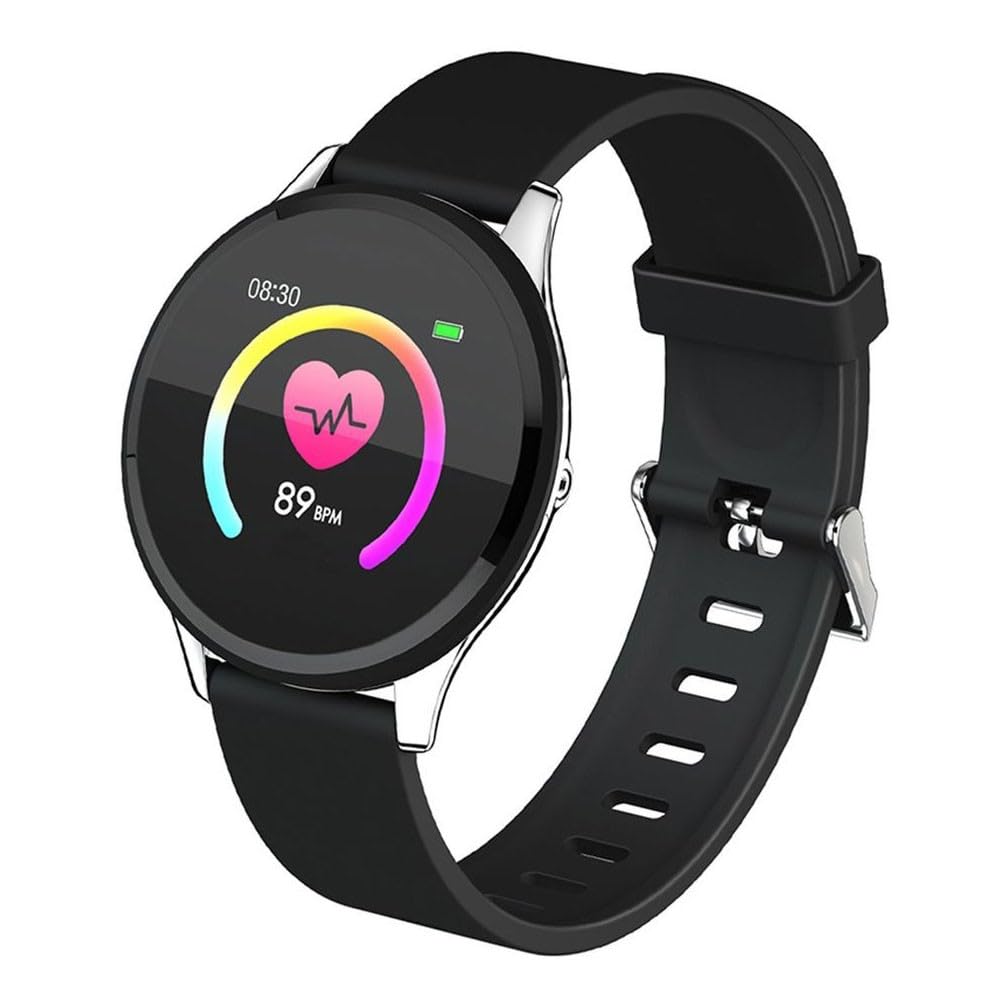
Aworan: Iwaju view of the Polaroid Single Touch Fitness Watch, displaying the circular screen and black strap.
Ṣeto
1. Gbigba agbara akọkọ
Before first use, fully charge your fitness watch. Connect the charging cable to the watch's charging port and a USB power source. The watch will display a charging indicator.
2. App sori
To utilize all features of your fitness watch, download the "POLAROID ACTIVE" application on your smartphone. The app is compatible with Android 4.4+ and iOS 9.0+ devices. Wa fun "POLAROID ACTIVE" in your device's app store.
3. Connecting the Watch to the App
- Rii daju pe aago rẹ ti gba agbara ati titan.
- Mu Bluetooth ṣiṣẹ lori foonuiyara rẹ.
- Open the "POLAROID ACTIVE" app.
- Follow the in-app instructions to search for and pair with your Polaroid Single Touch Fitness Watch. The watch will typically appear as "PA58" or a similar identifier.
- Jẹrisi ibeere sisopọ lori aago mejeeji ati foonuiyara rẹ.
Note: If you experience difficulty pairing, ensure you have downloaded the correct "POLAROID ACTIVE" app. Some third-party apps may not be compatible.
Awọn ilana Iṣiṣẹ
Basic Navigation (Single Touch)
The watch features a single touch interface. Tap the designated touch area on the screen to navigate through menus and select options. A long press may activate certain functions or confirm selections.
Key Awọn ẹya ara ẹrọ
- Atẹle Oṣuwọn ọkan: Access the heart rate function on your watch. The device will measure and display your current heart rate in beats per minute (BPM).
- Blood Pressure Indicator: Navigate to the blood pressure measurement screen. The watch will attempt to provide an estimated blood pressure reading. Note: This device is not a medical instrument; readings are for reference only.
- Pedometer: Aago naa ṣe atẹle awọn igbesẹ rẹ laifọwọyi ni gbogbo ọjọ naa. View your daily step count on the watch face or within the app.
- Atẹle oorun: Wear the watch during sleep to monitor your sleep patterns. Data, including sleep duration and quality, will be available in the "POLAROID ACTIVE" app.
- Multi Sports Modes: Select from various sports modes (e.g., running, walking, cycling) to track specific workout data.
- Asopọmọra Bluetooth: Maintain a Bluetooth connection with your smartphone for data synchronization and smart features.
- Incoming Call and Message Notification: When connected to your smartphone, the watch will display notifications for incoming calls and messages.
- Iṣakoso Orin: Ṣakoso ṣiṣiṣẹ orin lori foonu alagbeka rẹ ti o sopọ taara lati aago rẹ.
- Remote Camera Function: Lo aago rẹ gẹ́gẹ́ bí ohun tí ó ń dènà àgbékalẹ̀ láti ọ̀nà jíjìn fún kámẹ́rà fóònù rẹ.

Image: A close-up of the fitness watch screen showing a heart rate reading of 89 BPM.

Image: A person wearing the fitness watch on their wrist while running, with the watch screen displaying a "SPORT MODE" interface and various activity icons.
Itoju
Ninu
Wipe the watch screen and strap with a soft, dry, or slightly damp asọ. Yago fun lilo awọn kẹmika lile tabi awọn ohun elo abrasive ti o le ba ẹrọ naa jẹ.
Water Resistance (IP68 Splash Proof)
The Polaroid Single Touch Fitness Watch is IP68 splash proof, meaning it is resistant to dust and can withstand immersion in water up to 1.5 meters for up to 30 minutes. It is suitable for daily use and light water exposure like hand washing or rain. It is not recommended for swimming, showering, or diving. Prolonged exposure to water or high-pressure water jets may cause damage.
Itọju Batiri
To prolong battery life, avoid fully discharging the watch frequently. Charge the device regularly. Store the watch in a cool, dry place when not in use for extended periods.

Aworan: Apa view of the fitness watch, highlighting the black silicone strap and the metallic buckle mechanism.
Laasigbotitusita
- Aago naa ko so pọ mọ foonu:
- Ensure Bluetooth is enabled on your phone and the watch is powered on.
- Verify you have the official "POLAROID ACTIVE" app installed.
- Tun foonu rẹ ati aago bẹrẹ mejeeji.
- Gbiyanju aiṣiṣẹpọ ati tun-sọpọ ẹrọ naa nipasẹ ohun elo naa.
- Inaccurate readings (Heart Rate, Pedometer):
- Rii daju pe aago naa ti wọ snugly lori ọwọ ọwọ rẹ, kii ṣe ju tabi alaimuṣinṣin pupọ.
- Nu sensọ lori ẹhin aago naa.
- For heart rate and blood pressure, remain still during measurement.
- Igbesi aye batiri kukuru:
- Rii daju pe aago naa ti gba agbara ni kikun.
- Reduce screen brightness or turn off unnecessary notifications.
- Frequent use of features like continuous heart rate monitoring or GPS (via phone) can drain the battery faster.
- Watch losing time or disconnecting from app:
- Rii daju pe aago wa laarin Bluetooth ti foonu rẹ.
- Check for app updates and watch firmware updates.
- Restart the watch and phone, then attempt to reconnect via the app.
Awọn pato
| Nọmba awoṣe | PA58 |
| Iboju | 1.3 Inch Color Screen, 240 x 240 Pix, Tempered Glass |
| Fọwọkan Iru | Nikan Fọwọkan |
| Ẹya Bluetooth | 4.0 |
| GPS | Supports GPS from Mobile Phone (via app) |
| Agbara Batiri | 150mAh |
| Akoko Lilo | 5-7 Ọjọ |
| Akoko Iduro | 30 Ọjọ |
| Chipset | Huntersun H6620D |
| Chip Rate | ỌRỌ3300 |
| Omi Resistance | IP68 Asesejade Ẹri |
| OS ibaramu | Android 4.4+, iOS 9.0+ |
| Ohun elo ẹlẹgbẹ | POLAROID ACTIVE |
| Package Mefa | 17.9 x 9 x 3.2 cm |
| Iwọn | 130 g |