1. Ifihan
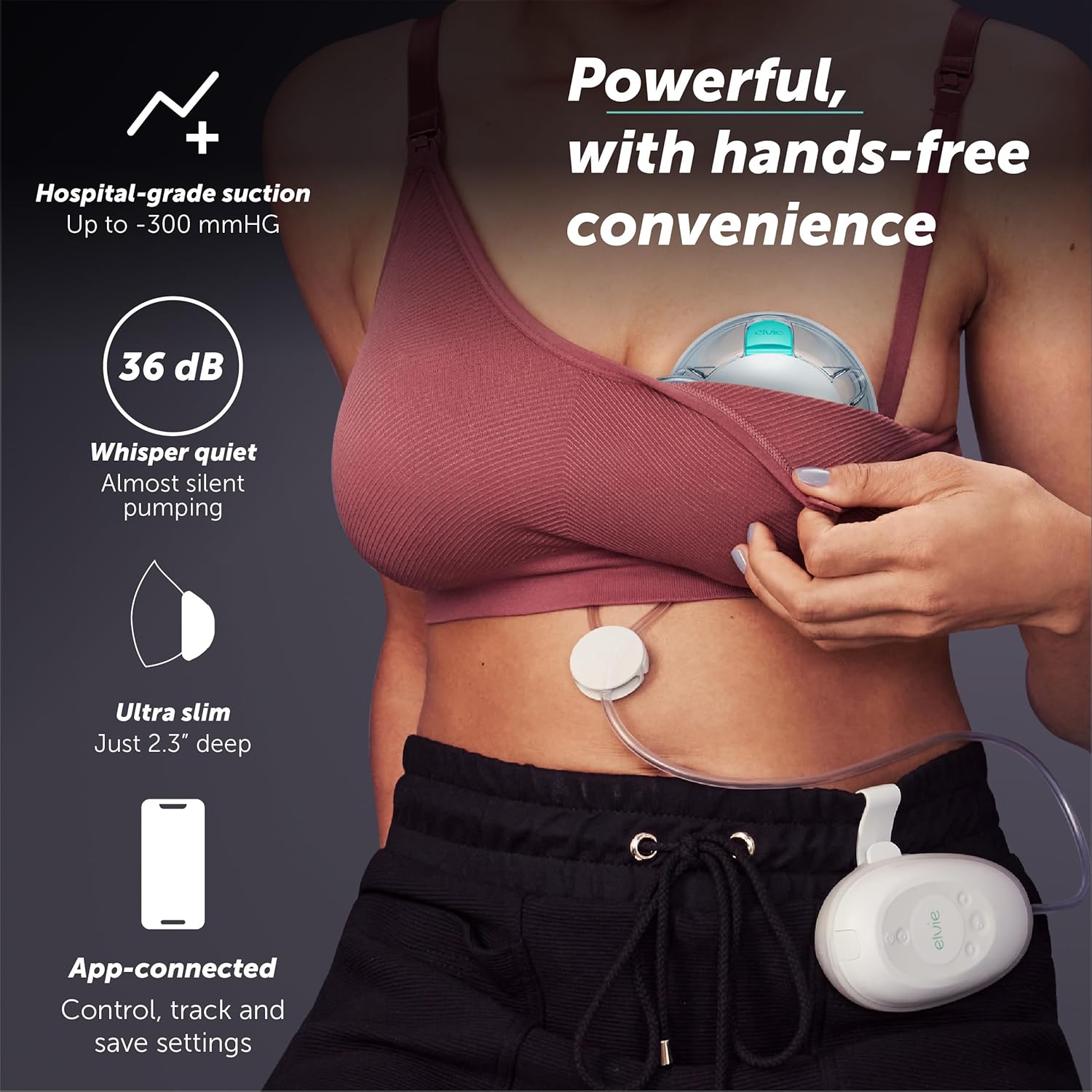
The Elvie Stride 2 Double Breast Pump is a revolutionary hospital-grade, app-controlled, hands-free, and wearable electric breast pump designed to provide maximum comfort and efficiency for expressing milk. Its ultra-quiet operation and discreet design allow you to pump anytime, anywhere, seamlessly integrating into your daily life. With 10 intensity settings and smart app control, you can personalize your pumping experience and track your progress with ease.

2. Ohun ti o wa ninu Apoti
Your Elvie Stride 2 Double Breast Pump package includes all the essential components for a complete pumping experience:
- 1 x ibudo
- 2 x àtọwọdá
- 2 x Diaphragm and Stopper
- 2 x Cup fronts
- 2 x 28 mm soft-silicone Breast Shield
- 2 x Caps and tubes
- Nipple sizing tool with 6 nipple inserts (15 mm, 17 mm, 19 mm, 21 mm, 24 mm, 28 mm)
- 1 x Hub cover and waist clip
- 1 x USB-C okun gbigba agbara

3. Eto Itọsọna
3.1 Charging the Hub
Before first use, fully charge the Elvie Stride 2 Hub using the provided USB-C charging cable. Connect the cable to the hub and a suitable USB power source. A full charge takes approximately 95 minutes and provides power for up to 5 pumping sessions.
3.2 Assembling the Cups
Assemble the breast shields, diaphragms, valves, and cup fronts according to the instructions in the quick start guide. Ensure all parts are securely fitted to prevent leaks and maintain suction. Use the nipple sizing tool to select the correct nipple insert for optimal comfort and milk output.
3.3 Nsopọ si App
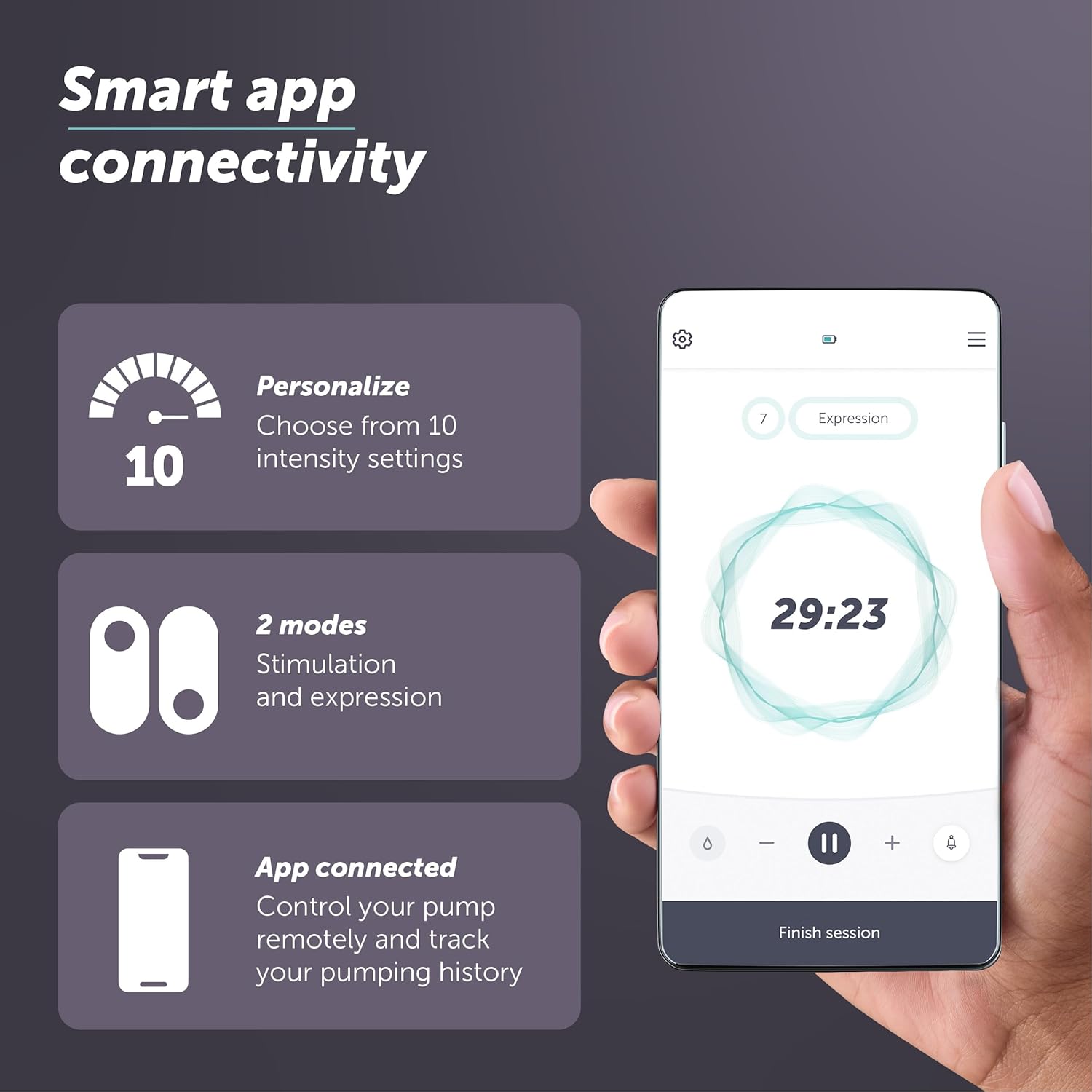
Download the Elvie app from your smartphone's app store. Follow the in-app instructions to pair your Elvie Stride 2 Hub. The app allows for remote control, adjustment of intensity settings, and tracking of your pumping history.

4. Operating Your Elvie Stride 2
4.1 Titan / Pa a
Press and hold the power button on the hub to turn the pump on or off. The indicator lights will confirm the status.
4.2 Adjusting Suction Settings
Use the '+' and '-' buttons on the hub to adjust the suction intensity. There are 10 intensity settings available to find your most comfortable and effective level. You can also switch between Stimulation and Expression modes.
4.3 Using the App for Control
For enhanced control, use the Elvie app. You can start, pause, and stop pumping sessions, adjust intensity, switch modes, and monitor your session duration and milk volume (estimated) directly from your phone.
4.4 Pumping Session Tips
- Ensure cups are properly positioned and sealed against your breast.
- Start with a lower suction level and gradually increase to a comfortable yet effective setting.
- Pump for 15-20 minutes per session, or until milk flow significantly slows.
- Empty cups carefully after each session to avoid spills.

5. Ninu ati Itọju
Proper cleaning and maintenance are crucial for the hygiene and longevity of your Elvie Stride 2 pump. All washable parts are dishwasher safe for convenience.
5.1 Daily Cleaning
- After each use, disassemble all parts that come into contact with milk (cups, breast shields, valves, diaphragms).
- Wash these parts in warm, soapy water or place them on the top rack of your dishwasher.
- Fi omi ṣan daradara pẹlu omi mimọ.
- Air dry on a clean paper towel or drying rack. Do not use a cloth towel as it may leave lint.
5.2 sterilization
Sterilize parts once a day by boiling them in water for 5 minutes, using a steam sterilizer, or a microwave sterilizer bag. Ensure parts are completely cool before handling.
5.3 Ibi ipamọ
Store clean, dry pump parts in a clean, dry place when not in use. Keep the hub clean by wiping it with a damp aṣọ; maṣe gbe e sinu omi.
6. Laasigbotitusita wọpọ oran
| Isoro | Owun to le Fa | Ojutu |
|---|---|---|
| Kekere tabi ko si afamora | Improper assembly, damaged valve/diaphragm, incorrect flange size, low battery. | Ensure all parts are correctly assembled and securely fitted. Check valves and diaphragms for tears or damage and replace if necessary. Verify battery level and charge if low. Ensure correct nipple insert size is used. |
| Milk leaking from cups | Cups not sealed properly, overfilled cups, damaged cup seal. | Ensure cups are correctly assembled and form a tight seal against your breast. Do not overfill cups; empty them when full. Inspect cup seals for damage. |
| App Asopọmọra oran | Bluetooth off, app not updated, hub not powered on. | Ensure Bluetooth is enabled on your phone. Update the Elvie app to the latest version. Make sure the Elvie Stride 2 Hub is powered on and within range. Try restarting both the app and the hub. |
| Batiri ko ngba agbara | Faulty cable, power source issue, hub not connected properly. | Try a different USB-C cable and power adapter. Ensure the cable is securely plugged into the hub and the power source. |
7. Awọn alaye ọja
| Ẹya ara ẹrọ | Ẹ̀kúnrẹ́rẹ́ |
|---|---|
| Nọmba awoṣe | EB01-22 |
| Package Mefa | 8.35 x 6.73 x 5.24 inches |
| Iwọn Nkan | 2.43 Pounds (approx. 0.35 lbs in-bra weight per cup) |
| Batiri | 1 batiri litiumu ion (pẹlu) |
| Akoko gbigba agbara | Nǹkan bí ìṣẹ́jú 95 fún gbígbà agbára ní kíkún |
| Sessions per Charge | Titi di awọn akoko 5 |
| Agbara afamora | Up to -300 mmHG (hospital-grade) |
| Ariwo Ipele | 36 dB (whisper quiet) |
| Ohun elo | Silicone (BPA Free) |
| Pataki Awọn ẹya ara ẹrọ | Double Pump, Hands Free Usage, Wearable, App-Controlled |
8. Atilẹyin ọja ati Onibara Support
8.1 atilẹyin ọja Alaye
Elvie products are designed and manufactured to the highest quality standards. For specific warranty details, including coverage period and terms, please refer to the warranty card included with your product or visit the official Elvie webojula. Jeki ẹri rira rẹ fun awọn iṣeduro atilẹyin ọja.
8.2 Onibara Support
If you encounter any issues or have questions regarding your Elvie Stride 2 Double Breast Pump, please contact Elvie Customer Support. You can find contact information, FAQs, and additional resources on the official Elvie webojula:
Jọwọ ṣakiyesi pe awọn alaye nipa awọn afikun ijẹunjẹ ko ti ni iṣiro nipasẹ FDA ati pe wọn ko pinnu lati ṣe iwadii, tọju, wosan, tabi ṣe idiwọ eyikeyi aisan tabi ipo ilera.


