Ọrọ Iṣaaju
The Raycon Open Headphones are engineered to provide an immersive audio experience while maintaining real-time awareness of your surroundings. Their lightweight, over-ear design ensures comfort for extended wear, making them suitable for various activities from work to exercise. This manual will guide you through the essential steps to set up, operate, and maintain your headphones.
Awọn ẹya pataki:
- Real-Time Awareness: Non-intrusive design keeps ear canals free, allowing environmental sounds to be heard.
- Surround Sound Quality: Delivers rich, detailed audio with advanced surround sound technology.
- 12 Hours of Battery Life: Provides extended listening time on a single charge.
- Awọn Gbohungbohun Meji: Ensures clear call quality with maximum audio pickup.
- 5.3 Bluetooth Technology: Offers a strong and stable wireless connection to your devices.
Ohun ti o wa ninu Apoti
Upon opening your Raycon Open Headphones package, please ensure all the following components are present:
- Raycon Open Headphones (Black)
- Iwe afọwọkọ olumulo (iwe yii)
- Charging Cable (Proprietary)
Ṣeto
1. Ngba agbara si awọn Agbekọri
Before initial use, fully charge your Raycon Open Headphones. Connect the provided charging cable to the charging port on the headphones and plug the other end into a compatible USB power source. The LED indicator will show charging status and turn off when fully charged.
2. Agbara lori / Paa
- Agbara Tan: Press and hold the Power button until the LED indicator lights up and you hear an audible prompt.
- Agbara Pa: Press and hold the Power button until the LED indicator turns off and you hear an audible prompt.
3. Sisopọ Bluetooth
- Rii daju pe awọn agbekọri ti wa ni pipa.
- Press and hold the Power button for approximately 5-7 seconds until the LED indicator flashes rapidly, indicating pairing mode.
- Lori ẹrọ rẹ (foonuiyara, tabulẹti, kọmputa), mu Bluetooth ṣiṣẹ ki o wa awọn ẹrọ to wa.
- Select "Raycon Open Headphones" from the list of found devices.
- Once connected, the LED indicator will stop flashing and remain solid, and you will hear a confirmation tone.
4. Wọ awọn Agbekọri
The Raycon Open Headphones are designed for a comfortable and secure fit. Place the ear hooks over your ears, ensuring the speakers are positioned just outside your ear canals. Adjust the band around the back of your neck for optimal comfort and stability.
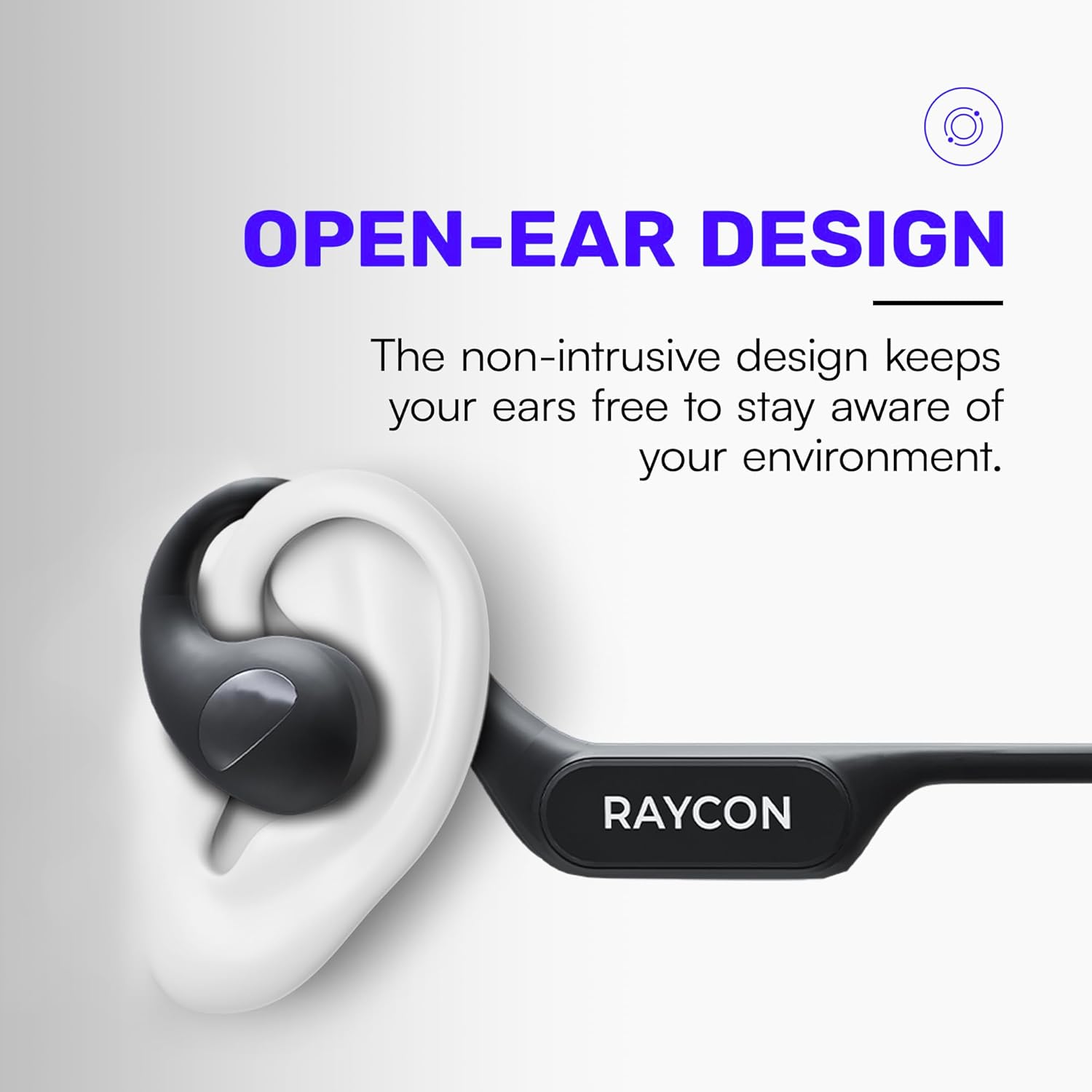
Image: Proper placement of the Raycon Open Headphones, highlighting the open-ear design for comfort and awareness.
Awọn ilana Iṣiṣẹ
Awọn Iṣakoso Loriview

Image: The control buttons are located on the left side of the headphone band.
- Bọtini agbara: Tẹ mọlẹ lati fi agbara tan/pa a.
- Iwọn didun soke (+): Tẹ kukuru lati mu iwọn didun pọ si.
- Iwọn didun isalẹ (-): Tẹ ni kukuru lati dinku iwọn didun.
- Ṣiṣẹ/Daduro: Double-tap the main control button to play or pause audio.
- Orin t’okan: Triple-tap the main control button to skip to the next track.
- Tẹlẹ Orin: (Functionality may vary, refer to device settings or specific app controls).
- Idahun/Ipe Ipari: Double-tap the main control button during an incoming call.
- Kọ Ipe: Press and hold the main control button during an incoming call.
- Mu Oluranlọwọ Ohun ṣiṣẹ: Quadruple-tap the main control button to activate your device's voice assistant (e.g., Siri, Google Assistant).
Olona-Point Asopọ
The Raycon Open Headphones support multi-point connection, allowing you to connect to two devices simultaneously. This feature enables seamless switching between audio sources without re-pairing.

Image: The headphones can connect to multiple devices simultaneously for versatile use.
To use multi-point connection:
- Pair the headphones with your first device as described in the "Bluetooth Pairing" section.
- Mu Bluetooth ṣiṣẹ lori ẹrọ akọkọ. Awọn agbekọri naa yoo tun tẹ ipo sisopọ sii.
- Pa awọn agbekọri pọ pẹlu ẹrọ keji rẹ.
- Tun-ṣiṣẹ Bluetooth lori ẹrọ akọkọ. Awọn agbekọri yẹ ki o sopọ laifọwọyi si awọn ẹrọ mejeeji.
- Audio will play from the device that is actively transmitting sound.
Itoju
Ninu
Regularly clean your headphones to ensure optimal performance and hygiene. Use a soft, dry, lint-free cloth to wipe down the surfaces. For stubborn dirt, slightly dampen the cloth with water. Avoid using harsh chemicals, cleaning solvents, or strong detergents.
Ibi ipamọ
When not in use, store your headphones in a cool, dry place away from direct sunlight and extreme temperatures. Avoid placing heavy objects on top of the headphones to prevent damage.
Itọju Batiri
To prolong battery life, avoid fully discharging the headphones frequently. Charge them regularly, even if not in constant use. If storing for an extended period, charge the battery to approximately 50% before storage.

Image: The headphones offer up to 12 hours of battery life for extended use.
Laasigbotitusita
If you encounter any issues with your Raycon Open Headphones, please refer to the following common solutions:
- Ko si Ohun: Ensure the headphones are powered on, paired correctly, and the volume is turned up on both the headphones and the connected device. Check if the audio source is playing.
- Awọn oran Isopọpọ: Turn off Bluetooth on all previously paired devices. Power off the headphones, then re-enter pairing mode and try connecting again. Ensure the headphones are within the Bluetooth range of your device.
- Awọn ọran gbigba agbara: Verify that the charging cable is securely connected to both the headphones and the power source. Try a different USB port or power adapter. Ensure the charging cable is not damaged.
- Didara Ohun Ko dara: Ensure the headphones are fully charged. Check for any obstructions between the headphones and your device. Move closer to your device to reduce interference.
- Gbohungbohun Ko Ṣiṣẹ: Ensure the headphones are properly connected. Check the microphone settings on your connected device to ensure the Raycon headphones are selected as the input device.
If the issue persists after trying these steps, please contact Raycon customer support for further assistance.
Awọn pato
| Ẹya ara ẹrọ | Ẹ̀kúnrẹ́rẹ́ |
|---|---|
| Orukọ awoṣe | RBO841-24E-BLA |
| Asopọmọra Technology | Ailokun |
| Imọ-ẹrọ Ibaraẹnisọrọ Alailowaya | Bluetooth 5.3 |
| Igbesi aye batiri | Awọn wakati 12 |
| Apẹrẹ Akọti | Lori Eti |
| Gbigbe Eti | Ṣii Eti |
| Fọọmù ifosiwewe | Lori Eti |
| Ariwo Iṣakoso | Iyasọtọ ohun |
| Iwọn Nkan | 5.6 iwon |
| Olupese | Raycon |
| UPC | 811162032347 |
Atilẹyin ọja ati Support
Your Raycon Open Headphones are covered by a return policy allowing for a refund or replacement within 30 days of purchase. For detailed warranty information or technical support, please contact Raycon customer service directly.


