1. Ifihan
The Lenovo Ideapad 1i is designed for reliable performance and everyday multitasking. This ultra-slim and lightweight laptop is ideal for school, light work, online meetings, and video streaming, offering a fast and secure experience with Windows 11 Home in S Mode.
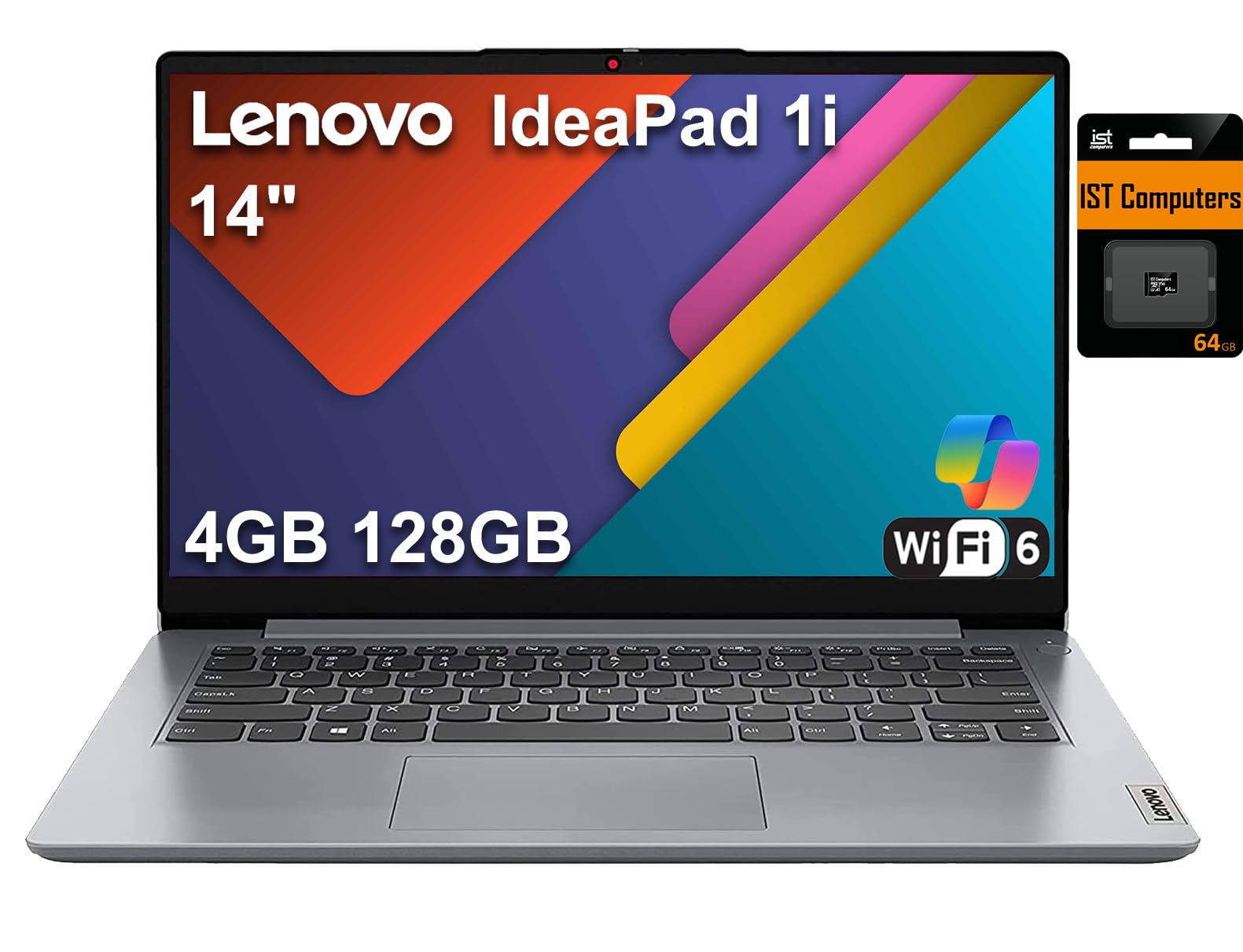
Figure 1: Lenovo Ideapad 1i 14-inch Laptop
2. Eto
Agbara akọkọ Lori
- Connect the AC adapter to the laptop's power port and a power outlet.
- Tẹ bọtini agbara ti o wa ni ẹgbẹ tabi oke apa ọtun ti keyboard.
- Follow the on-screen instructions to complete the initial Windows 11 Home in S Mode setup. This includes selecting your region, connecting to Wi-Fi, and setting up your user account.
Windows 11 Ile ni Ipo S
Windows 11 Home in S Mode is a version of Windows that is streamlined for security and performance, exclusively running apps from the Microsoft Store. You can switch out of S mode to Windows 11 Home if desired, but this is a one-way process and cannot be reversed.
3. Awọn ilana Iṣiṣẹ
Ipilẹ Lilọ kiri
Utilize the touchpad for cursor control and gestures. The keyboard provides a standard layout for typing and function keys for quick access to settings like screen brightness and volume.
Asopọmọra
The Ideapad 1i supports Intel Wi-Fi 6 AX201 (2x2) and Bluetooth 5.1 for wireless connections. Ensure your Wi-Fi network is stable for optimal performance, especially during streaming.
Multitasking
While capable of everyday tasks, this laptop is optimized for light workloads. Running multiple demanding applications or high-end gaming simultaneously may affect performance. For optimal experience, close unnecessary applications.
4. Itọju
Ninu Kọǹpútà alágbèéká
- Lo asọ asọ, ti ko ni lint die-die dampti a fi omi ṣan tabi olutọpa iboju lati nu iboju naa.
- For the keyboard and chassis, use a soft, dry cloth. Avoid harsh chemicals.
Itutu agbaiye
The laptop features an active cooling system. To ensure proper ventilation, avoid blocking the air vents located on the bottom of the device. Using the laptop on soft surfaces like beds or couches can obstruct airflow and lead to overheating. Consider using a laptop cooling pad for extended use on soft surfaces or for demanding tasks.

Figure 2: Laptop bottom with ventilation grilles
5. Laasigbotitusita
Awọn ọrọ gbogbogbo
- Kọǹpútà alágbèéká ko ṣiṣẹ lori: Ensure the AC adapter is securely connected and the battery has sufficient charge.
- Iṣẹ ṣiṣe ti o lọra: Close unnecessary applications, check for background updates, and ensure adequate ventilation.
- Awọn oran Asopọmọra Wi-Fi: Restart your router and laptop. Check network settings and ensure Wi-Fi is enabled.
Windows S Mode Limitations
If you encounter issues installing software, remember that Windows 11 Home in S Mode only allows apps from the Microsoft Store. If you need to install apps from other sources, you must switch out of S Mode to Windows 11 Home. This action is irreversible.
6. Awọn pato
| Ẹya ara ẹrọ | Ẹ̀kúnrẹ́rẹ́ |
|---|---|
| isise | Intel Celeron N4020 (2 Cores, 2 Threads, 1.1GHz base, up to 2.8GHz turbo, 4MB L3 Cache) |
| Ifihan | 14" HD (1366x768) TN, 220nits, Anti-glare, 45% NTSC |
| Awọn aworan | Integrated Intel UHD Graphics 600 |
| Iranti (Ramu) | 4GB DDR4 2400MHz |
| Ibi ipamọ | 128GB (64GB eMMC + 64GB IST SD Card) |
| Nẹtiwọki | Intel Wi-Fi 6 AX201 802.11AX (2x2) + Bluetooth 5.1 |
| Eto isesise | Windows 11 Ile ni Ipo S |
| Batiri | Integrated 42Wh, up to 10 hours |
| Kamẹra | HD 720p pẹlu Asiri Shutter |
| Aabo | Firmware TPM 2.0 |
| Keyboard | Non-Backlit, English |
| Awọn iwọn (LxWxH) | 12.8" x 8.52" x 0.70" |
| Iwọn | 2.87 lbs |
Awọn ibudo
- 1 x USB-A 2.0
- 1 x USB-A 3.2 Jẹn 1
- 1 x USB-C 3.2 Gen 1 (supports data transfer only)
- 1 x HDMI 1.4b
- 1 x Oluka kaadi
- 1 x Agbekọri / gbohungbohun konbo Jack (3.5mm)
- Agbara sinu

Figure 3: Left side ports (Power in, USB-A 3.2 Gen 1, HDMI, USB-C 3.2 Gen 1, Headphone/Mic Combo)

Figure 4: Right side ports (Card reader, USB-A 2.0)
7. Ohun ti o wa ninu Apoti
- Ideapad 1i 14" Laptop
- AC Adapter
- Afowoyi
- 64GB IST SD Card by IST Computers

Figure 5: Included 64GB IST SD Card
8. Atilẹyin ọja ati Support
The Lenovo Ideapad 1i comes with a 1-Year Limited Warranty from the manufacturer. For support, please refer to the contact information provided in the included manual or visit the official Lenovo support webojula.


