Ọrọ Iṣaaju
Welcome to your Amazon Echo Show 11. This manual provides essential information for setting up, operating, maintaining, and troubleshooting your device. The Echo Show 11 features a vibrant Full-HD 11-inch display, spatial audio, and integrates with Alexa+ for a personalized smart home experience.

Nọmba 1: The Amazon Echo Show 11, showcasing its 11-inch display with smart home widgets and a photo slideshow. The device sits on a fabric-covered base.
Ohun ti o wa ninu Apoti
Upon unboxing your Amazon Echo Show 11, you should find the following items:
- Echo Show 11 (2025 release) device
- Adaparọ agbara (30W)
- Itọsọna ibere ni kiakia
Ṣeto
Tẹle awọn igbesẹ wọnyi lati ṣeto Echo Show 11 rẹ:
- Agbara Tan: Connect the included 30W power adapter to your Echo Show 11 and plug it into a wall outlet. The device will automatically power on.
- Iṣeto akọkọ: Follow the on-screen instructions to select your language, connect to a Wi-Fi network, and log in with your Amazon account. The Echo Show 11 supports Wi-Fi 6E (802.1ax) and 802.11a/b/g/n/ac networks.
- Ohun elo Alexa: Fún iṣẹ́ tó péye àti àwọn ètò tó ti ní ìlọsíwájú, ṣe ìgbàsókè àpù Alexa lórí ẹ̀rọ Fire OS, Android, tàbí iOS rẹ. A tún lè rí àpù náà nípasẹ̀ web kiri ayelujara.
- Wi-Fi Simple Setup: If you have other Amazon devices, Wi-Fi Simple Setup can streamline the connection process to your network.
Ṣiṣẹ ẹrọ naa
Ifihan ati Audio
The Echo Show 11 features a 10.95-inch Full HD touchscreen with 1920 x 1200 resolution. Enjoy room-filling spatial audio with a 2.8-inch woofer and two full-range drivers for crisp vocals and a wider sound stage.
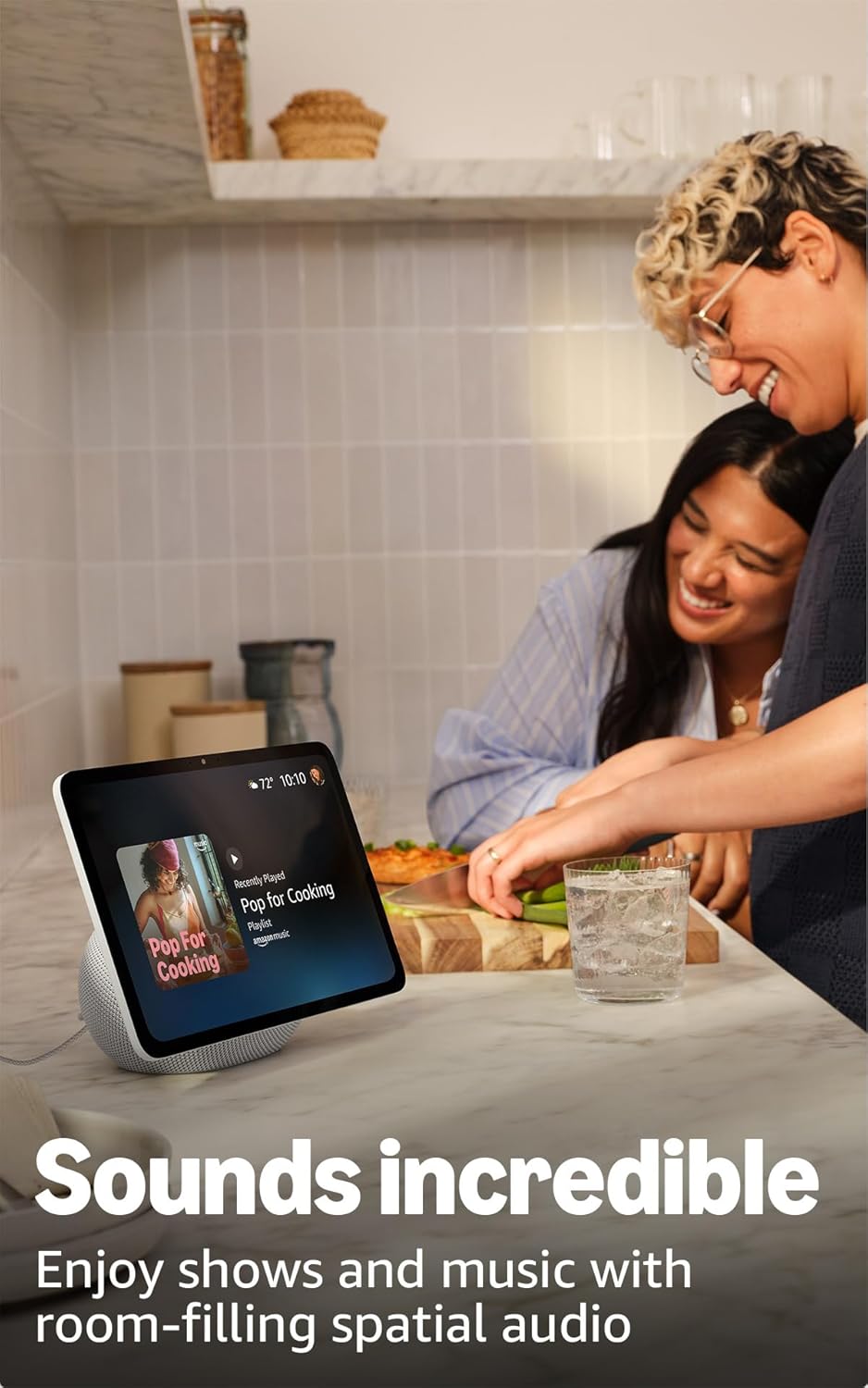
Nọmba 2: The Echo Show 11 playing music, demonstrating its vibrant display and audio capabilities.
Alexa+ Early Access
Your device includes Alexa+ Early Access, offering a smarter and more proactive AI assistant. The new Alexa+ home screen provides glanceable information and personalized content, including helpful follow-ups, customized notifications, and information based on your interests.

Nọmba 3: Visual representation of the new Alexa+ experience.
Everyday Assistant
Use your Echo Show 11 to manage daily tasks. The 11-inch display makes it easy to view recipes, calendars, shopping lists, and more. With Alexa+, you can find recipes, make reservations, and order groceries.
Smart Home Iṣakoso
The Echo Show 11 features a built-in smart home hub (Zigbee + Matter + Thread Border Router), allowing you to pair and control thousands of compatible devices without an additional hub. View camera feeds, manage lights, and adjust thermostats using the display or your voice. Omnisense technology enables routines via temperature, presence, or visual ID detection.

Nọmba 4: The Echo Show 11 showing its smart home control interface, managing various devices.
Crystal-Clear Video Calls
Engage in video calls on the vibrant 11-inch screen. The 13 MP camera features auto-framing, 3.3x zoom, and noise reduction technology for natural conversations. Use Live View to check on your home remotely.
Photo Memories Display
When not in use, the 11-inch home screen can function as a digital photo frame. Ask Alexa+ to find specific photos or curate a personal slideshow from your Amazon Photos.
Asiri Awọn ẹya ara ẹrọ
A ṣe apẹrẹ Echo Show 11 pẹlu ọpọlọpọ awọn fẹlẹfẹlẹ ti awọn iṣakoso aṣiri:
- Microphones & Camera Enable/Disable Button: A physical button allows you to electronically disconnect the microphones and camera.
- Dedicated Camera Controls: Additional camera controls are available on the device and within the Alexa app.
- Imọ-ẹrọ Ọrọ Ji: Alexa only begins recording and sending your requests to the cloud after detecting the wake word.
- Voice Recording Review: O le tunview ati paarẹ awọn gbigbasilẹ ohun rẹ nipasẹ ohun elo Alexa tabi awọn eto akọọlẹ Amazon rẹ.

Nọmba 5: The physical button on the side of the Echo Show 11 to enable or disable the microphones and camera.
Wiwọle Awọn ẹya ara ẹrọ
The Echo Show 11 offers various accessibility features to personalize Alexa to your abilities. Access these settings via Eto → Wiwọle lórí ẹ̀rọ rẹ:
- Fọwọ ba Alexa: Interact with Alexa via touch through on-screen tiles or a keyboard.
- Gbigbọ Imudaramu: Pese akoko diẹ sii lati pari sisọ ṣaaju idahun Alexa.
- Oṣuwọn Ọrọ ti o fẹ: Ṣakoso bi iyara tabi o lọra Alexa sọrọ.
- Akọsilẹ: Includes Alexa Captioning, Call Captioning, and Closed Captioning for supported content.
- Fihan ki o si sọ fun: Ṣe iranlọwọ fun awọn olumulo ti o jẹ afọju tabi ailagbara oju ṣe idanimọ awọn ọja nipa sisọ “Alexa, kini MO dimu.”
- OhùnView Oluka iboju: Ó ń fún àwọn olùlò tí wọ́n jẹ́ afọ́jú tàbí tí wọ́n ní ìṣòro ojú ní ìdáhùn sí ọ̀rọ̀.
- Ago iboju: Sun sinu/sita ati pan ni ayika iboju.
- Fi leti Nigbati Nitosi: Ó máa ń mú àwọn ìfitónilétí jáde nígbà tí wọ́n bá rí ọ nítòsí ẹ̀rọ Echo rẹ.
- Kindu Ka soke: Alexa le ka awọn iwe Kindu rẹ ni ariwo.
- Ọ̀rọ̀ Àkókò Gíga: Type live text during a video call.
- Awọn ẹya afikun pẹlu Iyipada Awọ, Atunse Awọ, ati Ohun Beere.
Itoju
Gbogbogbo Itọju
To ensure the longevity and optimal performance of your Echo Show 11:
- Keep the device clean by gently wiping the screen and body with a soft, dry, lint-free cloth.
- Avoid exposing the device to extreme temperatures, direct sunlight for extended periods, or excessive moisture.
- Ma ṣe lo abrasive ose tabi epo.
Awọn imudojuiwọn Aabo Software
Amazon regularly provides software security updates to enhance the performance and security of your Echo Show 11. Ensure your device is connected to the internet to receive these updates automatically. For more information, visit the Amazon website or manage your content and devices.
Laasigbotitusita
If you encounter issues with your Echo Show 11, consider the following basic troubleshooting steps:
- Ko si Agbara: Rii daju pe ohun ti nmu badọgba agbara ti sopọ ni aabo si ẹrọ mejeeji ati iṣan agbara ṣiṣẹ.
- Awọn ọran Asopọmọra Wi-Fi: Check your Wi-Fi router and ensure it is powered on and functioning. Try restarting your Echo Show 11 and your router. Verify your Wi-Fi password is correct.
- Alexa Ko Dahun: Ensure the microphone is not muted (check the privacy button). Speak clearly and ensure you are within range of the device.
- Iboju Ko dahun: Gbìyànjú láti tún ẹ̀rọ náà bẹ̀rẹ̀ nípa yíyọ ọ́pọ̀lọpọ̀ rẹ̀ fún ìṣẹ́jú díẹ̀ kí o sì tún fi kún un.
- Awọn ọrọ ohun: Ṣàyẹ̀wò ètò ìgbóhùnsáfẹ́fẹ́ lórí ẹ̀rọ náà. Rí i dájú pé kò sí àwọn agbọ́hùnsáfẹ́fẹ́ Bluetooth ìta tí o bá fẹ́ lo àwọn agbọ́hùnsáfẹ́fẹ́ inú.
Fun alaye diẹ sii nipa laasigbotitusita tabi awọn iṣoro ti o tẹsiwaju, tọka si atilẹyin Amazon webojula tabi olubasọrọ onibara iṣẹ.
Awọn pato

Nọmba 6: Size comparison between the Echo Show 11 and Echo Show 8.
| Iwọn | 10” x 5” x 7.2“ (255mm x 127mm x 182mm) |
| Iwọn | 45.92 iwon (1302 giramu) |
| Ifihan | 10.95” Full HD touchscreen with 1920 x 1200 resolution |
| Kamẹra | 13 MP with auto framing |
| Ohun | 1 X 2.8” Woofer and 2 full-range drivers |
| Wi-Fi Asopọmọra | Wi-Fi 6E (802.1ax) supported. Tri-band, Wi-Fi (SISO). Supports 802.11a/b/g/n/ac Wi-Fi networks. Does not support connecting to ad-hoc Wi-Fi networks. |
| Smart Home Ipele | Zigbee + Ohun pàtàkì + Olùdarí Ààlà Ìlà Okùn |
| Bluetooth Asopọmọra | To ti ni ilọsiwaju Audio pinpin Profile (A2DP) ati Audio/Video Iṣakoso latọna jijin Profile (AVRCP) support. Bluetooth speakers requiring PIN codes are not supported. |
| isise | AZ3 Pro with AI Accelerator |
| Awọn sensọ | Ambient Temperature Sensor, Ambient Light Sensor, Presence Detection, Camera |
| Ìmọ̀-ẹ̀rọ Omnisense | Custom technology for ambient AI, enabling visual ID, proximity and presence detection, temperature sensing, and adaptive brightness and color. |
| System Awọn ibeere | Echo Show 11 connects to Wi-Fi. Alexa app compatible with Fire OS, Android, iOS, and web aṣàwákiri. |
| Ede | Alexa sọ English ati Spanish |
Atilẹyin ọja ati Support
Atilẹyin ọja
Your Amazon Echo Show 11 comes with a 1-year limited warranty and service. Optional 1-year, 2-year, and 3-year extended warranties are available for U.S. customers, sold separately. Use of the Echo Show 11 is subject to the terms found on the Amazon webojula.
Onibara Support
Fun iranlọwọ siwaju sii, atilẹyin imọ-ẹrọ, tabi awọn ibeere atilẹyin ọja, jọwọ ṣabẹwo si atilẹyin Amazon osise website or contact Amazon customer service directly. You can also find more information and FAQs in the Alexa Privacy Hub and about Amazon Sidewalk on the Amazon webojula.


