Ọrọ Iṣaaju
This user manual provides comprehensive instructions for the Baseus Magsafe Portable Charger, a 10,000mAh power bank designed for efficient and convenient charging of your mobile devices. Featuring Qi2 certified 15W wireless charging and versatile wired charging options, this power bank is an ideal companion for users of iPhone 12/13/14/15/16 series and other compatible devices.
Key Awọn ẹya ara ẹrọ
Qi2 Certified 15W Wireless Charging
Experience authentic 15W high-speed wireless charging, significantly faster than older 7.5W Qi standard chargers. This power bank is Qi2 official certified (QI2 ID: QI-22047), ensuring seamless compatibility and optimized charging efficiency for MagSafe-enabled iPhones (iPhone 12 or later). It can charge an iPhone 16 Pro from 0% to 35% in approximately 30 minutes.

Image: The Baseus Magsafe Portable Charger demonstrating its Qi2 certified 15W fast wireless charging, showing a phone charging from 0% to 35% in 30 minutes.
Dual Fast Charging Ports
Unlike many MagSafe battery packs with only one USB-C port, the Baseus QI2 MagSafe battery pack includes two wired output ports: one 22.5W USB-A port and one 20W USB-C port. This allows for simultaneous wired charging of up to two devices, offering versatile charging options for phones, tablets, and other compatible electronics.

Image: The Baseus Magsafe Portable Charger connected via cables to two different mobile devices, illustrating its dual fast charging capabilities.
Asomọ oofa to lagbara
The power bank features 2.5lb strong magnets, ensuring a firm and precise attachment to your iPhone 12 or later. This magnetic power profile, part of the Qi2 standard, helps prevent misalignment, reduces heat generation, and can contribute to extended battery life. Its compact design allows it to easily fit into your pocket, making it a convenient charging companion on the go.

Image: A close-up of the Baseus Magsafe Portable Charger magnetically adhering to an iPhone, demonstrating the strength of its 11N magnetic force.
All-Day Power & Portability
With a 10,000mAh capacity, this portable battery can charge an iPhone 15 or Samsung S24 approximately 1.8 times. It provides multiple charges throughout the day and is airline-approved for travel. Its lightweight and compact form factor (approximately 209g / 0.46lb, 4.33" x 2.72" x 0.68") makes it highly portable for business trips, vacations, or daily use.
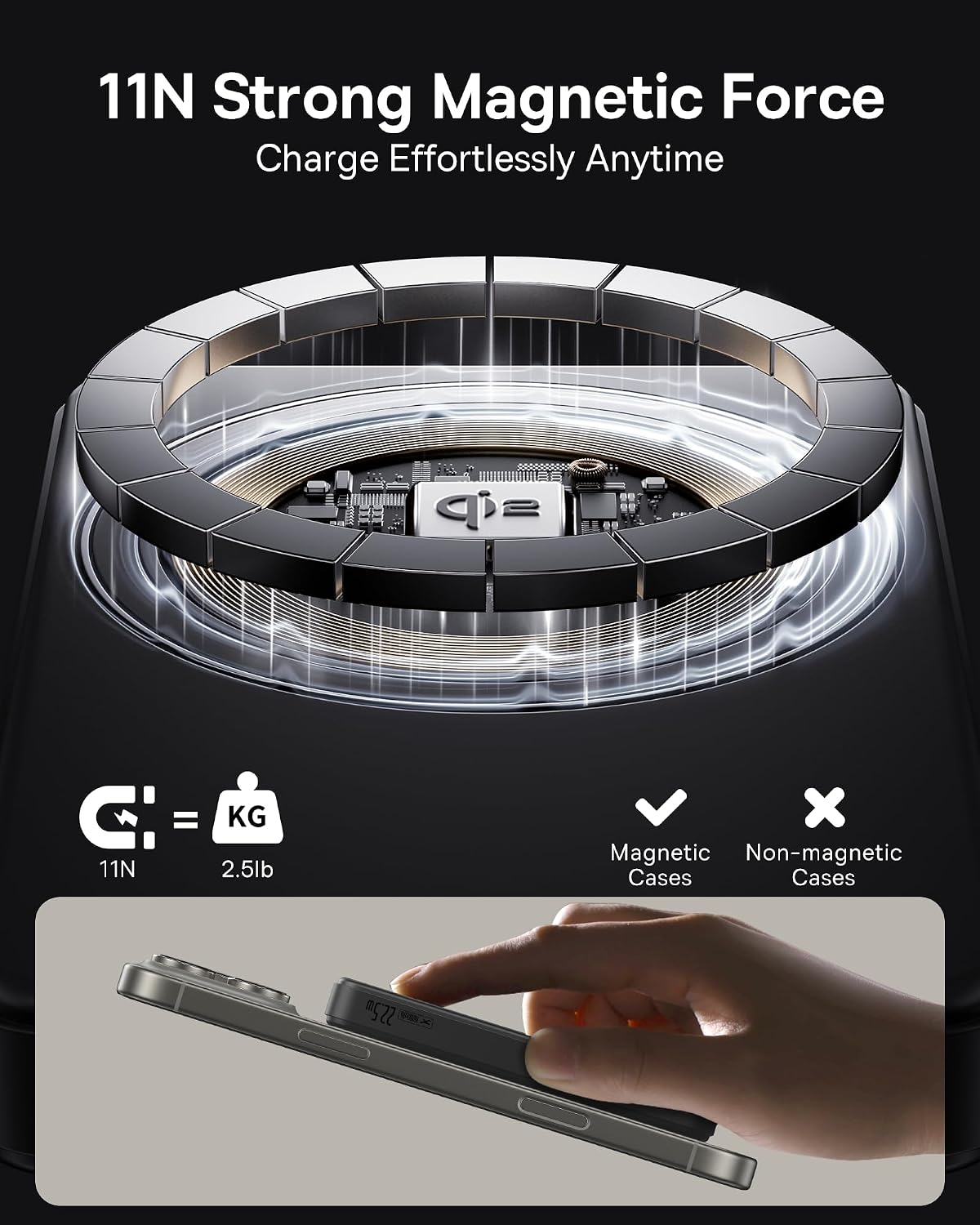
Image: The Baseus Magsafe Portable Charger shown in hand, emphasizing its compact size and its ability to provide extra power for phones, with a 10,000mAh capacity.
Advanced Safety Features & Low-Current Mode
Equipped with a low-current mode, this charger delivers the precise amount of power needed for smaller devices like AirPods, earbuds, or smartwatches, preventing overcharging. It incorporates digital 9-layer protections and exact algorithms that monitor charging status 1,000,000 times per minute, ensuring comprehensive safety during use.

Image: The Baseus Magsafe Portable Charger alongside its packaging and included cable, highlighting its worry-free charging experience with a 2-year replacement promise and lifetime technical support.
Ṣeto
- Idiyele Ibẹrẹ: Before first use, fully charge the power bank using a USB-C cable and a compatible power adapter. The LED indicators on the side will show the charging progress.
- Ṣayẹwo Ipele Batiri: Press the small button on the side of the power bank to check the current battery level. Four LED dots indicate the charge: one dot for 0-25%, two for 25-50%, three for 50-75%, and four for 75-100%.

Image: The Baseus Magsafe Portable Charger displaying its LED indicator lights on the side, which show the remaining battery level.
Awọn ilana Iṣiṣẹ
Ngba agbara Alailowaya (MagSafe ibaramu)
- Ensure your iPhone is MagSafe compatible (iPhone 12 or later).
- Align the back of your iPhone with the magnetic charging area on the power bank. The magnets will snap into place, and charging will begin automatically.
- For optimal wireless charging, ensure no foreign objects are between the power bank and your device.
Wired Charging (USB-A & USB-C)
- Connect one end of a compatible charging cable to either the USB-A (22.5W max) or USB-C (20W max) port on the power bank.
- Connect the other end of the cable to your device. Charging will commence automatically.
- For fastest wired charging, use the USB-A port with a compatible cable.
Kekere-Lọwọlọwọ Ipo
To charge low-power devices such as AirPods, earbuds, or smartwatches, activate the low-current mode:
- Double-press the power button and then hold it down to enter low-current mode.
- Short press the power button again to exit low-current mode.
Itoju
- Jeki banki agbara kuro lati awọn iwọn otutu to gaju, oorun taara, ati awọn olomi.
- Nu dada mọ pẹlu asọ asọ, gbẹ. Maṣe lo awọn kẹmika lile tabi awọn ohun elo abrasive.
- Tọju ni itura, aye gbigbẹ nigbati o ko ba wa ni lilo fun awọn akoko gigun.
- Yago fun sisọ silẹ tabi tẹriba ẹrọ si awọn ipa to lagbara.
Laasigbotitusita
- Ẹrọ ko gba agbara:
- Rii daju pe banki agbara ti gba agbara to.
- Check cable connections for wired charging.
- For wireless charging, ensure proper alignment and that your device is MagSafe compatible.
- Remove any thick cases or metal objects that may interfere with wireless charging.
- Gbigba agbara lọra:
- Verify that your device supports fast charging and that you are using a compatible cable and port (USB-A for 22.5W, USB-C for 20W).
- Background apps or high device usage during charging can slow down the process.
- Igbóná púpọ̀:
- Some heat generation during charging is normal. If the device or power bank becomes excessively hot, disconnect it immediately.
- Ensure proper alignment for wireless charging to minimize heat.
- Yago fun gbigba agbara ni taara imọlẹ orun tabi awọn agbegbe gbona.
Awọn pato
| Ẹya ara ẹrọ | Ẹ̀kúnrẹ́rẹ́ |
|---|---|
| Brand | Baseus |
| Nọmba awoṣe | PPWPQ10-20 |
| Agbara Batiri | 10,000 mAh |
| O wu Ngba agbara Alailowaya | 15W (Ifọwọsi Qi2) |
| Ṣiṣejade USB-A | Iye ti o ga julọ ti 22.5W |
| USB-C o wu | Iye ti o ga julọ ti 20W |
| Ọja Mefa | 4.4 x 0.74 x 2.75 inches |
| Iwọn Nkan | 7.4 iwon |
| Àwọ̀ | Dudu |
Atilẹyin ọja ati Support
The Baseus Magsafe Portable Charger comes with a 2-odun atilẹyin ọja. For any product issues or inquiries, please contact our friendly customer service. A detailed User Manual in PDF format is also available for download from the product's Amazon page or by clicking Nibi.


