Ọrọ Iṣaaju
This manual provides instructions for the Sudio K2 Pro Wireless Headphones. Please read this manual carefully before using the product to ensure proper operation and to maximize your listening experience.
The Sudio K2 Pro headphones feature Active Noise Cancelling (ANC) technology, Bluetooth 5.4 connectivity, and a lightweight over-ear design for comfort. They offer up to 65 hours of playtime and support USB-C charging and 3.5mm audio input.
Ohun ti o wa ninu Apoti
- Sudio K2 Pro Wireless Headphones
- USB-C Ngba agbara Cable
- 3.5mm Audio USB
- Ọran Idaabobo
- Afowoyi Olumulo (iwe-ipamọ yii)
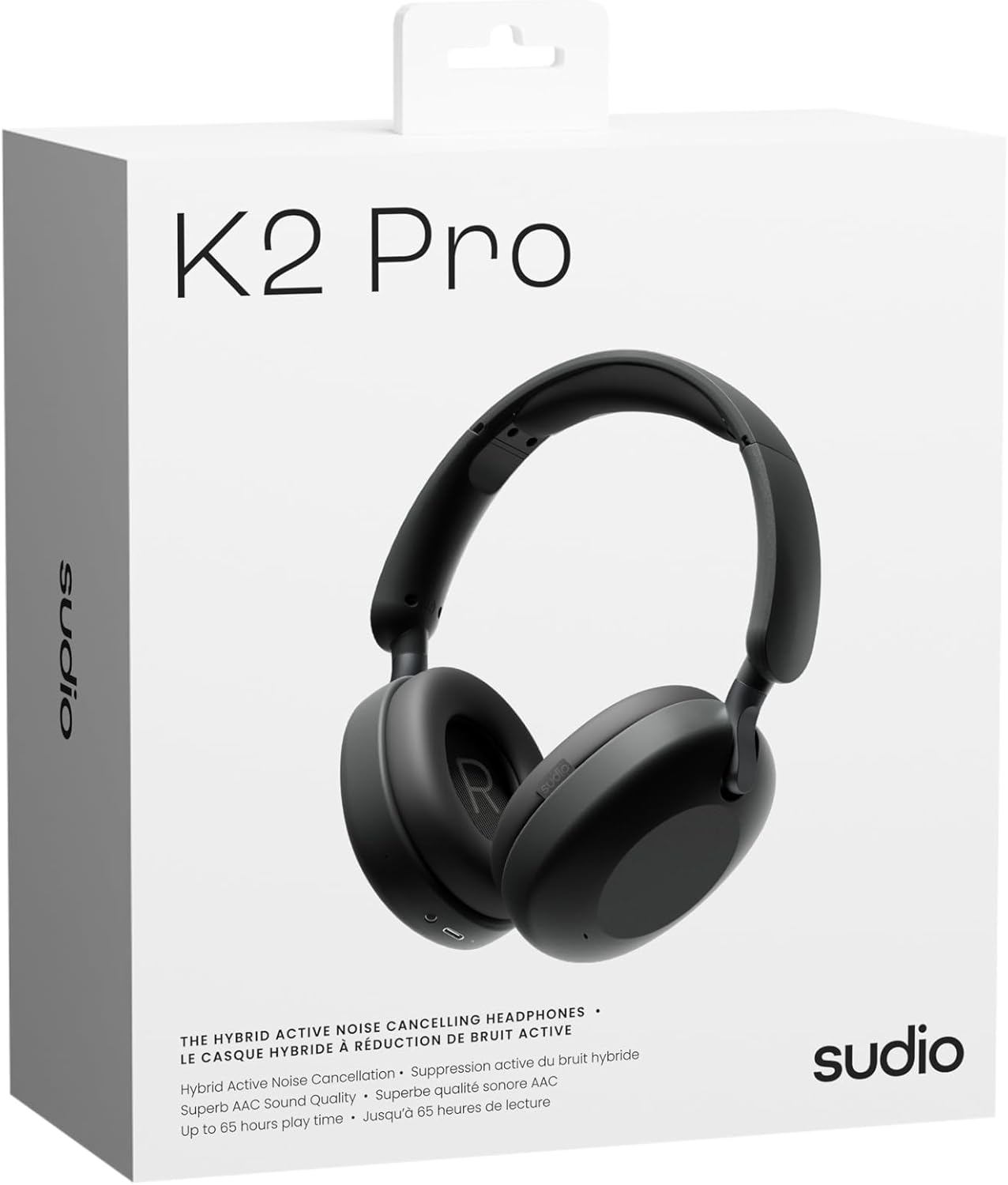
Image: Sudio K2 Pro packaging and included items.
Ṣeto
1. Gbigba agbara akọkọ
Before first use, fully charge your Sudio K2 Pro headphones. Connect the provided USB-C charging cable to the headphone's charging port and to a compatible USB power source. The LED indicator will show charging status.

Image: USB-C charging port on the Sudio K2 Pro headphones.
2. Agbara lori / Paa
- Agbara Tan: Tẹ mọlẹ bọtini agbara fun isunmọ awọn aaya 3 titi ti Atọka LED yoo tan imọlẹ.
- Agbara Pa: Tẹ mọlẹ bọtini agbara fun isunmọ awọn aaya 3 titi ti itọkasi LED yoo wa ni pipa.
3. Sisopọ Bluetooth
- Rii daju pe awọn agbekọri ti wa ni pipa.
- Tẹ bọtini agbara ki o si dimu fun awọn aaya 5-7 titi ti ifihan LED yoo fi tan bulu ati pupa, ti o fihan ipo isopọmọ.
- Lori ẹrọ rẹ (foonuiyara, tabulẹti, kọmputa), mu Bluetooth ṣiṣẹ ki o wa awọn ẹrọ to wa.
- Select "Sudio K2 Pro" from the list of devices.
- Nígbà tí a bá so wọ́n pọ̀, àmì LED náà yóò yípadà sí bulu líle tàbí bulu aláwọ̀ dúdú díẹ̀díẹ̀.
4. Ti firanṣẹ Asopọ
For a wired connection, plug one end of the 3.5mm audio cable into the headphone's audio input jack and the other end into your audio source. The headphones will automatically switch to wired mode.
Awọn ilana Iṣiṣẹ
Awọn Iṣakoso Loriview

Aworan: Alaye view ti awọn iṣakoso agbekọri.
- Bọtini agbara: Tan-an/pa a, mu ṣiṣẹ/duro, dahun/pari awọn ipe.
- Iwọn didun Up/Orin atẹle: Tẹ kukuru fun iwọn didun soke, tẹ gun fun orin atẹle.
- Iwọn didun isalẹ/Orin ti tẹlẹ: Tẹ kukuru fun iwọn didun isalẹ, gun tẹ fun orin iṣaaju.
- Bọtini ANC: Toggle Active Noise Cancelling (ANC) on/off.
Ifagile Ariwo Nṣiṣẹ (ANC)
Press the ANC button to activate or deactivate the Active Noise Cancelling feature. When ANC is active, the headphones will reduce ambient background noise, providing a more immersive audio experience.
Ṣiṣe ati Gbigba Awọn ipe
- Idahun/Ipe Ipari: Tẹ bọtini agbara lẹẹkan.
- Kọ Ipe: Tẹ mọlẹ bọtini agbara fun iṣẹju 2.
Itoju
- Ninu: Lo asọ asọ ti o gbẹ lati nu agbekọri naa. Ma ṣe lo abrasive ose tabi epo.
- Ibi ipamọ: When not in use, store the headphones in the provided protective case to prevent damage.
- Itọju Batiri: Láti mú kí batiri pẹ́ sí i, má ṣe jẹ́ kí a máa tú àwọn agbekọri náà jáde nígbà gbogbo.
- Iwọn otutu: Yẹra fún fífi àwọn agbekọri sí ibi tí ó gbóná tàbí tí ó tutù jù (gbóná tàbí òtútù) tàbí ọriniinitutu gíga.

Image: Sudio K2 Pro headphones stored in their protective case.
Laasigbotitusita
- Ko si Agbara: Rii daju pe awọn agbekọri ti gba agbara ni kikun. Sopọ si orisun agbara ati ṣayẹwo itọkasi gbigba agbara.
- Ko le So pọ nipasẹ Bluetooth:
- Rí i dájú pé àwọn agbekọri náà wà ní ipò ìsopọ̀ (ìmọ́lẹ̀ LED tí ń tàn yòò àwọ̀ búlúù/pupa).
- Paa ati tan Bluetooth lori ẹrọ rẹ.
- Gbe awọn agbekọri naa sunmọ ẹrọ rẹ.
- Ko awọn asopọ Bluetooth ti tẹlẹ kuro lori ẹrọ rẹ ki o gbiyanju sisopọ lẹẹkansi.
- Ko si Ohun:
- Ṣàyẹ̀wò ìwọ̀n ohùn lórí àwọn agbekọri àti ẹ̀rọ tí o so pọ̀.
- Ensure the headphones are properly paired or the 3.5mm cable is securely connected.
- If using a wired connection, ensure the Bluetooth is off on the headphones.
- ANC Ko Ṣiṣẹ: Press the ANC button to ensure it is activated.
Awọn pato
| Ẹya ara ẹrọ | Ẹ̀kúnrẹ́rẹ́ |
|---|---|
| Orukọ awoṣe | Sudio K2 Pro |
| Nọmba awoṣe | SD-2601 |
| Ariwo Iṣakoso | Fagilee Ariwo Ti nṣiṣe lọwọ (ANC) |
| Asopọmọra Technology | Bluetooth 5.4, Ti firanṣẹ (3.5mm) |
| Akoko ere | Titi di wakati 65 |
| Akoko gbigba agbara | 90 iṣẹju |
| Gbigba agbara Port | USB-C |
| Iwọn Nkan | 245 Giramu (8.6 iwon) |
| Ipalara | 32 ohm |
| Pataki Awọn ẹya ara ẹrọ | Microphone Included, Noise Cancellation, Touch Control, Volume Control |
Atilẹyin ọja ati Support
Fun alaye atilẹyin ọja ati atilẹyin alabara, jọwọ tọka si Sudio osise webojula tabi kan si wọn onibara iṣẹ taara. Jeki ẹri rira rẹ fun awọn iṣeduro atilẹyin ọja.
Olupese: Sudio
Webojula: www.sudio.com
Awọn fidio ọja
When you have Sudio K2 Pro in your everyday life
Video: This video showcases the Sudio K2 Pro headphones in various daily scenarios, highlighting their comfort and style.
Unboxing Sudio K2 Pro
Video: This video demonstrates the unboxing experience of the Sudio K2 Pro headphones, showing the contents of the package.
Introducing Sudio K2 Pro
Video: A brief introduction to the Sudio K2 Pro headphones, highlighting key features and design.


