1. Ifihan
The EZAIoT EZ-TP3W WiFi Thermostat Plug is an intelligent temperature control device designed for precise climate management in various environments. It supports both heating and cooling applications, offering versatile control options through a dedicated mobile application, voice commands, or direct device interaction. This manual provides comprehensive instructions for the safe and efficient use of your EZ-TP3W thermostat plug.

Figure 1: EZAIoT EZ-TP3W Thermostat Plug with its mobile application interface and included temperature sensor.
2. Alaye Aabo
Please read all safety instructions carefully before using the EZAIoT EZ-TP3W WiFi Thermostat Plug. Failure to follow these instructions may result in electric shock, fire, or other hazards.
- Ge Agbara: Always disconnect the device from the power supply before performing any maintenance, cleaning, or repair.
- Yago fun Ọrinrin: Do not expose the device to moisture or use it in wet environments. This includes direct water contact or high humidity.
- Ṣayẹwo fun ibajẹ: Do not use the device if it is damaged, shows signs of electrical problems, or if the power cord or plug is frayed.
- Atunṣe Ọjọgbọn: All repairs must be performed by qualified service personnel. Do not attempt to disassemble or repair the device yourself.
- Voltage: Rii daju pe ẹrọ naa ti sopọ si ipese agbara laarin vol ti pàtó kantage range (AC 100-240V; 50-60 Hz).
- Ikojọpọ ti o pọju: Do not exceed the maximum load capacity of 16A / 3680W to prevent overheating and potential fire hazards.
- Aabo ọmọde: Keep the device out of reach of children. Utilize the child lock function available through the app for added safety.
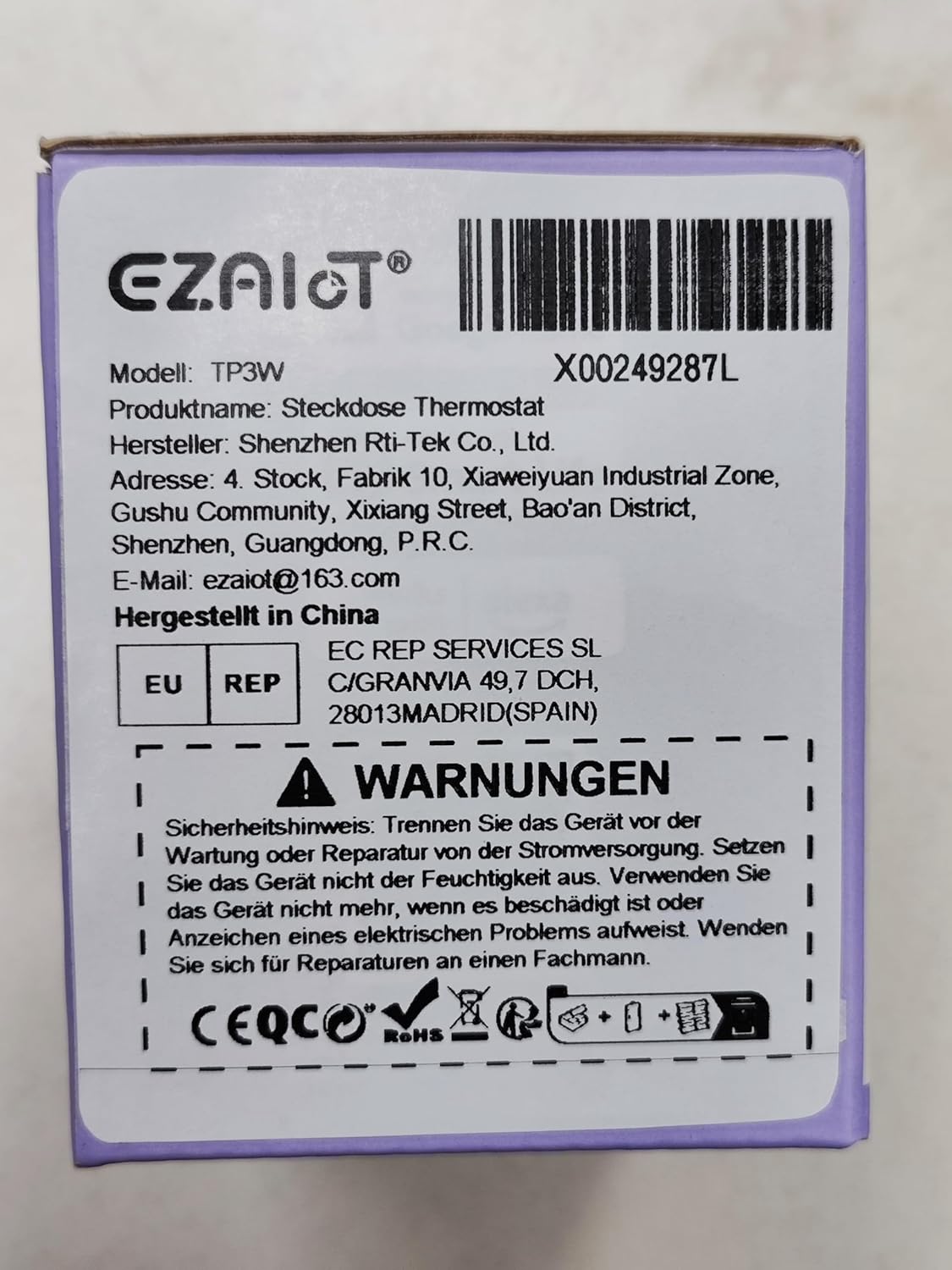
Figure 2: Product packaging displaying important safety warnings and manufacturer information.
3. Ọja Ipariview
3.1 Package Awọn akoonu
Jẹrisi pe gbogbo awọn paati wa ninu package:
- 1 x EZAIoT EZ-TP3W Thermostat Plug
- 1 x 3-meter Temperature Sensor (waterproof)
- 1 x 5-cm Temperature Sensor (waterproof)
3.2 Key Awọn ẹya ara ẹrọ
- Plug and Play Design: Fifi sori ẹrọ ti o rọrun laisi onirin eka.
- Awọn ọna Iṣiṣẹ lọpọlọpọ: Supports heating, cooling, weekly scheduling, cycle timer, and countdown timer.
- Ibi iwọn otutu ti o tobi: Measures from -9.5°C to 99.5°C (device display) and -30°C to 110°C (app display).
- Awọn sensọ omi ti ko ni omi: Includes 3m and 5cm sensors for diverse applications.
- Iṣakoso Smart: Remote control via TUYA Smart Life app, voice control with smart speakers (Google Assistant, Amazon Alexa).
- Iṣakoso Afowoyi: Interactive buttons on the device for offline operation.
- Awọn iṣẹ aabo: Child lock, temperature alarm, sensor error alarm, and anti-freeze function.
- Ikole ti o lagbara: Made from flame-retardant PC material.

Olusin 3: Pariview of EZAIoT EZ-TP3W features, highlighting precision and safety.
3.3 ọja pato
| Sipesifikesonu | Iye |
|---|---|
| Orukọ awoṣe | EZ-TP3W |
| Asopọmọra Iru | DIN VDE 0620-1 |
| O pọju. Fifuye | 16 A |
| O pọju. Agbara | 3680 W |
| Ibi ti ina elekitiriki ti nwa | AC 100-240 V; 50-60 Hz |
| Device Display Temp. Range | -9.5 °C si 99.5 °C |
| App Display Temp. Range | -30 °C si 110 °C |
| Ọja Mefa | 7.8 x 5.4 x 7.65 cm; 190g |
| Adarí Iru | iOS (and Android via Smart Life app) |
| Pataki Awọn ẹya ara ẹrọ | Audible Alert, Fan Control, Temperature Indicator, Removable Interface, Programmable |

Figure 4: The EZAIoT EZ-TP3W featuring its LED display and key functionalities.
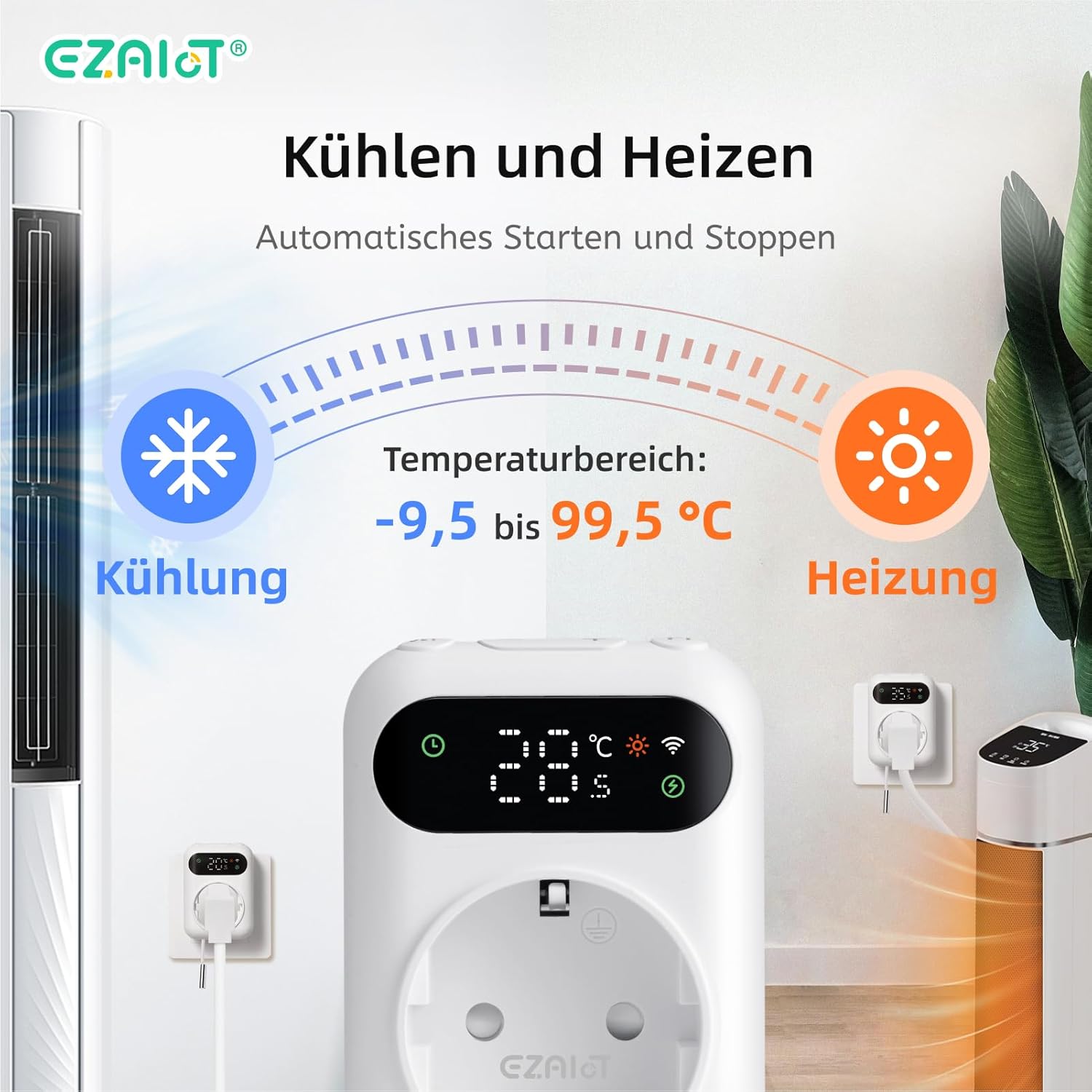
Figure 5: Visual representation of the heating and cooling capabilities of the thermostat plug, showing its operational temperature range.
4. Eto
The EZAIoT EZ-TP3W is designed for easy plug-and-play installation.
4.1 Fifi sori ti ara
- Sensọ Sopọ: Insert one of the provided temperature sensors into the designated port on the bottom of the thermostat plug.
- Sensọ ipo: Place the sensor in the area where you wish to monitor and control the temperature. Ensure it is not directly exposed to heat sources or drafts that could skew readings.
- Pulọọgi Ẹrọ: Plug the EZAIoT EZ-TP3W thermostat into a standard electrical outlet.
- Ohun elo Sopọ: Plug your heating or cooling appliance (e.g., heater, fan, incubator) into the socket on the front of the thermostat plug.
Figure 6: The thermostat plug, highlighting its plug-and-play design and the QR code for accessing the online manual.
For detailed setup instructions and app pairing, scan the QR code above or visit the official online manual: EZAIoT EZ-TP3W Online Manual
Nọmba 7: Alaye view of the thermostat plug, showing its dimensions and the interchangeable temperature sensors.
4.2 App Pairing (TUYA Smart Life)
- Ṣe igbasilẹ Ohun elo: Download the "TUYA Smart Life" app from your smartphone's app store (iOS or Android).
- Forukọsilẹ/Wọle: Ṣí àpù náà kí o sì forúkọ sílẹ̀ àkọọ́lẹ̀ tuntun tàbí kí o wọlé pẹ̀lú èyí tó wà tẹ́lẹ̀.
- Fi ẹrọ kun: Tẹ aami "+" ni igun apa ọtun oke ti ohun elo naa lati ṣafikun ẹrọ tuntun kan.
- Yan Iru Ẹrọ: Choose "Electrical" -> "Socket (Wi-Fi)" or search for "Thermostat Plug".
- Tẹ awọn alaye Wi-Fi sii: Follow the on-screen instructions to connect the device to your 2.4GHz Wi-Fi network. Ensure your phone is connected to the same Wi-Fi network.
- Jẹrisi Isopọpọ: The device's Wi-Fi indicator will flash during pairing and become solid once connected.
5. Awọn ilana Iṣiṣẹ
5.1 Awọn ọna ṣiṣe
The EZ-TP3W offers several operating modes to suit various temperature control needs:
- Ipo alapapo: Maintains a minimum temperature by activating the connected appliance when the temperature drops below the set point.
- Ipo itutu: Maintains a maximum temperature by activating the connected appliance when the temperature rises above the set point.
- Iṣeto Ọsẹ: Allows you to program different temperature settings for specific times and days of the week.
- Aago Yipo: Configures the device to turn on and off in repeating cycles.
- Aago kika: Sets a specific duration for the device to operate before turning off.
5.2 App Control (TUYA Smart Life)
The TUYA Smart Life app provides comprehensive control and monitoring capabilities:
- Abojuto latọna jijin: View current temperature, set temperature, and device status from anywhere.
- Aṣayan Ipo: Easily switch between heating, cooling, and other programmed modes.
- Isakoso Iṣeto: Create, edit, and activate weekly schedules and timers.
- Awọn itaniji iwọn otutu: Set high and low-temperature alerts to receive notifications on your smartphone.
- Titiipa ọmọ: Activate the child lock function to prevent accidental changes to settings on the device.
- Iṣakoso ohun: Integrate with smart speakers like Google Assistant or Amazon Alexa for hands-free control.
- Example: "OK Google, set the EZ-TP3W to auto."
- Example: "Alexa, what's the temperature of EZ-TP3?"

Figure 8: Demonstrates remote control via the app and voice commands, alongside local manual control.
5.3 Afowoyi Iṣakoso
The device features interactive buttons for direct control, even without an internet connection:
- Bọtini agbara: Tan ẹrọ naa si tan tabi pa.
- Bọtini Ipo: Cycles through available operating modes.
- Awọn bọtini oke/isalẹ: Adjusts temperature set points or timer values.
- Confirmation Button: Ó ń jẹ́rìí sí àwọn àṣàyàn tàbí ó ń tẹ àwọn àkójọ ètò.
6. Awọn ohun elo
The EZAIoT EZ-TP3W is suitable for a wide range of temperature control applications:
- Alapapo/Itutu agbaiye: Optimize room temperature.
- Awọn ile alawọ ewe: Maintain ideal growing conditions for plants.
- Awọn aquariums: Regulate water temperature for aquatic life.
- Reptile Enclosures: Ensure stable temperatures for reptiles.
- Incubators: Precise temperature control for hatching eggs.
- Home Brewing/Fermentation: Maintain specific temperatures for brewing processes.
- Awọn apo ọti-waini: Control temperature for optimal wine storage.
- Awọn Ẹrọ Miiran: Can be used with attic fans, evaporative coolers, window air conditioners, etc.
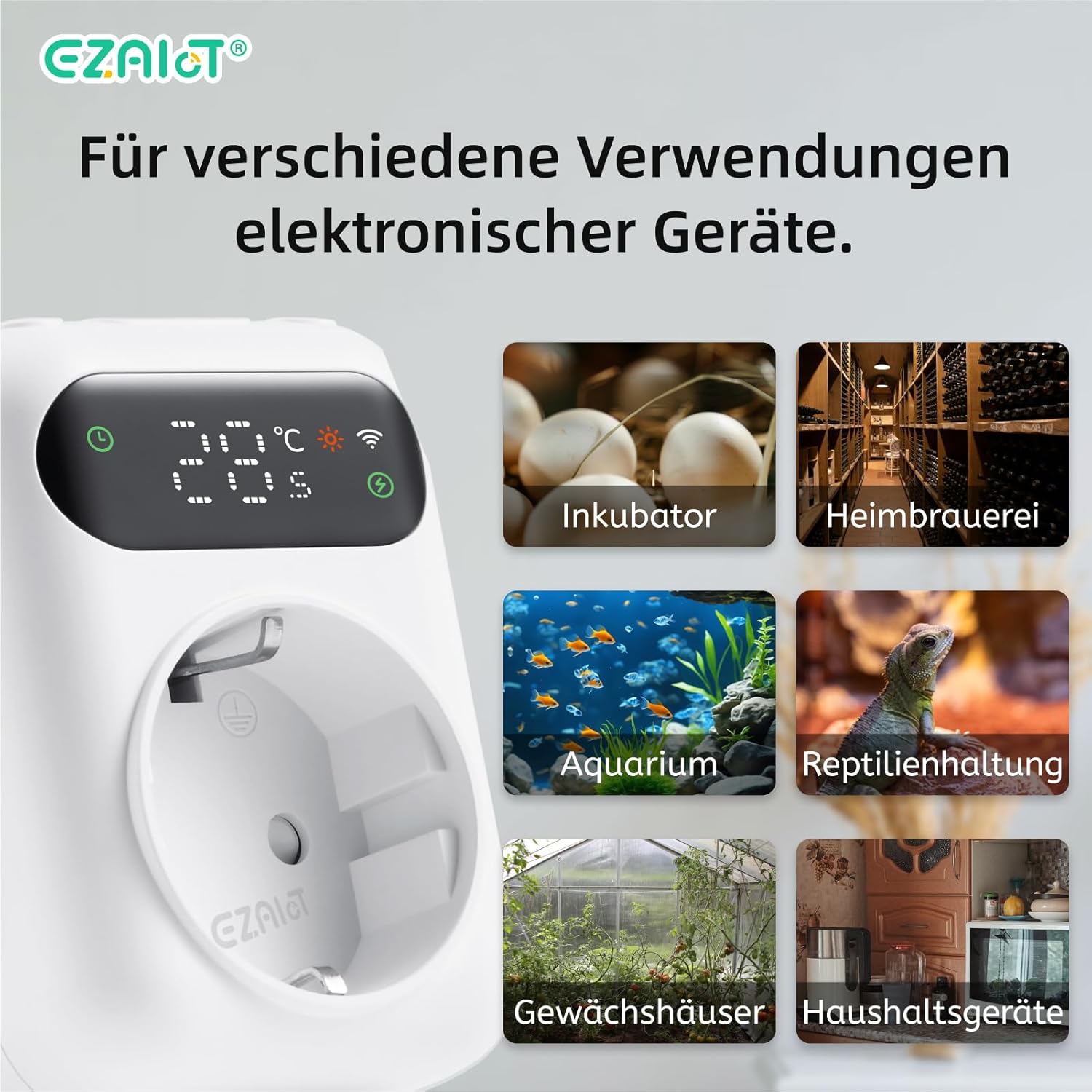
Olusin 9: Examples of diverse applications for the EZAIoT EZ-TP3W thermostat plug.
7. Itọju
Itọju deede ṣe idaniloju iṣẹ ṣiṣe to dara julọ ati igbesi aye gigun ti ẹrọ rẹ.
- Ninu: Disconnect the device from power before cleaning. Wipe the exterior with a soft, dry cloth. Do not use abrasive cleaners or solvents.
- Itọju Sensọ: Ensure the temperature sensors are clean and free from debris. Avoid bending or damaging the sensor cables.
- Awọn imudojuiwọn famuwia: Periodically check the TUYA Smart Life app for any available firmware updates for the device to ensure you have the latest features and bug fixes.
8. Laasigbotitusita
If you encounter issues with your EZAIoT EZ-TP3W, refer to the following common problems and solutions:
| Isoro | Owun to le Fa | Ojutu |
|---|---|---|
| Ẹrọ ti ko ni agbara lori. | No power from outlet; device damaged. | Check the power outlet with another appliance. Ensure the device is not damaged. |
| Ko le sopọ si Wi-Fi. | Incorrect Wi-Fi password; 5GHz network; device too far from router. | Ensure correct 2.4GHz Wi-Fi password. Move device closer to router. Reset device and try pairing again. |
| Kika iwọn otutu ko pe. | Sensor improperly placed; sensor damaged; sensor error alarm. | Reposition the sensor away from direct heat/cold sources. Check sensor connection. Replace sensor if damaged. |
| Ẹ̀rọ tí kò ń tan/pa kò ṣiṣẹ́. | Incorrect mode/settings; appliance not working; exceeding max load. | Verify operating mode and set points in the app. Test the appliance directly. Ensure total load is below 3680W. |
| Ifihan ẹrọ ti wa ni pipa. | Display timeout setting. | The display may turn off after a set period (e.g., 120 seconds) to save power. This setting can usually be adjusted in the app, though a permanent "always on" option might not be available. |
9. Atilẹyin ọja ati Support
EZAIoT products are designed for reliability and performance. For warranty information, please refer to the documentation provided with your purchase or contact your retailer.
For technical support or inquiries, you may contact the manufacturer directly:
- Olupese: Shenzhen Rti-Tek Co., Ltd.
- Imeeli: ezaiot@163.com
- Online Manual & Support: https://manual.rti-tek.org/en/TP3
Please have your model number (EZ-TP3W) and purchase details ready when contacting support.


