1. Ifihan
The JMDHKK K18+ is a versatile multi-function detector designed to enhance your privacy and security. This device effectively identifies hidden cameras, wireless bugging devices, and magnetic tracking devices, providing peace of mind in various environments such as homes, offices, hotels, and vehicles.
Its user-friendly design features simple two-button operation, an LED signal strength indicator, and customizable sound or vibration alerts, making it an essential tool for personal and professional security.
2. Ọja Ipariview
The K18+ detector combines three primary detection functions: Hidden Camera Detection, RF Signal Detection (Bug Detection), and Magnetic Field Detection. It is equipped with an upgraded smart chip and a high-capacity battery for reliable performance.
2.1 Package Awọn akoonu
- JMDHKK K18+ Detector Unit
- Eriali RF
- Iwadi aaye Oofa
- Okun Ngba agbara USB
- Afowoyi Olumulo (iwe-ipamọ yii)
- Apo ipamọ
2.2 Device irinše
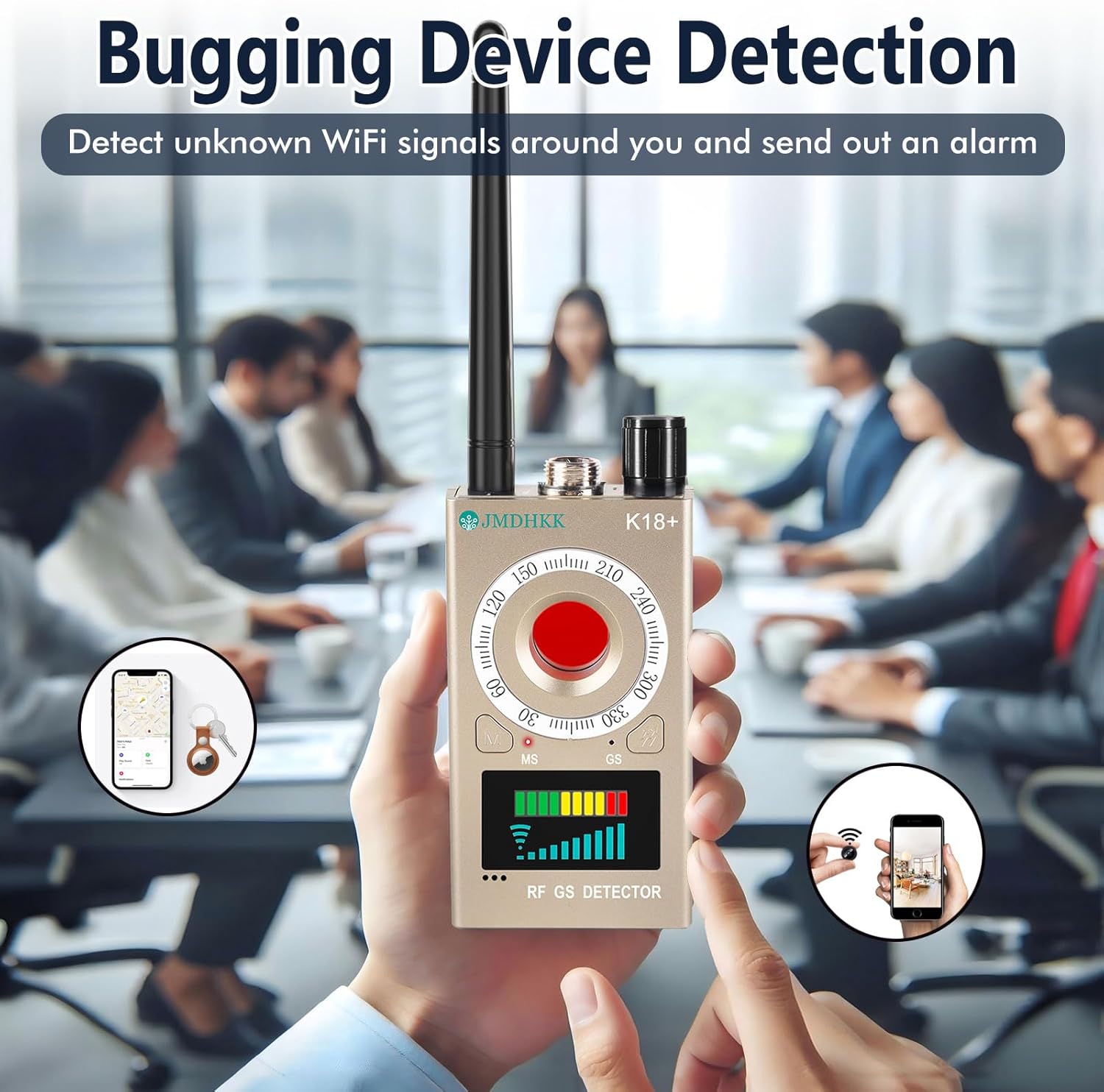
Refer to the image below for a visual guide to the K18+ detector and its accessories.

The device features a main unit with a display, a red button for camera detection, and ports for the RF antenna and magnetic probe. The display shows signal strength indicators.

3. Eto
3.1 Ngba agbara si Ẹrọ
Before first use, fully charge the K18+ detector. Connect the provided USB charging cable to the device's charging port and a standard USB power adapter (not included). The charging indicator will show the charging status and turn off when fully charged. A full charge ensures optimal performance.
3.2 Asopọmọra Awọn ẹya ẹrọ
- Eriali RF: Screw the RF antenna into the designated port on the top of the device for wireless signal detection.
- Magnetic Field Probe: Connect the magnetic field probe to its dedicated port for magnetic object detection.
4. Awọn ilana Iṣiṣẹ
The K18+ detector is designed for ease of use with two main control buttons. It offers 10 sensitivity levels to adjust the detection range as needed.
4.1 Power On/Off and Sensitivity Adjustment
- Lati mu ṣiṣẹ, tẹ mọlẹ bọtini agbara.
- Lati pa agbara, tẹ bọtini agbara lẹẹkansi.
- Adjust sensitivity using the designated button or dial. Higher sensitivity increases the detection range but may also increase false positives. Lower sensitivity narrows the range for precise localization.
4.2 Hidden Camera Detection (Optical)
This mode uses infrared laser scanning to visually identify hidden pinhole cameras, even when they are not actively transmitting signals.
- Rii daju pe ẹrọ ti wa ni titan.
- Activate the camera detection mode (usually by pressing the red button). The device will emit a red LED light.
- Scan the area by looking through the device's viewing window while sweeping the red light across surfaces.
- Hidden camera lenses will reflect the red light, appearing as bright red dots.

4.3 RF Signal Detection (Bug Detection)
This mode detects wireless signals emitted by bugging devices, GPS trackers, and other unauthorized wireless transmitters.
- Attach the RF antenna to the device.
- Select RF detection mode.
- Slowly sweep the device around the area you wish to inspect.
- The LED signal strength indicator on the display will light up, and the device will emit an audible alarm or vibrate when a wireless signal is detected. The intensity of the signal (more LEDs lit) indicates proximity to the source.
- Adjust sensitivity to narrow down the location of the signal source.
4.4 Magnetic Field Detection
This mode is used to detect magnetic objects, often associated with GPS trackers or other surveillance devices that are magnetically attached to surfaces.
- Attach the magnetic field probe to the device.
- Select magnetic detection mode.
- Move the probe slowly over surfaces, especially in vehicles (under seats, bumpers, wheel wells) or other areas where magnetic devices might be hidden.
- The device will indicate the presence of a magnetic field through its display and/or alerts. Note that the magnetic detector typically requires close proximity (within approximately 1 inch) to the object for effective detection.

4.5 Alert Customization
The K18+ allows you to choose between sound alerts and vibration alerts. This feature is useful for discreet operation in sensitive environments. Consult the device's interface for options to switch between these alert types.

5. Itọju
- Ninu: Mu ẹrọ naa nu pẹlu asọ ti o gbẹ. Maṣe lo awọn kẹmika ti o lewu tabi awọn afọmọ abrasive.
- Ibi ipamọ: Store the K18+ in a cool, dry place, away from direct sunlight and extreme temperatures. Use the provided storage pouch to protect it from dust and scratches.
- Itọju Batiri: Fún ìgbà tí batiri bá pẹ́ tó, má ṣe jẹ́ kí ẹ̀rọ náà máa gba agbára púpọ̀ nígbà gbogbo. Tí o bá ń tọ́jú rẹ̀ fún ìgbà pípẹ́, gba agbára bátírì náà sí nǹkan bí 50% ní gbogbo oṣù díẹ̀.
6. Laasigbotitusita
- False Positives (RF Detection): The detector may pick up signals from common electronic devices like Wi-Fi routers, mobile phones, or Bluetooth devices. Reduce sensitivity to narrow the detection range and pinpoint the exact source. Temporarily turn off known wireless devices in the area to isolate unknown signals.
- Magnetic Detection Not Working: Ensure the magnetic probe is properly attached. The magnetic detection function requires the probe to be in very close proximity (within approximately 1 inch) to the magnetic object.
- Ẹrọ ti ko ni agbara: Ensure the battery is sufficiently charged. Connect the device to a power source and allow it to charge for at least 30 minutes before attempting to power it on again.
- Inconsistent Detection: Adjust the sensitivity settings. High sensitivity might lead to detection of weak background signals, while low sensitivity might miss weaker, distant threats. Experiment with different sensitivity levels for your environment.
- No Signal Indication: Check if the correct antenna/probe is attached for the selected detection mode. Ensure the device is in the appropriate mode (RF, Camera, or Magnetic).
7. Awọn pato
| Ẹya ara ẹrọ | Sipesifikesonu |
|---|---|
| Orukọ awoṣe | K18+ |
| Awọn iwọn (L x W x H) | 3.94 x 2.17 x 0.79 inches |
| Iwọn Nkan | 6.4 iwon |
| Ohun elo | Ṣiṣu |
| Orisun agbara | Agbara Batiri (Batiri Lithium ion 1 to wa) |
| Voltage | 3.7 Volts |
| Wattage | 4.07 Watt-wakati |
| Asopọmọra Technology | Ailokun |
| inu ile / ita gbangba Lilo | Ninu ile |
| Pataki Ẹya | Gbigbe |
8. Atilẹyin ọja ati Support
JMDHKK is committed to providing quality products and customer satisfaction. For any questions, technical assistance, or support regarding your K18+ detector, please contact JMDHKK customer service through the retailer where you purchased the product or visit the official JMDHKK brand store online.
Jọwọ ṣe idaduro ẹri rira rẹ fun eyikeyi awọn ibeere atilẹyin ọja tabi awọn ibeere atilẹyin.


