Ọrọ Iṣaaju
The JMDHKK K20 is an advanced multi-functional detector designed to safeguard your privacy by identifying hidden cameras, listening devices (bugs), and magnetic tracking devices. Its compact and portable design makes it an ideal tool for use in various environments, including hotels, offices, homes, and vehicles. The device features an intuitive LED display and adjustable sensitivity for precise detection.

Image: The JMDHKK K20 detector with its antenna and GS probe attached, showcasing its sleek black design and display screen.

Image: The K20 detector on a table with a person using a computer in the background, illustrating its use for privacy protection.
Ohun ti o wa ninu Apoti
- Main Unit (JMDHKK K20 Detector)
- Eriali
- GS Probe (Magnetic Field Detection Probe)
- Okun Ngba agbara USB
- Itọsọna olumulo
Ṣeto
- Gba agbara si Ẹrọ naa: Before first use, fully charge the K20 detector using the provided USB charging cable. Connect the cable to the device's charging port and a standard USB power adapter (not included). The LED indicator will show charging status.
- So Antenna: Screw the RF antenna into the designated port on the top of the main unit for wireless signal detection.
- Attach GS Probe: Connect the GS probe to its dedicated port on the top of the main unit for magnetic field detection. Ensure it is securely fastened.
- Agbara Tan: Tẹ bọtini agbara ki o si di mu lati tan ẹrọ naa. Ifihan LED yoo tan imọlẹ.

Image: The K20 detector with its antenna and GS probe, highlighting its LED display and internal chip components, illustrating its ease of operation and adjustable sensitivity.
Awọn ilana Iṣiṣẹ
1. Hidden Camera Detection (IR Scan)
This mode uses infrared laser scanning to detect reflective camera lenses. It is effective for finding both wired and wireless hidden cameras.
- Activate the IR scan function (refer to the user manual for specific button press). The red LED lights on the back of the device will illuminate.
- Look through the red view-finder on the front of the device.
- Slowly scan the area, paying close attention to common hiding spots such as smoke detectors, air vents, picture frames, electrical outlets, and decorative items.
- A hidden camera lens will appear as a bright, reflective red dot when viewed through the finder.
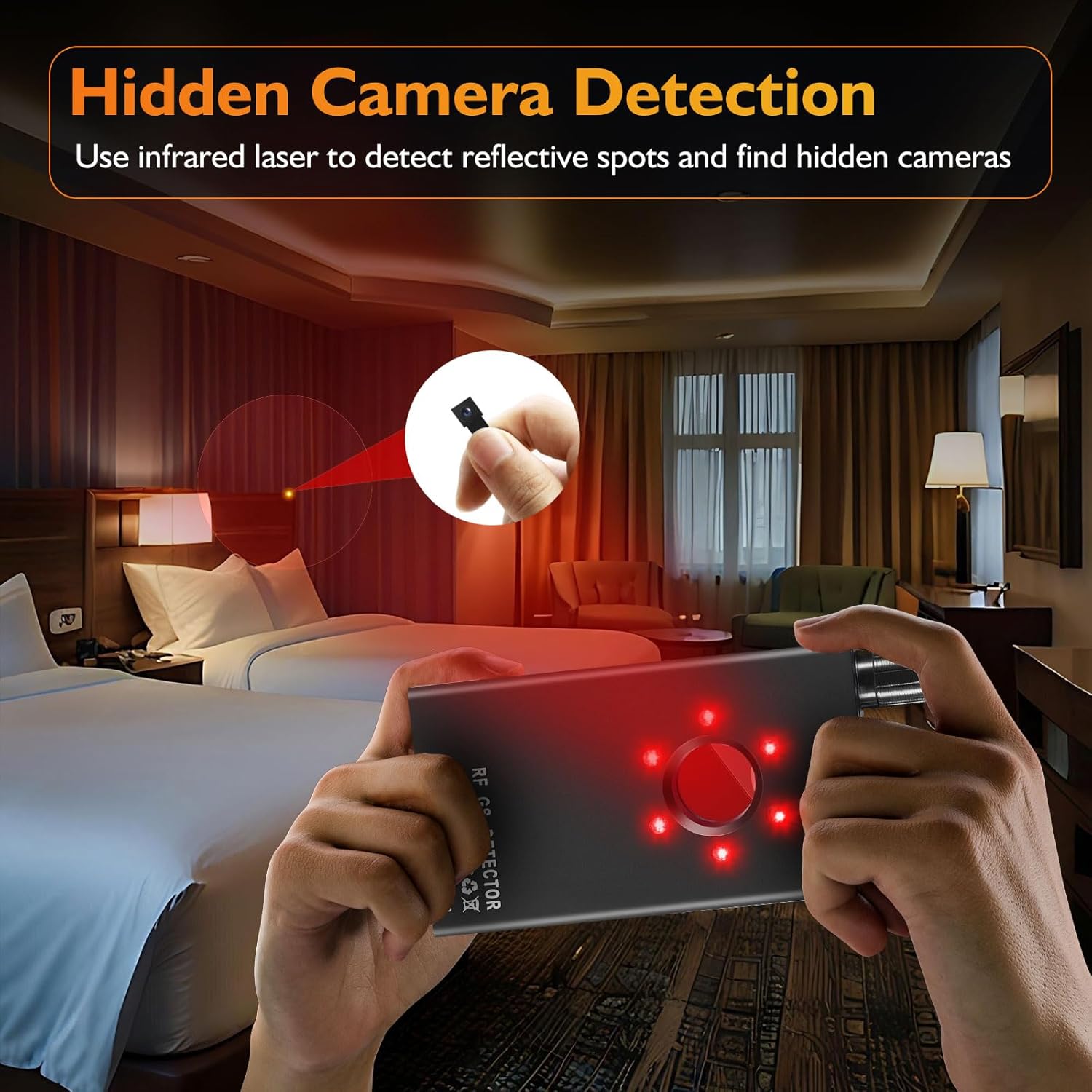
Image: A person using the K20 detector to scan a hotel room for hidden cameras, showing the red laser light being emitted.
Video: Demonstration of the K20's camera lens finder function, showing how to scan a room and identify reflective camera lenses.
2. Bug Detection (RF Signal Detection)
This mode detects wireless signals emitted by hidden listening devices, GPS trackers, and wireless cameras. The K20 passively receives signals, ensuring it does not interfere with other devices.
- Ensure the RF antenna is attached.
- Select the RF detection mode.
- Adjust the sensitivity knob to a medium level initially.
- Slowly sweep the device around the area. The signal strength indicator (LED bars) will light up, and the device will emit an audible alert or vibrate when a signal is detected.
- As you get closer to the source, the signal strength will increase. Reduce sensitivity as you approach to pinpoint the exact location.
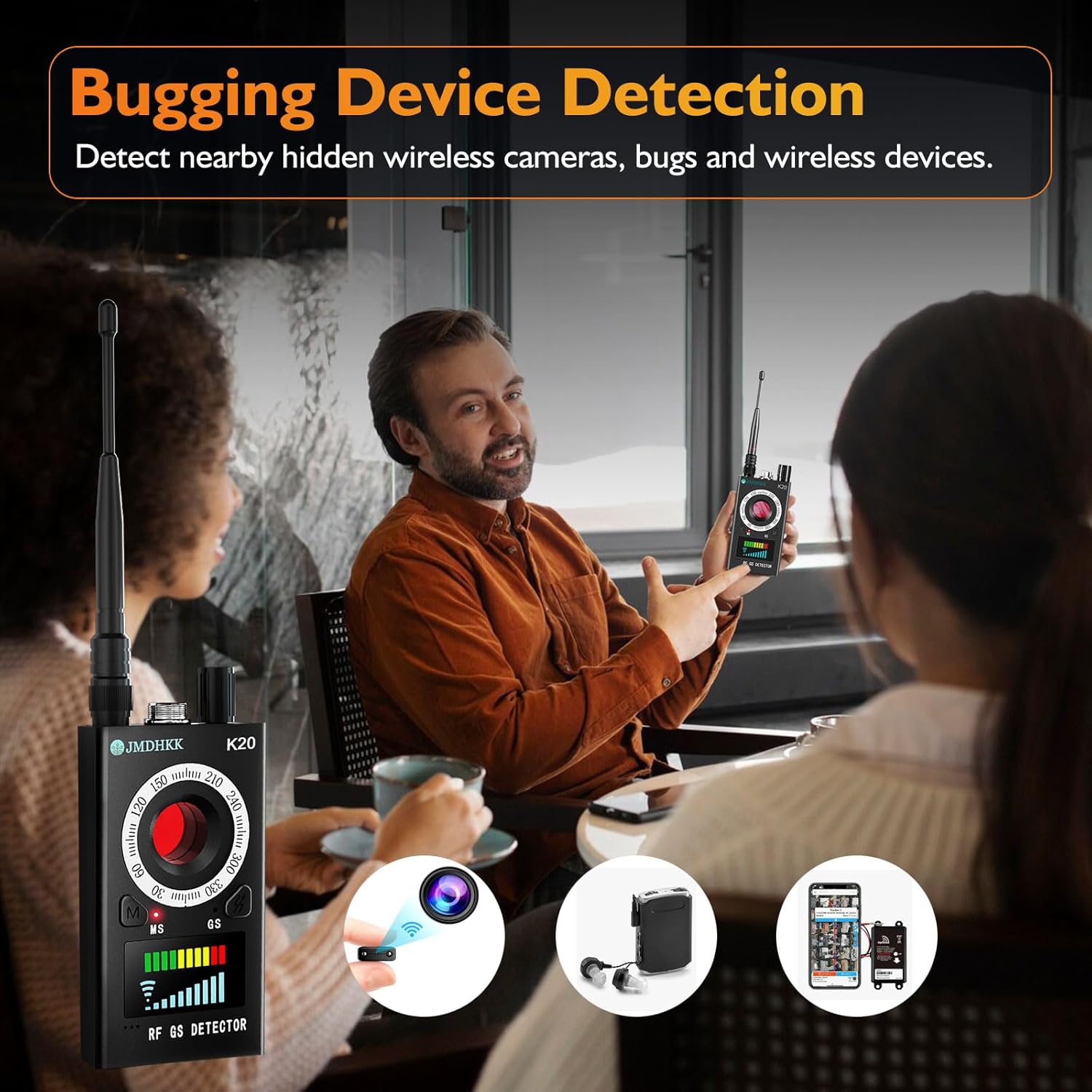
Image: A person demonstrating the K20 detector in a meeting setting, illustrating its use for detecting hidden wireless cameras, bugs, and other wireless devices.
Video: Demonstration of the K20's RF signal detection capability, showing how it identifies wireless transmissions.
3. Ṣíṣàwárí Ibùdó Oofa
The magnetic field detection function is specifically designed to locate magnetic objects, commonly used in hidden GPS trackers and other surveillance devices that attach magnetically to surfaces like vehicles.
- Ensure the GS probe is attached.
- Select the magnetic field detection mode.
- Slowly move the GS probe along surfaces where magnetic devices might be hidden, such as under car chassis, furniture, or metal structures.
- The device will alert you with sound or vibration, and the LED indicators will respond when a magnetic field is detected. The probe itself may also have an indicator light.

Image: The K20 detector being used inside a car to detect magnetic tracking devices, showing the GS probe in action.
Video: Demonstration of the K20's magnetic field detection, showing how it can locate hidden magnetic devices.
4. Adjustable Sensitivity
The K20 features 10 sensitivity levels, allowing you to expand or narrow the detection range as needed. Use higher sensitivity for broad area scans and lower sensitivity to pinpoint the exact location of a detected device.
5. Alert Modes
The device offers both sound and vibration alert modes. You can switch between these modes to suit your environment, ensuring discreet operation when necessary.
Itoju
- Ninu: Mu ẹrọ naa nu pẹlu asọ ti o gbẹ. Ma ṣe lo awọn olutọpa omi tabi awọn ohun elo abrasive.
- Ibi ipamọ: Store the K20 in a cool, dry place away from direct sunlight and extreme temperatures.
- Itọju Batiri: Lati pẹ aye batiri, yago fun gbigba agbara ni kikun ẹrọ nigbagbogbo. Gba agbara rẹ nigbagbogbo, paapaa ti kii ba lo fun awọn akoko gigun.
- Mu pẹlu Itọju: Yago fun sisọ ẹrọ naa silẹ tabi fifisilẹ si awọn ipa to lagbara.
Laasigbotitusita
| Isoro | Owun to le Fa | Ojutu |
|---|---|---|
| Ẹrọ naa ko ṣiṣẹ. | Batiri kekere tabi ko si idiyele. | Gba agbara si ẹrọ ni kikun nipa lilo okun USB ti a pese. |
| No detection in RF mode. | Sensitivity too low; RF antenna not properly attached; no active signals. | Increase sensitivity; ensure RF antenna is securely attached; test in an area with known wireless signals (e.g., near a Wi-Fi router). |
| False alarms in RF mode. | Sensitivity too high; presence of legitimate wireless devices (phones, Wi-Fi, Bluetooth). | Decrease sensitivity; turn off personal wireless devices during scanning. |
| Hidden camera lens not visible in IR mode. | Not scanning slowly enough; camera is well-hidden; not looking directly through the view-oluwari. | Scan the area more slowly and thoroughly; ensure proper viewing angle through the red view-oluwari. |
| Wiwa oofa ko ṣiṣẹ. | GS probe not attached or damaged; no magnetic objects present. | Ensure GS probe is securely attached; test with a known magnet to confirm functionality. |
Video: A troubleshooting guide for the K18+ detector, which may offer general troubleshooting tips applicable to the K20 model.
Awọn pato
| Ẹya ara ẹrọ | Ẹ̀kúnrẹ́rẹ́ |
|---|---|
| Orukọ awoṣe | K20 Signal Detector |
| Brand | JMDHKK |
| Awọn iwọn (L x W x H) | 3.94 x 2.1 x 0.79 inches |
| Iwọn Nkan | 4.8 iwon |
| Orisun agbara | Agbara Batiri (Batiri Lithium ion 1 to wa) |
| Asopọmọra Technology | Ailokun |
| Adarí Iru | Titari Bọtini |
| Pataki Ẹya | Gbigbe |
| Àwọ̀ | Dudu |

Image: Visual representation of the K20's key features including long battery life, portability, and an upgraded smart chip.
Atilẹyin ọja ati Support
For warranty information and technical support regarding your JMDHKK K20 detector, please refer to the contact details provided in the packaging or visit the official JMDHKK website. Ensure you have your product model number (K20) and purchase details ready when contacting support.
JMDHKK is committed to providing quality and reliable security products. For further assistance, please reach out to their customer service team.


