1. Ifihan
The myCharge Power + Plug Max 20K is a compact portable power bank designed to provide extended battery life for your electronic devices. It features a built-in USB-C cable and a folding wall plug for convenient recharging. This device is capable of charging two devices simultaneously, offering up to 120 hours of additional battery life.
Awọn ẹya pataki:
- 20,000mAh Internal Battery: Provides substantial power for multiple charges.
- Okun USB-C ti a ṣe sinu rẹ: Integrated cable for direct device charging.
- Foldable Wall Plug: Allows for direct wall charging of the power bank without extra adapters.
- Additional USB-C Port: Enables simultaneous charging of a second device.
- Iwapọ ati Apẹrẹ iwuwo fẹẹrẹ: Easy to carry for travel.
- Ajo-ore: Built-in features reduce the need for extra adapters and cables, minimizing e-waste.
2. Ọja Ipariview
Familiarize yourself with the components of your myCharge Power + Plug portable charger.

Nọmba 2.1: Iwaju view of the myCharge Power + Plug portable charger, showing the sleek black design and the integrated USB-C charging cable.

Nọmba 2.2: The portable charger demonstrating its built-in foldable wall plug, shown both extended and plugged into a wall outlet for convenient recharging.

Nọmba 2.3: The power bank actively charging an iPhone via its built-in cable, illustrating its compatibility with various Apple and Android devices including smartphones, tablets, earbuds, headphones, and speakers.
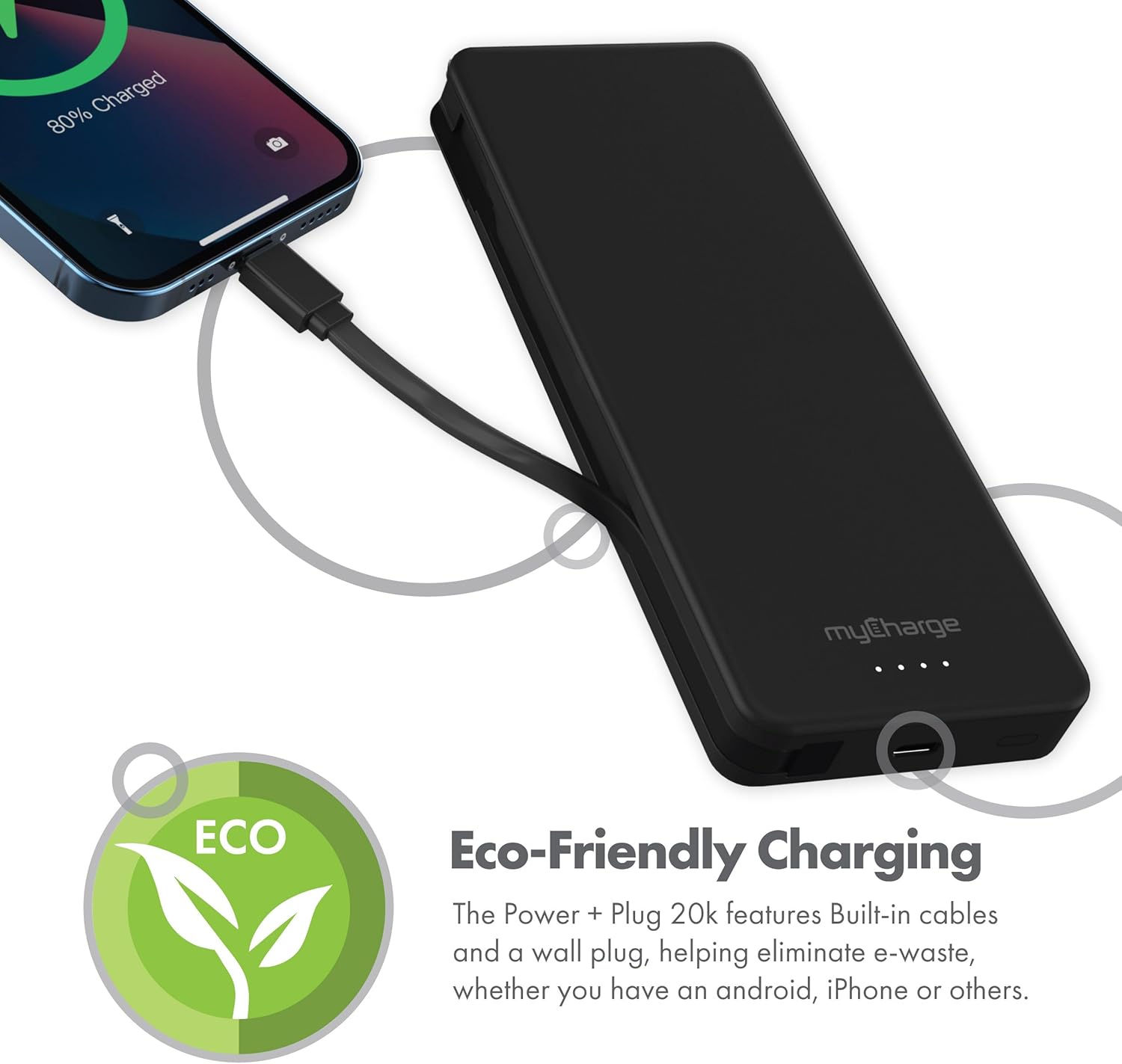
Nọmba 2.4: The device charging an iPhone, highlighting its eco-friendly design with built-in cables and wall plug to reduce electronic waste.
3. Eto
3.1 Gbigba agbara akọkọ ti Bank Power
- Locate the foldable wall plug on the back of the power bank.
- Flip down the prongs of the wall plug.
- Plug the power bank directly into a standard wall outlet.
- The LED indicator lights on the front of the power bank will illuminate to show the charging status. All four lights will be solid when fully charged.
3.2 Oye LED Ifi
The myCharge Power + Plug features four LED lights on its front surface to indicate the remaining battery life and charging status:
- Four Solid Lights: A gba agbara 75-100%.
- Three Solid Lights: A gba agbara 50-75%.
- Two Solid Lights: A gba agbara 25-50%.
- One Solid Light: A gba agbara 0-25%.
- Awọn imọlẹ didan: Indicates the power bank is actively charging.
4. Awọn ilana Iṣiṣẹ
4.1 Charging a Single Device
- For devices with a USB-C port, extend the built-in USB-C cable from the side of the power bank.
- Connect the USB-C cable directly to your device's charging port.
- Ile-ifowopamọ agbara yoo bẹrẹ gbigba agbara ẹrọ rẹ laifọwọyi.
4.2 Charging Two Devices Simultaneously
- Connect your first device using the built-in USB-C cable as described above.
- For your second device, use your own USB-C to USB-C or USB-C to Lightning cable.
- Plug one end of your cable into the additional USB-C port on the power bank.
- Connect the other end of your cable to your second device.
- Both devices will charge simultaneously.
4.3 Osise Video ọja
Watch this official video from myCharge for a visual guide on using the Power + Plug 20K:
Fidio 4.1: An official product video from myCharge demonstrating the features and usage of the myCharge Power + Plug 20K portable charger, including its built-in cables and wall plug.
5. Itọju
- Ninu: Lo asọ asọ ti o gbẹ lati nu ita ti banki agbara. Yago fun lilo awọn kẹmika lile tabi awọn ohun elo abrasive.
- Ibi ipamọ: Tọju banki agbara ni itura, aye gbigbẹ kuro lati orun taara ati awọn iwọn otutu to gaju.
- Itọju Batiri: Láti mú kí batiri pẹ́ sí i, gba agbára bank agbára náà ní kíkún lẹ́ẹ̀kan ní oṣù mẹ́ta, kódà bí kò bá tiẹ̀ jẹ́ pé a ń lò ó déédéé.
- Yago fun bibajẹ: Do not drop, puncture, or disassemble the device. Keep it away from water and high humidity.
6. Laasigbotitusita
| Isoro | Owun to le Fa | Ojutu |
|---|---|---|
| Bank agbara ko gba agbara | Wall plug not fully extended or not properly seated in outlet. Outlet is not active. | Ensure the wall plug is fully extended and securely plugged into a working wall outlet. Try a different outlet. |
| Ẹrọ ko gba agbara lati banki agbara | Power bank battery is depleted. Cable is not properly connected. Device is not compatible. | Recharge the power bank. Ensure cables are securely connected to both the power bank and the device. Verify device compatibility with USB-C charging. |
| Gbigba agbara lọra | Using a non-optimal cable or adapter. Device drawing high power. | Ensure you are using the built-in USB-C cable or a high-quality USB-C cable. Close unnecessary applications on your device. |
| Awọn afihan LED ko ṣiṣẹ | Ile-ifowopamọ agbara ti yọ kuro patapata. | Plug the power bank into a wall outlet and allow it to charge for a few minutes. The lights should eventually illuminate. |
7. Awọn pato
| Nọmba awoṣe | AP20K |
| Agbara Batiri | 20,000 mAh |
| Batiri Iru | Litiumu polima (2 pẹlu) |
| Ọja Mefa | 5.9 x 2.84 x 1 inches |
| Iwọn Nkan | 1.06 iwon |
| Asopọmọra Iru | Built-in USB-C cable & additional USB-C port |
| Àwọ̀ | 20000 mAh - Black |
| Olupese | miCharge |
| Ilu isenbale | China |
8. Atilẹyin ọja ati Support
The myCharge Power + Plug portable charger is covered by a 1-odun atilẹyin ọja lati ọjọ ti o ra. Atilẹyin ọja yi ni wiwa awọn abawọn ninu awọn ohun elo ati iṣẹ ṣiṣe labẹ lilo deede.
For warranty claims, technical support, or any inquiries regarding your product, please visit the official myCharge webojula tabi kan si wọn onibara iṣẹ Eka. Jeki ẹri rira rẹ fun ijẹrisi atilẹyin ọja.
Note: Warranty terms may vary. Please refer to the official myCharge website or product packaging for the most current and detailed warranty information.


