Ọrọ Iṣaaju
The Volkano Splash Series Round Smartwatch, model VK-5096-PR, is designed to enhance your daily life with its advanced features and durable construction. This smartwatch offers connectivity, health monitoring, and communication capabilities directly from your wrist. It features a high-resolution full-touch screen and is built to be water and dust resistant, ensuring reliability in various environments.
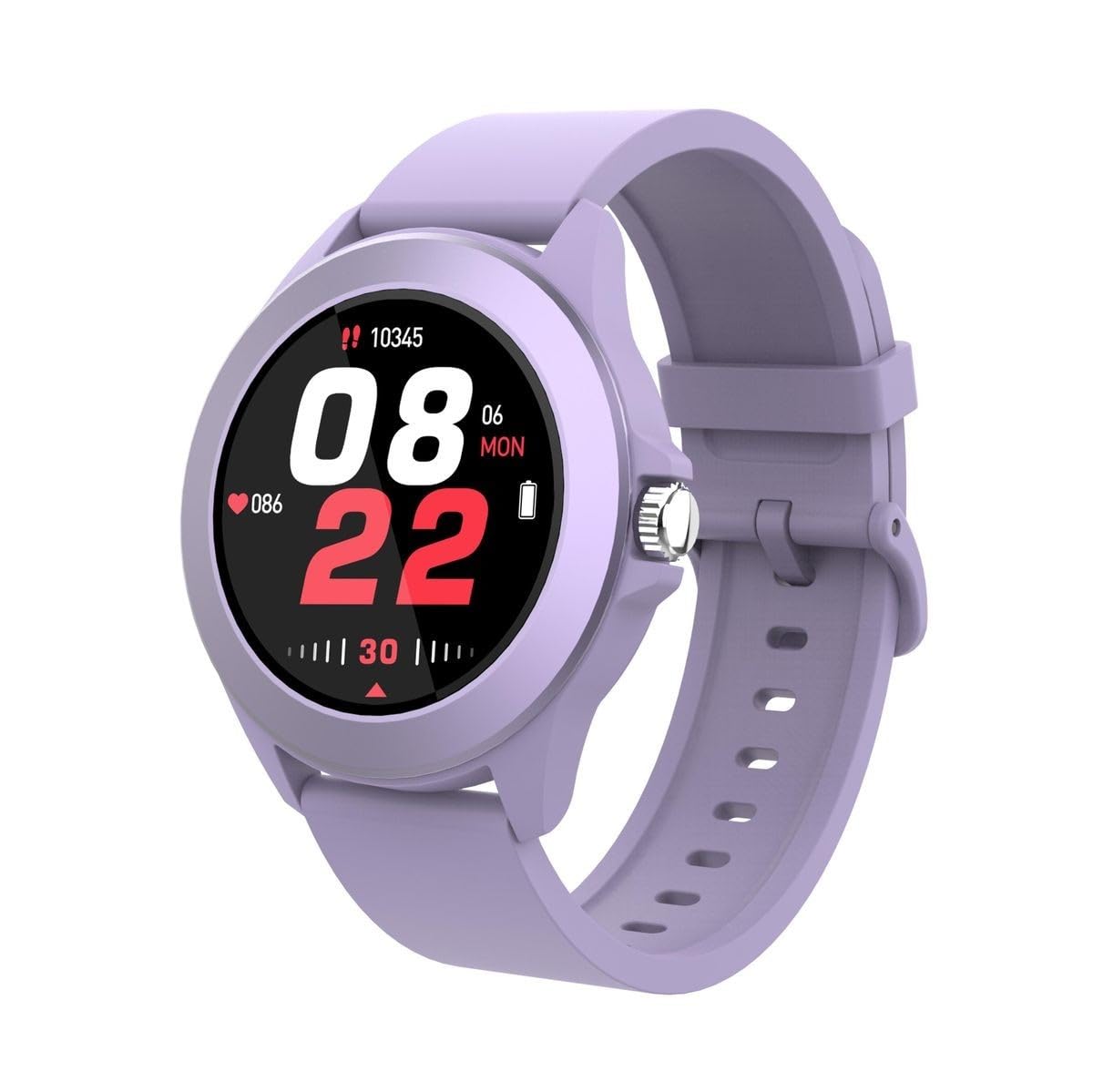
Figure 1: Volkano Splash Series Round Smartwatch (Purple)
Ṣeto
1. Gbigba agbara Smartwatch
Before initial use, fully charge your Volkano Splash Series Smartwatch. Connect the provided USB charging cable to the charging port on the back of the smartwatch and to a standard USB power adapter (not included). A full charge typically takes approximately 2.5 hours. The watch will indicate charging status on its screen.
2. Agbara Lori
Press and hold the side control button for a few seconds until the Volkano logo appears on the screen. The smartwatch will then boot up.
3. Sopọ pẹlu Foonuiyara Foonuiyara Rẹ
- Rii daju pe Bluetooth ti ṣiṣẹ lori foonuiyara rẹ.
- Download and install the companion application for your Volkano smartwatch from your smartphone's app store (compatible with Apple iOS and Android smartphones).
- Open the application and follow the on-screen instructions to search for and connect to your smartwatch. The smartwatch uses Bluetooth Version 5.3 for a stable connection.
- Jẹrisi ibeere sisopọ lori mejeeji foonuiyara rẹ ati smartwatch naa.

Figure 2: Smartwatch features overview
Awọn ilana Iṣiṣẹ
1. Lilọ kiri ni Interface
- Full Touch Screen Control: Swipe left, right, up, or down on the screen to access different menus, notifications, and features. Tap to select an option.
- Side Control Button: Press the side button to return to the home screen or to wake the device. A long press may access power options or specific functions depending on the context.
2. Ṣiṣe ati Gbigba awọn ipe
Once paired with your smartphone, you can make and receive calls directly from your smartwatch. When a call comes in, the watch will display the caller ID. Tap the green icon to answer or the red icon to decline. To make a call, access the dialer or contacts list through the smartwatch interface.
3. Health and Activity Monitoring
The smartwatch includes a heart rate monitor and multi-sport monitoring capabilities. Access these features through the main menu. Swipe to find the relevant icons for heart rate, step counter, or specific sport modes. Ensure the watch is worn snugly on your wrist for accurate readings.

Figure 3: Smartwatch displaying time and heart rate
4. Aye batiri
The smartwatch offers up to 5 days of battery life with typical usage and up to 15 days on standby. Actual battery performance may vary based on usage patterns and settings.
Itoju
1. Nu agogo smart rẹ mọ́
To clean your smartwatch, gently wipe the screen and body with a soft, lint-free cloth. For stubborn dirt, slightly dampen aṣọ pẹlu omi. Yago fun lilo awọn kẹmika lile tabi awọn ohun elo abrasive, nitori iwọnyi le ba ẹrọ jẹ.
2. Omi ati Eruku Resistance
The Volkano Splash Series Smartwatch has an IP67 rating, meaning it is resistant to dust and can withstand immersion in water up to 1 meter for 30 minutes. It is suitable for everyday use, including hand washing and light rain. However, it is not recommended for swimming, diving, or exposure to high-pressure water.
3. Gbigba agbara Awọn ilana ti o dara julọ
- Lo okun gbigba agbara ti a pese nikan.
- Yago fun gbigba agbara ni awọn iwọn otutu to gaju.
- Má ṣe fi aago náà sílẹ̀ fún ìgbà pípẹ́ lẹ́yìn tí ó bá ti gba agbára tán.

Figure 4: Back of the smartwatch with sensors
Laasigbotitusita
- Agogo Smart ko tan: Ensure the device is fully charged. Connect it to the charger and wait a few minutes before attempting to power it on again.
- Ko le ṣe alawẹ-meji pẹlu foonuiyara:
- Check that Bluetooth is active on your phone and the smartwatch.
- Rí i dájú pé smartwatch náà wà ní ààyè tí foonu rẹ lè dé.
- Tun bẹrẹ mejeeji foonuiyara rẹ ati smartwatch.
- Try unpairing and re-pairing the devices through the companion app.
- Iboju ko dahun: If the screen is frozen, try restarting the smartwatch by holding down the side control button until it powers off and then on again.
- Awọn alaye ilera ti ko pe: Ensure the smartwatch is worn correctly, snugly on your wrist, and that the sensors on the back are clean.
Awọn pato
- Awoṣe: VK-5096-PR
- Ẹya Bluetooth: 5.3
- Chipset: JieLi7012F
- Iboju: 1.3 inch TFT, Full Touch 320 x 320 resolution
- Batiri: 260 mAh Li-Polima
- Akoko Iduro: Titi di ọjọ 15
- Igbesi aye batiri: Titi di ọjọ 5
- Akoko gbigba agbara: Awọn wakati 2.5
- Iwọn IP: IP67 Omi sooro
- Eto isesise: Android Wear 1.0 (compatible with Apple iOS and Android smartphones)
- Asopọmọra: USB (for charging), Bluetooth
- Ẹya Pataki: Ìwúwo Fúyẹ́
- Apẹrẹ: Yika
- Àwọ̀: eleyi ti
- Awọn eroja to wa: 1 x Volkano Splash Series Round Smartwatch, Purple

Figure 5: Smartwatch displaying various information
Atilẹyin ọja ati Support
Alaye atilẹyin ọja
This Volkano Splash Series Round Smartwatch comes with a Atilẹyin ọja Olupese Ọdun 1 Láti ọjọ́ tí a ti rà á. Àtìlẹ́yìn yìí bo àwọn àbùkù iṣẹ́-ọnà lábẹ́ lílo déédéé. Kò bo ìbàjẹ́ tí ó wáyé nípasẹ̀ ìlòkulò, jàǹbá, àtúnṣe tí a kò fún ní àṣẹ, tàbí ìbàjẹ́ déédé. Jọ̀wọ́ pa ẹ̀rí ríra rẹ mọ́ fún àwọn ẹ̀tọ́ àtìlẹ́yìn.
Onibara Support
For technical assistance, warranty claims, or any questions regarding your Volkano Splash Series Smartwatch, please refer to the contact information provided with your product packaging or visit the official Volkano webojula fun support oro.


