1. Ifihan
This manual provides essential instructions for the safe and efficient use of your DALI IO-8 Wireless/Wired Hi-Fi Headphones. Please read this manual thoroughly before using the product and retain it for future reference. The DALI IO-8 headphones are designed to deliver a high-fidelity audio experience with advanced features such as Active Noise Cancellation (ANC), Bluetooth AptX Adaptive connectivity, and a long-lasting battery.
2. Ọja Ipariview
Familiarize yourself with the components and controls of your DALI IO-8 headphones.

Nọmba 2.1: Iwaju view of the DALI IO-8 headphones, showcasing the caramel and white color scheme and overall design.

Nọmba 2.2: Oke-isalẹ view of the DALI IO-8 headphones, highlighting the earcups and visible control buttons on the side.
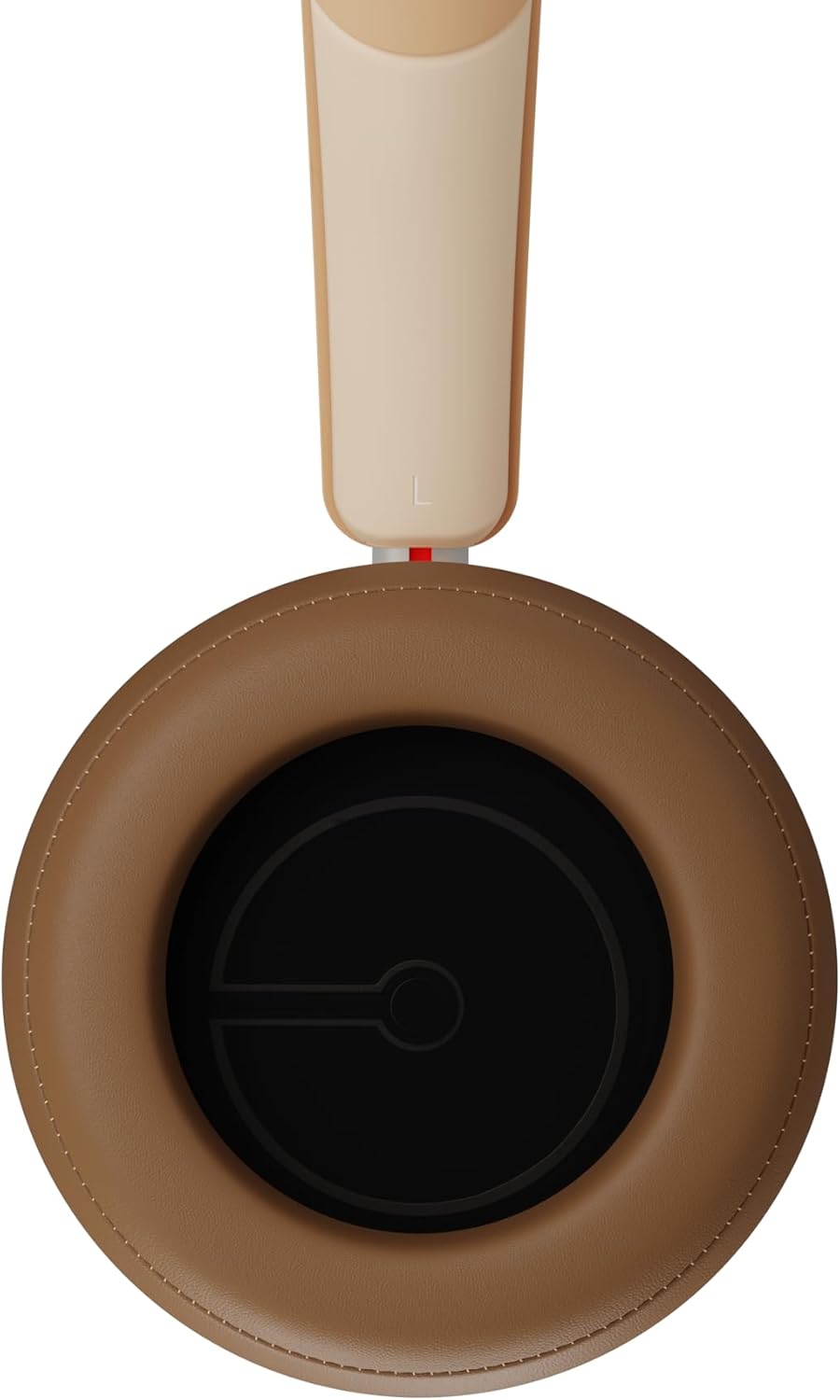
Nọmba 2.3: Inu ilohunsoke view of a DALI IO-8 earcup, showing the soft padding and driver grille, designed for comfort and sound delivery.

Nọmba 2.4: Sun mo tipetipe view of the DALI IO-8 earcup, showing the USB-C charging port and other control buttons.
2.1 Package Awọn akoonu
- DALI IO-8 Agbekọri
- USB-C Ngba agbara Cable
- 3.5mm Audio USB
- Travel Case (if included)
- Afowoyi Olumulo (iwe-ipamọ yii)
2.2 Àwọn Ẹ̀yà Agbọ́hùn

Nọmba 2.5: Bugbamu view illustrating the internal components of the DALI IO-8 headphones, including the 50mm driver, circuitry, and earcup structure.
- Headband (Adjustable)
- Earcups (Over-ear design with genuine leather)
- 50mm Driver (SMC Driver Technology)
- Control Buttons (Power, Volume, ANC, Multifunction)
- USB-C Port (Charging and Wired Audio)
- 3.5mm Audio Jack (Wired Audio)
- Microphones (for ANC and calls)
3. Eto
3.1 Ngba agbara si awọn Agbekọri
Before initial use, fully charge your DALI IO-8 headphones.
- Connect the supplied USB-C cable to the USB-C port on the headphone earcup.
- Connect the other end of the USB-C cable to a compatible USB power source (e.g., computer USB port, USB wall adapter).
- The LED indicator will show charging status. A full charge provides up to 35 hours of playback with ANC enabled.
- Ni kete ti o ti gba agbara ni kikun, ge asopọ okun naa.
3.2 Agbara Tan / Pa
- Lati Fi agbara: Press and hold the Power button for approximately 2 seconds until the LED indicator illuminates.
- Lati Paarẹ: Tẹ mọlẹ bọtini agbara fun isunmọ awọn aaya 3 titi ti itọkasi LED yoo wa ni pipa.
3.3 Sisopọ Bluetooth
The DALI IO-8 supports Bluetooth AptX Adaptive for high-quality wireless audio.
- Rii daju pe awọn agbekọri ti wa ni pipa.
- Press and hold the Power button for approximately 5 seconds until the LED indicator flashes blue rapidly. This indicates pairing mode.
- Lórí ẹ̀rọ ohùn rẹ (fóònù alágbéka, tábìlẹ́ẹ̀tì, kọ̀ǹpútà), mu Bluetooth ṣiṣẹ́ kí o sì wá àwọn ẹ̀rọ tó wà.
- Select "DALI IO-8" from the list of found devices.
- Once paired, the LED indicator will glow solid blue or flash slowly.
- Awọn agbekọri yoo gbiyanju laifọwọyi lati tun sopọ si ẹrọ ti o so pọ to kẹhin nigbati o ba wa ni tan-an.
3.4 Asopọ Onirin
The DALI IO-8 can be used with a wired connection via the 3.5mm audio jack or USB-C.
- Okun Olohun 3.5mm: Connect one end of the supplied 3.5mm audio cable to the headphone's 3.5mm jack and the other end to your audio source's headphone output. The headphones can be used passively in this mode, or actively with ANC and amplification if powered on.
- USB-C Audio: Connect the supplied USB-C cable to the headphone's USB-C port and the other end to a compatible USB audio output on your computer or device. This mode allows for digital audio transmission and charging simultaneously.
4. Ṣiṣẹ awọn Agbekọri
4.1 Ifagile Ariwo Nṣiṣẹ (ANC)
The DALI IO-8 features three distinct ANC modes and wind noise suppression.
- Press the dedicated ANC button to cycle through the available modes:
- ANC Lori: Ìfagilé ariwo tó pọ̀ jùlọ.
- Ipo akoyawo: Allows ambient sounds to pass through for situational awareness.
- ANC Paa: Active noise cancellation is disabled.
- Wind noise suppression is automatically engaged in ANC modes to reduce interference from wind.
4.2 Awọn ipo ohun
Customize your listening experience with two sound profiles.
- Press the Sound Mode button (if available, or refer to specific button on device) to switch between:
- Hi-Fi Mode: Delivers a balanced and neutral sound signature.
- Ipo Bass: Enhances low-frequency response for a more impactful bass.
4.3 Playback and Volume Control
Use the control buttons on the earcup for media playback and volume adjustments.
- Iwọn didun Up: Tẹ bọtini '+'.
- Iwọn didun isalẹ: Tẹ bọtini '-'.
- Ṣiṣẹ/Daduro: Tẹ bọtini Multifunction lẹẹkan.
- Orin t’okan: Double-press the Multifunction button.
- Tẹlẹ Orin: Triple-press the Multifunction button.
4.4 ipe Management
Manage phone calls when connected via Bluetooth.
- Idahun/Ipe Ipari: Tẹ bọtini Multifunction lẹẹkan.
- Kọ Ipe: Tẹ mọlẹ bọtini Multifunction fun iṣẹju meji 2.
- Mu Oluranlọwọ Ohun ṣiṣẹ: Press and hold the Multifunction button for 2 seconds (when not on a call).
5. Itọju
5.1 Ninu
- Mu awọn agbekọri nu pẹlu asọ, gbẹ, asọ ti ko ni lint.
- Ma ṣe lo awọn afọmọ abrasive, awọn nkanmimu, tabi awọn itọsi kemikali.
- Fun awọn afikọti, rọra mu ese pẹlu die-die damp cloth if necessary, then dry immediately.
- Rí i dájú pé ọrinrin kò wọ inú àwọn èbúté tàbí àwọn ihò.
5.2 Ibi ipamọ
- When not in use, store the headphones in their protective travel case to prevent damage.
- Yago fun ṣiṣafihan agbekọri si awọn iwọn otutu to gaju, ọriniinitutu, tabi oorun taara.
6. Laasigbotitusita
| Isoro | Owun to le Fa | Ojutu |
|---|---|---|
| Ko si agbara | Batiri ti dinku. | Gba agbara sori agbekọri naa nipa lilo okun USB-C ti a pese. |
| Ko le so pọ nipasẹ Bluetooth | Awọn agbekọri ko si ni ipo sisopọ; Bluetooth ẹrọ pa; ju jina lati ẹrọ. | Ensure headphones are in pairing mode (rapid blue LED flash). Turn on Bluetooth on your device. Move headphones closer to the device. Forget "DALI IO-8" on your device and re-pair. |
| Ko si ohun | Volume too low; incorrect input source; headphones not connected. | Increase volume on headphones and source device. Check Bluetooth connection or wired cable. Ensure the correct audio output is selected on your device. |
| ANC ko ṣiṣẹ daradara | ANC mode off; poor earcup seal. | Ensure ANC is enabled. Adjust headphones for a proper seal around your ears. |
7. Awọn pato
| Ẹya ara ẹrọ | Ẹ̀kúnrẹ́rẹ́ |
|---|---|
| Orukọ awoṣe | DALI IO-8 |
| Brand | DALI |
| Asopọmọra Technology | Ti firanṣẹ, Ailokun (Bluetooth) |
| Imọ-ẹrọ Ibaraẹnisọrọ Alailowaya | Bluetooth (AptX Adaptive) |
| Ifagile Ariwo | Active Noise Suppression (ANC) with Wind Noise Suppression |
| Gbigbe Eti | Lori-eti |
| Awakọ Iwon | 50mm (SMC Driver Technology) |
| Ipalara | 25 ohms |
| Jack agbekọri | 3.5 mm |
| Igbesi aye batiri | Titi di wakati 35 (pẹlu ANC) |
| Awọn ohun elo | Genuine Leather (earcups) |
8. Alaye Aabo
Please observe the following safety guidelines to ensure safe operation and prevent damage to your headphones or injury to yourself.
- Do not expose the headphones to water, rain, or moisture.
- Yago fun awọn iwọn otutu to gaju.
- Do not disassemble, repair, or modify the headphones. This voids the warranty.
- Tẹtisi ni awọn ipele iwọn didun iwọntunwọnsi lati ṣe idiwọ ibajẹ igbọran.
- Jeki kuro ni arọwọto awọn ọmọde.
- Sọ ọja naa ni ifojusọna ni ibamu si awọn ilana agbegbe.
9. Atilẹyin ọja ati Support
DALI products are manufactured to high standards and are covered by a limited warranty. For specific warranty terms and conditions, please refer to the warranty card included with your product or visit the official DALI website. For technical support, troubleshooting assistance, or service inquiries, please contact your authorized DALI dealer or DALI customer support.

Nọmba 9.1: A person wearing the DALI IO-8 headphones, demonstrating their comfortable fit and use in a real-world environment.


