1. Ọja Ipariview
The STARLYF Climate Control unit is a versatile appliance designed to provide both heating and fan functions for your indoor environment. It features a compact, wall-mountable design, digital temperature control, and a convenient remote control for ease of use. This manual provides essential information for the safe and efficient operation of your unit.

Image 1.1: STARLYF Climate Control unit and its remote control.
2. Awọn Ilana Aabo pataki
Jọwọ ka gbogbo awọn itọnisọna ni pẹkipẹki ṣaaju lilo ohun elo yii ki o da wọn duro fun itọkasi ọjọ iwaju. Ikuna lati tẹle awọn ilana wọnyi le ja si mọnamọna, ina, tabi ipalara nla.
- Rii daju pe ipese agbara voltage baamu aami igbelewọn lori ohun elo naa.
- Ma ṣe ṣiṣẹ ohun elo pẹlu okun ti o bajẹ tabi plug.
- Ma ṣe fi ohun kan sii sinu awọn atẹgun atẹgun.
- Keep flammable materials at least 1 meter away from the appliance.
- Ohun elo yii wa fun lilo inu ile nikan.
- Yọọ ohun elo nigbagbogbo ṣaaju ṣiṣe mimọ tabi itọju.
- Maṣe bo ohun elo lakoko iṣẹ.
- The appliance features an automatic shut-off function for overheat protection. If it shuts off, unplug it and allow it to cool before restarting.
3. Package Awọn akoonu
Daju pe gbogbo awọn nkan ti a ṣe akojọ rẹ si isalẹ wa ninu package rẹ:
- 1 x STARLYF Climate Control Unit
- 1 x Isakoṣo latọna jijin
- 1 x Remote Control Holder
- 1 x Set of Installation Accessories (screws, wall plugs)
- 1 x Ilana itọnisọna (iwe yii)

Image 3.1: Included components and dimensions of the STARLYF Climate Control unit.
4. Fifi sori ẹrọ ati Oṣo
The STARLYF Climate Control unit is designed for wall mounting. Choose a suitable location away from direct sunlight, heat sources, and areas with high humidity. Ensure there is sufficient clearance around the unit for proper airflow.
4.1 odi iṣagbesori
- Yan Ibi: Choose a sturdy wall surface. Ensure the mounting height allows for optimal air circulation and easy access to controls.
- Samisi Awọn aaye Liluho: Use the provided mounting template or measure the distance between the mounting holes on the back of the unit. Mark these points on the wall.
- Awọn iho iho: Drill holes at the marked points using an appropriate drill bit for your wall type. Insert the wall plugs (if required).
- Ẹka to ni aabo: Align the unit with the drilled holes and secure it to the wall using the provided screws. Ensure the unit is level and firmly attached.
- Asopọ agbara: Pulọọgi okun agbara sinu iṣan itanna to dara.

Aworan 4.1: Example of the unit mounted on a wall.
5. Awọn ilana Iṣiṣẹ
The STARLYF Climate Control unit can be operated using the touch control panel on the unit or the included remote control.
5.1 Iṣakoso igbimo ati isakoṣo latọna jijin Loriview

Image 5.1: Control panel layout and indicators.
Awọn Atọka Igbimọ Iṣakoso:
- Àmì TÍTÀN/PÁ: Shows if the unit is powered on.
- Ipò gbóná: Indicates heating function is active.
- Ipo afẹfẹ: Indicates fan-only function is active.
- TIMER IN USE: Indicates the timer function is active.
Awọn bọtini Iṣakoso Iṣakoso:
- ON/OFF (Power Button): Yipada ẹyọ naa tan tabi pa.
- HEAT/FAN (Mode Button): Toggles between heating mode and fan-only mode.
- Bọtini TIMER: Activates and sets the timer for automatic shut-off (up to 6 hours).
- Iwọn otutu +/- Awọn bọtini: Ṣe atunṣe eto iwọn otutu ti o fẹ.
5.2 Ipilẹ isẹ
- Titan/Apapa: Tẹ awọn TAN/PA bọtini lori kuro tabi isakoṣo latọna jijin.
- Yan Ipo: Tẹ awọn HEAT/FAN button to switch between heating and fan modes. The corresponding indicator light will illuminate.
- Set Temperature (Heating Mode): In heating mode, use the Otutu +/- buttons to set your desired temperature. The digital display will show the set temperature.
- Ṣeto Aago: Tẹ awọn Aago button repeatedly to set the desired operating time (e.g., 1 hour, 2 hours, up to 6 hours). The unit will automatically turn off after the set time.
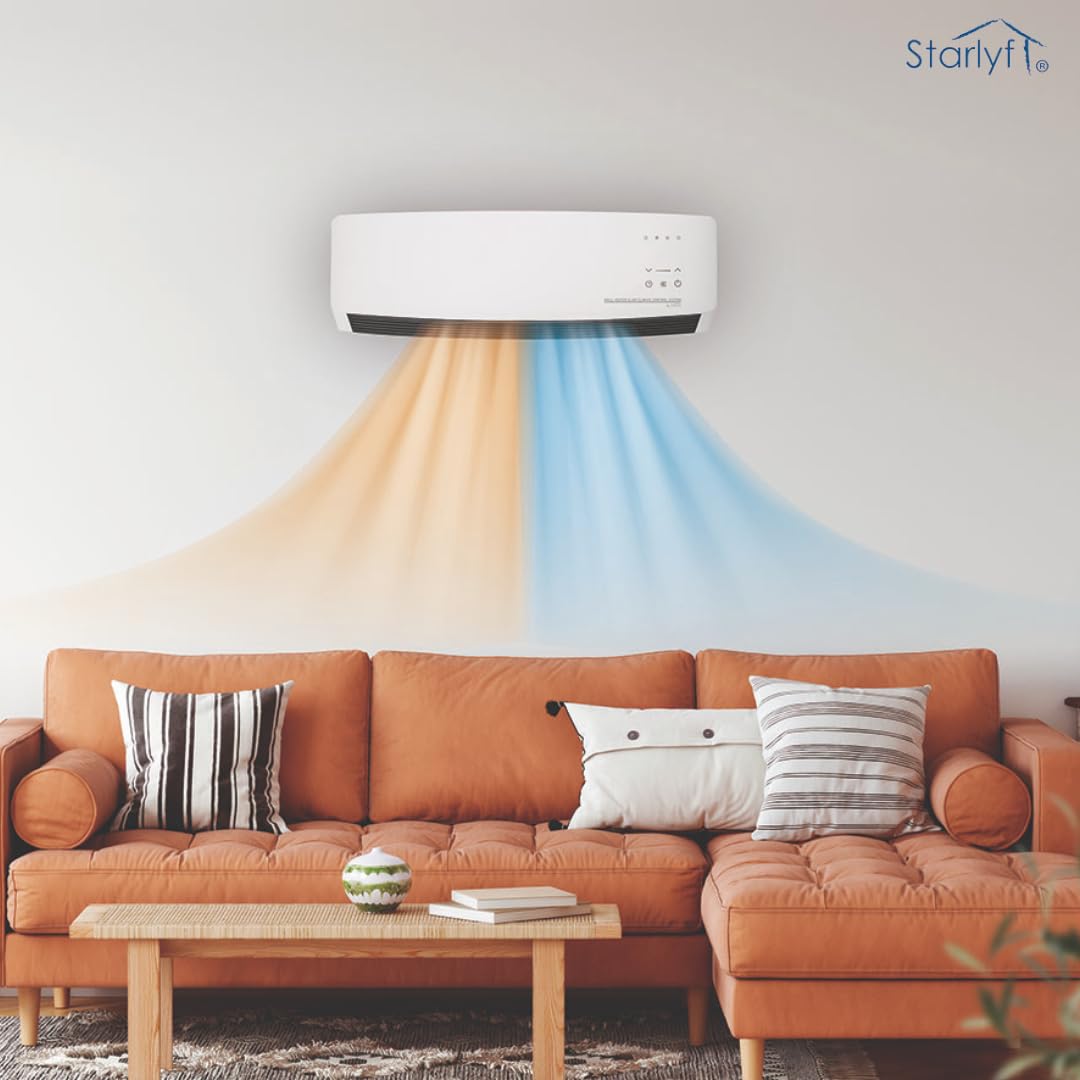
Image 5.2: The unit provides both heating (orange) and fan (blue) functions.
6. Itọju
Regular maintenance ensures optimal performance and extends the lifespan of your STARLYF Climate Control unit.
6.1 Ninu
- Yọọ kuro ni gbogbo igba ṣaaju ṣiṣe mimọ.
- Mu ese ita kuro pẹlu asọ, damp asọ. Ma ṣe lo abrasive ose tabi epo.
- Use a vacuum cleaner with a brush attachment to gently remove dust from the air intake and outlet grilles.
- Do not immerse the unit in water or spray water directly onto it.
6.2 Ibi ipamọ
Ti o ba tọju ẹyọ naa fun akoko ti o gbooro sii, yọọ kuro, sọ di mimọ daradara, ki o tọju rẹ si tutu, ibi gbigbẹ, ni pataki ninu apoti atilẹba rẹ.
7. Laasigbotitusita
Tọkasi tabili ni isalẹ fun awọn ọran ti o wọpọ ati awọn solusan agbara wọn.
| Isoro | Owun to le Fa | Ojutu |
|---|---|---|
| Ẹka ko ni tan-an. | Ko si ipese agbara. Idaabobo igbona ti mu ṣiṣẹ. | Ṣayẹwo boya ẹyọ ti wa ni edidi daradara sinu iṣan-iṣẹ iṣẹ. Unplug the unit, wait 30 minutes for it to cool down, then plug it back in. Ensure vents are not blocked. |
| No heat/fan output. | Ipo ti ko tọ ti yan. Awọn atẹgun atẹgun ti dina. | Ensure the correct mode (HEAT or FAN) is selected. Check for obstructions around the air intake and outlet. |
| Isakoṣo latọna jijin ko ṣiṣẹ. | Awọn batiri ti ku tabi fi sii lọna ti ko tọ. Idilọwọ laarin latọna jijin ati ẹyọkan. | Rọpo awọn batiri (rii daju pe polarity ti o tọ). Yọọ eyikeyi nkan ti o dina ọna ifihan. |
| Unit ṣe dani ariwo. | Awọn paati alaimuṣinṣin. Ikojọpọ eruku. | Unplug the unit and check for any loose parts. If noise persists, contact customer support. Clean the unit as per maintenance instructions. |
8. Awọn pato
| Ẹya ara ẹrọ | Ẹ̀kúnrẹ́rẹ́ |
|---|---|
| Brand | STARLYF |
| Awoṣe | Iṣakoso oju-ọjọ |
| ASIN | B0DKK69H2X |
| Iru | Wall-mounted Heater and Fan |
| Agbára (Igbóná) | 1600W (as per image `61-nN7PkiVL._SL1080_.jpg`) |
| Awọn iwọn (LxWxH) | 54 x 9 x 18 centimeters |
| Iwọn Nkan | 2 kg 790 g |
| Àwọ̀ | Funfun |
| Pataki Awọn ẹya ara ẹrọ | Remote Controlled, Digital Temperature Setting, Timer, Overheat Protection |
9. Atilẹyin ọja ati Support
For warranty information or technical support, please refer to the contact details provided with your purchase documentation or visit the official STARLYF webojula. Jeki ẹri rira rẹ fun eyikeyi awọn ibeere atilẹyin ọja.


