1. Ifihan
This manual provides detailed instructions for the proper use and maintenance of your OPPO Enco Air4 Wireless Bluetooth TWS Earbuds. Please read this manual thoroughly before using the product to ensure optimal performance and longevity. Keep this manual for future reference.
2. Package Awọn akoonu
Daju pe gbogbo awọn ohun kan wa ninu akopọ ọja rẹ:
- OPPO Enco Air4 Wireless Earbuds
- Alailowaya Ngba agbara Case
- Awọn iṣu Eti (oriṣiriṣi titobi)
- Afowoyi Olumulo (iwe-ipamọ yii)
3. Ọja Ipariview
The OPPO Enco Air4 earbuds are designed for a comfortable fit and high-quality audio experience, featuring Active Noise Cancellation and intuitive touch controls. The charging case provides extended battery life and convenient storage.
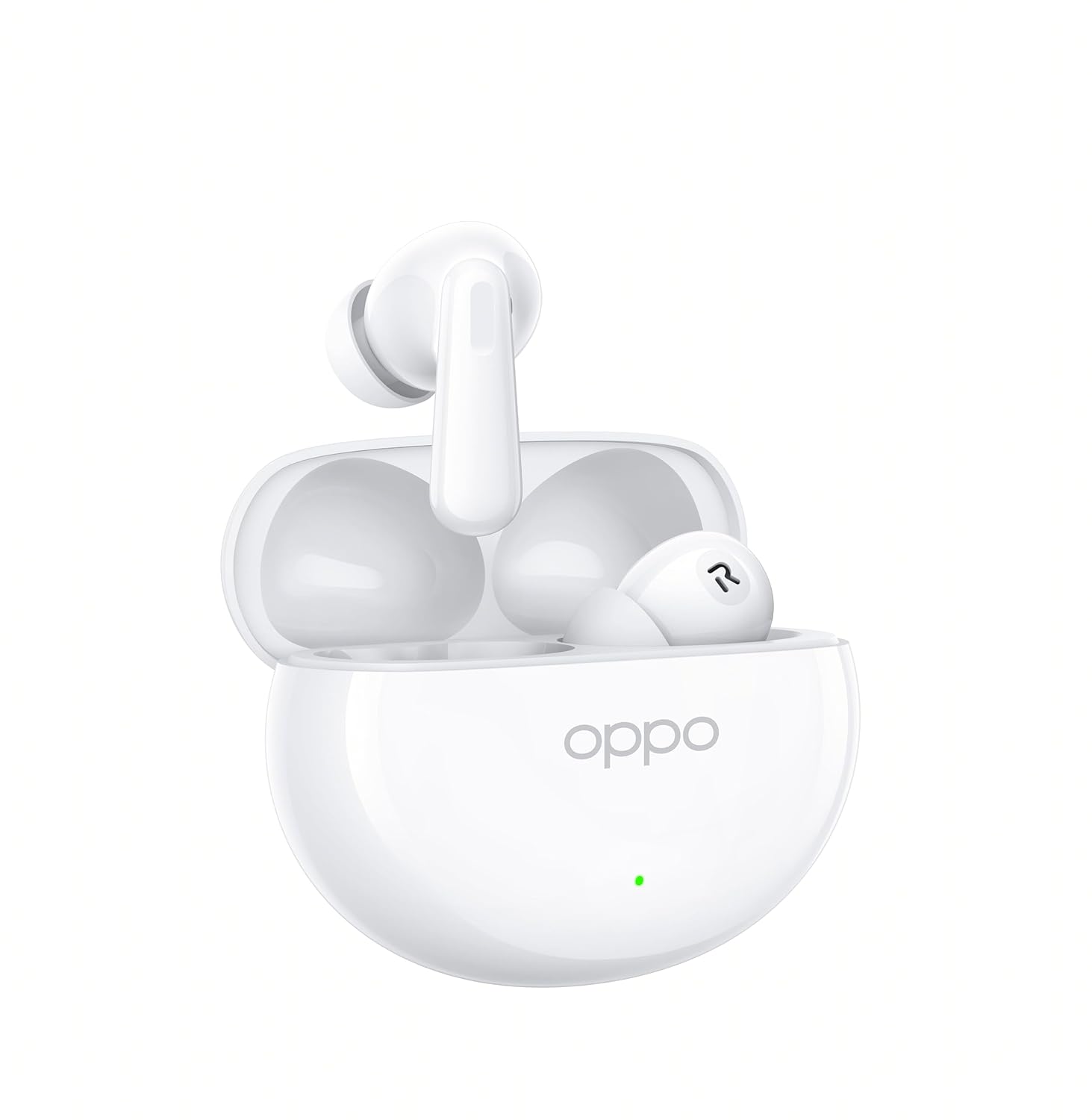
Figure 3.1: OPPO Enco Air4 Earbuds in their open charging case. The earbuds are white, with the OPPO logo visible on the case. A small LED indicator is also visible on the front of the case.

olusin 3.2: Iwaju view of the two OPPO Enco Air4 earbuds. They are white, with a stem design and silicone ear tips. The speaker grilles are visible.
4. Eto
4.1 Ngba agbara si Earbuds ati Ọran
Before first use, fully charge the earbuds and the charging case. The charging case acts as a portable power bank for your earbuds.
- Gbe awọn afikọti sinu apoti gbigba agbara, ni idaniloju pe wọn joko ni deede.
- Connect the charging case to a power source using a compatible USB-C cable (not included).
- The LED indicator on the case will show the charging status. A full charge is indicated when the LED remains solid.
Note: A USB-C charging cable is required and typically not included in the package. Use a standard 5V charger.
4.2 Sisopọ Bluetooth
To connect your OPPO Enco Air4 earbuds to a device:
- Rii daju pe awọn afikọti wa ninu apoti gbigba agbara ati pe ideri ọran wa ni sisi.
- Press and hold the function button on the charging case (usually located inside or on the back) for 2 seconds until the indicator light flashes white, indicating pairing mode.
- Lori ẹrọ rẹ (foonuiyara, tabulẹti, kọǹpútà alágbèéká), mu Bluetooth ṣiṣẹ ki o wa awọn ẹrọ to wa.
- Select "OPPO Enco Air4" from the list of found devices.
- Once connected, the indicator light on the case will turn off or display a solid color.
Awọn agbekọri naa yoo tun sopọ laifọwọyi si ẹrọ ti o so pọ to kẹhin nigbati o ba jade ninu ọran naa, ti o ba mu Bluetooth ṣiṣẹ lori ẹrọ naa.
5. Awọn ilana Iṣiṣẹ
5.1 Fọwọkan Iṣakoso
The OPPO Enco Air4 earbuds feature customizable touch controls. The default functions are:
| Iṣe | Išẹ |
|---|---|
| Double-tap (either earbud) | Mu ṣiṣẹ/sinmi orin, Dahun/pari ipe |
| Fọwọ́ tẹ etí mẹ́ta (bóyá earbọd) | Itele orin |
| Press and hold (either earbud) | Switch Noise Control Mode (ANC On/Off/Transparency) |
| Press and hold (left earbud) | Activate Voice Assistant (e.g., Google Assistant) |
Note: Specific touch control functions may be customized via the HeyMelody app (if available for your region/model).
5.2 Ifagile Ariwo Nṣiṣẹ (ANC)
The OPPO Enco Air4 features 32dB Active Noise Cancellation to reduce ambient noise. To cycle through noise control modes (ANC On, ANC Off, Transparency Mode), press and hold either earbud for approximately 2 seconds. Transparency Mode allows you to hear your surroundings while still enjoying audio.
6. Itọju
Itọju to dara ṣe idaniloju gigun ati iṣẹ ti awọn agbekọri rẹ.
- Ninu: Regularly clean the earbuds and charging case with a soft, dry, lint-free cloth. Do not use harsh chemicals or abrasive materials. Gently clean the ear tips and speaker grilles to prevent wax buildup.
- Ibi ipamọ: Tí o kò bá lò ó, fi àwọn ètí ìgbọ́rọ̀ sí inú àpótí ìgbóná wọn láti dáàbò bò wọ́n kúrò lọ́wọ́ eruku àti ìbàjẹ́. Tọ́jú sí ibi tí ó tutù tí ó sì gbẹ, tí kò sí ìmọ́lẹ̀ tààrà àti ooru tó le koko.
- Omi Resistance: The earbuds have an IP55 rating for water and dust resistance. This means they are protected against limited dust ingress and low-pressure water jets. They are not designed for swimming or showering. Avoid submerging them in water.
7. Laasigbotitusita
If you encounter issues with your OPPO Enco Air4 earbuds, refer to the following common solutions:
- Awọn agbekọri ti ko so pọ:
- Rii daju pe awọn agbekọri ti gba agbara.
- Place earbuds in the case, close the lid, then open it and press the function button to enter pairing mode.
- Pa ati tun-ṣiṣẹ Bluetooth lori ẹrọ rẹ.
- Gbiyanju lati so pọ pẹlu ẹrọ miiran lati ṣe akoso awọn oran-ẹrọ kan pato.
- Ko si ohun lati inu agbekọri agbekọri kan:
- Rii daju pe awọn agbekọri mejeeji ti gba agbara.
- Nu awọn olubasọrọ gbigba agbara kuro lori mejeeji agbekọri ati ọran naa.
- Try resetting the earbuds (refer to the device's specific reset procedure, often involves holding the function button for an extended period).
- Iwọn kekere tabi didara ohun ti ko dara:
- Ṣatunṣe iwọn didun lori ẹrọ ti a ti sopọ.
- Ensure ear tips are correctly sized and form a good seal in your ear canal.
- Nu idoti eyikeyi kuro lati awọn grilles agbọrọsọ agbekọri.
- Apo gbigba agbara ko gba agbara:
- Ensure the USB-C cable is securely connected to both the case and the power adapter.
- Gbiyanju okun USB-C ti o yatọ ati ohun ti nmu badọgba agbara.
8. Awọn pato
| Ẹya ara ẹrọ | Ẹ̀kúnrẹ́rẹ́ |
|---|---|
| Orukọ awoṣe | Enco Air4 |
| Nọmba awoṣe | 110070330264 |
| Asopọmọra Technology | Ailokun (Bluetooth) |
| Ẹya Bluetooth | 4.0 |
| Ni wiwo Hardware | Bluetooth 5 |
| Ariwo Iṣakoso | Ifagile Ariwo Nṣiṣẹ (32dB) |
| Audio Driver Type | Awakọ Yiyipo (12.4mm) |
| Igbesi aye batiri (Earbuds) | Titi di awọn wakati 12 |
| Lapapọ akoko ere (pẹlu Ọran) | Titi di awọn wakati 43 |
| Ọna Iṣakoso | Fọwọkan |
| Omi Resistance Ipele | IP55 (Earbuds) |
| Item Weight (per earbud) | 4.2 giramu |
| Awọn ẹrọ ibaramu | Cellphones, Desktops, Laptops, Smart Watch, Tablets |
| Awọn irinše to wa | Ear Cushions, Wireless Charging Case |
9. Alaye Aabo
Please observe the following safety guidelines to prevent damage to your device or injury to yourself:
- Ma ṣe tuka, tunṣe, tabi tun ọja naa pada.
- Keep the product away from extreme temperatures, humidity, and corrosive environments.
- Avoid exposing the product to open flames or direct sunlight for prolonged periods.
- Ma ṣe lo ọja ni iwọn giga fun awọn akoko ti o gbooro sii lati ṣe idiwọ ibajẹ igbọran.
- Jeki kuro ni arọwọto awọn ọmọde ati awọn ohun ọsin. Awọn ẹya kekere le fa eewu gbigbọn.
- Dispose of the product and its battery responsibly, following local regulations.
10. Atilẹyin ọja ati Support
For warranty information, technical support, or customer service inquiries, please refer to the official OPPO website or contact your local OPPO customer service center. Ensure you have your product model number and proof of purchase available when seeking support.
You can visit the official OPPO store for more information: OPPO Official Store


