Ọrọ Iṣaaju
This manual provides essential instructions for the safe and effective use of your himaly IF1010AR USB Rechargeable Bluetooth Body Fat Scale. This digital scale is designed to measure body weight and analyze various body composition metrics, including body fat percentage, muscle mass, and BMI, through its integrated app.
Jọwọ ka iwe afọwọkọ yii daradara ṣaaju lilo akọkọ ki o da duro fun itọkasi ọjọ iwaju.

Aworan: The himaly IF1010AR digital scale, black-navy blue, displaying a weight reading, alongside a smartphone showing the 'Moving Life' app interface with body composition data.

Aworan: Ipariview graphic of the himaly Smart Bluetooth Body Fat Scale, detailing its key features including 4 high-precision sensors, HD LCD display, 15 measurement indicators, 0.2-180kg capacity, and compatibility with iOS, Android, and Bluetooth.
Package Awọn akoonu
- himaly Digital Body Weight Scale
- Okun Ngba agbara USB
- Itọsọna olumulo
Ṣeto
1. Ngba agbara si Iwọn
The himaly IF1010AR scale features a built-in rechargeable battery. Before initial use, ensure the scale is fully charged.
- Wa ibudo gbigba agbara USB ni ẹgbẹ tabi ẹhin iwọn naa.
- Connect the provided USB charging cable to the scale and to a standard USB power adapter (not included) or a computer USB port.
- The display will indicate charging status. Charge until the battery indicator shows full.

Aworan: Sun mo tipetipe view of the himaly scale's USB charging port, highlighting the built-in rechargeable battery feature.
2. Fifi sori App ati Sisopọ
To utilize the full body composition analysis features, download and install the "Moving Life" app on your smartphone or tablet.
- Scan the QR code provided in the manual or search for "Moving Life" in the Apple App Store (for iOS devices) or Google Play Store (for Android devices).
- Install the app and create your user profile.
- Rii daju pe Bluetooth ti ṣiṣẹ lori ẹrọ rẹ.
- Step onto the scale to activate it. The scale will automatically attempt to pair with the app via Bluetooth 4.0+.
- Follow the on-screen prompts in the "Moving Life" app to complete the pairing process.

Aworan: Diagram illustrating Bluetooth 4.0 connectivity between the himaly scale and the "Moving Life" app, with icons for iOS and Android app stores.
Awọn ilana Iṣiṣẹ
1. Gbigbe Iwọn kan
For accurate readings, place the scale on a hard, flat surface. Avoid carpets or uneven flooring.
- Rí i dájú pé ẹsẹ̀ rẹ mọ́ tónítóní àti gbẹ.
- Step onto the scale barefoot, placing your feet on the metal electrodes. Stand still until your weight is displayed and stabilized.
- If the app is open and connected, your measurements will automatically sync.
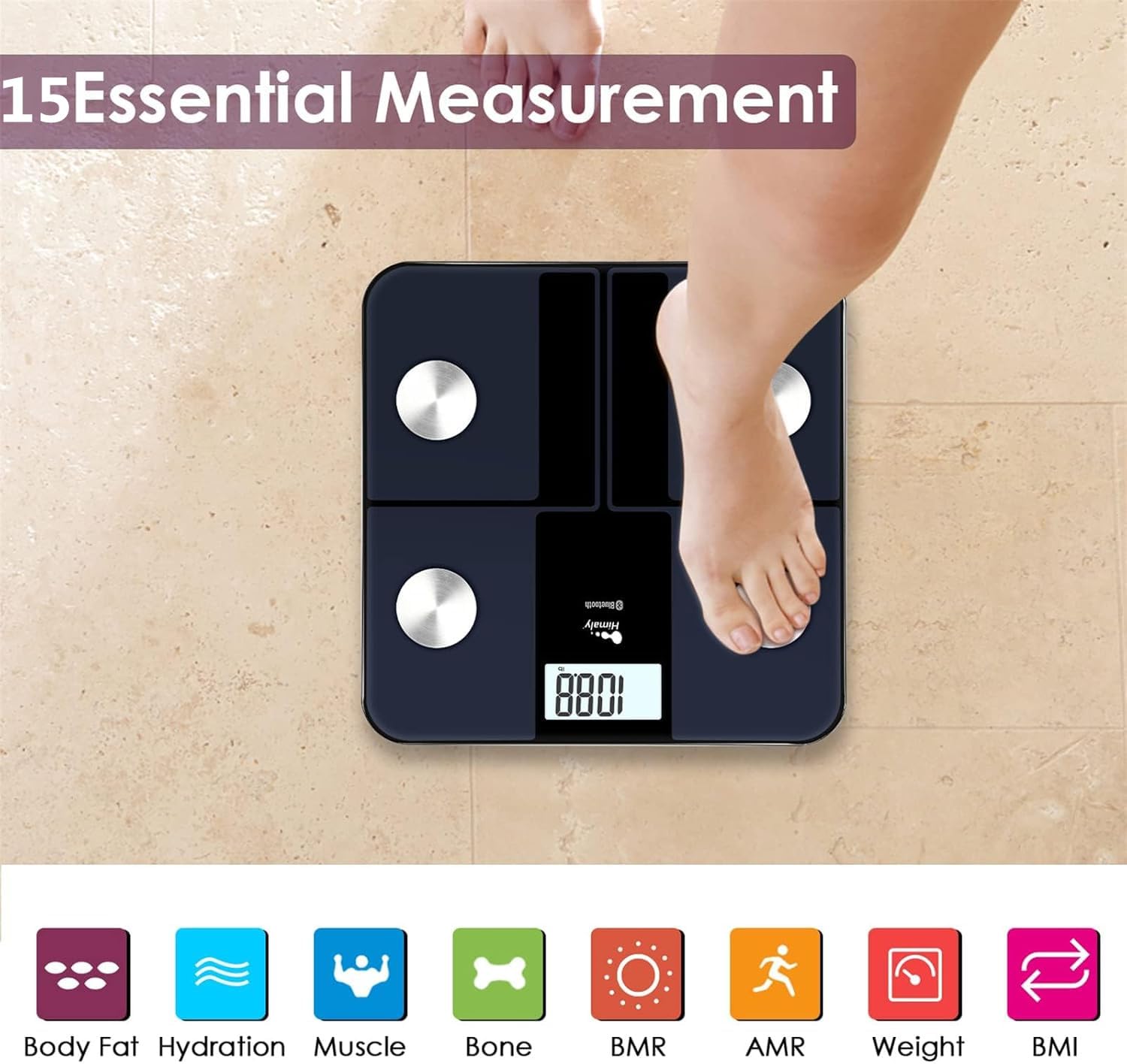
Aworan: A person's bare feet positioned on the himaly scale, illustrating the process of taking a measurement for 15 essential body composition metrics.
2. Understanding Body Composition Metrics
The himaly scale, in conjunction with the "Moving Life" app, provides 15 essential body composition measurements. These include:
- Iwọn Ara
- Ara Ọra Ogoruntage
- BMI (Atọka Iwọn Ara)
- Ibi isan
- Hydration (Water Content)
- Ibi Egungun
- BMR (Oṣuwọn Metabolic Basal)
- AMR (Active Metabolic Rate)
- Ati siwaju sii.

Aworan: A visual representation of the various body composition metrics measured by the scale, including Body Fat, Hydration, Muscle, Bone, BMR, AMR, Weight, and BMI, depicted with illustrative icons.
The scale's display also uses color-coded indicators to reflect different body fat levels for easy interpretation.

Aworan: A person's feet on the himaly scale, with the digital display showing a weight reading and color-coded indicators representing different body fat levels (Thin, Slim, Normal, Heavy, Overweight).
3. App Features and Data Tracking
The "Moving Life" app allows you to:
- Monitor health trends over time (daily, weekly, monthly, yearly).
- Visualize progress through graphs and charts.
- Sync data with other health apps like Fitbit, Apple Health, and Google Fit.
- Manage multiple user profiles fun ebi ẹgbẹ.
- Utilize a baby/pet weighing mode.

Aworan: A woman looking at her smartphone, which displays a graph of health data from the 'Moving Life' app, demonstrating the 'Results at a Glance' feature.

Aworan: A woman performing a plank exercise, with the himaly scale in the foreground and a graphic overlay showing a trend chart of weight and body fat percentage lori akoko.

Aworan: A graphic illustrating continuous health data tracking and automatic synchronization, with a person performing a yoga pose in the foreground, emphasizing consistent body monitoring.
4. Iyipada Unit
To switch between measurement units (e.g., pounds to kilograms), locate the "UNIT" button on the underside of the scale and press it to toggle.

Aworan: The underside of the himaly scale, highlighting the 'UNIT' button for measurement conversion and the non-slip mats for stability.
Itoju
- Nu dada asekale pẹlu ipolowoamp Aṣọ àti ọṣẹ ìfọṣọ díẹ̀. Yẹra fún àwọn ohun ìfọṣọ ìfọṣọ tàbí kí o fi omi rì ìwọ̀n náà sínú omi.
- Tọju iwọn naa ni aaye gbigbẹ ni iwọn otutu yara.
- Yẹra fún dídín ìwọ̀n náà kù tàbí fífi sí àwọn ipa líle.
- Regularly charge the scale to maintain battery health.
Laasigbotitusita
| Isoro | Owun to le Fa / Solusan |
|---|---|
| Iwọn ko ni tan-an. | Battery is low or depleted. Charge the scale using the provided USB cable. |
| Awọn kika ti ko pe. |
|
| Ikuna asopọ Bluetooth. |
|
| Ohun èlò náà kò mú dátà ṣiṣẹpọ. |
|
Awọn pato
| Ẹya ara ẹrọ | Ẹ̀kúnrẹ́rẹ́ |
|---|---|
| Nọmba awoṣe | IF1010AR |
| Brand | himaly |
| O pọju Agbara | 400 lbs / 180 kg |
| Awọn iwọn wiwọn | 0.2 lb / 0.05 kg |
| Awọn sensọ | 4 High-Precision Sensors |
| Asopọmọra | Bluetooth 4.0 + |
| Ibamu App | "Moving Life" App (iOS & Android), Syncs with Fitbit, Apple Health, Google Fit |
| Orisun agbara | Batiri gbigba agbara USB |
| Ifihan Iru | LCD oni -nọmba |
| Awọn iwọn | 11.81 in x 11.81 in (approx. 30 cm x 30 cm) |
| Àwọ̀ | Black-Navy Blue |

Aworan: An image showing the physical dimensions of the himaly IF1010AR scale, indicating its length and width as 11.81 inches and thickness as 0.79 inches.
Atilẹyin ọja ati Support
For warranty information and customer support, please refer to the contact details provided with your purchase or visit the official himaly webojula. Tọju iwe-ẹri rira rẹ bi ẹri rira fun awọn iṣeduro atilẹyin ọja.
Olupese: himaly


