1. Ifihan ati Ọja Loriview
This manual provides detailed instructions for the setup, operation, and maintenance of your ZEBRONICS Juke BAR 4100 Soundbar. Please read this manual thoroughly before using the product to ensure proper functionality and to maximize your audio experience.

Image 1.1: The ZEBRONICS Juke BAR 4100 Soundbar and its accompanying subwoofer, shown with the remote control. The soundbar is a long, slender unit, and the subwoofer is a compact, cube-shaped speaker.
Awọn ẹya pataki:
- Ijade Ayika: 200W RMS total power (90W subwoofer, 110W soundbar).
- Asopọmọra pupọ: Bluetooth v5.0, HDMI (ARC), Optical, USB, and AUX inputs.
- Awọn awakọ ti o lagbara: Soundbar features 4 x 5.71 cm drivers; subwoofer features a single 16.51 cm driver for enhanced bass.
- Foju 5.1 Ohùn Yika: Creates an immersive, multi-channel audio environment.
- Wall-mountable: Designed for flexible placement and space efficiency.
- Ifihan LED: Provides clear status, volume, and connectivity mode information.
2. Ohun ti o wa ninu Apoti
Fi pẹ̀lẹ́pẹ̀lẹ́ tú gbogbo àwọn ohun èlò náà kí o sì rí i dájú pé o ti gba àwọn ohun èlò wọ̀nyí:
- Pápá Ìró - Ẹyọ kan
- Subwoofer - ẹyọ kan
- Iṣakoso Latọna jijin - ẹyọ kan
- Okùn ìtẹ̀síwájú - ẹyọ kan
- Ìtọ́sọ́nà Kóòdù QR - Ẹyọ kan
3. Awọn ilana iṣeto
3.1 Ibi
For optimal audio performance, place the soundbar centrally below your television. The subwoofer can be placed on the floor near the soundbar, ideally in a corner for enhanced bass response.

Image 3.1: The soundbar positioned below a television, with the subwoofer on the floor to the left, illustrating a typical home theater setup.
3.2 odi iṣagbesori
The soundbar is designed to be wall-mountable. Use appropriate wall mounting hardware (not included) and follow the instructions provided in the QR Code Guide for secure installation. Ensure the wall can support the weight of the soundbar.
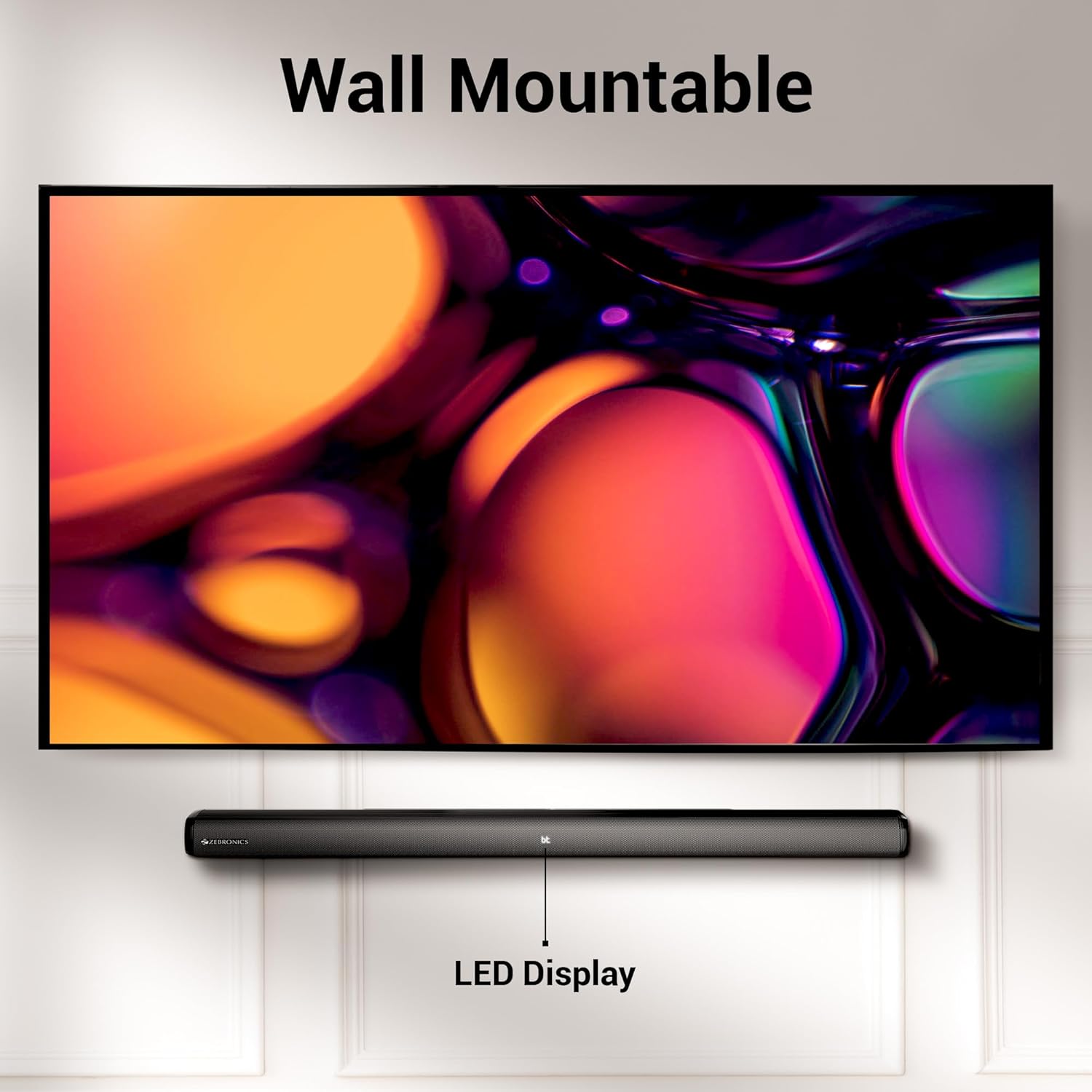
Image 3.2: The soundbar mounted on a wall beneath a television, demonstrating its wall-mountable design and integrated LED display.
3.3 Nsopọ Subwoofer
Connect the subwoofer to the soundbar using the provided input cable. Ensure the connection is secure.
3.4 Asopọ agbara
Connect the power cables for both the soundbar and the subwoofer to a suitable power outlet. The LED display on the soundbar will illuminate.
4. Awọn ilana Iṣiṣẹ
4.1 Agbara Tan / Pa
Tẹ awọn Agbara Bọtini lori ọpa ohun tabi isakoṣo latọna jijin lati tan ẹyọ kuro tabi pa.
4.2 Aṣayan ipo
Tẹ awọn Ipo button on the soundbar or the remote control to cycle through available input modes: Bluetooth (BT), HDMI (ARC), Optical (OPT), USB, and AUX. The selected mode will be indicated on the LED display.
4.3 Iṣakoso iwọn didun
Lo awọn Iwọn didun + ati Iwọn didun - awọn bọtini lori ọpa ohun tabi isakoṣo latọna jijin lati ṣatunṣe ipele iwọn didun.
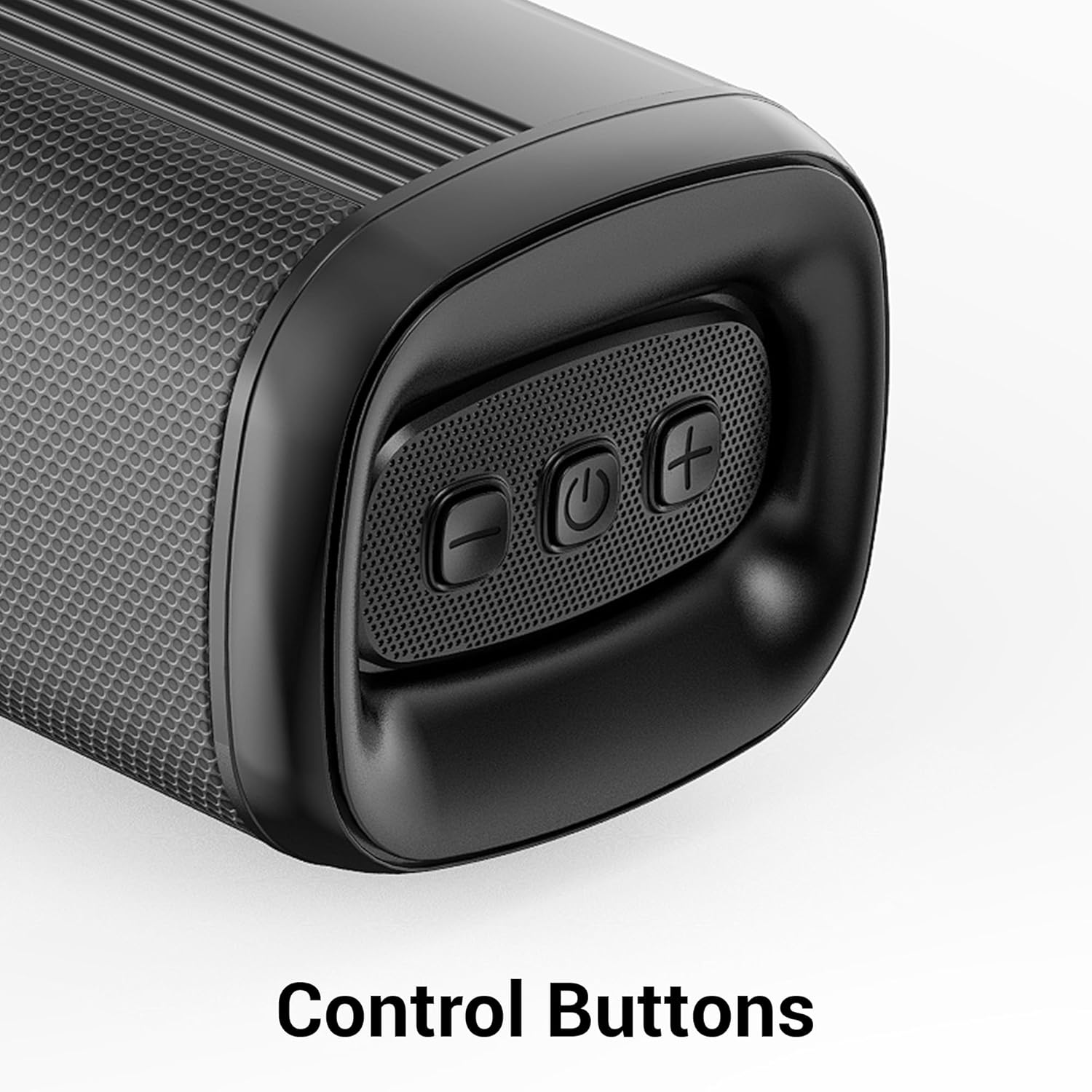
Aworan 4.1: Isunmọ view of the control buttons on the soundbar, including volume down, power, and volume up.
5. Asopọmọra
The ZEB-Juke Bar 4100 offers multiple connectivity options for various devices.

Image 5.1: The soundbar with an overlay indicating its multi-connectivity features: Bluetooth v5.0, TV (ARC), Optical IN, USB, and AUX.
5.1 Bluetooth (BT) Connection
- Tan pẹpẹ ohun orin ki o yan BT mode. The LED display will show "BT" and flash, indicating pairing mode.
- Enable Bluetooth on your mobile device or computer and search for "ZEB-JUKE BAR 4100".
- Select the soundbar from the list of available devices to pair. Once connected, the "BT" indicator will stop flashing.
5.2 HDMI (ARC) Asopọmọra
- So okun HDMI kan pọ lati HDMI ARC port on the soundbar to the HDMI ARC ibudo lori tẹlifisiọnu rẹ.
- Yan HDMI ARC mode lori awọn ohun bar.
- Rii daju pe iṣelọpọ ohun ti TV rẹ ti ṣeto si HDMI ARC tabi awọn agbohunsoke ita.
5.3 Optical (OPT) Connection
- Connect an optical cable from the Opitika IN port on the soundbar to the optical output port on your television or audio source.
- Yan OPT mode lori awọn ohun bar.
- Rii daju pe iṣelọpọ ohun ti TV rẹ ti ṣeto si Optical tabi awọn agbohunsoke ita.
5.4 USB Sisisẹsẹhin
- Fi kọnputa USB ti o ni ohun ti o ni ohun sii sii files sinu USB ibudo lori pẹpẹ ohun.
- Yan USB mode. The soundbar will automatically begin playing audio files.
- Use the remote control to navigate tracks (Play/Pause, Next/Previous).
5.5 AUX Asopọ
- So okùn ohùn 3.5mm kan lati inu AX IN port on the soundbar to the audio output of your device (e.g., smartphone, MP3 player).
- Yan AUX mode lori awọn ohun bar.
6. Itọju
Lati rii daju igbesi aye gigun ati iṣẹ to dara julọ ti ọpa ohun orin rẹ, tẹle awọn itọnisọna itọju wọnyi:
- Ninu: Lo aṣọ rírọrùn tí ó gbẹ láti nu ojú ibi ìró ohùn àti subwoofer. Má ṣe lo àwọn ohun èlò ìfọmọ́ omi tàbí àwọn ohun èlò ìpara.
- Afẹfẹ: Ensure proper ventilation around the units. Do not block any ventilation openings.
- Ayika: Avoid exposing the soundbar to extreme temperatures, humidity, or direct sunlight. Keep it away from water and other liquids.
- Agbara: Ge okun ina kuro ninu ibudo ogiri ti a ko ba lo ẹrọ naa fun igba pipẹ.
7. Laasigbotitusita
If you encounter any issues with your ZEBRONICS Juke BAR 4100 Soundbar, refer to the following common problems and solutions:
| Isoro | Owun to le Fa | Ojutu |
|---|---|---|
| Ko si agbara | Okùn agbára kò sopọ̀ mọ́; ibi tí agbára ń jáde kò ṣiṣẹ́. | Ensure power cables are securely connected and the power outlet is functioning. |
| Ko si ohun | Incorrect input mode selected; volume too low; audio cable not connected properly. | Select the correct input mode (BT, HDMI, OPT, USB, AUX). Increase volume. Check all audio cable connections. Ensure TV audio output is set correctly. |
| Sisopọ Bluetooth kuna | Ìdáhùn ohùn kò sí ní ipò ìsopọ̀; ẹ̀rọ náà jìnnà jù; ìdènà. | Ensure soundbar is in BT mode and "BT" is flashing. Move device closer to the soundbar. Turn off other Bluetooth devices to reduce interference. |
| Isakoṣo latọna jijin ko ṣiṣẹ | Batteries depleted; obstruction between remote and soundbar. | Replace remote control batteries. Ensure no objects are blocking the remote's signal path to the soundbar's sensor. |
8. Awọn pato
Technical specifications for the ZEBRONICS Juke BAR 4100 Soundbar:
- Orukọ awoṣe: Ọpa ZEB-JUKE 4100
- Lapapọ Agbara Ijade: 200 Watts RMS (Soundbar: 110W, Subwoofer: 90W)
- Irú Agbọrọsọ: Ohùn pẹ̀lú Subwoofer ìta
- Atunto ikanni Ohun Yika: Foju 5.1
- Awọn Awakọ Pẹpẹ Ohun: 4 x 5.71 cm
- Awakọ Subwoofer: 1 x 16.51 cm
- Imọ-ẹrọ Asopọmọra: Bluetooth v5.0, HDMI (ARC), Optical, USB, Auxiliary
- Ibiti Bluetooth: Ti o to awọn mita 10
- Idahun Igbohunsafẹfẹ: 45 Hz (minimum, as per data)
- Iru fifi sori: Odi Mountable
- Ọna Iṣakoso: Iṣakoso Latọna jijin, Awọn bọtini lori ẹrọ
- Product Dimensions (Combined unit): 30.6D x 19W x 36.7H
- Ìwọ̀n Nkan: 6 kg
- Orisun Agbara: Okun Itanna
- Awọn eroja to wa: Sound Bar, Subwoofer, Remote, Input cable, QR code guide
9. Atilẹyin ọja ati Support
The ZEBRONICS Juke BAR 4100 Soundbar comes with a limited warranty. Please refer to the warranty card included in your package for specific terms and conditions.
For technical assistance, troubleshooting, or warranty claims, please contact ZEBRONICS customer support. Contact details can typically be found on the official ZEBRONICS webaaye tabi ni awọn iwe ti o wa.
O tun le ṣabẹwo si osise naa Ile itaja ZEBRONICS lori Amazon fun alaye ọja diẹ sii ati awọn orisun atilẹyin.


