1. Ifihan
This manual provides detailed instructions for the safe and efficient use of your PUSOKEI 64MP 4K Digital Camera, Model PUSOKEIk6x0y8o5ac. Please read this manual thoroughly before using the camera and retain it for future reference.
2. Alaye Aabo
- Ma ṣe fi kamẹra han si omi tabi ọrinrin pupọ.
- Yago fun jisilẹ kamẹra tabi fifisilẹ si awọn ipa to lagbara.
- Keep the camera away from direct sunlight and high temperatures.
- Lo awọn ẹya ẹrọ gbigba agbara pàtó kan.
- Ma ṣe gbiyanju lati tu tabi yi kamẹra pada.
- Jeki kuro ni arọwọto awọn ọmọde.
3. Package Awọn akoonu
Jọwọ ṣayẹwo pe gbogbo awọn nkan wọnyi wa ninu package rẹ:
- 1 x Kamẹra oni-nọmba
- 1 x Okun USB
- 1 x Lanyard
- 1 x Asọ mimọ
- 1 x Adapter
- 1 x Screwdriver
- 1 x Ilana itọnisọna

Image: All items included in the camera package, laid out for inspection.
4. Ọja Ipariview
The PUSOKEI 64MP 4K Digital Camera features a compact design with advanced imaging capabilities. It is equipped with a 3-inch HD screen and a triple-lens system for high-quality photos and videos.

Aworan: Iwaju view of the camera, highlighting the 3-inch HD display.
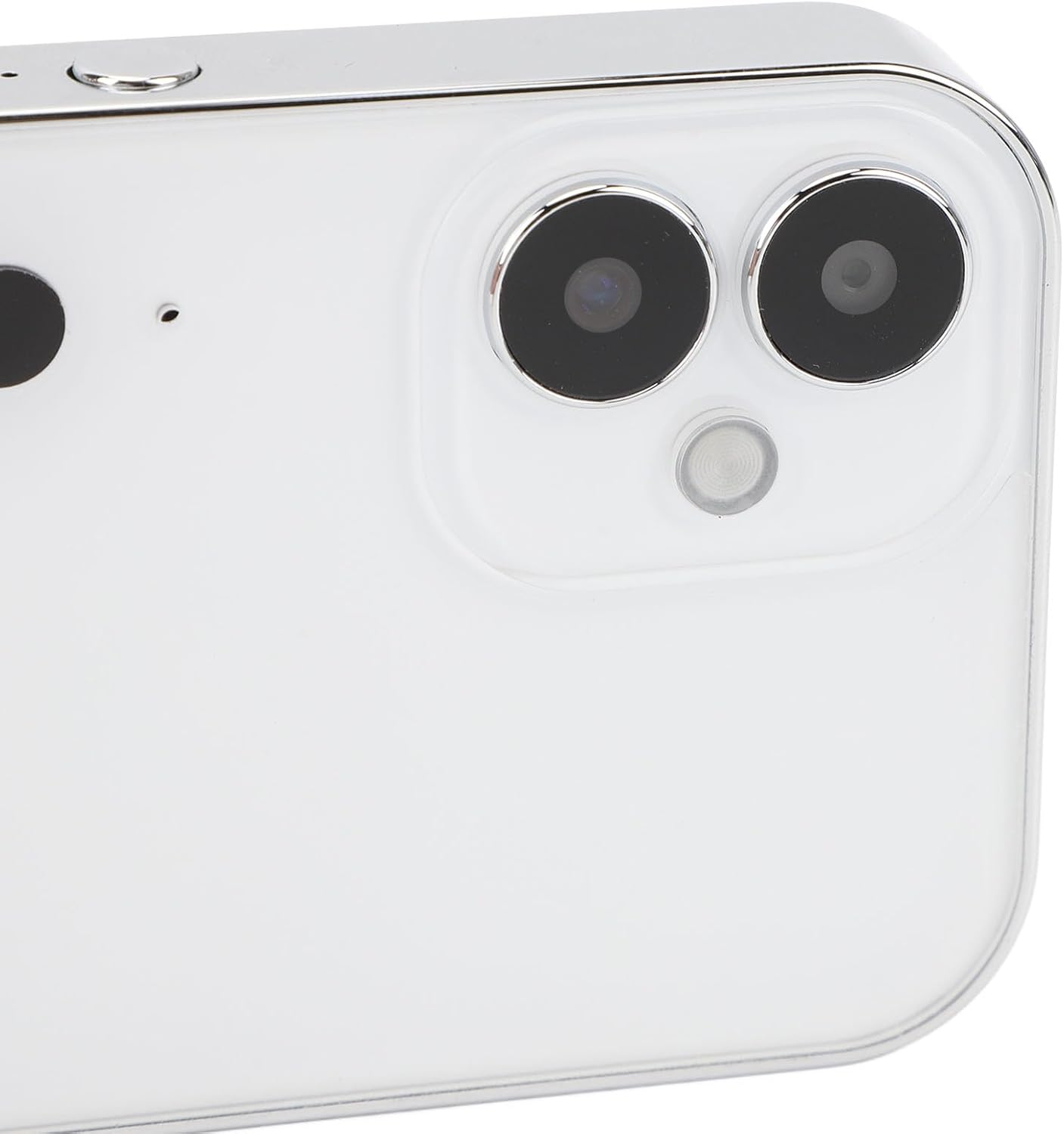
Image: Close-up of the camera's rear, showing the triple lens configuration.
Awọn ẹya pataki:
- HD Picture Quality: Utilizes a combination of CCD prime, CMOS telephoto, and CCD wide-angle lenses for 64MP images and 4K videos.
- Full OLED Screen: 3-inch organic light-emitting diode display with filter switching capability by sliding the screen.
- Quick OTG Transmission: Taara view, save, and share photos/videos to a phone via OTG connection.
- Titii iboju iṣẹ: Allows photo, sound, and video recording even when the screen is off.
- Igbesi aye batiri gigun: Equipped with a 3600mAh battery, supporting various charging methods.
5. Eto
5.1. Ngba agbara si Batiri naa
The camera is equipped with a built-in 3600mAh lithium battery. Before first use, ensure the battery is fully charged.
- Connect the camera to a power source using the provided USB cable and adapter.
- Atọka gbigba agbara yoo tan imọlẹ.
- Charging is complete when the indicator light changes or turns off (refer to on-screen display if available).
5.2. Fifi kaadi iranti sii
The camera supports small memory cards up to 128GB (not included). A memory card is required to store photos and videos.
- Wa iho kaadi iranti ni ẹgbẹ kamẹra.
- Gently insert the memory card into the slot with the contacts facing the correct direction until it clicks into place.
- Láti yọ ọ́ kúrò, tẹ káàdì náà sínú díẹ̀díẹ̀ títí yóò fi yọ jáde.
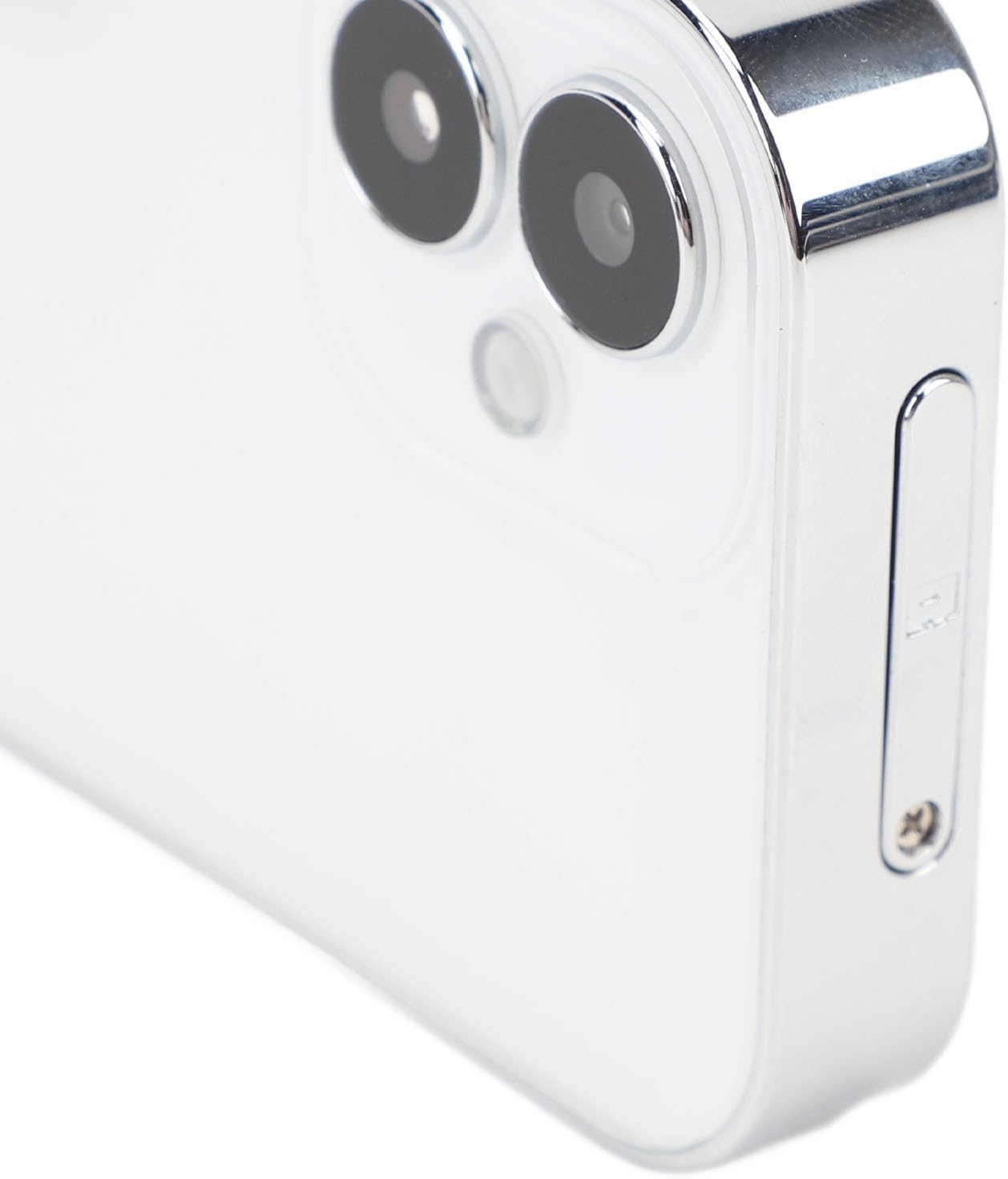
Aworan: Apa view of the camera, indicating the memory card slot for insertion.
6. Awọn ilana Iṣiṣẹ
6.1. Agbara Tan / Paa
- To power on: Long press the power button located on the camera.
- To power off: Long press the power button again until the camera shuts down.
6.2. Ipilẹ isẹ
- Aṣayan Ipo: Once powered on, touch the corresponding mode icon on the screen to enter photo, video, or playback mode.
- Mu Awọn fọto: In photo mode, press the shutter button to capture an image.
- Gbigbasilẹ Awọn fidio: In video mode, press the record button to start/stop video recording.
- Screen Filters: Slide the OLED screen left or right to switch between different filters for creative effects.
6.3. Titiipa iboju Išė
The lock screen key allows you to continue taking photos, recording sound, and video even when the screen is off. This conserves battery and prevents accidental touches.
- Press the dedicated lock screen key to turn off the display while maintaining camera functionality.
- Press it again to reactivate the screen.
6.4. OTG Transmission
Use the OTG transmission feature to quickly transfer files si rẹ foonuiyara.
- Connect the camera to an OTG-compatible smartphone using a suitable OTG cable (not always included, check phone compatibility).
- Your phone should recognize the camera as an external storage device.
- You can then browse, save, and share your media files directly from your phone.
6.5. Video Playback Conversion
For specific video playback on the camera, a conversion process may be required for certain file orisi.
- Download the provided attachments and open the "for 3231AviMaker" software on your computer.
- Browse and select the video file o fẹ lati yipada.
- Set the output width to 640 and height to 360. Select the highest video quality.
- Confirm the conversion. Once complete, locate the converted AVI format file in the output folder.
- Import this AVI file onto your memory card and insert it into the camera.
- Turn on the camera's playback function to view the converted video.
7. Itọju
- Fifọ lẹnsi naa: Use the provided cleaning cloth or a soft, lint-free cloth to gently wipe the lens. Avoid using harsh chemicals.
- Ninu iboju: Lo aṣọ rirọ ati gbigbẹ lati nu iboju ifihan naa.
- Ibi ipamọ: When not in use for extended periods, store the camera in a cool, dry place, away from dust and extreme temperatures.
- Itọju Batiri: For optimal battery life, avoid fully discharging the battery frequently. Charge it regularly, even if not in use.
8. Laasigbotitusita
Tí o bá ní ìṣòro pẹ̀lú kámẹ́rà rẹ, jọ̀wọ́ wo àwọn ìdáhùn tí ó wọ́pọ̀ wọ̀nyí:
- Kamẹra ko tii: Ensure the battery is charged. Connect the camera to a charger and try again.
- Cannot take photos/record videos: Check if a memory card is inserted correctly and has sufficient free space.
- Didara aworan ti ko dara: Ensure the lens is clean and free from smudges. Check lighting conditions.
- Iboju ko dahun: Try restarting the camera. If the issue persists, ensure the screen is not locked.
- Files not transferring via OTG: Verify that your smartphone supports OTG and that the cable connection is secure.
Ti awọn iṣoro ba wa, jọwọ kan si atilẹyin alabara.
9. Awọn pato
| Ẹya ara ẹrọ | Sipesifikesonu |
|---|---|
| Nkan Iru | Kamẹra oni nọmba |
| Ohun elo | Zinc Alloy, Tempered Glass |
| Iboju | 3 Inch HD OLED |
| Batiri Alaye | Lithium Battery, 3600mAh (Built-In) |
| Ipinnu Aworan ti o pọju | 64M (64 Megapixels) |
| O ga Video ga | 4K |
| Atilẹyin ipamọ | Supports Up To 128G Small Memory Card (Excluded) |
| Iduroṣinṣin Aworan | Oni-nọmba |
| Sun-un Optical | 1x |
| Iwọn sensọ Fọto | Fireemu ni kikun (35mm) |
| Asopọmọra Technology | Ethernet (Note: This might refer to internal connectivity or a specific accessory, as cameras typically use USB/Wi-Fi for external connection) |
| Orukọ awoṣe | PUSOKEIk6x0y8o5ac |
10. Atilẹyin ọja ati Support
For warranty information and customer support, please refer to the warranty card included in your package or visit the official PUSOKEI webojula. Tọju iwe-ẹri rira rẹ bi ẹri rira.
For technical assistance or inquiries, please contact PUSOKEI customer service through the contact details provided on their official webojula.