Ọrọ Iṣaaju
The NETGEAR EAX17 AX3000 WiFi 6 Range Extender is designed to expand your existing WiFi network coverage. This device integrates with your current ISP gateway or WiFi router to provide extended coverage throughout your home, eliminating dead zones. Utilizing WiFi 6 technology, it offers faster speeds and increased capacity for multiple devices, including smartphones, tablets, computers, and smart home gadgets.
Ohun ti o wa ninu Apoti
- AX3000 4-Sanṣan WiFi Extender (EAX17)
- Itọsọna ibere ni kiakia
Ṣeto
Setting up your NETGEAR EAX17 WiFi 6 Range Extender is a straightforward process. The extender is designed for easy installation, typically completed within minutes using the Nighthawk App.
Awọn igbesẹ fifi sori ẹrọ:
- Agbara Tan: Plug the extender into any standard wall outlet. Ensure it is placed within range of your existing WiFi router for initial setup.
- Ṣe igbasilẹ ohun elo Nighthawk: Download the NETGEAR Nighthawk App on your mobile device from your app store.
- Tẹle Awọn ilana App: Open the Nighthawk App and follow the on-screen instructions to connect the extender to your existing WiFi network. The app will guide you through the process of using your existing network SSID name, enabling seamless roaming.
- Ibi to dara julọ: Once connected, the app may assist in finding the best location for the extender to maximize coverage.

Figure 1: Easy setup and management with the Nighthawk App.

Figure 2: Extend your WiFi and create a Mesh Network with any Router.
Video 1: Netgear Mesh Home Diagram. This video illustrates how the extender creates a mesh network to expand WiFi coverage throughout a home.
Awọn ilana Iṣiṣẹ
The NETGEAR EAX17 operates to seamlessly extend your WiFi coverage and enhance network performance.
Awọn ẹya ara ẹrọ pataki:
- Ibora ti o gbooro: The extender adds up to 1,500 sq. ft. of WiFi coverage, creating a mesh network that connects up to 20+ devices.
- One WiFi Name & Smart Roaming: The extender uses your existing network SSID name, allowing your devices to stay connected as you move around your home or office without manually switching networks. This smart roaming feature ensures a continuous and strong connection.
- Iṣe-iyara giga: With AX3000 speed WiFi 6, the extender delivers up to 3.0 Gbps speed, ideal for uninterrupted streaming, HD video gaming, and web apero.
- Ibamu: It is compatible with any wireless router or cable modem router and is optimized for WiFi 6 routers and devices.
- Ibudo Ethernet Gigabit: A 1 Gigabit Ethernet port is available to connect wired devices such as computers, game consoles, or streaming players for maximum speed and stability.

Figure 3: Seamless Roaming with Your Existing Network Name.
Video 2: Netgear Mesh Where You Want It. This video demonstrates the flexibility of placing the extender to optimize WiFi coverage.
Itoju
To ensure optimal performance and longevity of your NETGEAR EAX17 WiFi 6 Range Extender, consider the following maintenance tips:
- Jeki Famuwia imudojuiwọn: Ṣe àyẹ̀wò déédéé fún àwọn àtúnṣe firmware kí o sì fi sori ẹrọ nípasẹ̀ Nighthawk App tàbí àjọ NETGEAR webojula. Awọn imudojuiwọn nigbagbogbo pẹlu awọn ilọsiwaju iṣẹ ati awọn imudara aabo.
- Mọ nigbagbogbo: Dust can accumulate on the device, potentially affecting its cooling. Gently wipe the exterior with a soft, dry cloth. Ensure the ventilation slots are clear of obstructions.
- Ibi to dara julọ: Avoid placing the extender in enclosed spaces or near heat sources. Ensure it has adequate airflow to prevent overheating.
- Tun bẹrẹ ni igbakọọkan: A periodic restart (unplugging and replugging after 10-15 seconds) can help refresh the device and resolve minor connectivity issues.
Laasigbotitusita
If you encounter issues with your NETGEAR EAX17 WiFi 6 Range Extender, try the following troubleshooting steps:
- Ko si Agbara/Awọn LED Pipa: Rí i dájú pé a so ohun èlò ìfàgùn náà mọ́ ibi tí iná mànàmáná ti ń ṣiṣẹ́ dáadáa. Gbìyànjú ibi tí ó yàtọ̀ síra.
- Agbara ifihan agbara ti ko dara: Relocate the extender closer to your main WiFi router. Use the Nighthawk App's signal strength indicator to find an optimal spot. Ensure there are no major obstructions (thick walls, large metal objects) between the router and the extender.
- Awọn oran Asopọmọra: Restart both your main router and the extender. Check if your router's firmware is up to date. Verify that the extender is properly connected to your main WiFi network via the Nighthawk App.
- Awọn iyara ti o lọra: Ensure your devices are connected to the extender's network. Check for interference from other electronic devices. Consider using the Gigabit Ethernet port for wired connections to speed-critical devices.
- Idapada si Bose wa tele: If issues persist, perform a factory reset. Locate the Reset button (often a small pinhole) on the extender, press and hold it for about 10 seconds until the LEDs flash, then release. This will revert the extender to its default settings, requiring re-setup via the Nighthawk App.
Awọn pato
| Ẹya ara ẹrọ | Ẹ̀kúnrẹ́rẹ́ |
|---|---|
| Nọmba awoṣe | EAX17-100NAS |
| Iwọn Nkan | 14 iwon |
| Alailowaya Ibaraẹnisọrọ Alailowaya | 802.11ax (WiFi 6) |
| Data Gbigbe Oṣuwọn | Up to 3000 Gigabits Per Second (3.0 Gbps) |
| Pataki Awọn ẹya ara ẹrọ | WiFi 6 Technology, Smart Roaming, Increased Speed and Capacity |
| Coverage Expansion | Titi di 1,500 sq. |
| Awọn ẹrọ ti a ti sopọ | Up to 20+ wireless devices |
| Àjọlò Ports | 1 Gigabit àjọlò ibudo |
| Aabo | WPA3 Aabo |
| Olupese | NETGEAR |
| Ọjọ Akọkọ Wa | Oṣu kejila ọjọ 4, ọdun 2024 |

Figure 4: NETGEAR EAX17 AX3000 WiFi 6 Extender overview.
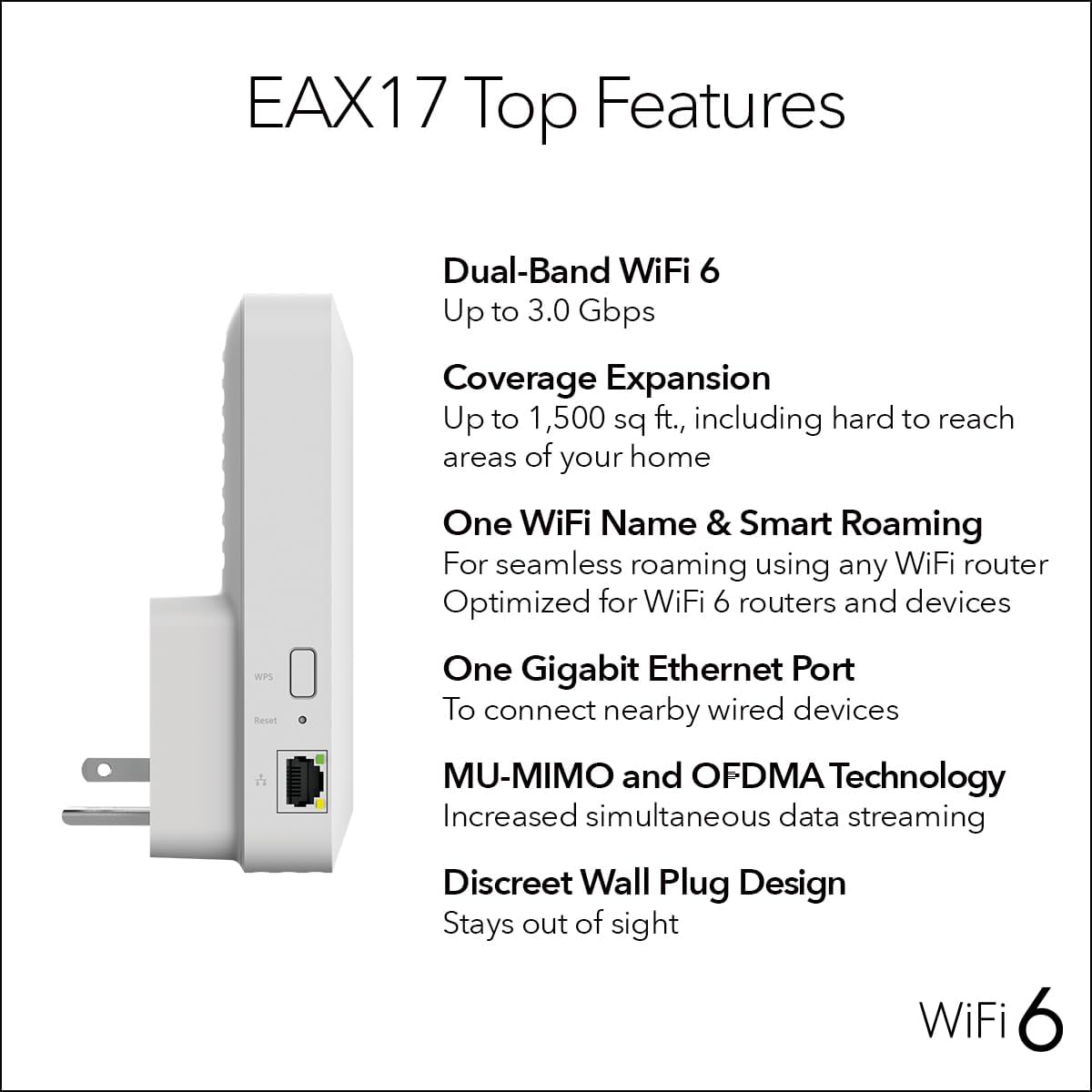
Figure 5: NETGEAR EAX17 Top Features including Dual-Band WiFi 6, Coverage Expansion, One WiFi Name & Smart Roaming, One Gigabit Ethernet Port, MU-MIMO and OFDMA Technology, and Discreet Wall Plug Design.
Atilẹyin ọja
NETGEAR products typically come with a limited hardware warranty. For specific warranty details and to extend your warranty and technical support beyond 90 days of product purchase, please visit the official NETGEAR webojula.
- Atilẹyin ọja boṣewa: Information regarding the standard warranty period can be found in the quick start guide included with your product.
- Àwọn Ètò Ààbò Àṣàyàn: Additional protection plans may be available for purchase, offering extended coverage for 3 or 4 years.
- Alaye Atilẹyin ọja: For the most current warranty terms and conditions, please refer to www.netgear.com/warranty/.
Atilẹyin
For technical assistance, product registration, and additional resources, please utilize the following support channels:
- Atilẹyin Ayelujara: Ṣabẹwo si atilẹyin NETGEAR webAaye fun FAQs, awọn itọnisọna laasigbotitusita, ati awọn igbasilẹ sọfitiwia.
- Ohun elo Nighthawk: The Nighthawk App provides quick setup, WiFi settings management, device lists, and direct access to support resources.
- Oluranlowo lati tun nkan se: NETGEAR offers 24/7 technical support. For support, visit prosupport.netgear.com/home.


