1. Ifihan
This manual provides detailed instructions for the setup, operation, and maintenance of your TUINYO WH-819 Wireless Over-Ear Bluetooth Headphones. Please read this manual thoroughly before using the product to ensure proper function and longevity.
2. Ọja Ipariview
The TUINYO WH-819 headphones offer high-fidelity stereo sound, comfortable over-ear design, and versatile connectivity options. They are designed for extended listening periods, featuring a long-lasting battery and a foldable structure for portability.
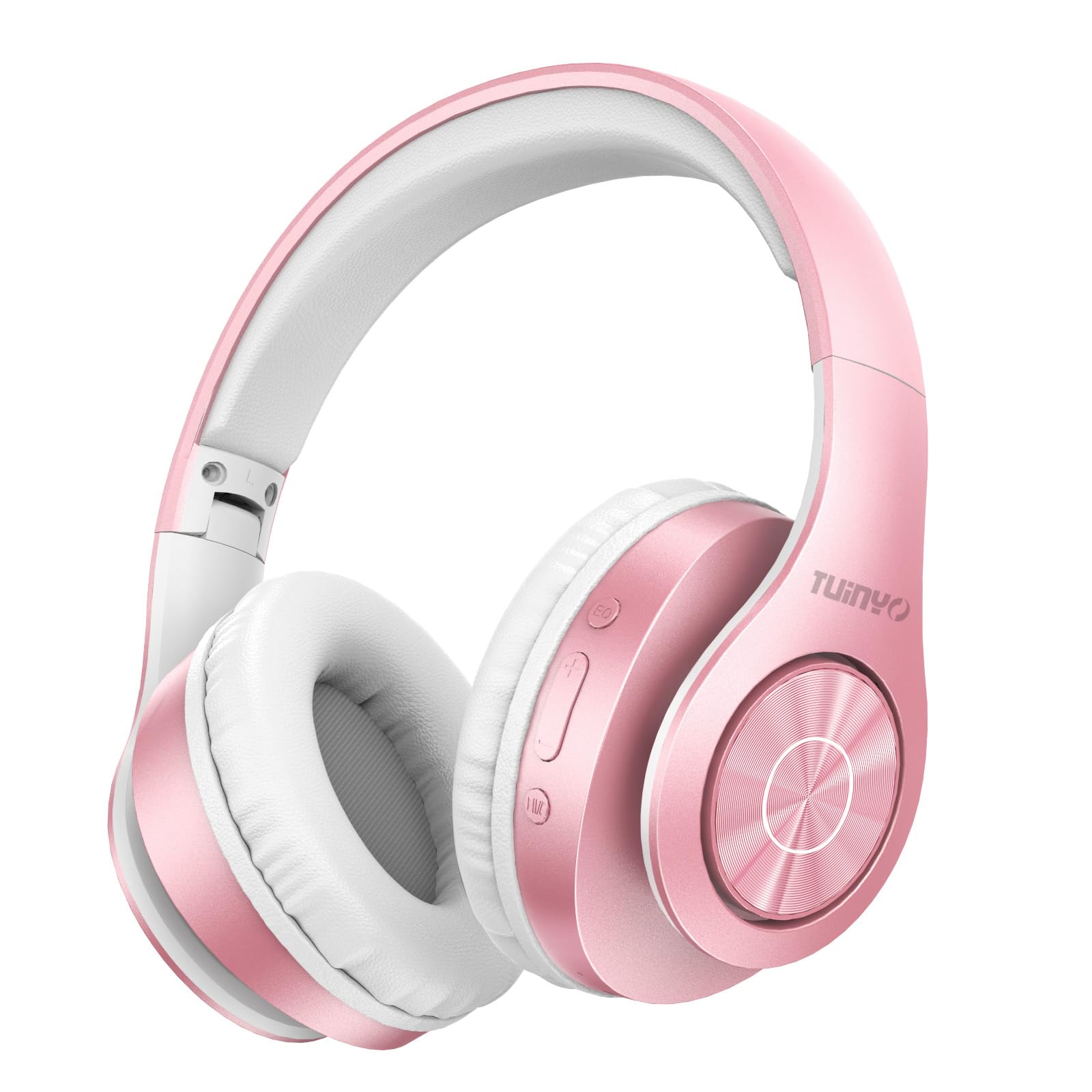
Figure 2.1: TUINYO WH-819 Rose Gold Wireless Over-Ear Bluetooth Headphones.
Fidio 2.1: Ipariview of the TUINYO wireless Bluetooth headphones, highlighting their design and features.
3. Package Awọn akoonu
Rii daju pe gbogbo awọn nkan wa ninu package:
- TUINYO WH-819 Wireless Over-Ear Bluetooth Headphones
- Okun Ngba agbara USB
- 3.5mm Audio USB
- Protective Premium Case
- Itọsọna olumulo

Figure 3.1: Included accessories with the TUINYO WH-819 headphones.
4. Awọn iṣakoso ati awọn ibudo
Familiarize yourself with the headphone controls and ports:
- Bọtini agbara: Tẹ̀ ẹ́ pẹ́ láti tan/pa á. Tẹ̀ ẹ́ díẹ̀ láti mu/dákẹ́ orin tàbí láti dáhùn/dáhùn sí àwọn ìpè.
- Iwọn didun Soke/Bọtini orin atẹle: Tẹ kukuru fun iwọn didun soke. Tẹ gun fun orin atẹle.
- Iwọn didun isalẹ/Bọtini orin ti iṣaaju: Tẹ kukuru fun iwọn didun isalẹ. Tẹ gun fun orin iṣaaju.
- Bọtini EQ: Press to cycle through different equalizer modes (Normal, Rock, Pop, Classic, Jazz, Country).
- Jack Audio 3.5mm: Fun asopọ onirin.
- Ibudo Gbigba agbara USB: Fun gbigba agbara awọn agbekọri.
- Iho kaadi MicroSD: Fun šišẹsẹhin orin taara lati kaadi MicroSD.

Nọmba 4.1: Alaye view of headphone controls and features.
Video 4.1: A demonstration of the TUINYO headphones' folding mechanism and button controls.
5. Eto
5.1 Ngba agbara si awọn Agbekọri
- Connect the USB charging cable to the headphone's charging port.
- So opin keji okun USB pọ mọ orisun agbara USB ti o baamu (fun apẹẹrẹ, kọmputa, adapter ogiri).
- Atọka LED yoo ṣe afihan ipo gbigba agbara (fun apẹẹrẹ, pupa fun gbigba agbara, buluu fun gbigba agbara ni kikun).
- Gbigba agbara ni kikun maa n gba awọn wakati 2-2.5.
5.2 Sisopọ Bluetooth
- Rii daju pe awọn agbekọri ti gba agbara ni kikun.
- Long press the Power button until the LED indicator flashes blue and red, indicating pairing mode.
- Lori ẹrọ rẹ (foonuiyara, tabulẹti, kọǹpútà alágbèéká), mu Bluetooth ṣiṣẹ ki o wa awọn ẹrọ to wa.
- Select "WH-819" from the list of devices.
- Once connected, the LED indicator will flash blue slowly, and a voice prompt will confirm successful pairing.
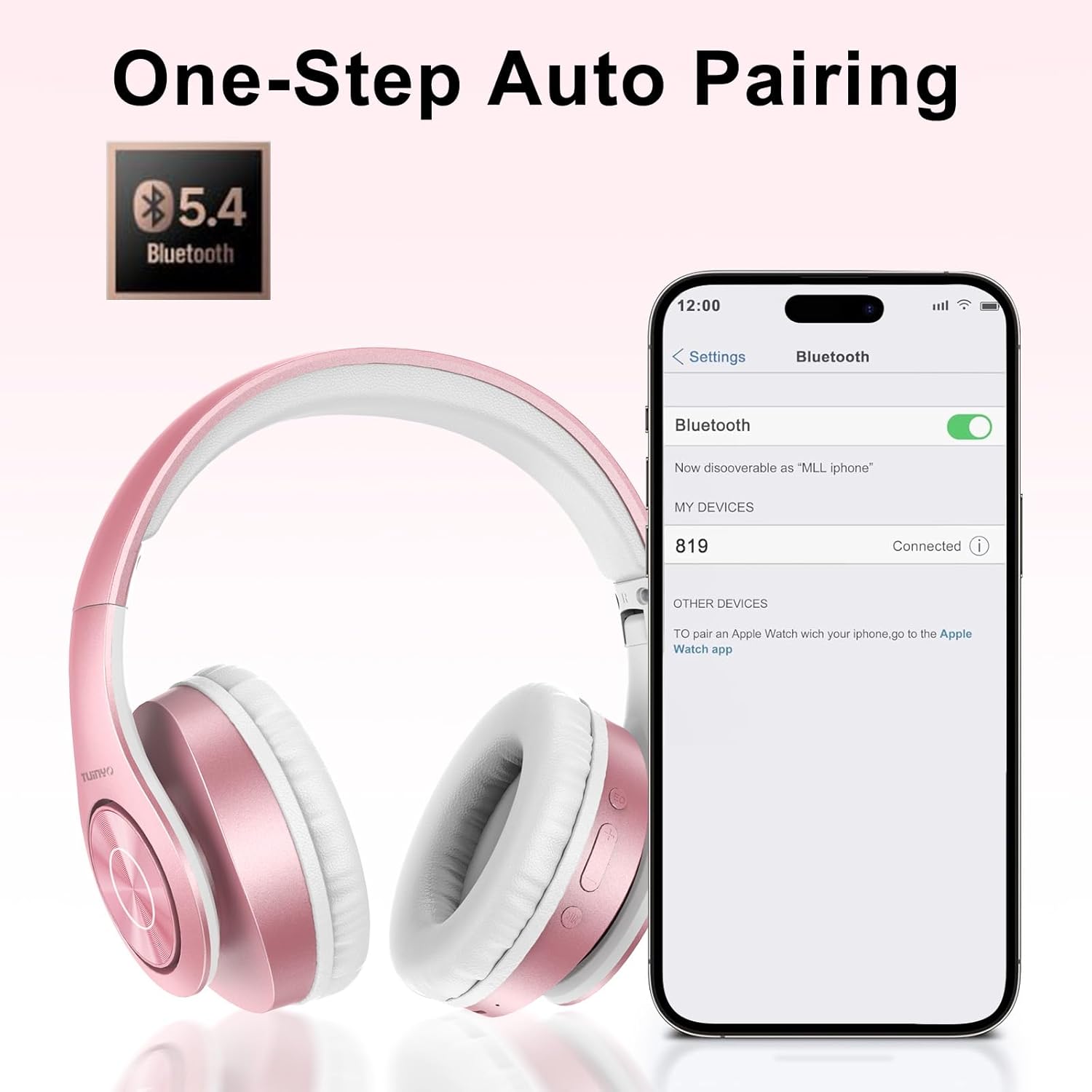
Figure 5.1: Bluetooth pairing process on a smartphone.
6. Awọn ilana Iṣiṣẹ
6.1 Agbara Tan / Pa
- Agbara Tan: Long press the Power button until the LED indicator lights up blue.
- Agbara Pa: Long press the Power button until the LED indicator turns off.
6.2 Sisisẹsẹhin Orin
- Ṣiṣẹ/Daduro: Kukuru tẹ bọtini agbara.
- Orin t’okan: Gun tẹ bọtini didun Up.
- Tẹlẹ Orin: Gun tẹ bọtini Iwọn didun isalẹ.
- Atunse iwọn didun: Short press the Volume Up or Volume Down buttons.
6.3 ipe Management
- Idahun/Ipe Ipari: Kukuru tẹ bọtini agbara.
- Kọ Ipe: Tẹ bọtini agbara fun igba pipẹ.
6.4 Ipo EQ
- Press the EQ button to switch between different sound equalizer modes (Normal, Rock, Pop, Classic, Jazz, Country) to optimize your listening experience.
6.5 Ti firanṣẹ Ipo
- Insert the 3.5mm audio cable into the headphone's audio jack and the other end into your audio device.
- The headphones will automatically switch to wired mode, and Bluetooth functionality will be disabled.
6.6 MicroSD Kaadi Sisisẹsẹhin
- Insert a MicroSD card with MP3 audio files sinu Iho kaadi MicroSD.
- Awọn agbekọri yoo rii kaadi laifọwọyi ati bẹrẹ orin dun.
- Use the music playback controls (Play/Pause, Next/Previous Track, Volume) to manage your audio.
7. Itọju
- Nu agbekọri nigbagbogbo pẹlu asọ ti o gbẹ.
- Yago fun lilo abrasive ose tabi epo.
- Tọju awọn agbekọri sinu apoti aabo wọn nigbati ko si ni lilo lati yago fun ibajẹ.
- Jeki kuro lati awọn iwọn otutu ati ọrinrin.
8. Laasigbotitusita
| Isoro | Ojutu |
|---|---|
| Awọn agbekọri ko ṣiṣẹ. | Rii daju pe awọn agbekọri ti gba agbara. Sopọ si orisun agbara ati gbiyanju lẹẹkansi. |
| Ko le so pọ nipasẹ Bluetooth. | Ensure headphones are in pairing mode (LED flashing blue/red). Turn off and on Bluetooth on your device. Move closer to the device. |
| Ko si ohun ni ipo Bluetooth. | Ṣàyẹ̀wò ìwọ̀n ìgbóhùn lórí agbekọri àti ẹ̀rọ tí a so pọ̀. Rí i dájú pé a so agbekọri pọ̀ dáadáa. |
| Ko si ohun ni ipo onirin. | Ensure the 3.5mm audio cable is fully inserted into both the headphones and the audio device. Check the audio source. |
| MicroSD card not playing. | Ensure the MicroSD card is inserted correctly and contains compatible MP3 audio files. |
9. Awọn pato
| Ẹya ara ẹrọ | Ẹ̀kúnrẹ́rẹ́ |
|---|---|
| Orukọ awoṣe | WH-819 |
| Asopọmọra Technology | Ailokun (Bluetooth), Ti firanṣẹ (Jack3.5mm) |
| Imọ-ẹrọ Ibaraẹnisọrọ Alailowaya | Bluetooth 4.0 |
| Audio Driver Type | Dynamic Driver (40mm neodymium) |
| Igbesi aye batiri | Up to 40 hours of music time (800mAh battery) |
| Akoko gbigba agbara | 2-2.5 wakati |
| Apẹrẹ Akọti | Lori-Eti |
| Ohun elo | Plastic, Memory-Protein Earmuffs |
| Iwọn | 13.4 iwon |
| Awọn iwọn | 8.5 x 6.22 x 4.25 inches (Apapọ) |
| Awọn ẹrọ ibaramu | Tablets, Laptops, Desktops, Smartphones, Bluetooth-enabled devices |
| Omi Resistance Ipele | Ko Omi Resistant |
10. Atilẹyin ọja ati Support
Your TUINYO WH-819 headphones are covered by a 30-day warranty from the date of purchase. For any product inquiries, technical support, or warranty claims, please refer to the contact information provided with your purchase or visit the official TUINYO webojula.


