Ọrọ Iṣaaju
The Lytmi CozyClip D1 Open Clip Earbuds are designed for comfortable, all-day listening while maintaining awareness of your surroundings. Featuring an ultra-light open-ear design, Hi-Fi sound, AI-powered clear calls, and IP54 waterproof rating, these earbuds offer a unique audio experience. This manual provides essential information for setting up, operating, and maintaining your CozyClip D1 earbuds.
Ohun ti o wa ninu Apoti
- Lytmi CozyClip D1 Open-Ear Clip-on Earphones (1 pair)
- Ngba agbara (1)
- Ilana olumulo (1)
- Okun Ngba agbara Iru-C (1)

Image: Lytmi CozyClip D1 packaging and included accessories.
Ọja Pariview
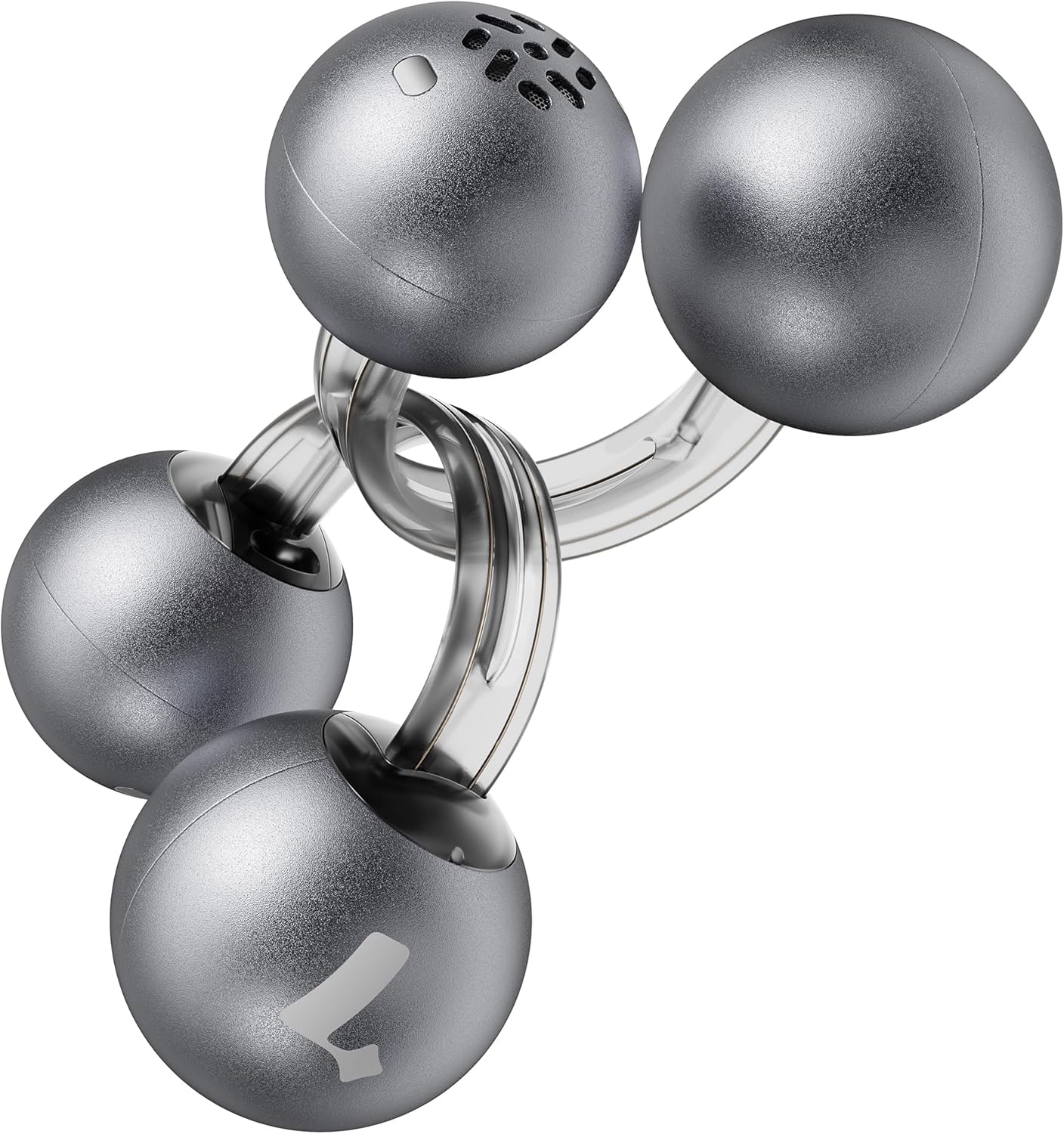
Image: Lytmi CozyClip D1 Earbuds, showcasing their open-ear clip design.

Image: Earbud resting on a feather, illustrating its ultra-lightweight design.
Awọn ẹya pataki:
- Apẹrẹ Eti-Ṣi: Weighing just 5.4g each, these earbuds clip onto your ear, providing comfort and allowing you to remain aware of your surroundings.
- Hi-Fi Sound: Experience immersive audio with enhanced bass and clear highs.
- AI Noise Reduction for Calls: Ensures crystal-clear calls by reducing environmental noise, even in windy conditions.
- Ìdámọ̀ Òsì-Ọ̀tún Àìfọwọ́ṣe: Earbuds are interchangeable; wear either earbud on either ear without manual configuration.
- Igbesi aye batiri gigun: Up to 9 hours of playtime on a single charge, and up to 30 hours with the charging case.
- IP54 Mabomire & Ko eruku: Designed to withstand sweat and water splashes, suitable for various activities and weather conditions.
- Bluetooth 5.4: Provides stable and efficient wireless connectivity with faster data transfer and extended signal range.
- Dual-Connection: Connect to two devices simultaneously and switch between them seamlessly.
Ṣeto
1. Ngba agbara si Earbuds ati Ọran
Ṣaaju lilo akọkọ, gba agbara ni kikun awọn agbekọri ati apoti gbigba agbara.
- Gbe awọn agbekọri sinu apoti gbigba agbara. Rii daju pe wọn joko daradara.
- Connect the Type-C charging cable to the charging port on the case and the other end to a USB power source.
- The indicator light on the case will show charging status. Once fully charged, the indicator will change or turn off.

Image: Charging case and earbuds, illustrating battery life.
2. Sisopọ pẹlu Ẹrọ kan
- Ṣii apoti gbigba agbara. Awọn agbekọri yoo tẹ ipo isọpọ sii laifọwọyi.
- Lori ẹrọ rẹ (foonuiyara, tabulẹti, ati bẹbẹ lọ), mu Bluetooth ṣiṣẹ ki o wa awọn ẹrọ to wa.
- Select "Lytmi CozyClip D1" from the list of devices.
- Ni kete ti a ti sopọ, itọka ohun kan yoo jẹrisi isọdọkan aṣeyọri.

Image: Quick pairing process with a smartphone.
3. Wọ awọn Earbuds
The CozyClip D1 earbuds feature an auto left-right recognition system, allowing you to wear either earbud on either ear.
- Gently clip the earbud onto your earlobe, positioning the speaker component near your ear canal.
- Adjust for a comfortable and secure fit. The flexible design ensures stability during movement.
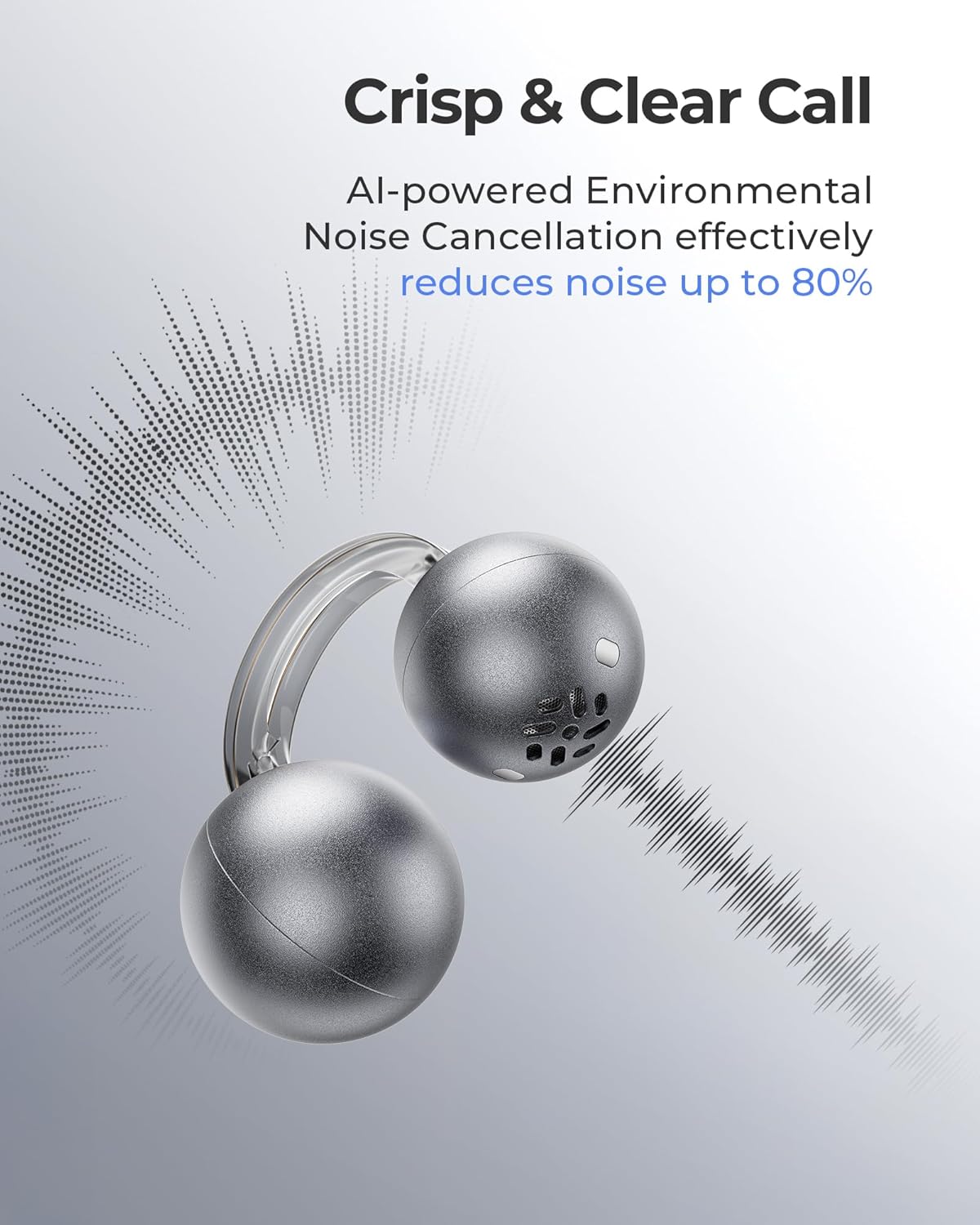
Image: Earbud worn on an ear, showing the secure fit.

Image: Wearing styles for awareness or full sound.
Awọn ilana Iṣiṣẹ
Awọn iṣakoso ifọwọkan
The earbuds feature intuitive touch controls for managing audio playback and calls.
- Double Tap (Left or Right Earbud): Answer a call, End a call, Play/Pause music.
- Triple Tap (Left or Right Earbud): Next track, Reject a call.

Image: Touch control gestures for playback and calls.
Dual-Connection
The CozyClip D1 earbuds support simultaneous connection to two devices.
- Pair the earbuds with your first device (e.g., smartphone).
- Disconnect the earbuds from the first device's Bluetooth settings.
- Pair the earbuds with your second device (e.g., laptop).
- Reconnect the earbuds to the first device from its Bluetooth settings. The earbuds will now be connected to both devices.
- Audio will automatically switch to the device playing content or receiving a call.

Image: Seamless switching between two connected devices.
Official ọja Video
Fidio: Ipariview of the Lytmi CozyClip D1 Open Ear Clip-on Earbuds, demonstrating their design, fit, and key features in various usage scenarios.
Itoju
- Ninu: Máa fi aṣọ gbígbẹ tó rọ, tó sì le nu àwọn ètí àti àpótí ìgbóhùnsáfẹ́fẹ́ déédéé. Máa yẹra fún lílo àwọn kẹ́míkà líle tàbí àwọn ohun èlò ìpalára.
- Ibi ipamọ: Nigbati ko ba si ni lilo, tọju awọn afikọti sinu apoti gbigba agbara wọn lati daabobo wọn lati eruku ati ibajẹ.
- Ifihan omi: While IP54 rated for water splashes and sweat, avoid submerging the earbuds in water. Ensure they are dry before placing them back in the charging case.
Laasigbotitusita
| Isoro | Ojutu |
|---|---|
| Earbuds ko so pọ | Ensure earbuds are charged. Turn off and on Bluetooth on your device. Forget "Lytmi CozyClip D1" from your device's Bluetooth list and re-pair. |
| Ko si ohun tabi iwọn didun kekere | Check device volume. Ensure earbuds are properly seated on your ears. Reconnect the earbuds to your device. |
| Earbuds ja bo jade | Adjust the clip for a more secure fit around your earlobe. Experiment with different positioning for optimal stability. |
| Ngba agbara ko gba agbara | Verify the charging cable and power adapter are working correctly. Ensure the Type-C cable is fully inserted into the charging port. |
| Awọn iṣakoso ifọwọkan ko dahun | Rii daju pe awọn ika ọwọ rẹ mọ ati gbẹ. Gbiyanju lati tun awọn agbekọri bẹrẹ nipa gbigbe wọn sinu ọran naa ki o tun mu wọn jade lẹẹkansi. |
Awọn pato
| Ẹya ara ẹrọ | Ẹ̀kúnrẹ́rẹ́ |
|---|---|
| Orukọ awoṣe | Lytmi CozyClip D1 |
| Asopọmọra Technology | Ailokun (Bluetooth 5.4) |
| Bluetooth Ibiti | 10 Mita |
| Igbesi aye batiri (Earbuds) | Titi di awọn wakati 9 |
| Lapapọ akoko ere (pẹlu Ọran) | Titi di awọn wakati 30 |
| Akoko gbigba agbara | 1 Hour (for earbuds) |
| Omi Resistance Ipele | IP54 (Mabomire & Ko eruku) |
| Ìwúwo Nkan (Earbud) | 0.17 iwon (isunmọ 5.4g) |
| Audio Driver Iwon | 12 millimeters |
| Ipalara | 32 ohm |
| Idahun Igbohunsafẹfẹ | 20 KHz (Upper limit, typical range 20Hz-20kHz) |
| Ariwo Iṣakoso | Adaptive Noise Cancellation (for calls) |
| Ohun elo | ABS+PC (for carrying case) |
| Ọna Iṣakoso | Fọwọkan |
Atilẹyin ọja ati Support
For warranty information, technical support, or further assistance, please refer to the official Lytmi webojula tabi kan si wọn onibara iṣẹ taara. Tọju iwe-ẹri rira rẹ fun awọn ẹtọ atilẹyin ọja.
You can visit the Lytmi Store for more information: Lytmi Official Store


