1. Ọja Ipariview
The Dormakaba DP 850 is an intelligent door lock designed for enhanced security and convenience. It features a push-pull handle and an automatic motor lock body. This lock offers multiple access methods and integrated safety features.
Awọn ẹya pataki pẹlu:
- Awọn ọna Wiwọle lọpọlọpọ: Fingerprint, RFID Cards, PIN Code, Bluetooth Low Energy (BLE) via mobile app, and Mechanical Override Keys.
- Innovative Push-Pull Handle: Allows for effortless operation in either direction.
- Automatic Motor Lock Body: Provides secure locking.
- Awọn ẹya Aabo To ti ni ilọsiwaju: Includes alarms for multiple failed entry attempts, high-temperature warnings, break-in attempts, and child lock functionality.
- Ikole ti o tọ: Made with a metal body.
2. Awọn irinše
Familiarize yourself with the components of your Dormakaba DP 850 Smart Door Lock:

Apejuwe aworan: A detailed diagram illustrating the outdoor and indoor units of the Dormakaba DP 850 Smart Door Lock. Key components are labeled with letters A through O for easy identification. The outdoor unit shows the keypad, RFID reader, fingerprint sensor, and handle. The indoor unit displays the battery compartment, emergency power terminal, and various buttons.
Outdoor Unit Components:
- Battery Warning Lamp: Tọkasi ipo batiri kekere.
- RFID Card Reader: For unlocking with RFID cards.
- BLE Display Lamp: Indicates Bluetooth Low Energy status.
- Status Display Lamp: Provides visual feedback on lock status.
- Bọtini foonu: For entering PIN codes.
- Fingerprint Sensor (DP850): For biometric unlocking.
- Outdoor Handle: The exterior push-pull handle.
- [Reset] Button: Used for resetting the lock.
Indoor Unit Components:
- Emergency Power Supply Terminal: For external power in case of battery depletion.
- [Register] Button: Used for registering new users (fingerprints, cards, PINs).
- [CLOSE] Button: For manual locking from the inside.
- Blocking Indoor Handle: A mechanism to prevent the indoor handle from operating.
- Indoor Handle: The interior push-pull handle.
- Ideri Batiri: Ṣe aabo fun ibi ipamọ batiri naa.
- Batiri: Power source for the lock.
3. Package Awọn akoonu
Verify that all items are present in your Dormakaba DP 850 Smart Door Lock package:
- Dormakaba DP 850 Smart Door Lock Unit (Outdoor and Indoor)
- RFID Card(s)
- Skru fun fifi sori
- Strip (likely for cable management or sealing)
- Manual Key(s) (3 keys included)
4. Eto ati fifi sori
Proper installation is crucial for the functionality and security of your smart door lock. It is recommended to utilize professional installation services where available.
4.1 Awọn ibeere ilẹkun
- Sisanra ilẹkun ti o yẹ: The lock is designed for doors with a thickness between 40mm and 75mm.
- Ensure the door frame and existing mortise cutout are compatible with the DP 850 lock body dimensions.

Apejuwe aworan: A sunmọ-soke view of a door edge with the mortise lock installed. Text overlays indicate 'Suitable Door Thickness 40-75mm' and 'Double Deadbolt Security', highlighting these key installation and security features.
4.2 Awọn igbesẹ fifi sori ẹrọ (Gbogbogbo)
Lakoko ti a gba iṣeduro fifi sori ẹrọ ọjọgbọn, awọn igbesẹ gbogbogbo pẹlu:
- Ṣetan ilẹkun: Ensure the door is clean and the mortise cutout is correctly sized.
- Install Mortise Lock Body: Insert the mortise into the door edge and secure it with screws.
- Install Outdoor Unit: Mount the outdoor unit, feeding necessary cables through the door.
- Install Indoor Unit: Connect the cables from the outdoor unit to the indoor unit and secure the indoor unit to the door.
- Fi Awọn batiri sii: Open the battery cover on the indoor unit and insert the required batteries (refer to the diagram for battery location).
- Iṣe idanwo: After installation, test all unlocking methods and ensure the lock operates smoothly.
4.3 Free Installation Service
Dormakaba offers free installation services in multiple cities. Please refer to the provided map or contact customer support to check if your location is covered.
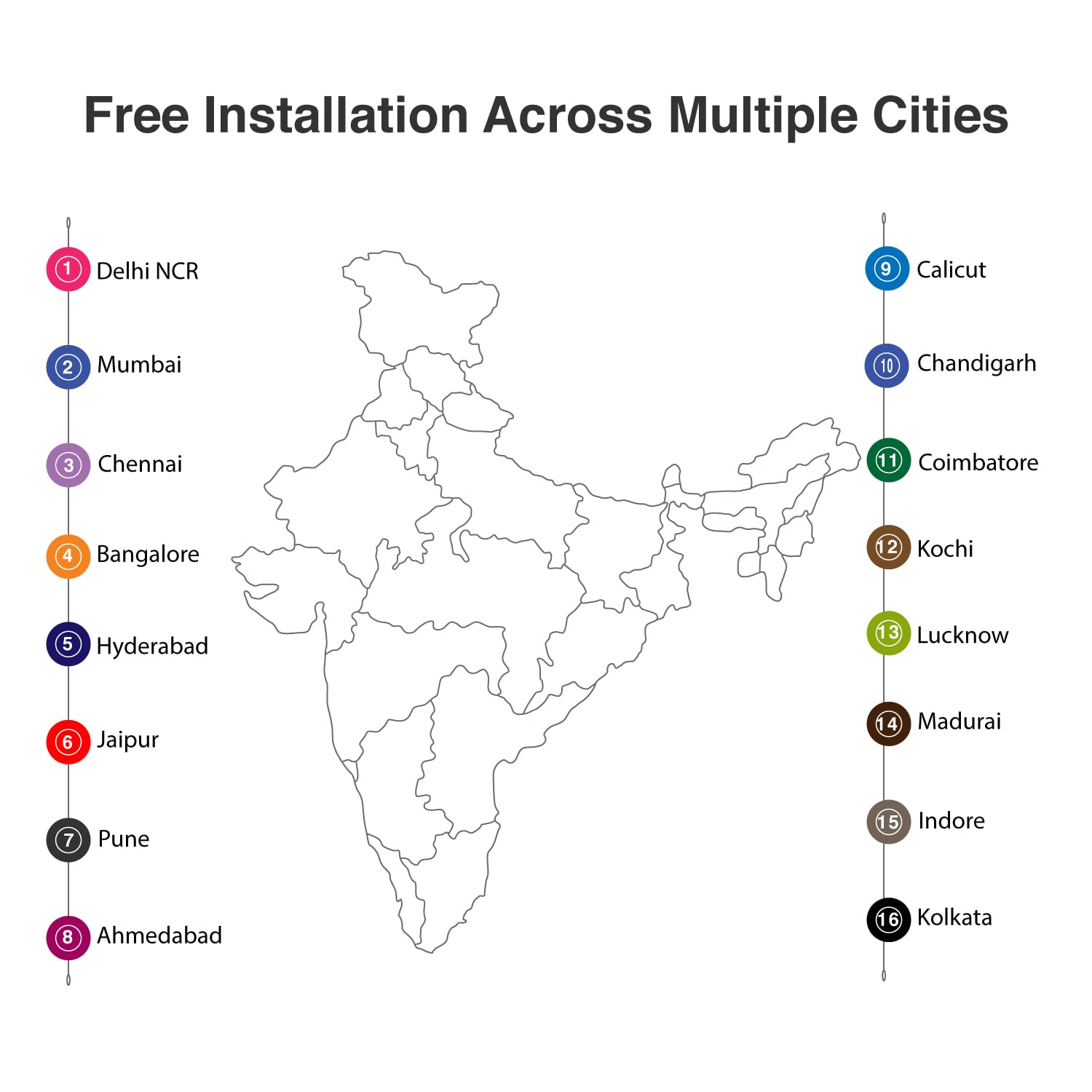
Apejuwe aworan: A map of India with numbered markers indicating cities where free installation services are available. These cities include Delhi NCR, Mumbai, Chennai, Bangalore, Hyderabad, Jaipur, Pune, Ahmedabad, Calicut, Chandigarh, Coimbatore, Kochi, Lucknow, Madurai, Indore, and Kolkata.
5. Awọn ilana Iṣiṣẹ
The Dormakaba DP 850 Smart Door Lock provides six methods for access control.

Apejuwe aworan: An infographic displaying six distinct unlocking methods for the Dormakaba DP 850 Smart Door Lock. Icons represent Fingerprint, Password, OTP (One-Time Password), Smart App (Bluetooth), Mechanical Key Override, and RFID, illustrating the versatility of access options.
5.1 Awọn ọna ṣiṣi silẹ
- Ikawe kikọ: Place your registered finger on the fingerprint sensor. The lock will unlock upon successful verification. Up to 100 fingerprints can be registered.
- Awọn kaadi RFID: Present a registered RFID card to the RFID card reader area. The lock will unlock. Up to 100 RFID cards can be registered.
- Screen Touch PIN Code: Enter your 4-12 digit PIN code on the keypad, followed by the '#' key. The lock will unlock. Up to 4 PIN codes can be stored.
- BLE (Bluetooth Low Energy) Mobile App: Use the dedicated mobile application on a registered device to unlock the door via Bluetooth. Up to 10 mobile devices can be paired.
- Mechanical Override Keys: In case of emergency or battery failure, insert and turn one of the three provided mechanical keys to unlock the door.
- Push & Pull Handle: The innovative handle allows for intuitive opening. Simply push or pull the handle to open the door once unlocked by any of the above methods.

Apejuwe aworan: A visual representation of the Dormakaba DP 850 Smart Door Lock's push-pull handle mechanism. The image highlights the ergonomic design that allows the handle to be pushed or pulled for door operation, emphasizing its ease of use.
5.2 olumulo Iforukọ
To register new fingerprints, RFID cards, or PIN codes:
- Tẹ awọn [Forukọsilẹ] button on the indoor unit.
- Follow the voice prompts or visual cues on the lock's display.
- For fingerprints, place your finger on the sensor multiple times as instructed.
- For RFID cards, present the card to the reader.
- For PIN codes, enter your desired code and confirm it.
- Ensure successful registration is confirmed by the lock.
5.3 Titiipa ilekun
The Dormakaba DP 850 features an automatic motor lock body, which typically locks automatically after the door is closed. You can also manually lock it from the inside by pressing the [CLOSE] bọtini.
5.4 Child Lock Functionality
To activate or deactivate the child lock, locate the blocking indoor handle mechanism on the indoor unit. Engage this mechanism to prevent the indoor handle from being operated, ensuring children cannot accidentally open the door from the inside.
6. Awọn ẹya ara ẹrọ ailewu
The Dormakaba DP 850 Smart Door Lock incorporates several safety and alarm features to enhance security:

Apejuwe aworan: An infographic illustrating the various alarm features of the Dormakaba DP 850 Smart Door Lock. Icons and text describe alarms for high temperature, wrong PIN entry, low battery, high voltage prevention, and break-in attempts, highlighting the lock's comprehensive security.
- Alarm for Multiple Failed Entry Attempts: If an incorrect PIN code or unregistered fingerprint/card is attempted multiple times, an alarm will sound, and the lock may temporarily disable entry.
- High-Temperature Warning System: In case of abnormally high temperatures (e.g., fire), the lock may trigger an alarm and automatically unlock to facilitate escape.
- Break-in Attempt Alarm: If the lock detects forced entry or tampering, an alarm will be activated.
- Itaniji Batiri Kekere: The battery warning lamp (A) will illuminate, and an audible alert will sound when the battery level is low, prompting replacement.
- Gaju gigatage Prevention: The lock is designed with protection against high voltage gbooro.
7. Itọju
To ensure the longevity and optimal performance of your Dormakaba DP 850 Smart Door Lock, follow these maintenance guidelines:
- Ninu: Wipe the lock's surface with a soft, dry cloth. Avoid using abrasive cleaners, solvents, or harsh chemicals, as these can damage the finish and electronic components.
- Rirọpo Batiri: When the low battery alarm activates, replace all batteries promptly. Use high-quality alkaline batteries of the specified type. Refer to the Components section for battery location (O) and cover (N).
- Mechanical Key Usage: Keep the mechanical override keys in a safe, accessible location outside the secured area for emergency use. Test them periodically to ensure they function correctly.
- Ìtọ́jú Sensọ Ìka Ìka: Keep the fingerprint sensor clean and dry. Avoid scratching its surface.
8. Laasigbotitusita
If you encounter issues with your Dormakaba DP 850 Smart Door Lock, refer to the following common problems and solutions:
- Titii Ko Dahun:
- Ṣàyẹ̀wò ipele batiri. Rọpo awọn batiri ti o ba kere.
- If completely unresponsive, use the emergency power supply terminal (I) with a 9V battery or the mechanical override key.
- A ko mọ ìka ọwọ́:
- Rii daju pe ika rẹ mọ ati gbẹ.
- Try repositioning your finger on the sensor.
- If issues persist, re-register your fingerprint.
- PIN Code Not Working:
- Ensure you are entering the correct PIN code.
- Check if the keypad is illuminated and responsive.
- If multiple incorrect attempts trigger an alarm, wait for the lockout period to expire.
- RFID Card Not Detected:
- Ensure the card is correctly presented to the RFID reader (B).
- Verify the RFID card is registered to the lock.
- Lock Alarms Continuously:
- Identify the type of alarm (e.g., low battery, break-in, high temperature) from the status display lamp or audible cues.
- Address the underlying cause (e.g., replace batteries, secure the door).
- Door Does Not Lock Automatically:
- Check if the door is fully closed and aligned with the frame.
- Inspect the mortise and strike plate for obstructions.
If these steps do not resolve the issue, please contact Dormakaba customer support.
9. Awọn pato
| Ẹya ara ẹrọ | Sipesifikesonu |
|---|---|
| Orukọ awoṣe | DP-850 |
| Brand | dormakaba |
| Titiipa Iru | Biometric, Deadbolt, Keypad |
| Ohun elo | Irin |
| Àwọ̀ | Wura funfun |
| Awọn Iwọn Nkan (L x W x H) | 23 x 90 x 420 Millimeters (2.3 x 9 x 42 cm) |
| Iwọn Nkan | kilo 5.25 (5 kg 250 g) |
| Niyanju ilekun Sisanra | 40-75 mm |
| Agbara Ika ika | Titi di 100 |
| RFID Kaadi Agbara | Titi di 100 |
| Agbara koodu koodu | Up to 4 (4-12 digits) |
| BLE Device Capacity | Up to 10 mobile devices |
| Ọna Iṣakoso | Fọwọkan, Ohùn |
| Ilana Asopọmọra | Bluetooth |
| Awọn irinše to wa | RFID Card, Screws, Strip, Manual Key (3) |
10. atilẹyin ọja Information
The Dormakaba DP 850 Smart Door Lock comes with a 1-odun atilẹyin ọja from the date of purchase. This warranty covers manufacturing defects and ensures the product functions as intended under normal use. Please retain your proof of purchase for warranty claims. For detailed terms and conditions, refer to the warranty card included in your package or contact Dormakaba customer support.
11. Atilẹyin ati Alaye olubasọrọ
For technical assistance, installation queries, or warranty claims, please contact Dormakaba customer support:
- Olupese: Dormakaba India Private Limited
- Olukowọle/Apoti: Build pro Technologies India Pvt.Ltd
- Refer to your product packaging or the official Dormakaba webAaye fun awọn alaye olubasọrọ tuntun julọ, pẹlu awọn nọmba foonu ati awọn adirẹsi imeeli.


