Ọrọ Iṣaaju
This manual provides detailed instructions for the ANSTEN Q40 Bluetooth Sport Headphones. Please read this manual carefully before using the product to ensure proper operation and to maximize its lifespan. Keep this manual for future reference.
Ohun ti o wa ninu Apoti
- 1 x Ọran gbigba agbara
- 2 x Open Ear Headphones (Left and Right)
- 1 x Okun Ngba agbara USB-C
- 1 x Itọsọna olumulo

Image: The ANSTEN Q40 open-ear headphones shown inside their charging case, which features a digital battery display. The headphones are a metallic purple color.
Ọja Awọn ẹya ara ẹrọ
Open Ear Clip Design
The ANSTEN Q40 headphones feature a true open-ear design, allowing you to perceive ambient sounds while listening to music. This enhances safety, especially during activities like driving, walking, or cycling, by keeping you aware of your surroundings.

Image: A woman wearing the ANSTEN Q40 open-ear clip headphones, demonstrating how they sit comfortably on the ear without covering the ear canal. Text overlay indicates "OPEN EAR CLIP" and "Comfortable Pressure-free".
Ìtùnú Lightweight
Designed for extended wear, these clip-on headphones are lightweight and feature a flexible earbud strap that conforms to the contours of the human ear. This ensures a secure fit without discomfort, preventing them from falling or shifting during movement. Each earbud weighs approximately 4 grams.

Image: Two ANSTEN Q40 earbuds, depicted as lightweight and floating amidst feathers, emphasizing their comfortable and feather-light design. Text overlay states "LIGHTWEIGHT COMFORT" and "Weighing only 4g, enjoy feather-light comfort".
High-Quality Sound and Call Clarity
Equipped with 11mm drivers, the Q40 headphones deliver 360° Hi-Fi stereo sound. They utilize a unique directional sound transmission technology to minimize sound leakage and protect privacy. For calls, the dual-microphone noise reduction feature filters out external noise, ensuring clearer conversations.

Image: A woman wearing the ANSTEN Q40 headphones, with an overlaid diagram illustrating the concept of directional sound transmission compared to non-directional sound, highlighting clear calls and reduced sound leakage.
Automatic Pairing and Touch Control
Featuring a Bluetooth 5.4 chip, the Q40 headphones offer a stable and fast automatic connection. A multi-function touch button on each earbud allows for easy control of music playback, volume, calls, and voice assistants.

Aworan: A sunmọ-soke view of an ANSTEN Q40 earbud, highlighting the touch-sensitive control area with a fingerprint icon, indicating its single-touch functionality for quick and easy operation.
IPX7 mabomire Rating
With an IPX7 waterproof standard, these wireless headphones are protected against sweat, rain, and dust. This makes them suitable for various activities such as running, hiking, intense workouts, or travel, allowing use in diverse weather conditions.
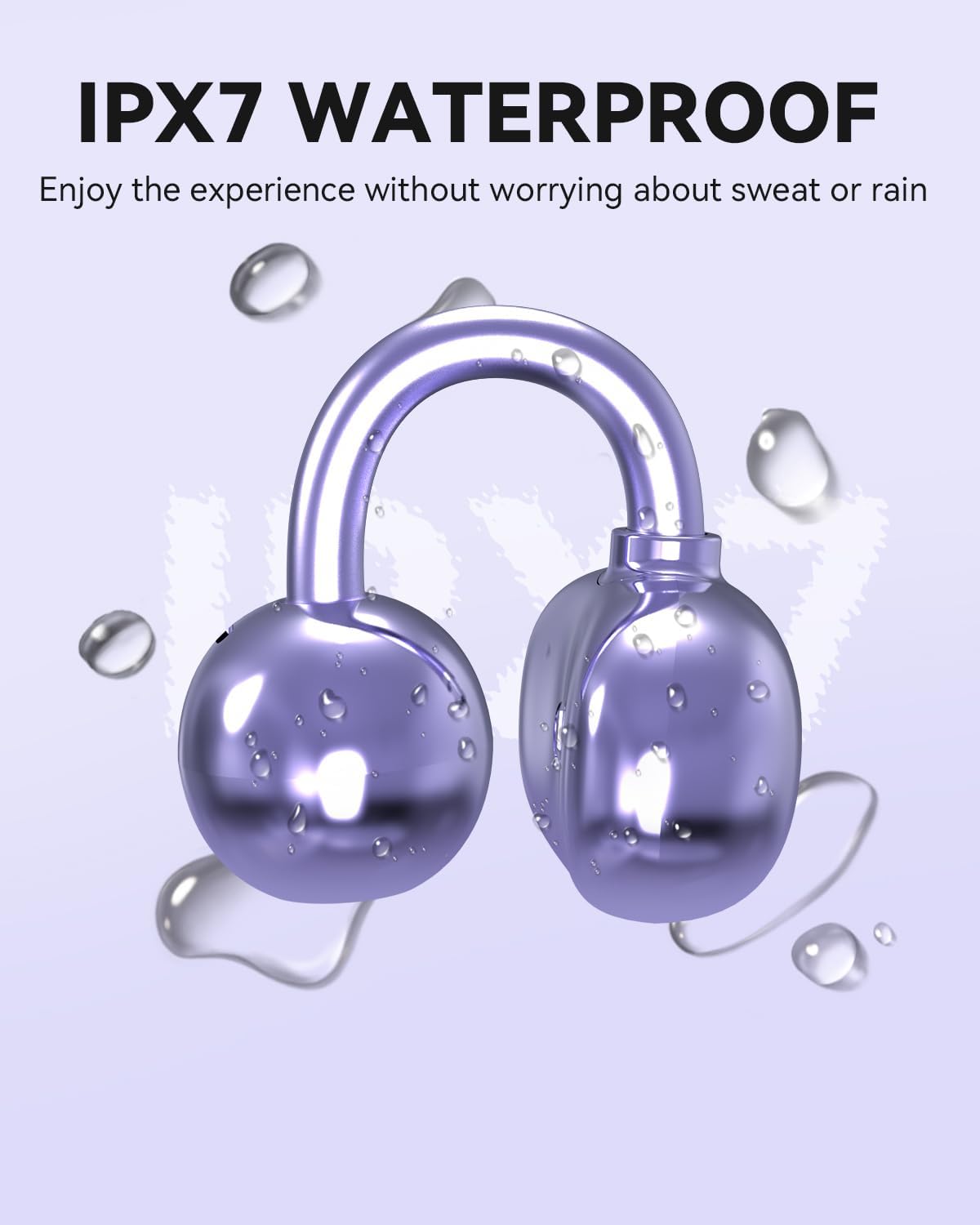
Image: An ANSTEN Q40 earbud covered in water droplets, visually representing its IPX7 waterproof capability, ensuring durability against sweat and rain.
Long Batiri Life
The headphones offer an extended playback time. Each earbud provides up to 6 hours of listening on a single charge, and the charging case extends the total playback time to approximately 18 hours.

Image: The ANSTEN Q40 headphones in their charging case, surrounded by a clock-like graphic, illustrating the long battery life. Text indicates "Headset life time: 6 hours" and "Charging case duration: 18 hours".
Stable Fit for Active Lifestyles
The ergonomic design ensures the headphones remain stable and secure during intense physical activities, making them ideal for running, yoga, cycling, and daily work use.

Image: A four-panel collage showing individuals engaged in different activities (running, yoga, cycling, working) while wearing the ANSTEN Q40 headphones, demonstrating their stable and secure fit for active use.
Eto Itọsọna
1. Ngba agbara si awọn Agbekọri ati Case
Before first use, fully charge the ANSTEN Q40 headphones and their charging case.
- Fi àwọn ètí ìgbọ́rọ̀ méjèèjì sínú àpótí ìgbóná. Rí i dájú pé wọ́n jókòó dáadáa.
- Connect the USB-C charging cable to the charging port on the case and the other end to a USB power source (e.g., computer USB port, wall adapter).
- Ifihan oni-nọmba lori apoti gbigba agbara yoo fihan ipin ogorun batiri naatage. The earbuds will also indicate charging status (usually via an LED light).
- Ni kete ti o ti gba agbara ni kikun, ge asopọ okun gbigba agbara.
2. Sisopọ pẹlu Ẹrọ Rẹ
- Rii daju pe Bluetooth ẹrọ rẹ ti wa ni titan.
- Open the charging case. The headphones will automatically enter pairing mode (indicated by flashing LED lights on the earbuds).
- On your device, search for Bluetooth devices. Select "ANSTEN Q40" from the list of available devices.
- Nígbà tí a bá ti so wọ́n pọ̀, àwọn LED etí náà yóò dáwọ́ dúró, ẹ̀rọ rẹ yóò sì jẹ́rìí sí ìsopọ̀ náà.
- Àwọn agbekọri náà yóò tún so mọ́ ẹ̀rọ tí a so pọ̀ kẹ́yìn nígbà tí a bá yọ wọ́n kúrò nínú àpótí náà, tí Bluetooth bá wà lórí ẹ̀rọ náà.
Awọn ilana Iṣiṣẹ
Awọn iṣakoso ifọwọkan
The ANSTEN Q40 headphones feature intuitive touch controls on each earbud. The specific functions are as follows:
| Iṣe | Išẹ |
|---|---|
| Tẹ ẹyọkan (Afikun Osi/Ọtun) | Mu ṣiṣẹ/sinmi orin, Dahun/pari ipe |
| Tẹ ni kia kia lẹẹmeji (Ẹkọ Atẹti ọtun) | Next Track |
| Tẹ ni kia kia lẹẹmeji (Agbohun Akọkọ osi) | Ti tẹlẹ Track |
| Tẹ ni kia kia Meta (Apa osi/Ati Ọtun) | Mu Oluranlọwọ Ohun ṣiṣẹ (Siri, Oluranlọwọ Google, ati bẹbẹ lọ) |
| Long Press (Left/Right Earbud, 2 seconds) | Kọ ipe ti nwọle |
| Long Press (Left Earbud, 3 seconds) | Iwọn didun isalẹ |
| Long Press (Right Earbud, 3 seconds) | Iwọn didun soke |
Titan / Paa
- Agbara Tan: The headphones will automatically power on when removed from the charging case.
- Agbara Pa: Gbe awọn agbekọri pada sinu apoti gbigba agbara ki o pa ideri naa. Wọn yoo pa ina laifọwọyi ati bẹrẹ gbigba agbara.
Itoju
To ensure the longevity and optimal performance of your ANSTEN Q40 headphones, follow these maintenance guidelines:
- Ninu: Máa fi aṣọ tó rọ, tó gbẹ, tó sì ní àwọ̀ tí kò ní àwọ̀ tó ń tàn yòyò nu àwọn ètí àti àpótí ìgbara. Má ṣe lo àwọn ohun ìfọṣọ, ọtí líle tàbí àwọn ohun olómi kẹ́míkà.
- Omi Resistance: While the headphones are IPX7 waterproof, they are not designed for swimming or prolonged submersion. Ensure they are dry before placing them back in the charging case to prevent damage.
- Ibi ipamọ: When not in use, store the headphones in their charging case to protect them from dust and physical damage. Store in a cool, dry place away from extreme temperatures.
- Gbigba agbara: Use the provided USB-C cable for charging. Avoid using damaged cables or chargers.
Laasigbotitusita
If you encounter issues with your ANSTEN Q40 headphones, refer to the following common solutions:
- Awọn agbekọri ti ko so pọ / so pọ:
- Rii daju pe Bluetooth ti ṣiṣẹ lori ẹrọ rẹ.
- Rii daju pe awọn agbekọri ti gba agbara ni kikun.
- Place the headphones back in the case, close the lid, wait a few seconds, then open the lid again to re-enter pairing mode.
- Forget "ANSTEN Q40" from your device's Bluetooth settings and try pairing again.
- Gbiyanju lati so pọ pẹlu ẹrọ ti o yatọ lati ṣe akoso awọn oran-ẹrọ kan pato.
- Ko si ohun lati ọkan tabi mejeeji agbekọri:
- Ṣayẹwo ipele iwọn didun lori ẹrọ rẹ mejeeji ati awọn agbekọri.
- Rii daju pe awọn agbekọri ti joko daradara ni awọn eti rẹ.
- Tun awọn agbekọri pọ mọ ẹrọ rẹ.
- Gbiyanju ohun ti ndun lati ohun elo ti o yatọ tabi orisun.
- Awọn iṣoro gbigba agbara:
- Rii daju pe okun gbigba agbara ti sopọ ni aabo si ọran mejeeji ati orisun agbara.
- Gbiyanju okun USB-C ti o yatọ ati/tabi ohun ti nmu badọgba agbara.
- Nu awọn olubasọrọ gbigba agbara sori awọn afikọti ati inu ọran pẹlu swab owu ti o gbẹ.
- Didara ipe ti ko dara:
- Rii daju pe gbohungbohun ko ni idinamọ.
- Sunmọ ẹrọ ti o sopọ lati mu agbara ifihan dara si.
- Check for environmental noise that might be affecting the call.
Awọn pato
| Ẹya ara ẹrọ | Ẹ̀kúnrẹ́rẹ́ |
|---|---|
| Brand | ANSTEN |
| Awoṣe | Q40 |
| Asopọmọra Technology | Ailokun (Bluetooth 5.4) |
| Gbigbe Eti | Open Ear / Clip-on |
| Omi Resistance Ipele | IPX7 (Impermeabile) |
| Agbekọri Playtime | Titi di wakati 6 |
| Lapapọ akoko ere (pẹlu ọran) | Titi di wakati 18 |
| Akoko gbigba agbara | Approx. 1.5 - 2 hours (for full charge) |
| Iṣakoso Iru | Iṣakoso ifọwọkan |
| Gbohungbohun | Dual microphone with noise reduction |
| Iwọn (fun agbekọri) | Isunmọ. 4g |
| Ohun elo | Acrylonitrile Butadiene Styrene (ABS) |
| Idahun Igbohunsafẹfẹ | 20 Hz - 20,000 Hz |
| Ipalara | 14.2 ohm |
Atilẹyin ọja ati Support
ANSTEN products are designed and manufactured to the highest quality standards. For any questions, technical support, or warranty claims, please contact ANSTEN customer service through the retailer where you purchased the product or visit the official ANSTEN webojula fun alaye olubasọrọ.
Jọwọ ṣe idaduro ẹri rira rẹ fun awọn idi atilẹyin ọja.


