1. Ifihan
Thank you for choosing the UPERFECT 24.5-inch Portable Monitor. This device is designed to enhance your productivity and entertainment with its high-resolution display, fast refresh rate, and versatile connectivity. This manual provides essential information for safe and efficient use of your monitor. Please read it thoroughly before operation and retain it for future reference.
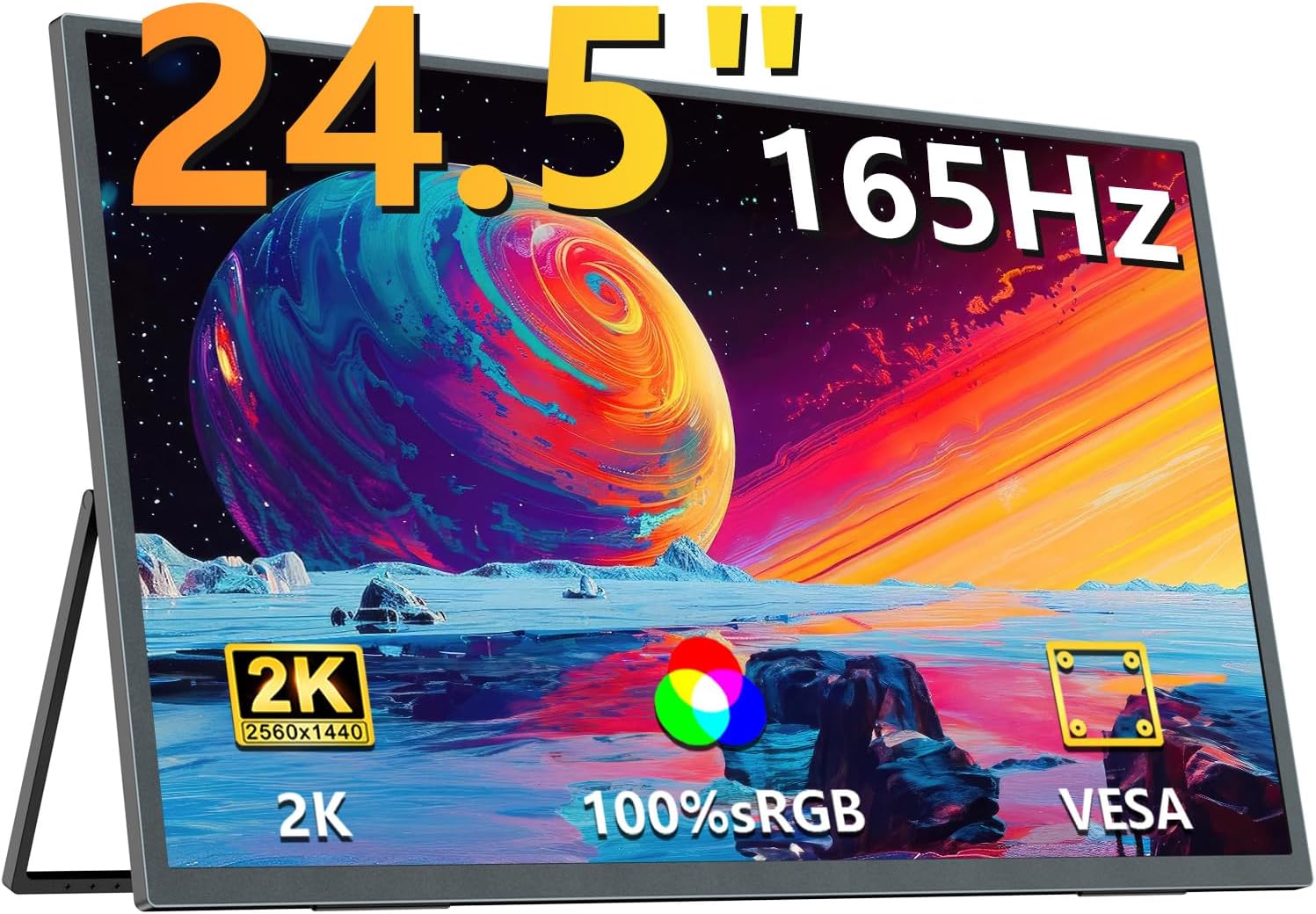
The UPERFECT 24.5-inch Portable Monitor, showcasing apẹrẹ didan rẹ ati iduro ti a ṣepọ.
2. Awọn ẹya Ọja
- Expansive 24.5-inch Display: Enjoy a significantly larger viewing area compared to smaller portable monitors, ideal for multitasking and immersive experiences. The ultra-thin 5mm profile ensures portability and space-saving setup.
- 2K QHD Resolution & HDR Support: Features a WQHD 2560x1440 IPS panel with 400 nits brightness and 100% sRGB color gamut, providing accurate and vibrant colors for professional tasks and entertainment. Supports HDR10 for enhanced contrast and detail.
- Oṣuwọn Isọdọtun 165Hz & Akoko Idahun 1ms: Experience ultra-smooth visuals with a 165Hz refresh rate and 1ms (GtG) response time, perfect for gaming and fast-paced content. Supports AMD FreeSync Premium to eliminate screen tearing and stuttering.
- Versatile Multi-Position Design: Equipped with an integrated, smart stand allowing 0° to 180° angle adjustment for flexible viewing. The monitor is also VESA compatible (75mm, M4*4mm screw holes) for mounting on arms or walls.
- Awọn aṣayan Asopọmọra pupọ: Features USB Type-C, Mini HDMI, and Micro USB-B OTG ports for broad compatibility with laptops, smartphones, game consoles, and other devices.
- Imọ-ẹrọ Itọju Oju: Includes Blue Light Cut and Flicker-Free technologies to reduce eye strain during extended use.
- Awọn Agbọrọsọ ti A ṣe sinu: Awọn agbohunsoke ti a dapọ pese iṣelọpọ ohun fun irọrun.
3. Package Awọn akoonu
Jọwọ ṣayẹwo awọn akoonu ti package lori unboxing:
- UPERFECT 24.5-inch Portable Monitor
- USB Type-C to Type-C Cable (for power and video)
- Mini HDMI to HDMI Cable (for video)
- Adapter agbara
- Itọsọna olumulo

The monitor and its essential connection cables.
4. Awọn ilana iṣeto
4.1 Ti ara Oṣo
The monitor features an integrated stand for easy placement on any flat surface. The stand allows for angle adjustments from 0° to 180°.
- Using the Integrated Stand: Gently pull out the stand from the back of the monitor. Adjust it to your desired viewing angle. The anti-slip rubber feet ensure stability.
- Iṣalaye inaro: The monitor can be rotated to a vertical position. Ensure the stand is adjusted to provide stable support.

The integrated stand offers flexible angle adjustments and supports both horizontal and vertical display modes.
4.2 VESA iṣagbesori
For alternative mounting solutions, the monitor is VESA compatible.
- Standard VESA: 75mm x 75mm.
- Iwon skru: M4 x 4mm (screws are not included and must be sourced separately).
- Fifi sori: Attach a compatible VESA mount (e.g., monitor arm, wall mount) to the designated screw holes on the back of the monitor. Ensure the mount can support the monitor's weight.

The monitor can be attached to a VESA-compatible arm for ergonomic positioning.
4.3 Nsopọ si Awọn ẹrọ
The monitor supports various connection types:
- USB Type-C (Full-featured): Connect a single USB Type-C cable from your device (laptop, smartphone) to the monitor's full-featured Type-C port. This provides both power and video signal. Your device must support USB Type-C 3.1 or Thunderbolt 3/4 with DisplayPort Alt Mode.
- Mini HDMI: Connect the Mini HDMI cable from the monitor to your device's HDMI port. An external power source (via the included power adapter or a separate USB-C power supply) will be required for the monitor.
- Micro USB-B OTG: This port is for connecting peripherals like a keyboard or mouse to the monitor, which can then be used with a connected device (e.g., smartphone in desktop mode).

Pariview àwọn ibudo àti àwọn bọ́tìnì ìṣàkóso ti monitor.

Connecting the monitor to a device using a single USB Type-C cable for both power and video.
5. Awọn ilana Iṣiṣẹ
5.1 Agbara Tan / Pa
Press the 'ON/OFF' button located on the side of the monitor to power it on or off.
5.2 Lori-iboju Ifihan (OSD) Akojọ aṣyn
Use the 'Menu' button to access the OSD menu. Navigate through options using the '+' and '-' buttons, and confirm selections with the 'Return' button.
Awọn eto OSD ti o wọpọ pẹlu:
- Imọlẹ/Itọtọ: Adjust display luminance and contrast levels.
- Eto awọ: Ṣe àtúnṣe iwọn otutu awọ, àwọ̀, àti ìtẹ́lọ́rùn.
- Orisun igbewọle: Manually select the video input (USB-C, HDMI).
- Ohun: Iṣakoso iwọn didun fun awọn agbọrọsọ inu tabi awọn agbekọri ti a so pọ.
- Ipo Ere: Activate presets like 'FPS Mode' for optimized gaming visuals.
- HDR: Enable or disable High Dynamic Range.
5.3 Ifihan Awọn ipo
When connected to a PC or laptop, you can configure various display modes:
- Ipo ti o gbooro sii: Expands your desktop across both screens, providing more workspace.
- Mirror Mode (Duplicate): Duplicates your primary display onto the portable monitor.
- Second Screen Only: Displays content only on the portable monitor.
Àwọn ètò wọ̀nyí ni a sábà máa ń ṣètò láàárín àwọn ètò ìfihàn ẹ̀rọ ìṣiṣẹ́ rẹ.

The monitor supports both horizontal and vertical display modes, configurable via your connected device's settings.
5.4 Refresh Rate Configuration
The monitor supports up to a 165Hz refresh rate. To utilize this, ensure your connected device's graphics card and output port (HDMI 2.0 or Type-C DP Alt Mode) support 165Hz at 2K resolution. The refresh rate is typically set within your operating system's display settings or your graphics card control panel.

Visual comparison of 60Hz versus 165Hz refresh rates, demonstrating smoother motion at higher refresh rates.
6. Itọju
Ìtọ́jú tó péye ń jẹ́ kí àwòjìji àti iṣẹ́ rẹ̀ pẹ́ títí.
- Ninu iboju: Lo asọ, asọ ti ko ni lint ti a ṣe apẹrẹ pataki fun ẹrọ itanna. Fẹẹrẹ dampen awọn asọ pẹlu omi tabi a iboju-ninu ojutu. Ma ṣe fun sokiri omi taara sori iboju.
- Ninu ara: Wipe the monitor body with a soft, dry cloth. Avoid abrasive cleaners or solvents.
- Ibi ipamọ: Nigbati o ko ba wa ni lilo, tọju atẹle naa ni itura, aye gbigbẹ, kuro lati oorun taara ati awọn iwọn otutu to gaju.
- Mimu: Máa fi ọwọ́ mú monitor náà ní ẹ̀gbẹ́ rẹ̀ nígbà gbogbo. Má ṣe fi agbára sí iboju náà.
7. Laasigbotitusita
Ti o ba pade awọn ọran pẹlu atẹle rẹ, tọka si awọn solusan ti o wọpọ wọnyi:
| Isoro | Owun to le Fa / Solusan |
|---|---|
| Ko si ifihan / Iboju dudu |
|
| Iboju jẹ baibai |
|
| Ko si ohun |
|
| Screen flickering / Tearing |
|
| Monitor tips over easily |
|

Illustration of correct and incorrect monitor viewing angles for stability and ergonomics.
8. Awọn pato
| Ẹya ara ẹrọ | Sipesifikesonu |
|---|---|
| Brand | PUPO |
| Nọmba awoṣe | M245T01-S |
| Iwon iboju | 24.5 inches |
| Ipinnu | 2560 x 1440 (WQHD) |
| Oṣuwọn sọtun | Titi di 165Hz |
| Akoko Idahun | 1ms (GtG) |
| Panel Iru | IPS |
| Imọlẹ | 400 nit |
| Awọ Gamut | 100% sRGB |
| Apakan Ipin | 16:9 |
| Viewigun igun | 178° |
| Dada | Ti kii ṣe didan |
| Asopọmọra | USB Type-C (full-featured), Mini HDMI, Micro USB-B OTG |
| VESA ibamu | 75mm x 75mm (M4*4mm screws) |
| Ọja Mefa | 56.3 x 8 x 32.4 cm |
| Iwọn Ọja | 1.2 kg |
| Voltage | 12 Volts |
9. Atilẹyin ọja ati Support
The UPERFECT 24.5-inch Portable Monitor comes with a 2-odun atilẹyin ọja from the date of purchase, covering manufacturing defects and malfunctions under normal use. This product is certified to meet relevant electrical appliance safety standards.
For any questions, technical assistance, or warranty claims, please contact UPERFECT customer support. Refer to the contact information provided in the included Japanese instruction manual or visit the official UPERFECT webojula fun support awọn alaye.
Please have your product model number (M245T01-S) and purchase date ready when contacting support.


